
VSCode transforms into an autonomous programming Agent, Codex mode officially in Preview
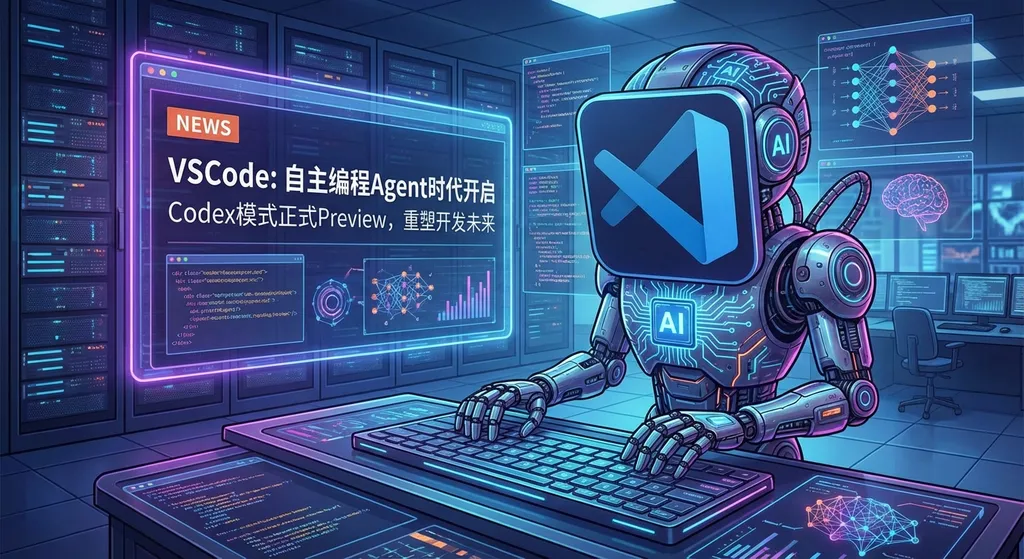
VS Code Insiders introduces a Codex App–like Agents Application mode, allowing developers to use autonomous agents directly within the editor to complete complex coding tasks. The competition over the form of AI programming tools has entered a new stage.
VS Code has taken action.
Microsoft has just launched a new mode called Agents Application in VS Code Insiders (preview version), directly positioned against OpenAI’s Codex App—instead of the familiar Copilot panel that chats with you in the sidebar, it’s now an Agent interface capable of autonomous planning, execution, and toolchain invocation.
Download VS Code Insiders and run one command to experience it:
Chat: Open Agents Application
No complex setup, no extra plugin dependencies. Opening it gives you a completely independent Agent workspace.
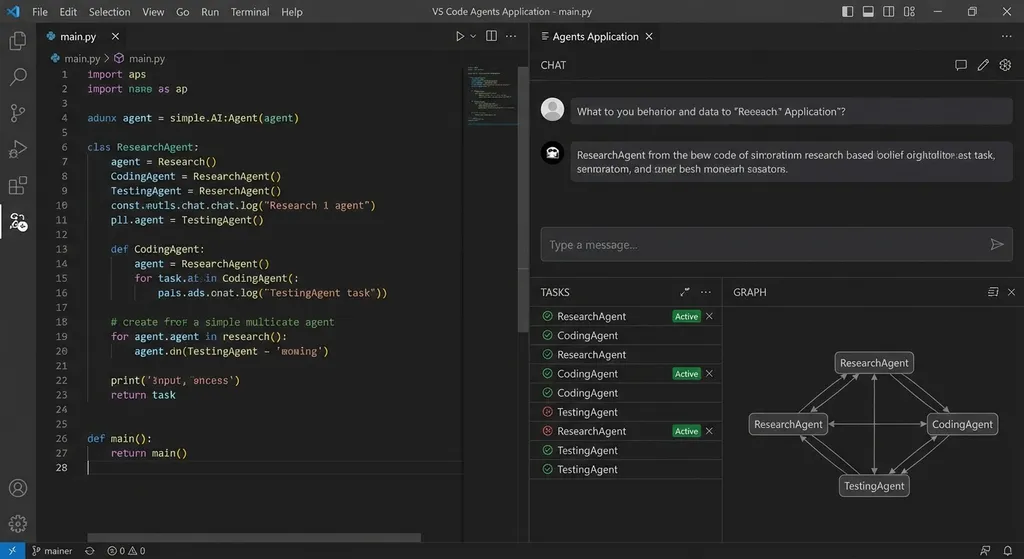
This is not just another chat window
First, clarify how it differs from GitHub Copilot Chat—many people’s first reaction is, “Isn’t this just a new UI?”
It’s not.
Traditional Copilot Chat is essentially a Q&A dialog box. You ask a question, it gives you some code—you copy and paste it into your editor manually or click “Apply” to insert it. The whole process is human-driven; the AI is just a responder.
The logic behind the Agents Application mode is completely different. You give it a task description—say, “Migrate this Express project’s authentication module from sessions to JWT”—and it will read the project structure, analyze dependencies, plan execution, step-by-step modify files, and run tests to verify results. The whole process is Agent-driven—you become the reviewer.
This aligns almost perfectly with what OpenAI’s Codex App introduced earlier this year: upgrading AI from a “completion tool” to an “autonomous developer.”
Why major companies are heading in this direction
If you’ve been following AI coding tools, you’ll have noticed that from mid-2025 to early 2026, the industry clearly split into different forms:
Camp One: IDE plugin-based. GitHub Copilot, Tongyi Lingma, Cursor’s Tab completions—all in this category. Their core value: “help you code faster while you’re coding.” This is the most mature form, and currently the one with the largest user base.
Camp Two: CLI-native. Claude Code, Gemini CLI, Qwen Code, OpenCode—all run in the terminal. They fit naturally with Shell and Git toolchains, enable powerful scripting, and integrate well with CI/CD. During the CLI craze in late 2025, even GitHub Copilot launched a CLI version—though honestly, its Agent autonomy lagged far behind Claude Code, unable to independently call the shell, run tests, or modify multi-file structures.
Camp Three: Standalone app-based. OpenAI’s Codex App pioneered this direction: turning the Agent into a standalone application interface emphasizing “hand it a task, let it finish, and you just review.”
What VS Code is doing now is putting the third form back into the IDE.
This is a smart move. Codex App’s main issue was that it’s a standalone product—you have to leave your familiar editor environment to use it. With VS Code integrating an Agent mode directly inside the editor, you don’t need to switch contexts—project files, terminal, and Git status are all within reach.
Simply put, Microsoft wants you to enjoy the efficiency of autonomous Agents without leaving the VS Code ecosystem.
The speed of industry adoption says a lot
It’s worth noting—VS Code isn’t alone. People have found that Trae Solo (ByteDance’s AI IDE) is also moving toward a Codex App–like model.
What does this show? Likely that these large companies have internally verified one key thing: for medium and large tasks, the autonomous Agent model delivers significantly better quality and efficiency than traditional chat-style interaction.
And that makes sense. Ask an AI to refactor a module using chat—you may need a dozen back-and-forths, manually reviewing and confirming each step. In Agent mode, describe your requirements once, let it run the full process, and review at the end.
Of course, this presumes the model’s reasoning and tool invocation abilities are strong enough. If the model’s intelligence falls short, autonomy just introduces more bugs. That’s why this mode didn’t mature until 2026—the underlying models finally caught up.
What this means for developers
Let’s be practical.
If your current workflow is “VS Code + Copilot completion + occasional chat,” the Agents Application mode won’t replace your habits—but in specific cases, it will offer a much more efficient option:
- Cross-file refactoring
- Scaffold an entire module from scratch
- Batch-edit API interface formats
- After coding, automatically run tests, fix bugs, and re-test
These tasks share common traits: numerous steps, multiple files, and a need for consistent context. Traditional chat modes struggle with this kind of work; Agent mode fits naturally.
But if your daily needs are line-level completion and simple Q&As, the existing Copilot experience already suffices—no need to use the new feature just for novelty’s sake.
CLI or App? Maybe not a binary choice
Some in the community ask: “Most people still use CLI or plugins—does anyone actually want standalone App modes?”
Good question—but maybe the wrong direction.
Look at today’s AI coding tools landscape: Claude Code dominating the terminal; Gemini CLI thriving post–open-source release; Qwen Code, since v0.2.0, developing independently after breaking away from Gemini CLI; OpenCode garnering 90k+ GitHub stars. The CLI camp is undeniably strong.
But CLI has a barrier: it assumes developers are comfortable with the command line and have a clear mental model of their project. For those used to GUI development, letting AI change code from the terminal can feel a little unsafe—like “not seeing what’s happening.”
VS Code’s Agents Application mode offers a compromise—the Agent’s autonomy rivals CLI tools, but the interaction stays within the IDE, where you can visually track which files it’s changing, what commands it’s running, and what test results appear.
The ultimate trend is likely multi-form coexistence:
- Heavy terminal users stick with Claude Code, Gemini CLI, etc.
- IDE users adopt Agents Application within VS Code
- For large, asynchronous tasks, use standalone products like Codex App
Tool form doesn’t matter—underlying Agent capability does. And that capability ultimately depends on the strength of the model you use.
Model choice is the real variable
Whether it’s VS Code’s Agents Application, Codex App, or Claude Code, they’re all Agent frameworks—the actual work is done by the model behind them.
Right now, these tools bind to different default models: Copilot uses GPT series and Claude; Codex App uses OpenAI’s models; Claude Code runs Claude; Gemini CLI runs Gemini.
But in real-world development, different tasks suit different models. Claude excels at code generation, Gemini handles long context better, and DeepSeek offers fast, cost-effective iteration. If you’re developing Agent-related tools or want multi-model integration in your own toolchain, you can use API aggregation platforms like OpenAI Hub to call all mainstream models with a unified OpenAI format, avoiding separate integrations:
from openai import OpenAI

client = OpenAI(
    api_key="your-openai-hub-key",
    base_url="https://api.openai-hub.net/v1"
)

# Same code format—just switch models by changing the model parameter
response = client.chat.completions.create(
    model="claude-sonnet-4",  # or gpt-4o, gemini-2.5-pro, deepseek-r1
    messages=[
        {"role": "system", "content": "You are a code refactoring assistant"},
        {"role": "user", "content": "Refactor the following Express middleware from callback style to async/await..."}
    ]
)

print(response.choices[0].message.content)
Especially for developers in China, direct connectivity and stability in practice make a big difference.
A sober look
Finally, a note of caution.
Agents Application is still in the Preview stage—stability and capability boundaries haven’t yet been widely validated. According to community feedback, Copilot’s Agent autonomy still trails Claude Code and Gemini CLI—particularly in deeper tool usage and multi-step reasoning accuracy.
Microsoft’s strength lies in VS Code’s ecosystem moat. A huge share of developers worldwide start their day by opening VS Code. Integrating Agent capabilities into this entry point gives distribution leverage that standalone tools simply can’t match.
But retaining users will ultimately depend on quality. If the Agent’s autonomously modified code still requires half an hour of review and bug fixing, you might as well do it yourself.
The battle over AI coding tool forms is far from over. VS Code’s latest move at least signals one clear thing: editors are no longer content with just “editing.”
References:
- Discussion thread on VS Code’s Codex App–like mode – Linux.do community discussion on VS Code Agents Application
- 2026 AI Coding Tools Landscape Review – Zhihu column comparing Claude Code, Gemini CLI, Qwen Code, and other mainstream tools


