
Teams Sets Hurdles for Third-Party AI Agents: Sent to the Waiting Room by Default
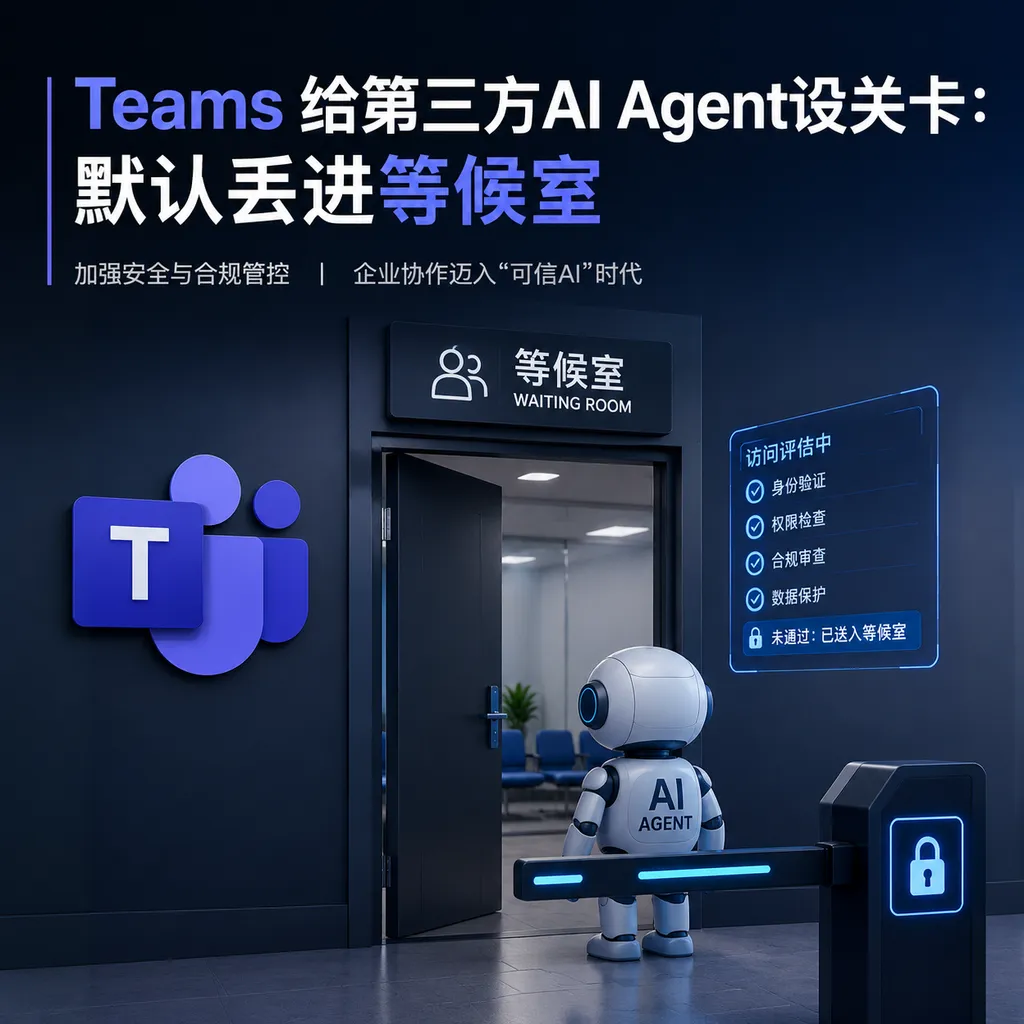
Microsoft rolled out a new policy for Teams this week: third-party AI bots must be manually approved by the organizer before joining meetings, and are placed in the Lobby by default pending approval. At the same time, the company is gradually phasing out the existing CAPTCHA verification mechanism.
Teams Puts Third-Party AI Agents Through a Checkpoint: Sent to the Lobby by Default, Can Only Enter with Organizer Approval
Microsoft confirmed today (July 6) through official channels that Microsoft Teams meetings have formally enabled a new admission policy for third-party AI bots: whether it’s Otter, Fireflies, or a custom-built bot, as long as it is not a trusted identity within the tenant, it will first be placed in the Lobby before joining a meeting. Only after the meeting organizer clicks “Allow” can it enter.
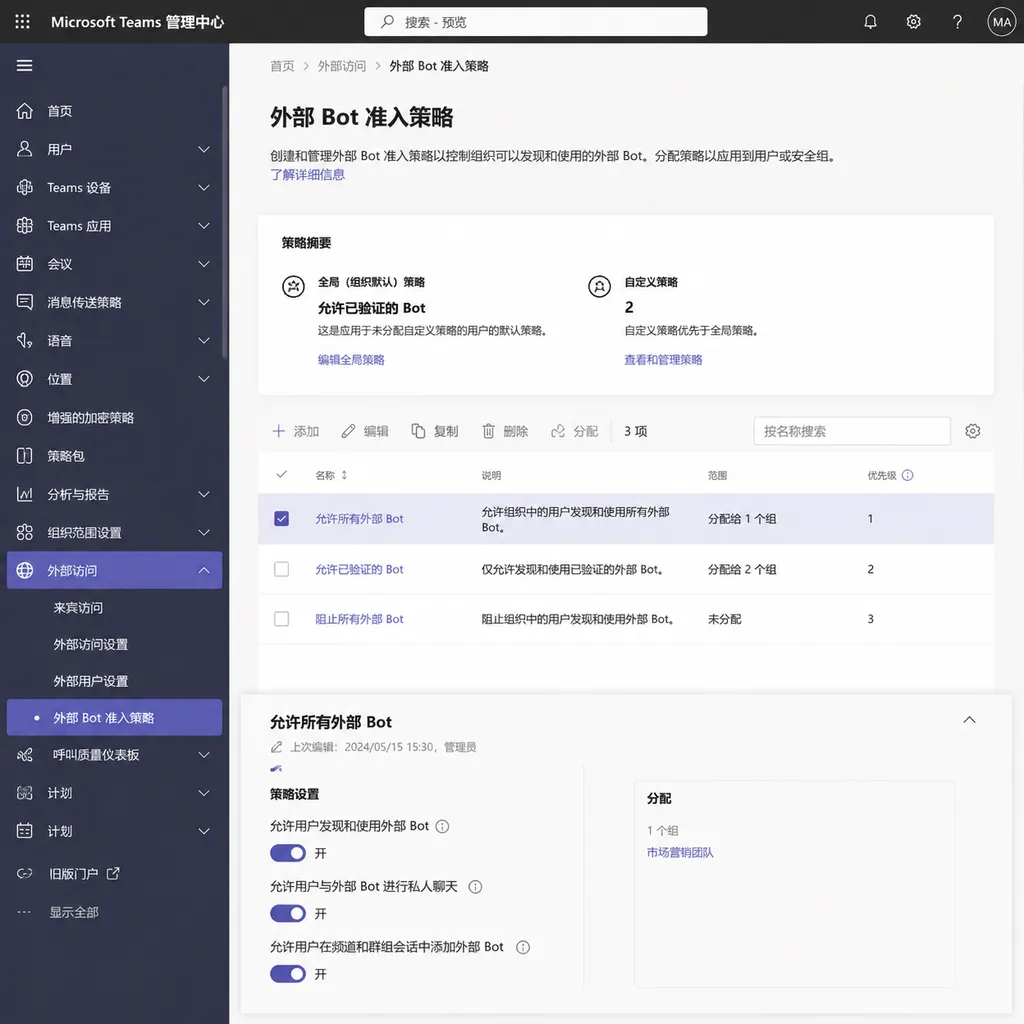
The policy is called Manage external bots and their access to meetings. It is now available in the Teams admin center and is enabled by default. Administrators can apply it by user or user group, or disable it if needed — but Microsoft’s message is clear: enabling it by default is itself a product stance.
This Isn’t a New Problem — It’s Technical Debt Two Years Overdue
A mysterious “AI Notetaker” suddenly joining meetings has been an ongoing embarrassment across SaaS meeting software over the past two years. Zoom, Google Meet, and Teams have all faced the same issue: User A installs Otter on their own calendar, then joins a meeting organized by User B and casually invites Otter along. Otter joins uninvited, records and transcribes the entire meeting, then emails the summary back to User A.
From a product perspective, this is called “attending on behalf of the user.” From a compliance and security perspective, this is called an unauthorized third-party data transfer. Clients in sectors like law firms, investment banking, and healthcare have been pressuring Microsoft about this for a long time.
Microsoft’s previous solution was CAPTCHA — requiring bots to pass a verification challenge before joining meetings. The problem with that approach was:
- It blocked “non-humans,” but modern agents can already pass CAPTCHAs, especially those with vision models
- It did not return decision-making authority to meeting organizers, instead outsourcing security responsibility to bot vendors’ “good faith”
- Administrators had almost no tenant-level visibility into which bots had entered which meetings
The new policy solves all three at once: bot identity recognition + lobby interception + explicit organizer approval + centralized admin policy management. CAPTCHA will be phased out and replaced entirely by this new flow.
How Teams Technically Identifies “External Bots”
Microsoft has not fully disclosed the implementation details, but based on the current Teams Bot Framework and Graph API architecture, the general mechanism can be inferred.
Bots in Teams generally fall into several categories:
- First-party bot: Microsoft-owned bots such as Copilot or Whiteboard assistants
- Tenant-installed bot: Installed by administrators through the Teams admin center with Azure AD authorization
- User-authorized bot: Installed individually by users from the Teams app store
- External / Federated bot: Third-party agents joining through calendar invitations or guest identities
The new policy targets category 4. These bots typically join through the Microsoft Graph onlineMeeting API or via a guest account. When participants attempt to enter, the Teams backend checks their App ID or identity source. If the participant matches “external bot” characteristics, it is sent directly to the Lobby and denied access unless the organizer explicitly approves it.
There’s an important hidden product judgment here: Microsoft now treats even user-installed third-party agents as external by default. This one move effectively breaks the seamless auto-join experience for popular apps like Otter, Fireflies, and Read.ai. These vendors must either negotiate tenant-level admin consent or accept manual approval for every meeting.
What This Means for Developers
If you are building AI agents for meetings — especially integrations with Teams — you will need to recalculate your assumptions over the next few months:
- Join success rates will decline. Previously, users could simply attach a bot to their calendar and everything worked automatically. Now, the organizer must manually approve each meeting. In enterprise environments, whether organizers remember to do this is unpredictable.
- Onboarding paths must change. Previously, individual users installed the app. Now, the better strategy is pushing tenant admins to install it and grant admin consent. This shifts the sales model from PLG toward SLG.
- Fallback plans are now necessary. If the bot gets stuck in the Lobby and no one approves it, the agent should implement timeout strategies and fall back to asynchronous workflows such as “upload the recording after the meeting.”
One developer-friendly aspect is that Microsoft left an escape hatch. Administrators can whitelist trusted bots through PowerShell or the Teams admin center, solving access issues tenant-wide in one step. Vendors’ future business efforts will likely revolve around “how to convince enterprise IT to whitelist us.”
Comparison with Google and Zoom
A quick comparison across the three platforms:
| Platform | Third-Party Bot Access | Default Policy | Centralized Admin Control | | --- | --- | --- | --- | | Teams (new) | Lobby + organizer approval | Block by default | Yes, tenant-level | | Google Meet | Depends on Workspace domain policies | Partial blocking | Yes, but coarse-grained | | Zoom | Companion Mode / Waiting Room | Depends on account settings | Moderate |
Teams is the most aggressive of the three by putting “deny by default” front and center. This also aligns with Microsoft’s broader enterprise-market strategy over the past two years — maximize security and compliance first, and let ecosystem partners absorb the UX friction.
A Larger Signal
Viewed in the context of today’s AI agent wave, this is actually an early implementation of identity and permission systems for the Agent era.
From the second half of 2025 into 2026, nearly every SaaS company has been talking about “Agent as a User” — giving agents their own identities, permission boundaries, and audit logs. Salesforce Agentforce, Google Agentspace, and Microsoft Copilot Studio are all building toward this model.
But once agents gain “user-level” capabilities, they must also accept “user-level” access restrictions. What Teams is fundamentally doing here is: elevating agents from “tools attached to users” into “independent meeting participants,” then applying participant-level approval standards to them.
This is the right direction. Over the next year, more SaaS platforms will move agents from the toolbar into the permission system. Meetings are just the first battleground; document collaboration, code repositories, and CRM systems will follow.
One Small Complaint
From a product experience perspective, this default policy is not particularly friendly for small teams. A five-person startup that has to manually approve bots in every meeting will probably disable the policy in the Teams admin center within days. The real beneficiaries are medium and large enterprises with IT departments and compliance requirements.
Microsoft clearly understands this, which is why it provides fine-grained policy assignment. You can enable it for executives, legal, and finance teams while disabling it for general engineering staff. But for teams without dedicated IT personnel, this level of configuration is simply cognitive overhead.
If you are building AI agent products for Teams, there is only one thing worth doing immediately right now: test whether your bot can still silently auto-join meetings. If it cannot, quickly add UI messaging telling users “please ask the organizer to approve the bot.” Don’t wait until user complaints reveal that your bot has been blocked in the Lobby.
Sources
- Microsoft Teams strengthens third-party AI agent permission management, requiring organizer approval before admission - IT Home — Official details of the new policy and admin center configuration instructions


