
Codeg Open Source New Version: When the IDE Learns to "Group Chat" and "Find Experts"
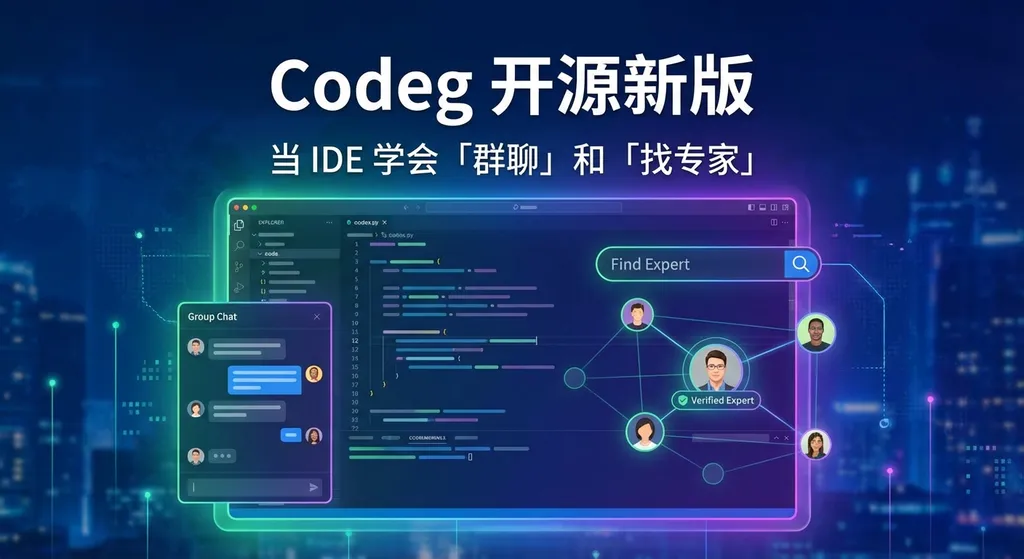
The open-source multi-agent IDE Codeg recently released a major update, introducing an IM messaging channel and an expert skill system, enabling multiple AI agents to communicate and collaborate within the IDE like a team. It supports both desktop and Docker deployment.
Codeg Open Source New Version: When an IDE Learns “Group Chat” and “Find an Expert”
An open-source project is trying to answer one question: what if writing code wasn’t a conversation between just one person and an AI, but rather a collaboration among a group of AI experts in a group chat?
Codeg has recently rolled out a major update. This multi-agent IDE focused on code generation has added two noteworthy features this time—an IM message channel and an expert skill system. It might sound like bringing enterprise WeChat’s group chat logic into a development tool, but in practice, it’s far more interesting than that.
First, the IM Channel: Agents Can Finally “Talk” to Each Other
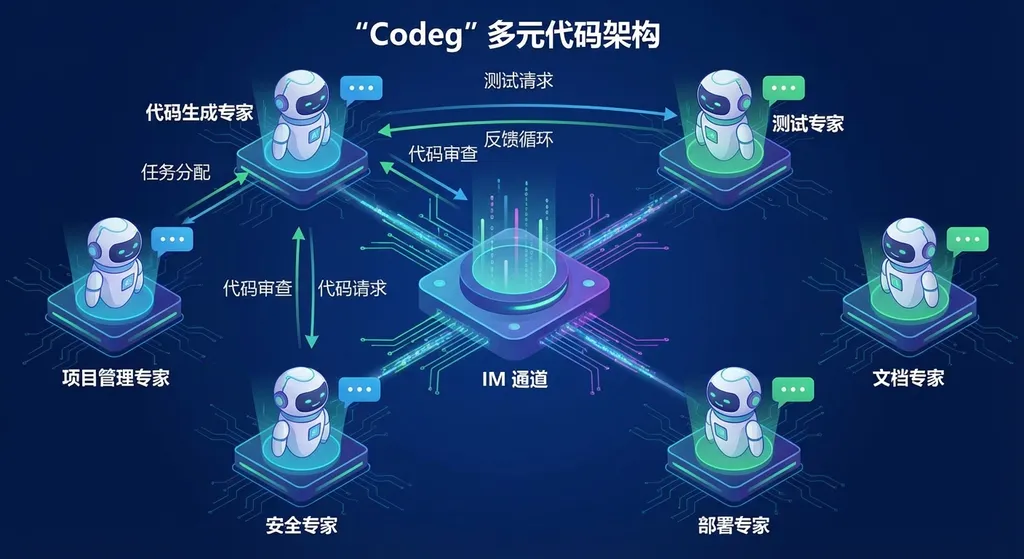
Most AI coding tools in the past followed a linear architecture—you provide a prompt, the model returns a piece of code, and at best, include a chain-of-thought for multi-step reasoning. Codeg’s approach this time is different: it’s built a message bus between multiple Agents.
What does that mean? You can think of it as an internal chatroom. After the architecture-designing Agent produces a solution, instead of sending it directly to you, it first posts it in the channel. Then, the implementation Agent receives it, and the testing Agent reviews it. Every Agent can see the context and respond based on previous discussions.
This follows the same line of thought as the academic concept of Multi-Agent Debate—having multiple specialized agents debate and negotiate internally to improve output quality. The difference is that Codeg has turned that concept into a working IDE product.
According to community feedback, the IM channel is still a bit rough. Some users reported that even though they enabled the feature in settings, the chat box still showed it as disabled—indicating a front-end/back-end synchronization bug. But for an open-source project, that’s a normal part of the iteration cycle.
Next, Expert Skills: Giving Agents “Professional Certificates”
This is the part of the update I find the most imaginative.
Codeg introduces a new “Expert Skills” system. In simple terms, you can assign different skill packages to different Agents—some specialize in Python backend, others in frontend components, some focus on code review, others write test cases. Each Agent is no longer a general-purpose “Jack of all trades but master of none,” but rather a specialist with a clear role.
This addresses a core pain point of current AI code tools: context contamination. When you use a general-purpose Agent to write business logic, unit tests, and also review code, its attention gets scattered. The prompt grows longer, and output quality inevitably drops. By splitting responsibilities so each Agent focuses on its own area of expertise, the quality of generated code theoretically improves significantly.
This approach is reminiscent of the “Single Responsibility Principle” in software engineering—only this time, what’s constrained isn’t code modules, but the AI Agents themselves.
Deployment Options: Desktop and Docker Available
From an engineering perspective, Codeg now offers three deployment options:
- Desktop client, ready to use out of the box
- Server deployment, suitable for team sharing
- Docker image, launch it with a single command
For tech leads wanting to experiment with multi-agent programming within their teams, Docker deployment is the most practical choice. Just pull the image, set up the model API, and the team can share the same Agent configuration and skill system.
As for model APIs, Codeg itself isn’t bound to a specific model—it requires connection to large language models to power the Agents. Suppose you want to use GPT for architecture design, Claude for code generation, and DeepSeek for Chinese documentation—in that case, you can handle such multi-model usage through an API aggregation service like OpenAI Hub, with a single endpoint, rather than configuring each Agent separately.
Compared with Competitors, Where Does Codeg Stand?
Frankly speaking, Codeg’s current level of completion still lags behind commercial products like Cursor and Windsurf. Those have invested heavily in code completion, context understanding, and user experience polishing, while Codeg still hasn’t completely ironed out basic state synchronization bugs.
However, Codeg takes a different route. Tools like Cursor essentially follow a “single Agent + deep context” approach—a smart assistant helps you code. Codeg is betting on “multi-Agent collaboration”—a team helps you code. It’s too early to say which approach will ultimately prove more effective.
From a technical trend perspective, multi-agent collaboration is indeed emerging as one of the hottest directions in AI applications for 2025–2026. Microsoft’s AutoGen, CrewAI, and MetaGPT are all exploring similar paradigms. Codeg’s value lies in embedding that paradigm directly into the IDE, instead of stopping at the framework level and asking developers to build around it.
That said, a multi-agent architecture brings new complexities—communication overhead, conflict resolution, skill routing accuracy—all difficult engineering problems. What happens if two Agents give contradictory suggestions for the same piece of code in the IM channel? Who has the final say? At the moment, Codeg doesn’t seem to offer a clearly defined arbitration mechanism.
A Bigger Question
The real question a multi-agent IDE needs to answer isn’t “does it run?” but “how much better is it than a single Agent?”
If three collaborating Agents only produce code 5% better than what a single Claude Opus can generate, but take three times longer and consume four times the tokens, that trade-off doesn’t make sense. The Codeg community hasn’t yet released systematic benchmark comparison data—something that’ll need to come later.
On the other hand, if multi-Agent collaboration shows clear advantages in complex projects (such as full-stack tasks involving frontend/backend integration, database migration, and API design), then its value extends far beyond an IDE—it becomes an early form of a new software development paradigm.
This is a direction worth keeping an eye on.
If you want to quickly experience Codeg’s multi-Agent capabilities, you can follow the example below when connecting to a model API. The configuration below uses an OpenAI Hub–compatible format to define a model call for an expert Agent:
import openai

client = openai.OpenAI(
    api_key="your-openai-hub-key",
    base_url="https://api.openai-hub.net/v1"
)

# Configure system prompt for the "Code Review Expert" Agent
response = client.chat.completions.create(
    model="claude-sonnet-4-20250514",
    messages=[
        {
            "role": "system",
            "content": "You are a senior code review expert focused on identifying potential bugs, performance issues, and security vulnerabilities. Output review comments only; do not rewrite the code."
        },
        {
            "role": "user",
            "content": "Please review the following Python function:\ndef get_user(id):\n    return db.execute(f'SELECT * FROM users WHERE id={id}')\n"
        }
    ]
)

print(response.choices[0].message.content)
Different expert Agents can use different models—for example, one with strong reasoning ability for architecture design and another optimized for speed for code generation—according to need.
References:
- Codeg Open Source Project Discussion Thread - Linux.do — Community feedback on Codeg’s new version, including the IM channel and expert skill system
- Technical Analysis of Multi-Agent Debate–Based Writing Optimization - Zhihu — Principles of Multi-Agent Debate technology and examples in generative AI applications


