
Swarmesh: Let multiple AIs team up to work in the terminal
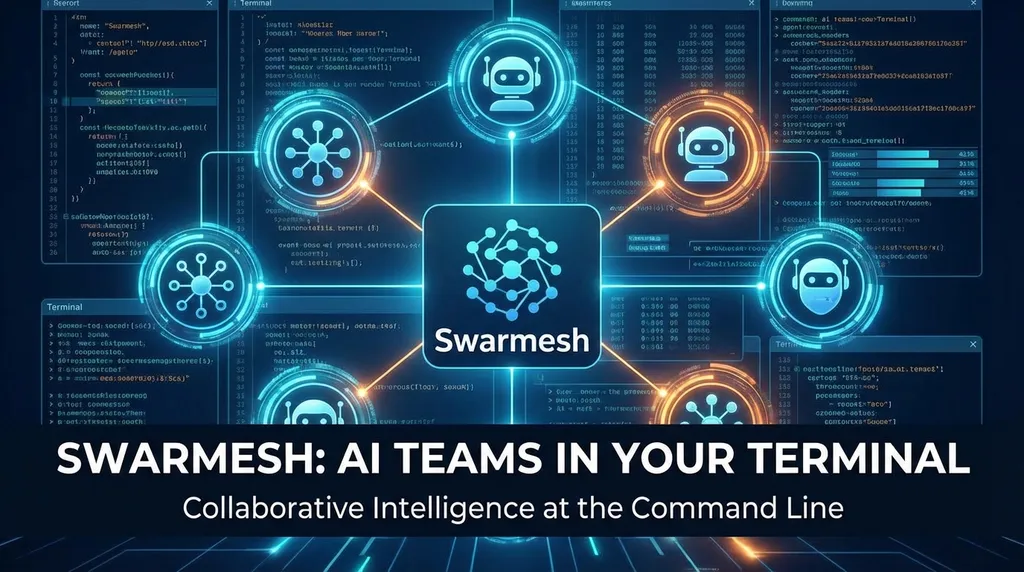
The open-source framework **Swarmesh**, built on **tmux**, enables multi-AI CLI swarm collaboration. Its recent major upgrade introduces a **5-stage task flow**, a **capability distribution mechanism**, and an **integrator role**, allowing **Claude**, **Gemini**, and **Codex** to collaborate autonomously in the terminal like a real development team.
An open‑source project called Swarmesh has recently attracted considerable attention in the developer community. What it does is straightforward: it runs multiple AI CLIs (Claude Code, Gemini CLI, Codex CLI) simultaneously inside tmux, allowing them to autonomously divide labor and collaborate like a swarm to complete complex development tasks.
It’s not a shell wrapper, nor a simple serial invocation—it truly lets multiple models work in parallel according to their specialties.
First, let’s clarify what problem it solves
More and more developers are using AI‑assisted programming, but most still follow a workflow of “one terminal, one model, one conversation.” When facing complex projects—say, front‑end refactoring, back‑end API redesign, and integration tests all at once—you have to constantly switch between windows, manually transferring context from one model to another.
The pain point here isn’t that any single model is weak—it’s that coordination costs are too high. You become a human scheduler.
Swarmesh aims to eliminate that role. It spins up multiple AI CLI instances in tmux panes and uses a coordination protocol so that they can partition tasks, summarize outputs, and resolve conflicts on their own. You only need to describe the final goal—the swarm handles the rest.
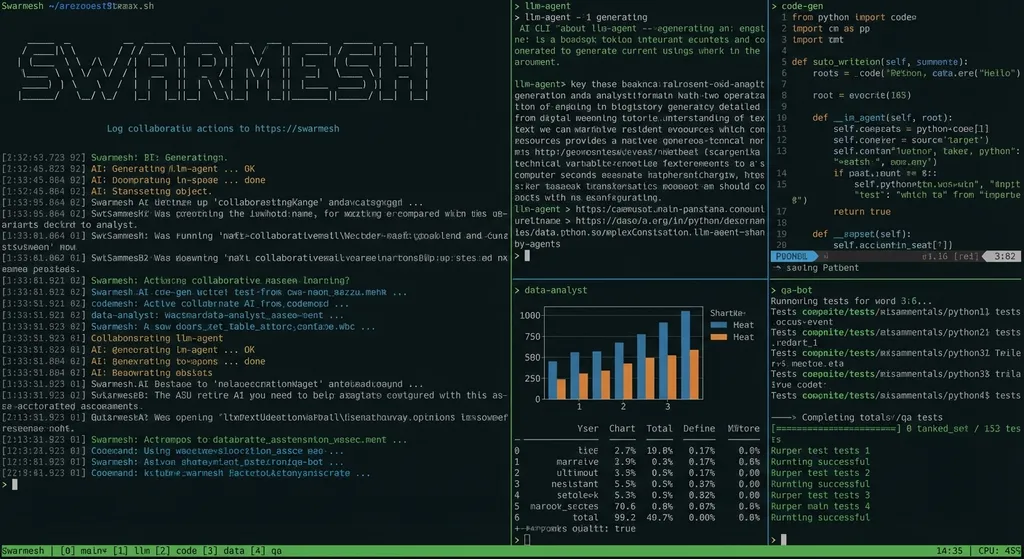
What’s new in this upgrade
This update brings major changes—almost a full rewrite of the core scheduling logic. Let’s break it down:
Task flow refined into five clear stages
Earlier versions had a rough flow—basically “divide tasks → do the work → summarize.” The new version restructures it into five stages:
- Research — gather information and analyze requirements
- Planning — design technical plans and distribute responsibilities
- Implementation — parallel coding by roles
- Integration — merge outputs and resolve conflicts
- Verification — test, validate, and confirm delivery
This design is clearly abstracted from real software development processes. Anyone familiar with team collaboration will instantly recognize it—it turns AI cooperation from “work all at once” into an orderly, engineered workflow. Each stage has defined inputs and outputs; the next stage won’t start until the previous one finishes.
Frankly, it’s more structured than many human teams’ project management.
Capability distribution replaces fixed roles
This is the most interesting change in the new release.
Previously, roles were hard‑coded: Claude wrote code, Gemini handled research, Codex ran tests. The issue was obvious—if a task required skills mismatched with those preset roles, the system got stuck.
The new version introduces capabilities. Each AI CLI instance registers what it’s good at (code generation, documentation writing, test creation, architecture analysis, etc.). Task assignment now matches based on capabilities, not names.
Even smarter: if no role fits, the system automatically finds alternatives or dynamically adds a new role—like a project manager temporarily borrowing a front‑end engineer from another team.
The benefits are clear:
- The same model can play different roles in different tasks
- New models can be added without touching scheduling logic—just declare capabilities
- Task allocation becomes far more flexible
For developers, this means you can mix and match model combinations—for example, Claude for complex reasoning and code generation, Gemini for long‑context document analysis, and DeepSeek for cost‑effective assistance. Each model leverages its own strengths instead of being forced into a fixed slot.
New role: Integrator
What’s the hardest part of multi‑person collaboration? Merging code.
When three people code separately, merging often leads to conflicts, mismatched APIs, and inconsistent naming styles. AI collaboration is no different. Earlier versions lacked a role dedicated to “convergence,” so outputs from multiple AIs often required manual stitching.
The new version adds an integrator role specifically for this:
- Gather outputs from all roles
- Check interface consistency
- Resolve code conflicts
- Align naming and style
- Produce the final integrated result
This is a pragmatic design. It acknowledges reality: the challenge in multi‑agent work isn’t getting each agent to do its job, but combining their work into a runnable whole. The integrator handles that “last mile.”
Structured receipts and audit trail
Task assignment and completion used to be loosely recorded; the new version tightens this up. Each task now must include structured logs:
- What was done (actual output)
- Who it was assigned to (which AI instance)
- If it was re‑assigned (and why)
- What the risks are (known issues and potential hazards)
It looks like giving your AI KPIs, but it actually solves traceability problems. When five AIs are working in parallel, debugging without structured records is a nightmare. Structured receipts make error localization feasible.
Playbook and capability toolchain
The update also ships with a new toolset:
- Capability validation: verify whether AI instance declarations are reasonable
- Orchestration recommendation: auto‑suggest role combinations based on task descriptions
- Template approval: store verified collaboration setups as reusable playbooks
This greatly lowers entry barriers. You don’t have to design workflows from scratch—just use community‑validated playbooks. Common scenarios like “full‑stack web app development,” “microservice refactoring,” or “document generation + code review” are ready to go.
Unified permission adaptation
Claude Code, Gemini CLI, and Codex CLI each manage file system permissions differently. Claude uses its own confirmation mechanism; Gemini handles it differently. Previously, Swarmesh needed separate adapters for each CLI—high maintenance, bug‑prone.
Now permissions have been unified under a single layer—all CLIs use the same logic. It’s transparent to users but significantly improves maintainability and new CLI integration speed.
How it compares to existing solutions
Several frameworks enable multi‑agent collaboration—CrewAI, AutoGen, LangGraph, among others. Where does Swarmesh differ?
Its biggest distinction: it’s entirely CLI‑based. You don’t need Python scripts to orchestrate agents, no API service setup, no new SDK learning. If you already have Claude Code and Gemini CLI installed, you can use them directly. The coordination layer runs inside tmux—lightweight with virtually zero dependencies.
This design has pros and cons.
Pros: near‑zero entry barrier for developers already using these CLIs. It reuses each CLI’s native strengths—context window size, tool calls, file operations—without framework‑level loss.
Cons: heavy reliance on tmux excludes most Windows users (except WSL). Debugging isn’t as intuitive as GUI solutions. And text‑based terminal communication may be less stable than structured API calls in complex scenarios.
Compared with frameworks like CrewAI, Swarmesh feels more like a developer’s Swiss‑army knife than an enterprise solution. It’s ideal for solo devs or small teams to quickly bootstrap multi‑model collaboration locally—but if you need production‑grade monitoring, logging, and fault tolerance, you’ll have to wait.
That said, the new structured receipts, task pause/resume, and session recovery features show it’s evolving toward an engineering‑grade system.
Practical use cases
A few scenarios where Swarmesh shines:
-
Parallel full‑stack development:
One agent writes front‑end components, another handles back‑end APIs, a third manages DB migrations, while the integrator ensures interface alignment—much faster than juggling three files yourself. -
Code review + refactoring:
One agent analyzes code issues, one drafts refactoring plans, one executes them, and another runs tests. The process is automated—you just inspect final results at the verification stage. -
Technical research:
Assign different agents to explore different technologies, each producing comparative analyses. The integrator then compiles a complete technical evaluation report.
On multi‑model invocation
Since Swarmesh’s core is multi‑model collaboration, the way models are invoked matters. In practice, you might call Claude, Gemini, DeepSeek, etc.—each with unique API formats and endpoints. Managing multiple API keys is cumbersome.
Using an API aggregator like OpenAI Hub (openai‑hub.com) simplifies this: one key accesses all major models via an OpenAI‑compatible format, with domestic direct connectivity. Configuration becomes much simpler. For example, when different roles use different models in Swarmesh’s capability settings, you can use a single base URL:
import openai

# Unified model calls via OpenAI Hub
client = openai.OpenAI(
    api_key="your-openai-hub-key",
    base_url="https://openai-hub.com/v1"
)

# Research phase – Gemini handles long-context analysis
research_response = client.chat.completions.create(
    model="gemini-2.5-pro",
    messages=[{"role": "user", "content": "Analyze this project’s technical architecture..."}]
)

# Implementation – Claude handles code generation
impl_response = client.chat.completions.create(
    model="claude-sonnet-4-20250514",
    messages=[{"role": "user", "content": "Implement the user authentication module per this plan..."}]
)

# Support tasks – DeepSeek for cost efficiency
assist_response = client.chat.completions.create(
    model="deepseek-chat",
    messages=[{"role": "user", "content": "Write unit tests for the following function..."}]
)
This approach fits naturally with Swarmesh’s capability distribution—different capabilities, different models, unified invocation.
Some sober reflections
Multi‑agent collaboration is a hot topic, but a few issues are worth noting.
Cost: Running multiple models in parallel multiplies token usage. A complex task may consume tens of thousands of tokens per agent, plus coordination overhead—far from cheap. Swarmesh currently lacks explicit cost management features like token budgets or adaptive scaling by task complexity.
Determinism: Single‑LLM outputs are already uncertain; multiple LLMs amplify that. Agent A’s output feeds Agent B—if A makes a subtle mistake, B may build upon it, and the integrator ends up merging plausible‑looking but flawed code. This “error propagation” is a known challenge in multi‑agent systems.
Debugging: With five agents working concurrently, tracking which step went wrong is tough. The new structured logs are a good start, but there’s still room for improvement. Tools like “execution timeline” or “agent communication visualization” would help a lot.
Summary
Swarmesh’s upgrades move it in the right direction—from “it works” to “it’s usable.” The five‑stage task flow, capability distribution, integrator role, and structured logging all tackle real pain points of multi‑agent collaboration instead of just stacking features.
It won’t replace your current AI‑coding workflow, but if you already use Claude Code or Gemini CLI and want to see multiple models collaborate on complex tasks, Swarmesh is one of the lowest‑barrier options.
Being tmux‑based means it’s tailored for hardcore Linux/macOS developers—not plug‑and‑play end users. But for its target audience, that’s where its charm lies—no excess abstraction; everything happens in the terminal you already know.
Definitely worth keeping an eye on.
References
- Swarmesh Community Thread (Linux.do) — detailed update log and community feedback for this release
- memory_agent_hub (GitHub) — a collection of projects on AI agent architecture and multi‑agent collaboration


