
Imagine Server Open Source: A single interface unifies all AI image generation models
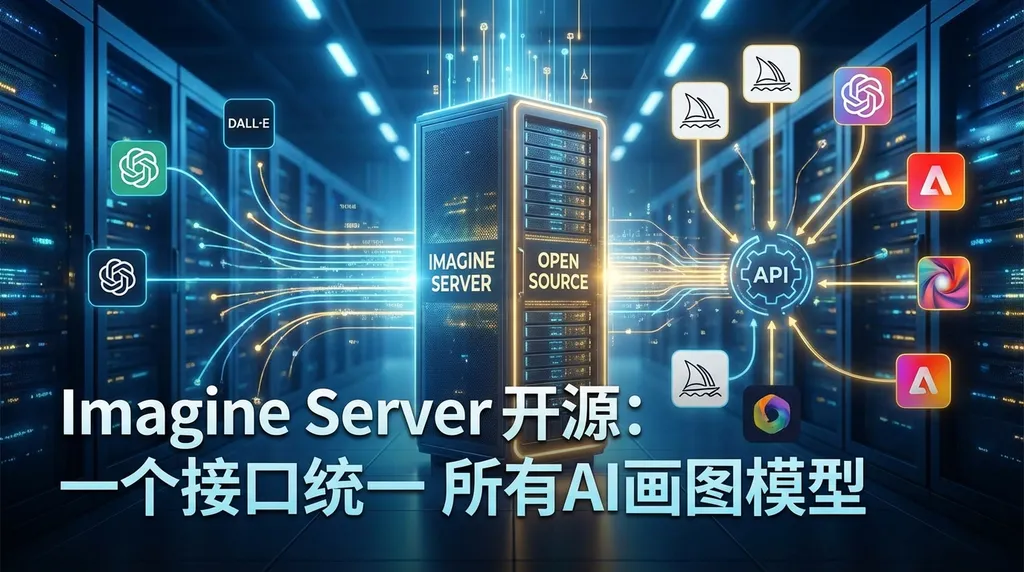
The open-source project Imagine Server has released version v1.3.0, which unifies image generation models such as Gemini Imagen, Grok Imagine, and OpenAI DALL·E into a compatible API, so developers no longer need to write separate integration logic for each model.
The AI image generation field has become increasingly fragmented.
Gemini has Imagen 4, xAI has Grok Imagine, OpenAI has DALL·E and GPT-4o’s native image generation, and Hugging Face hosts a bunch of open‑source diffusion models. Each has a different API format, authentication method, and return structure. For developers integrating AI image generation into their products, just writing an adaptation layer can be a nightmare.
The recently open‑sourced Imagine Server was created to solve this problem. The project just released v1.3.0, wrapping all major image generation services on the market into one unified API. Developers only face a single interface—who’s connected behind it and how switching works are all handled on the server side.
What it actually does
The core idea of Imagine Server is straightforward: make an “API gateway” for image generation.
You send it an image-generation request, and it invokes the corresponding upstream service based on the provider you specify, then returns the result in a unified format. Currently supported upstream services include:
- Hugging Face Inference API
- Gitee AI
- ModelScope (ModelHub)
- Google Gemini (Imagen series, called Nano Banana in the project)
- xAI Grok Imagine
- OpenAI DALL·E / GPT‑Image
This list expanded significantly in v1.3.0. Earlier versions mainly covered open‑source ecosystems like Hugging Face, Gitee AI, and ModelScope; the new one also brings in the image generation capabilities of the three major commercial model providers.
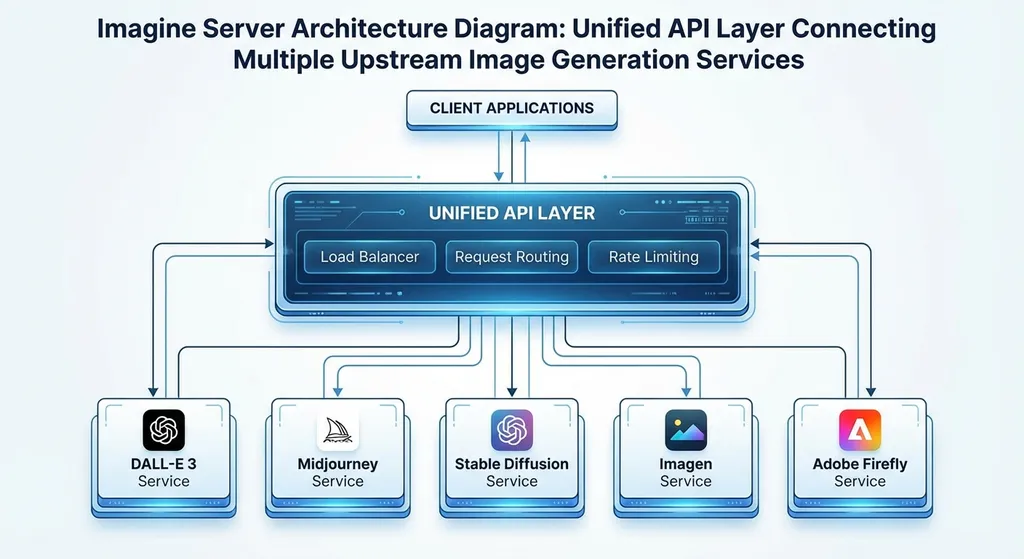
The project is built on Node.js, using Hono for the HTTP framework and TypeScript for implementation—the code structure is quite clean. It supports both Docker deployment and direct Node runs.
Why this is worth paying attention to
You might think, “it’s just API wrapping, what’s the big deal?”
But if you’ve ever integrated multiple image generation services in production, you know how messy this gets.
First, format differences. OpenAI’s Images API returns base64 or a URL, Gemini’s Imagen uses a totally different generateImages endpoint and response structure, Grok Imagine yet another. Just normalizing those responses into one structure takes a lot of glue code.
Imagine Server absorbs those differences. Regardless of which model sits behind it, the frontend always receives a unified response format. For A/B testing scenarios—like generating images for the same prompt with Imagen and DALL·E and letting users vote on quality—this saves huge effort.
Then, availability. Relying on a single provider is risky—API rate limiting, service degradation, regional outages are all real issues. With a unified gateway layer, implementing fallback strategies becomes easy: if Gemini fails, automatically switch to Grok; if Grok fails, fall back to an open‑source model on Hugging Face.
Version 1.3.0 adds another useful feature: S3 storage integration. Many image generation APIs return temporary URLs that expire after a while. Imagine Server can automatically upload generated images to your own S3 (or compatible) bucket and return stable URLs. That’s crucial in production—otherwise, the image disappears when the user refreshes the page.
Tech breakdown
A quick look at the project structure reveals some interesting design choices.
Provider abstraction layer
Each upstream service is abstracted as a Provider implementing a unified interface. Adding a new Provider basically means writing an adapter that maps requests/responses between the upstream API and the internal unified structure. It’s a familiar pattern—but done cleanly, it’s easy to maintain.
For example, to call Gemini’s Imagen to generate an image:
curl -X POST http://localhost:3000/api/generate \
  -H "Content-Type: application/json" \
  -d '{
    "provider": "gemini",
    "prompt": "A cyberpunk-style cat standing under neon lights on a Tokyo street",
    "width": 1024,
    "height": 1024
  }'
Switching to Grok Imagine? Just change "provider": "grok", nothing else. To OpenAI? "provider": "openai". That’s the consistency advantage.
Relationship with Peinture
Imagine Server is actually the backend service of another open‑source project, Peinture, an end‑user‑facing AI image generation app. Peinture provides the frontend interface; its backend is Imagine Server.
That means Imagine Server isn’t just a “technical demo”—it runs in a real production product. That’s important—many open‑source API wrappers get abandoned after the README. A project backing a real app has stronger motivation for continuous maintenance.
The S3 storage detail
As mentioned earlier, the S3 integration likely works by asynchronously uploading images returned by upstream services to a configured S3 bucket, then returning the S3 URL to the client. This adds slight latency but ensures link persistence.
In chat apps or content platforms, image URLs must be stable—otherwise, message history fills up with broken images. Small feature, big impact in production.
Horizontal comparison: Where it fits
Plenty of projects aggregate AI APIs, but few focus purely on image generation.
Similar projects include Grok2API, which wraps Grok’s capabilities in an OpenAI‑compatible format—but it’s more focused on conversation, with image generation as a side feature. Imagine Server takes the opposite approach: it focuses exclusively on image generation and does it comprehensively.
Compared with commercial solutions like OpenAI Hub (an API aggregation platform), Imagine Server’s advantage is full self‑hosting—data never passes through a third party. The disadvantage is clear too: you must manage multiple API keys, handle rate limits, and monitor availability yourself.
If your use case demands high data privacy or deeply customized routing strategies, building your own Imagine Server makes sense. If you just want quick access to multiple providers’ image generation models, OpenAI Hub is much easier—one key calls GPT, Gemini, Grok, etc., without manual deployment.
Current state of image generation models
Since Imagine Server integrates several providers, here’s a quick snapshot of each.
Google Imagen 4 currently has one of the best overall performances. It supports Standard, Ultra, and Fast tiers—Ultra gives the highest quality but slowest speed, Fast is for latency‑sensitive scenarios. Imagen 4 greatly improves text rendering; the notorious “AI can’t write coherent text” issue is largely fixed.
xAI Grok Imagine, newly opened this year, ties deeply with Grok’s multimodal capabilities and supports both text‑to‑image and image editing. Its style is more photorealistic and handles humans naturally. However, API stability and documentation still lag behind Google and OpenAI. Interestingly, Grok Imagine is moving toward video generation (‘grok‑imagine‑video’)—still early but shows xAI’s push toward multimodal content creation.
OpenAI’s DALL·E 3 remains many developers’ default choice, thanks to maturity, robust documentation, and tight integration with ChatGPT. GPT‑4o’s native image generation is gradually opening up—it’s strong at seamlessly creating/editing images within conversation context, without separate API calls.
If you invoke these models via OpenAI Hub, sample code looks like this:
import openai

client = openai.OpenAI(
    api_key="your-openai-hub-key",
    base_url="https://api.openai-hub.net/v1"
)

# Generate image with DALL·E
response = client.images.generate(
    model="dall-e-3",
    prompt="A cyberpunk-style cat standing under neon lights on a Tokyo street",
    size="1024x1024",
    n=1
)

print(response.data[0].url)
# Generate image with Gemini Imagen
response = client.images.generate(
    model="imagen-4.0-generate-001",
    prompt="A cyberpunk-style cat standing under neon lights on a Tokyo street",
    size="1024x1024",
    n=1
)

print(response.data[0].url)
The format is exactly the same—just switch the model name.
That’s the beauty of a unified API format: whether you self‑host Imagine Server or use a hub platform, the goal is the same—don’t make me write separate code for every model.
Who should use Imagine Server
Honestly, this project isn’t for everyone.
If you only occasionally call one image generation API, just use the official SDK—no need for an extra layer.
But if your situation is any of these, it’s worth a look:
- Your product needs to integrate multiple image generation models to give users choices or compare quality
- You must self‑host for data privacy reasons
- You need fallback capability—automatic switching if one API fails
- You’re building a Midjourney‑like app and need a unified backend service
For deployment, a simple Docker setup works:
git clone https://github.com/Amery2010/imagine-server.git
cd imagine-server
docker compose up -d
Then fill in each provider’s API keys in the config file, and you’re ready to go.
Some shortcomings
Objectively, a few issues remain.
First, documentation is still thin. The README covers deployment and basic usage, but details about each Provider’s parameters, limits, and error handling aren’t well explained. Developers using it in production may need to read the source code for edge cases.
Second, there’s no full test coverage yet. For an API gateway project, testing edge conditions—upstream timeouts, malformed responses, concurrency—is essential. Hopefully future versions improve that.
Third, routing logic is currently simple—you specify which Provider to use, and that’s it. Advanced features like cost-based routing, quality‑score‑based selection, queuing, and rate limiting are missing but needed in production.
Still, it’s only version 1.3.0—an open‑source project, not a commercial product. Its core value proposition—“a unified multi‑model image generation API”—is already solid; what’s left are engineering refinements.
Final thoughts
AI image generation is evolving from a “toy” into infrastructure. More and more products need built‑in image creation—e‑commerce for product photos, social apps for avatars and stickers, design tools for assets, content platforms for illustrations.
When image generation becomes infrastructure, a unified integration layer becomes essential. Just as we don’t write separate connection logic for each database, image generation APIs also need a standardized abstraction layer.
Imagine Server takes a step in that direction. It’s not perfect, but its concept is right. If you have multi‑model image generation needs, it’s worth cloning and running—you might just save yourself the work of writing that adaptation layer.
References:
- Imagine Server Open‑Source Project GitHub Repository — Source code and documentation
- Imagine Server v1.3.0 Release Post (LINUX DO Community) — Version notes and community discussion
- AI Image Generation Model Evolution Overview (Zhihu Column) — Technical development of major image generation models


