
Tampermonkey script for one-click authentication extraction, self-built AI Studio API gateway
Developer xjetry has released a Tampermonkey script called **AI Studio Auth Extractor**, which can extract Google AI Studio authentication cookies with one click. Combined with the **AIStudioToAPI** project, it enables rapid setup of a Gemini API gateway compatible with the OpenAI format.
A Tampermonkey script that turns Google AI Studio into your own Gemini API backend.
The background is simple: Google AI Studio’s web interface can use Gemini series models for free, including flagship ones like Gemini 2.5 Pro. But it only provides a web UI—it does not give you a programmable API endpoint. So someone thought: can we intercept the web requests and wrap them with an API shell?
That’s exactly what bbbugg’s project AIStudioToAPI does. Recently, a developer from the Linux.do community, xjetry, took it one step further by writing a Tampermonkey script that automates the trickiest part: extracting authentication information.
Let’s first make clear how this chain works
The principle of AIStudioToAPI isn’t complicated. When Google AI Studio’s web frontend communicates with its backend, it relies on a set of authentication cookies tied to your Google account. If you can get those cookies, you can simulate the web requests on your own server and use AI Studio as a Gemini inference backend.
The entire process has three steps:
- Extract Google account authentication cookies (SID, HSID, SSID, SAPISID, etc.) from the browser
- Feed that information to the AIStudioToAPI service
- AIStudioToAPI exposes an API interface compatible with OpenAI / Gemini / Anthropic formats
The first step is the bottleneck. Those core cookies have the httpOnly attribute, which means JavaScript running in the browser cannot read them. The old way was to open DevTools → Application → Cookies, manually copy each one, and paste them together into a JSON file. There are quite a few cookies, their names are long, and doing this even once is annoying; switching accounts means repeating the entire process.
That’s what xjetry’s Tampermonkey script is designed to fix.
What the script does
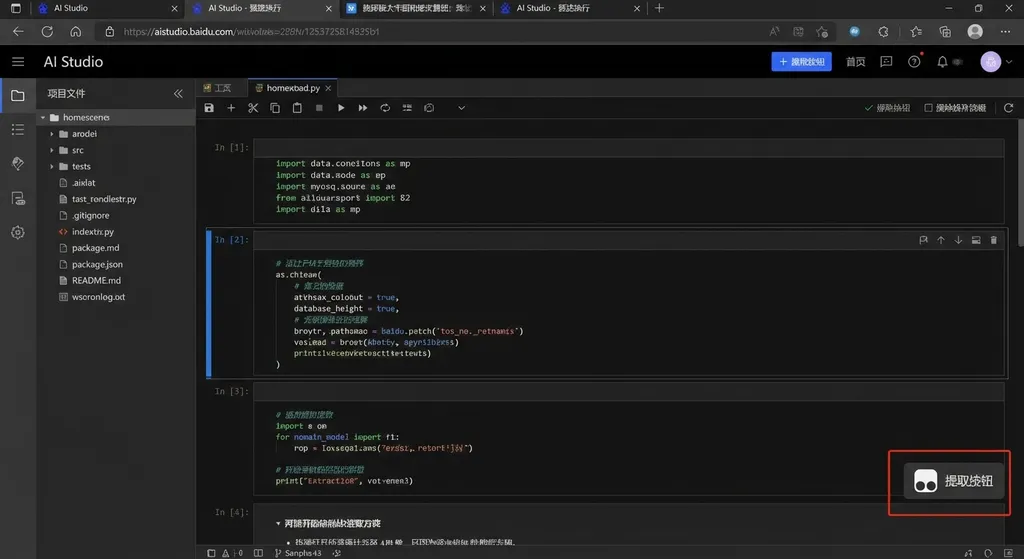
The script is called AI Studio Auth Extractor. Its core logic is short. It uses Tampermonkey’s GM_cookie API to bypass httpOnly restrictions, batch-read authentication cookies under Google domains, package them into the JSON format required by AIStudioToAPI, and trigger an automatic download.
The list of cookies to extract includes:
SID, HSID, SSID, SAPISID, APISID,
__Secure-1PSID, __Secure-3PSID,
__Secure-1PSIDTS, __Secure-3PSIDTS,
__Secure-1PSIDCC, __Secure-3PSIDCC,
__Secure-1PAPISID, __Secure-3PAPISID
These are standard authentication fields in the Google account system. 1P and 3P correspond to first-party and third-party contexts respectively; SID is the main session identifier; PSIDTS is a timestamp token; and PAPISID is used for API-level identity binding. The script grabs them all to ensure AIStudioToAPI can authenticate correctly under various request scenarios.
The output file is named {email}.json, so multiple accounts won’t get mixed up.
Deploying AIStudioToAPI
After you get the authentication JSON, the next step is to run AIStudioToAPI. The project is hosted on GitHub: iBUHub/AIStudioToAPI.
The quickest setup is with Docker:
docker run -d \
  --name aistudio-api \
  -p 8080:8080 \
  -v ./auth:/app/auth \
  ghcr.io/ibuhub/aistudiotoapi:latest
Just drop the JSON file exported by the script into the ./auth directory. Once the service starts, http://localhost:8080 becomes your API endpoint.
It exposes three compatible formats:
- OpenAI API (
/v1/chat/completions) - Gemini API format
- Anthropic API format
For most developers, the OpenAI-compatible format is the most practical—virtually all AI frameworks and SDKs (LangChain, OpenAI SDK, various agent frameworks) support it by default.
A basic example:
import openai

client = openai.OpenAI(
    base_url="http://localhost:8080/v1",
    api_key="any-string-here"  # no real key needed for local setup
)

response = client.chat.completions.create(
    model="gemini-2.5-pro",
    messages=[
        {"role": "user", "content": "Explain the Transformer's self-attention mechanism in three sentences"}
    ]
)

print(response.choices[0].message.content)
Since this uses AI Studio’s web channel, the available model list matches what you can use in AI Studio—Gemini 2.5 Pro, Gemini 2.5 Flash, Gemini 2.0 Flash, etc.
Installing and configuring the Tampermonkey script
There’s one detail worth noting: the script depends on the GM_cookie API. Tampermonkey doesn’t allow cookie access by default, so you need to adjust the settings manually:
- Open the Tampermonkey dashboard → Settings
- Switch “Config mode” to “Advanced”
- Find the “Security” section and change “Allow scripts to access cookies” to All
- Save and refresh the AI Studio page
This step is essential. Without it, the script can’t read httpOnly cookies, and the extracted JSON will miss critical fields—AIStudioToAPI will fail authentication.
Installing the script itself is straightforward using the standard Tampermonkey installation method. Its @match rule is https://aistudio.google.com/*, so it only runs on AI Studio pages.
Experience and limitations
The advantages are obvious: zero cost to use Gemini 2.5 Pro-level models via an API, integrable into various workflows. For prototyping or experiments, it’s genuinely handy.
But there are limitations you should understand:
1. Cookie expiration. Google authentication cookies aren’t permanent; once expired, you must re-extract them. Expiration depends on Google’s policies—typically anywhere from days to weeks. Fortunately, with the script, refreshing is just one click.
2. Stability. This setup simulates web behavior, so Google can change endpoints, validation, or cookie handling anytime. AIStudioToAPI must remain updated. As a community-driven open-source project, its maintenance speed depends on contributors’ availability.
3. Rate limits. AI Studio’s web interface has usage limits. You can’t call indefinitely. If you treat this as a production inference backend, you’ll likely hit rate caps. It’s best suited for development and testing.
4. Compliance. Extracting cookies and mimicking web requests to use AI services likely falls into a gray area of Google’s Terms of Service. It’s fine for personal tinkering—but don’t use it commercially.
Comparison with official APIs and other solutions
Google itself provides Gemini APIs via Google AI for Developers or Vertex AI. The official APIs also offer free tiers—Gemini 2.5 Flash allows up to 10 requests per minute for free, good enough for light use. But the free quota for Gemini 2.5 Pro is tighter, and you need a Google Cloud account and an API key. Access from mainland China can also be problematic.
The core value of AIStudioToAPI is that it uses AI Studio’s web quota, separate from the official API limits. In other words, whatever models you can access on AI Studio’s website, you can access through this method.
If you need a stable, production-grade Gemini API, it’s better to use official or aggregated API services. For example, through OpenAI Hub, a single key lets you access GPT, Claude, Gemini, DeepSeek, and other major models—accessible directly from China and OpenAI-compatible in format:
import openai

client = openai.OpenAI(
    base_url="https://api.openai-hub.net/v1",
    api_key="your-openai-hub-key"
)

response = client.chat.completions.create(
    model="gemini-2.5-pro",
    messages=[
        {"role": "user", "content": "Compare Gemini 2.5 Pro and Claude Opus performance in code generation tasks"}
    ]
)

print(response.choices[0].message.content)
Each approach fits a different scenario: AIStudioToAPI for hobbyists and zero-budget experiments, official API services for stability and SLA requirements.
Multi-account rotation
Community members also mentioned an advanced trick—using multiple Google accounts’ authentication data for rotation to effectively increase quota. Since the exported files are named by email, multi-account management works naturally. Just place all JSON files in the AIStudioToAPI auth directory, and the service will automatically rotate usage.
This can mitigate rate limits on a single account but increases cookie management complexity—each account’s cookies expire at different times, so you must monitor and update them. When you have many accounts, manual management becomes tedious.
Some developers discussed automating cookie refreshes with scheduled tasks, but that involves automatic login to Google accounts, which is technically and legally more complex. For now, the Tampermonkey script + manual refresh remains the most reliable setup.
In summary
This Tampermonkey script solves a very specific pain point: simplifying the most tedious step of AIStudioToAPI deployment—extracting authentication information—from manual work into a one-click operation. It’s not revolutionary, but it does make the entire process much smoother.
If you want to experience Gemini 2.5 Pro’s API calls at zero cost, this setup is definitely worth half an hour of tinkering. Just remember its role: a tool for development and testing, not for production.
References:
- Tampermonkey script to extract AI Studio auth.json — Original post on Linux.do community with full code and instructions
- AIStudioToAPI - GitHub — Open-source project that wraps Google AI Studio into an OpenAI-compatible API


