
Developer Reverse-Engineers Grok Build CLI: Where Is All the Data Going?
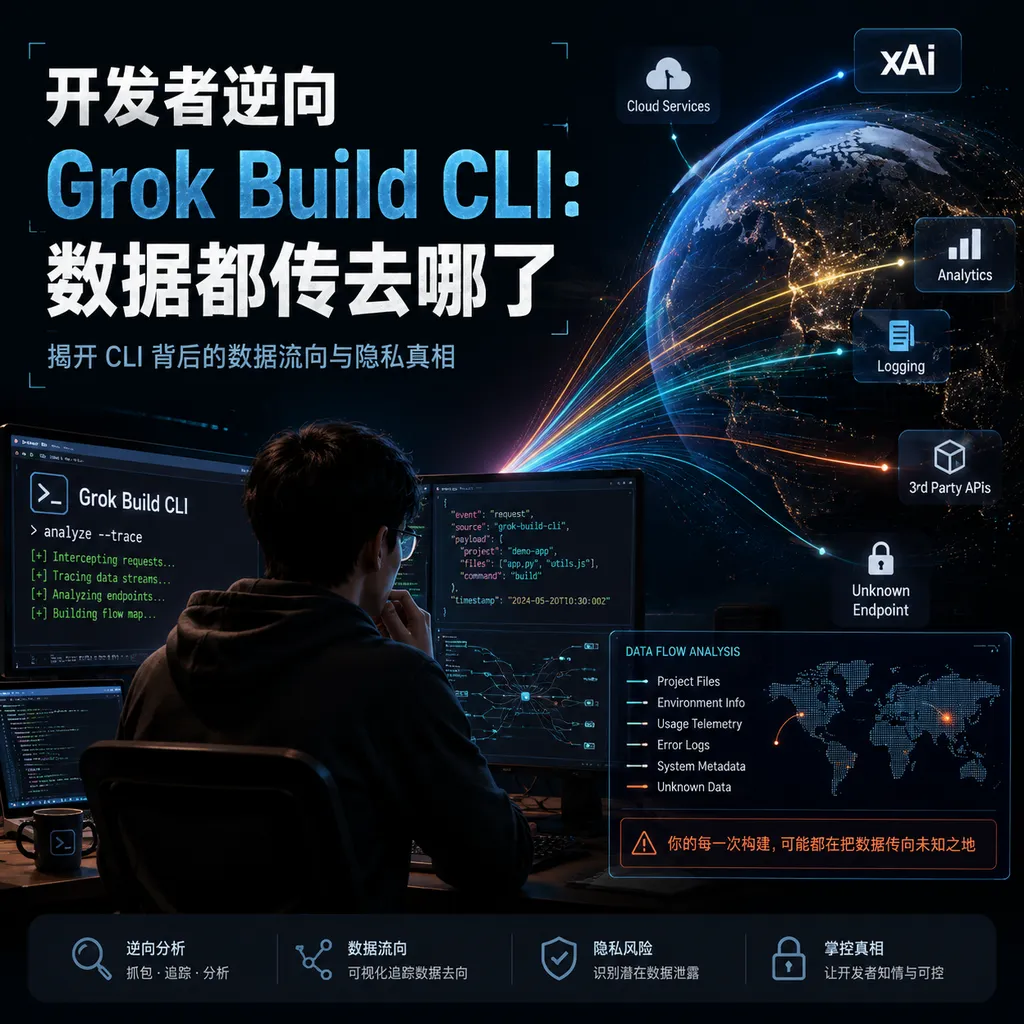
A developer conducted traffic interception and reverse engineering on xAI’s recently released Grok Build CLI, identifying the types of data the tool actually uploads to xAI servers during operation, sparking renewed community discussion about the privacy boundaries of AI coding CLIs.
Developer Reverse-Engineers Grok Build CLI: What Data Is xAI’s New Favorite Actually Uploading?
As AI coding assistants fully enter the CLI era, the combination of “local terminal + cloud LLM” has become the mainstream developer workflow. xAI’s recently released Grok Build CLI is the newest player in this space — currently available as an early beta for SuperGrok and X Premium Plus subscribers, focused on “professional software engineering” and “complex coding tasks,” powered by the simultaneously released grok-build-0.1 model.
Not long after the tool launched, a developer going by the name cereblab published a detailed technical write-up on GitHub Gist with a blunt title: “What xAI's Grok Build CLI Actually Sends to xAI.” Using network traffic interception, binary deobfuscation, and Node runtime hooks, the author systematically analyzed what Grok Build CLI actually uploads to xAI’s servers during real-world use. The post quickly spread through developer communities and once again pushed the topic of “data boundaries in AI coding CLIs” into the spotlight.
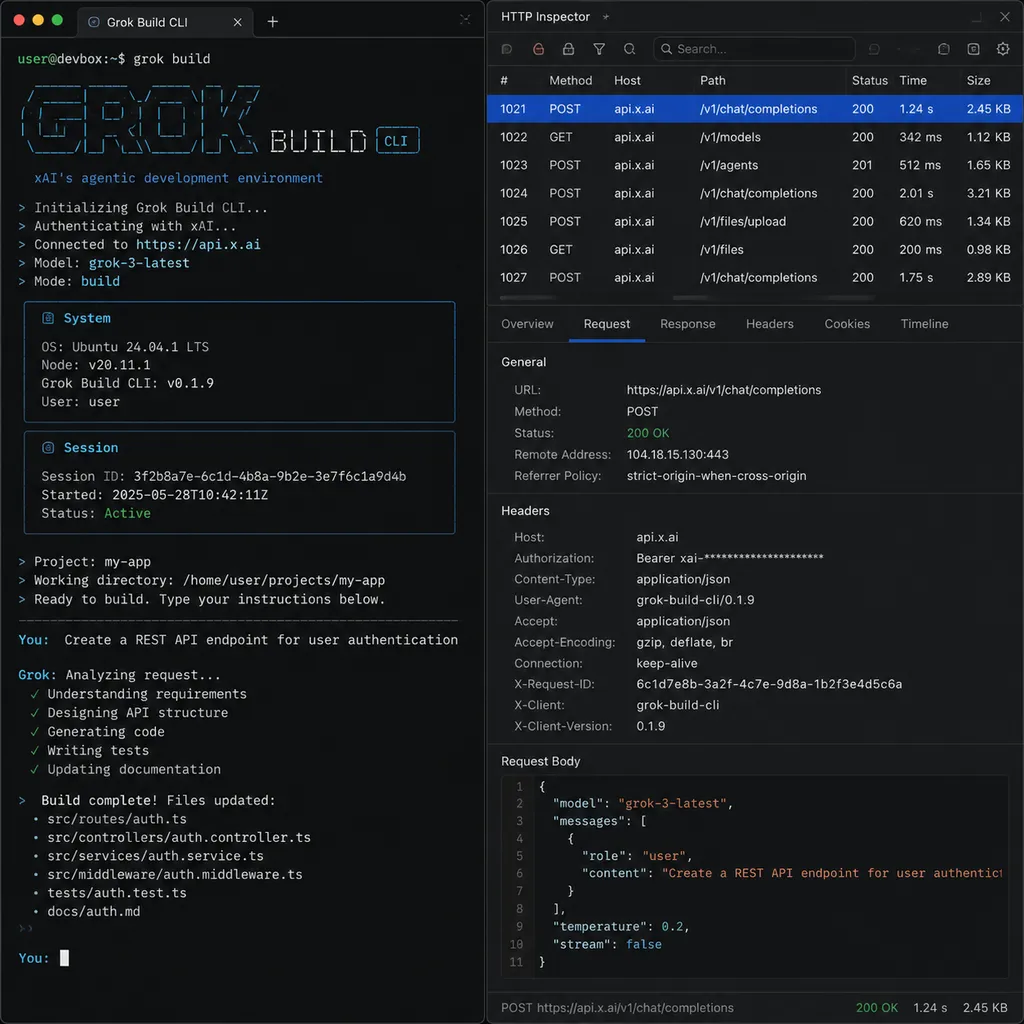
1. Background: What Exactly Is Grok Build CLI?
Before diving into the reverse-engineering details, here’s a quick recap of Grok Build CLI itself. According to xAI’s official blog post at x.ai/news/grok-build-cli:
- Grok Build is a terminal-based coding agent that can be installed with a single command:
curl -fsSL https://x.ai/cli/install.sh | bash; - Core features include Plan mode (generate a plan before complex tasks, with all edits requiring human approval), parallel Subagents (splitting tasks like checkout flow exploration, CI, shared libraries, etc.), and compatibility with the full AGENTS.md / plugins / hooks / MCP ecosystem;
- The underlying
grok-build-0.1model is already available in xAI’s public API beta and through aggregation platforms such as OpenRouter, Vercel AI Gateway, and TrueFoundry; - Officially positioned as “a development tool spanning plan, build, test, and deploy,” with emphasis on scripted use in CI/CD pipelines.
All of this sounds promising — but as cereblab wrote at the beginning of the article: “A tool that can automatically read all your project source code, execute shell commands, and package context to remote servers deserves scrutiny on the same level as your SSH keys.”
2. Reverse-Engineering Methodology: How the “Real Traffic” Was Observed
The analysis methodology described in the article is educational in itself and can be summarized in four steps:
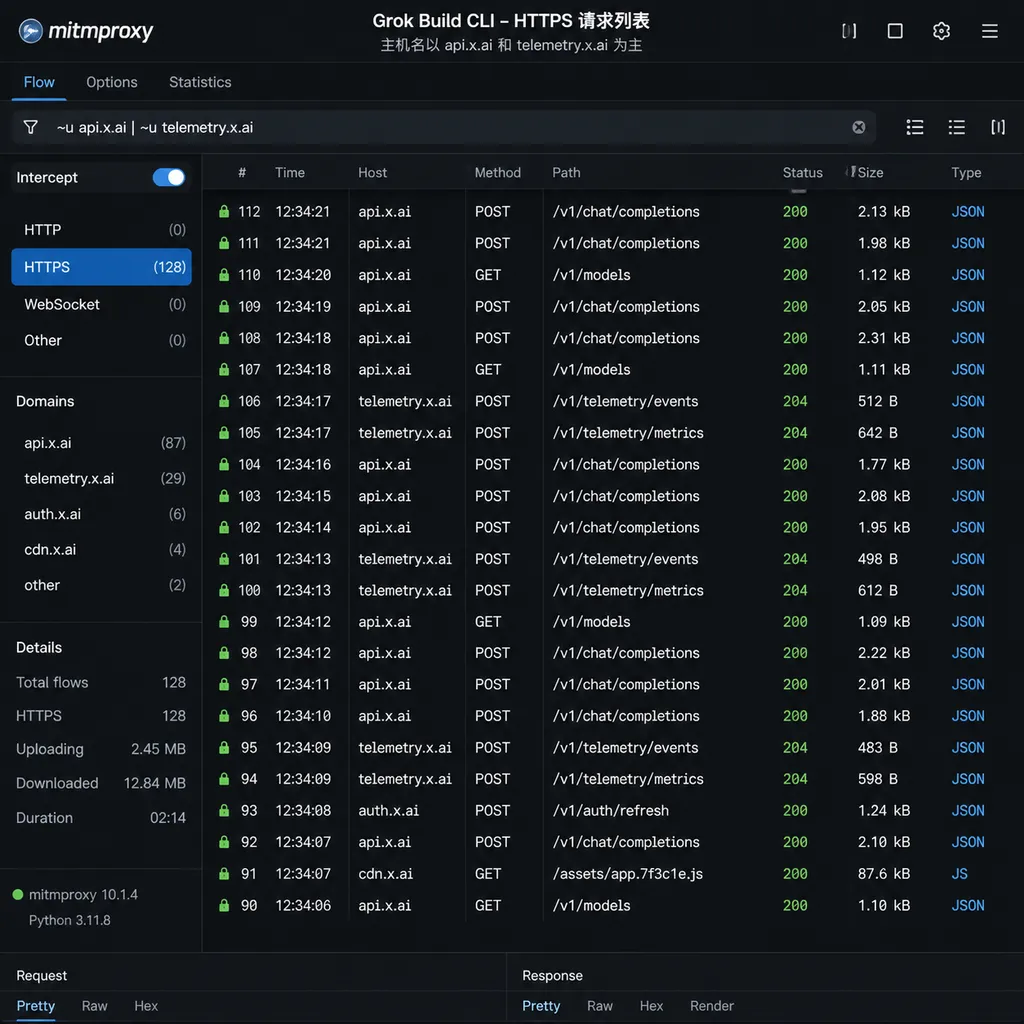
- Transparent proxy interception of HTTPS traffic: Using
mitmproxyas a local proxy and temporarily injecting a self-signed CA into the system trust chain to capture all HTTPS requests between Grok Build CLI and domains such asapi.x.aiandtelemetry.x.ai. - Node runtime hooks: Since Grok Build CLI is essentially a packaged Node binary, the author injected a custom module using
NODE_OPTIONS="--require ./hook.js"to instrument critical APIs such ashttps.request,fs.readFile, andchild_process.spawn. - Bundle deobfuscation: Extracting the JS bundle from the
grokexecutable, deobfuscating it with webcrack, and locating modules such as “Telemetry,” “Session,” and “ContextPacker” based on naming patterns. - Controlled experiments: Running combinations of
--no-telemetry, Plan mode, headless (-p) mode, and MCP servers enabled/disabled within the same test repository to observe differences in network requests.
3. What Data Grok Build CLI Actually Uploads
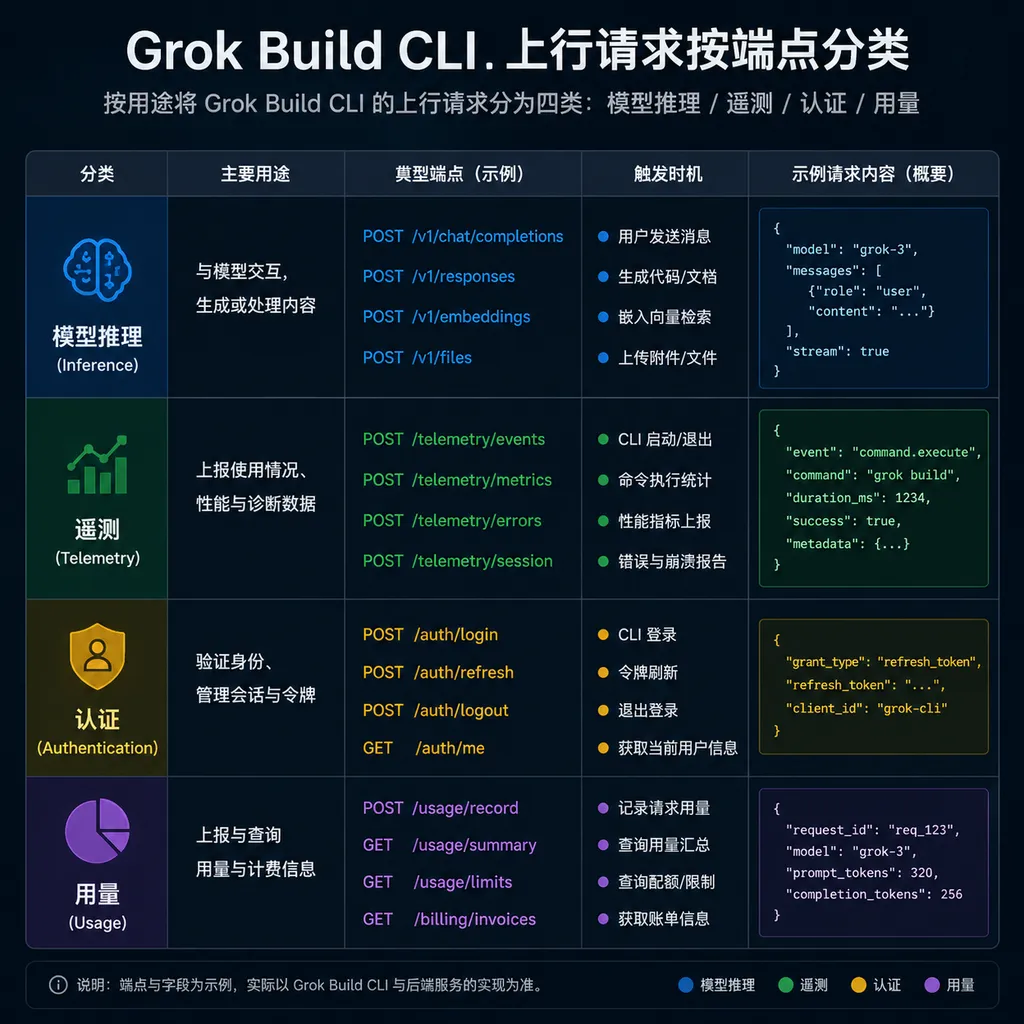
This was the most closely watched section of the article. The author categorized observed uploads by endpoint as follows (based on packet captures and not necessarily matching xAI’s official documentation):
1. Model inference endpoint: POST /v1/responses
This is the primary communication channel between Grok Build CLI and the model, matching the structure of xAI’s published Responses API. Uploaded data includes:
- Full prompt context: System prompts, AGENTS.md content, file snippets involved in the conversation from the current working directory, diffs, and message history.
- Tool invocation schemas: Including built-in tools (
edit_file,run_shell,read_file,search_repo, etc.) as well as user-registered MCP tool descriptions. - Model parameters:
model="grok-build-0.1",temperature,max_output_tokens, and SSE channel parameters whenstream=true. - Session ID and Turn ID: Used to link multi-turn conversations; the author noted these IDs continued to be reused for some time even after exiting the CLI.
One particularly noteworthy finding: the author verified that Grok Build CLI performs “context warming” by default when opening a new directory. It scans metadata such as README, package.json, pyproject.toml, AGENTS.md, and .git/HEAD, then sends them to the model endpoint so the agent can “familiarize itself with the project.” This is common in IDE-based AI assistants but easier to overlook in a pure CLI environment.
2. Telemetry endpoint: POST /v1/telemetry/events
This category generated the most discussion. The author found that even without entering any prompts, Grok Build CLI periodically reported events to telemetry.x.ai, including:
- CLI version, OS version, CPU architecture, and Node runtime version;
- Current session duration, command count, and subagent trigger count;
- Invocation counts and execution times for each built-in tool (e.g., how many times
edit_filewas called, average execution time forrun_shell); - Error stacks (with paths sanitized but filenames and line numbers preserved);
- Whether known MCP servers were detected (such as
filesystem,fetch,github, etc.) — only names and versions were uploaded, not invocation parameters.
The author specifically noted that this telemetry is enabled by default and can be disabled via the environment variable GROK_BUILD_TELEMETRY=0 or by setting telemetry.enabled = false in ~/.config/grok-build/config.toml. After disabling it, the author observed that requests to telemetry.x.ai dropped to zero.
3. Authentication and subscription validation: GET /v1/account/session
On startup, the CLI checks the current login state and subscription tier (SuperGrok / Premium Plus) with xAI and retrieves the remaining daily quota. The request headers contain OAuth tokens from the local keychain, with no additional information uploaded.
4. Billing and usage: POST /v1/usage/report
After each model interaction, the CLI sends an additional usage summary (input tokens, output tokens, cache hits, etc.) for billing reconciliation. The author considered this somewhat redundant since the inference endpoint could theoretically include the same information, but the data itself was not sensitive.
5. What Was Not Uploaded
The author also carefully listed data types that were not observed:
- No evidence of entire working directories being compressed and uploaded; long-context data was attached incrementally as needed during conversations;
- No evidence of
~/.ssh,.env, or.aws/credentialsbeing proactively read or transmitted unless the user explicitly instructed Grok Build to open those files; - No evidence of
git remoteURLs or credentials being separately reported, though such information would enter prompts if included in diffs; - No evidence of silent cross-project data sharing: opening a new directory created a new session, and historical prompts were not automatically reused.
The author’s rough conclusion: “From my few hours of observation, Grok Build CLI’s behavior is generally consistent with the boundaries described in its documentation — but the word ‘generally’ itself is why I recommend everyone verify with their own packet captures.”
4. Community Reactions and Key Discussion Points
The Gist was widely shared on Hacker News, Reddit’s r/LocalLLaMA, and other communities. Discussions mainly focused on four areas:
1. Should telemetry be opt-in or opt-out?
Mainstream developer communities are becoming increasingly sensitive to “AI CLIs with telemetry enabled by default.” Tools such as Anthropic’s Claude Code and OpenAI’s Codex CLI also include telemetry mechanisms, but they clearly distinguish whether event categories include prompt content. Commenters generally felt that Grok Build CLI should at minimum provide an interactive prompt during first launch rather than relying solely on documentation.
2. The boundaries of the run_shell tool
Several commenters pointed out that while Plan mode intercepts file edits, the confirmation granularity for run_shell deserves scrutiny. If a user approves “run tests” in Plan mode, can the agent execute additional commands such as curl or ssh within the same turn? The author acknowledged that this area was not fully covered in testing and welcomed further community investigation.
3. Context isolation in Subagents
One of Grok Build CLI’s selling points is its parallel Subagents, which can independently explore checkout flows, CI setups, shared Go libraries, and more. The author observed that each Subagent creates its own independent /v1/responses session, but the parent agent re-injects child-agent outputs back into the main model as context during aggregation. In other words, “isolation” exists more at the execution layer than the data layer. For sensitive projects, this is something that requires separate evaluation.
4. Comparisons with other CLI tools in the ecosystem
Commenters also compared Grok Build CLI with Cursor CLI, Claude Code, Aider, OpenCode, Kilo CLI, and others. Kilo CLI was repeatedly mentioned because it is open source and supports local models (Ollama / LM Studio). Some developers also argued that evaluating telemetry practices should not focus solely on defaults, but also on whether telemetry can be fully disabled and whether disabling it affects functionality. On that front, Grok Build CLI’s telemetry.enabled = false setting at least appears functional.
5. Practical Recommendations for Developers
Based on the reverse-engineering article and community discussions, here are some practical suggestions if you are evaluating or already using Grok Build CLI:
- Use isolated shell environments for sensitive projects: Create dedicated user directories or containers for AI CLIs to avoid accidental exposure of
.envor.pemfiles during file access. - Configure project-level
.grokignoreor equivalent files: Explicitly exclude directories such assecrets/,infra/,terraform.tfstate*, and.env*from the agent’s default visibility. - Disable telemetry by default: Set
telemetry.enabled = falsein~/.config/grok-build/config.tomland verify related environment variables usingenv | grep GROK. - Force-enable Plan mode on production branches: Documentation states that “every edit requires manual approval,” and in real projects this safeguard is often worth far more than the extra clicks it introduces.
- Restrict permissions when using headless
-pmode in CI/CD: Tokens inside CI runners often have broad permissions, and the shell accessible to the agent inherits those capabilities. It is advisable to issue a separate, narrowly scoped CI token specifically for Grok Build. - Periodically perform your own traffic analysis: CLI versions evolve rapidly, and conclusions from any single reverse-engineering effort are only valid for that specific release. Developing the habit of running mitmproxy or
stracechecks on new versions is more reliable than trusting any single blog post.
6. Final Thoughts: The “Trust Cost” of AI Coding CLIs
Grok Build CLI itself does not appear to be doing anything especially alarming — based on this reverse-engineering effort, its behavior largely aligns with official descriptions, telemetry can be disabled, context uploads are demand-driven, and authentication uses standard OAuth. By 2026 standards, it could even be considered relatively restrained.
What is truly worth remembering is the attitude reflected by this Gist: “If a tool can read all your code and execute all your commands, doing your own packet capture once is never excessive.” As Cursor, Claude Code, Codex CLI, and Grok Build CLI collectively become embedded in developers’ daily workflows, the right to know “what the tool is actually doing” matters more than which specific tool you choose.
If you are building your own AI CLI or introducing AI coding tools within an organization, this incident serves as a ready-made compliance checklist: clearly tell users what you upload, why you upload it, and how to turn it off. That may ultimately become the most underestimated — and hardest to replicate — moat in the AI coding CLI race.
References
- What xAI's Grok Build CLI Actually Sends to xAI (Original Reverse-Engineering Gist) — The core source for this article, documenting cereblab’s packet capture and reverse-engineering analysis of Grok Build CLI’s network behavior.


