
Opus 4.6 Local Distillation — Saving Money Is the Hard Truth
Someone distilled Claude Opus 4.6 into Qwen3.5-27B and deployed it locally on an M5 Max. In a real-world test, writing a crawler API in Go took only 10 minutes, and it also resolved the native cache compatibility issue of Claude Code. This article breaks down the full optimization pipeline.
The Guy Burning 300 RMB a Day Started Doing His Own Distillation
Anyone who uses Claude Code for development knows how “exciting” that bill can be—running Opus 4.6 for a full day typically costs 300 to 500 RMB. Recently, a community developer named son0ma did something big: he distilled the capabilities of Opus 4.6 into Qwen3.5-27B, creating a model called Qwopus3.5-27B-v3, ran it locally on an M5 Max MacBook, and even hooked it up with Claude Code’s native caching mechanism.
This is no toy. Using this local model, he built a complete Go web crawler API. It took him about 10 minutes to go from scratch to passing tests.
This article breaks down his entire tuning process and examines how far the road of local deployment via model distillation has come.
Why Distillation, and Why Qwen3.5
First, some background. “Distillation” means training a smaller model to mimic the output behavior of a larger one. Opus 4.6 is Anthropic’s most powerful model so far—with million-token context, 68.8% ARC-AGI-2, and 80.8% SWE-Bench Verified scores—unmatched in coding-agent capabilities. But its downsides are also obvious: it’s expensive and only runs via cloud API.
Qwen3.5-27B, part of Alibaba's Qwen series, is open source, moderately sized, and supported by an active community—and most importantly, it runs on consumer hardware. The v3 distillation focuses specifically on tool use logic from Opus 4.6, which means it learned not just “how to answer questions,” but also “how to call tools and cooperate with Claude Code.”
That difference is crucial. Earlier distillations had good conversational quality, but failed when hooked up to Claude Code—tool-call formats mismatched, caching couldn’t connect, etc. Version v3 fixed those issues.
Deployment and Tuning: Pitfalls Everywhere
Step 1: Ditch LM Studio and Use OMLX Instead
Many people’s first instinct for local model deployment is LM Studio—but on Mac, that’s not optimal. son0ma recommends using OMLX (https://omlx.ai/). The reason: it’s built on Apple’s native MLX framework, giving it first-class optimization for Apple Silicon.
MLX is Apple’s flagship machine learning framework launched around 2026. It’s to PyTorch what Metal is to OpenGL—designed specifically for Apple chips, with memory and scheduling tailored to the unified memory architecture. The biggest noticeable difference is Time to First Token: MLX models don’t suffer from long “frozen starts.”
Step 2: Pick the Right Model Format
Here’s a common trap: Mac users must use MLX format model files—not GGUF, not safetensors—MLX only.
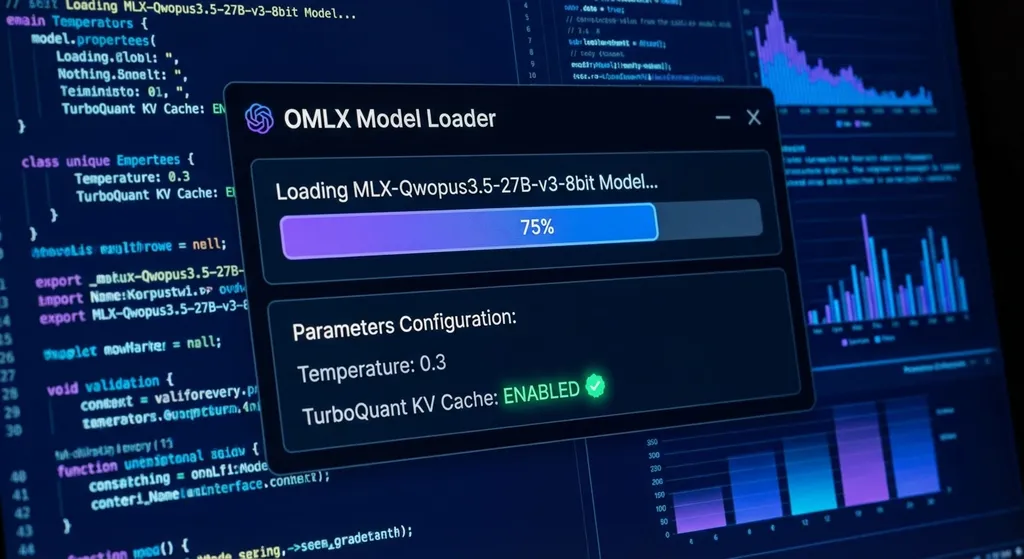
Model to use: MLX-Qwopus3.5-27B-v3-8bit
8-bit quantization is a reasonable tradeoff for 27B parameters—about 15GB in size, fits comfortably in M5 Max’s unified memory, with negligible accuracy loss for dev tasks.
Step 3: Fine-Tune the Parameters
Two key settings:
- Temperature = 0.3: For dev work, you want determinism and consistency, not creativity. 0.3 keeps outputs stable without being completely greedy like 0.
- Enable TurboQuant KV Cache: This is the killer feature of M5 chips. KV Cache stores key-value pairs of previous tokens so the model doesn’t have to recalculate the full context. The M5 Max can even spill KV Cache to SSD, which means even with long context windows, you won’t crash from OOM—it just gracefully degrades to SSD caching.
Step 4: Connect Claude Code
This is where the real magic happens.
Since Qwopus3.5 is a distillation of Opus’s tool-use logic, its best partner is naturally Claude Code (cc). OMLX provides a built-in Quick Launch command for Claude Code—no need for extra “cc-switch” setups.
When launched, Claude Code treats the local OMLX API endpoint as its backend, running all tool calls, file I/O, and command execution locally.
The tricky part is caching. Claude Code has its own prompt caching mechanism—it caches the system prompt so it doesn’t resend it every time, saving tokens and latency. Earlier distilled versions broke this caching, forcing every conversation to resend the full system prompt.
Version v3 fixes this. Testing shows the cache hit rate now ensures the Claude Code system prompt is cached every time. That’s huge—since that prompt is long, caching it saves a lot of redundant computation.
In Practice: Building an Email API in Go
son0ma tested with a practical use case—writing a Go wrapper API for the temporary email service outlook.tw, including endpoints for generating emails and querying received mail.
The process went in several rounds:
Round 1: Basic Code Generation (~4 min)
He asked the model to write a Go client for mailbox generation and message retrieval. He didn’t supply sample responses—so the first run failed, as the model guessed the response format wrong.
Round 2: Self-Correction (~6 min)
He fed the actual responses back; the model printed, analyzed, and corrected its parsing logic—essentially debugging like a real developer.
By this point, mailbox generation worked.
Round 3: Verbal Tweaks + Self-Test (~1.5 min)
He told the model to refine some details in natural language. Then, using Claude Code’s self-test mode, the model ran and validated its own tests. He required tests to complete within 35 seconds, and it did.
Round 4: End-to-End Verification
He sent an email to the newly created address and used the query API to confirm it was received. Success.
Total time: about 10 minutes. son0ma’s verdict:
“If I coded this the old-school way in Go, it would take at least 20–30 minutes.”
Where This Approach Hits Its Limits
After singing its praises, let’s talk constraints.
Even with optimization, a 27B distilled model isn’t the real Opus 4.6. Noticeable gaps appear in these cases:
- Complex architecture design: Large-scale refactors or multi-module coordination still exceed its reasoning depth—use Opus for those.
- Super long context: Opus 4.6 handles up to a million tokens. The distilled one has far shorter effective context, making it weak at analyzing huge codebases.
- Mixed-language projects: Because the training distribution skews, it performs well in Go and Python but might fail in rarer languages.
son0ma’s strategy: Use Opus for heavy planning; delegate lightweight tasks and quick analysis to the local model—a hybrid setup, not a replacement.
If You Don’t Want the Hassle of Local Deployment
Not everyone has an M5 Max or the time to tweak parameters. If your goal is “best model at the lowest cost”, API aggregation platforms are more pragmatic.
Platforms like OpenAI Hub let you access Opus, GPT, Gemini, DeepSeek, etc., with one API key—OpenAI-compatible endpoints, direct domestic connections. For devs who “use Sonnet daily to save costs, switch to Opus for critical tasks,” this flexibility beats local installs.
Example using OpenAI Hub to call a Claude model (fully compatible with OpenAI SDK):
from openai import OpenAI

client = OpenAI(
    api_key="your-openai-hub-key",
    base_url="https://api.openai-hub.net/v1"
)

response = client.chat.completions.create(
    model="claude-opus-4-6",
    messages=[
        {"role": "system", "content": "You are a Go development assistant."},
        {"role": "user", "content": "Write me an HTTP client that wraps the outlook.tw mailbox generation API."}
    ],
    temperature=0.3
)

print(response.choices[0].message.content)
// Node.js / TypeScript Example
import OpenAI from 'openai';

const client = new OpenAI({
  apiKey: 'your-openai-hub-key',
  baseURL: 'https://api.openai-hub.net/v1',
});

const response = await client.chat.completions.create({
  model: 'claude-opus-4-6',
  messages: [
    { role: 'system', content: 'You are a Go development assistant.' },
    { role: 'user', content: 'Write me an HTTP client that wraps the outlook.tw mailbox generation API.' },
  ],
  temperature: 0.3,
});

console.log(response.choices[0].message.content);
Switch the model parameter to claude-sonnet-4 or gpt-5.3-codex to seamlessly swap models—no code edits required.
How Far Has the Distillation Path Come?
Zooming out, the Qwopus3.5 project symbolizes a broader trend more than just a technical feat.
By early 2026, distillation practice in the community evolved from “it runs!” to “it works productively.” Key shifts:
-
Distillation targets shifted from conversation to tool use. v3 isn’t just learning communication—it’s learning actual coding workflows. The community now values tool-call mastery over chit-chat.
-
Hardware ecosystem matured. The MLX framework, M5’s SSD-spillable KV Cache, and Mac-optimized tools like OMLX—these puzzle pieces are falling into place. A year ago, running a 27B model on a Mac was “barely works.” Now it’s “comfortably productive.”
-
Software integration improved. Fixing Claude Code cache compatibility made distilled models no longer isolated toys—they now embed cleanly into real developer workflows.
Of course, there’s a ceiling. A 27B distillation’s capability is capped by both its teacher and the distillation method—it’ll never replace Opus 4.6. But it can cover 60–70% of daily dev tasks—the ones that used to burn 300 RMB a day.
Quick Start Guide: The Minimum Viable Path
If you’ve got a Mac with M4 Pro or newer and want to replicate this setup, here’s the shortest route:
- Install OMLX: https://omlx.ai/
- Download model: search
MLX-Qwopus3.5-27B-v3-8bitin OMLX - Configure: Temperature 0.3, enable TurboQuant KV Cache
- Connect Claude Code: use the quick command on OMLX’s homepage
- Start building
If you’re on Linux + NVIDIA, you can use llama.cpp or vLLM—but you’ll need to handle model conversion and Claude Code integration manually. Some community members have run the 27B GGUF model on a single 4090 card successfully, though KV Cache performance isn’t as elegant as MLX’s.
Final advice: whether local or API, don’t put all your eggs in one basket. Use local models for everyday tasks and cloud APIs for heavy-duty work—that combo offers the best cost-performance ratio in 2026.
References
- Opus 4.6 Distilled to Qwen3.5: Field Test and Claude Code Cache Compatibility (linux.do original post) — Original post by son0ma, includes full deployment and crawler screenshots
- Follow-up: Optimizing Opus 4.6 → Qwen3.5 27B Local Deployment (linux.do) — Migration details from LM Studio to OMLX
- Claude Opus Distilled into Qwen3.5 V3 Released (Zhihu Column) — V3 release notes, environment setup, and benchmarks
- Claude-Opus-4.6 Distilled into Qwen3.5 V2 (Zhihu Column) — V2 testing data, 4090 + llama.cpp example
- Testing Claude-Opus-4.6 Distilled Qwen3.5 9B (Zhihu Column) — 9B small-model tests and LM Studio GUI deployment guide


