Claude gets your 1Password key: AI agents can finally log in on their own
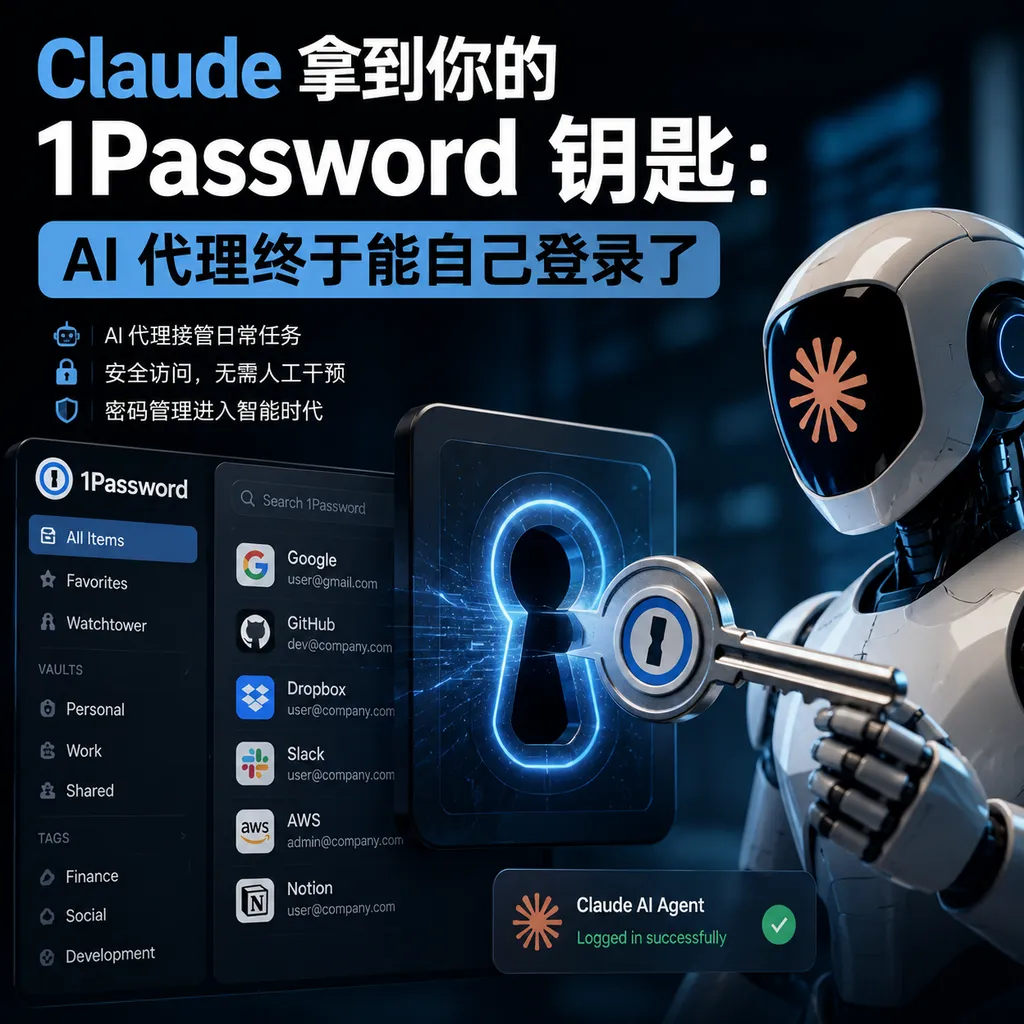
1Password and Anthropic have teamed up to launch a browser integration, allowing Claude— for the first time— to be authorized to use users’ real account credentials to complete multi‑step tasks such as booking flights or managing accounts. The credentials are never exposed to the model itself; this marks the first real implementation of the “zero‑exposure security framework” in a consumer‑grade AI product.
AI Agents Have Finally Received the “Key to the Door”
On July 15, 1Password announced a partnership with Anthropic, officially launching 1Password for Claude, a browser integration for Claude. This isn’t some flashy plugin—it’s the first time an AI agent has been publicly authorized by a mainstream password manager to call real login credentials to sign in on real websites—helping you book flights, cancel subscriptions, check bank statements, or organize your scattered SaaS accounts.
It might sound like just another “AI does things for you” demo, but developers in tech circles will instantly pick up on what’s different: this is the first time a mainstream password manager has actually moved “allowing LLMs to use real passwords” from a gray area into the product’s official terms.
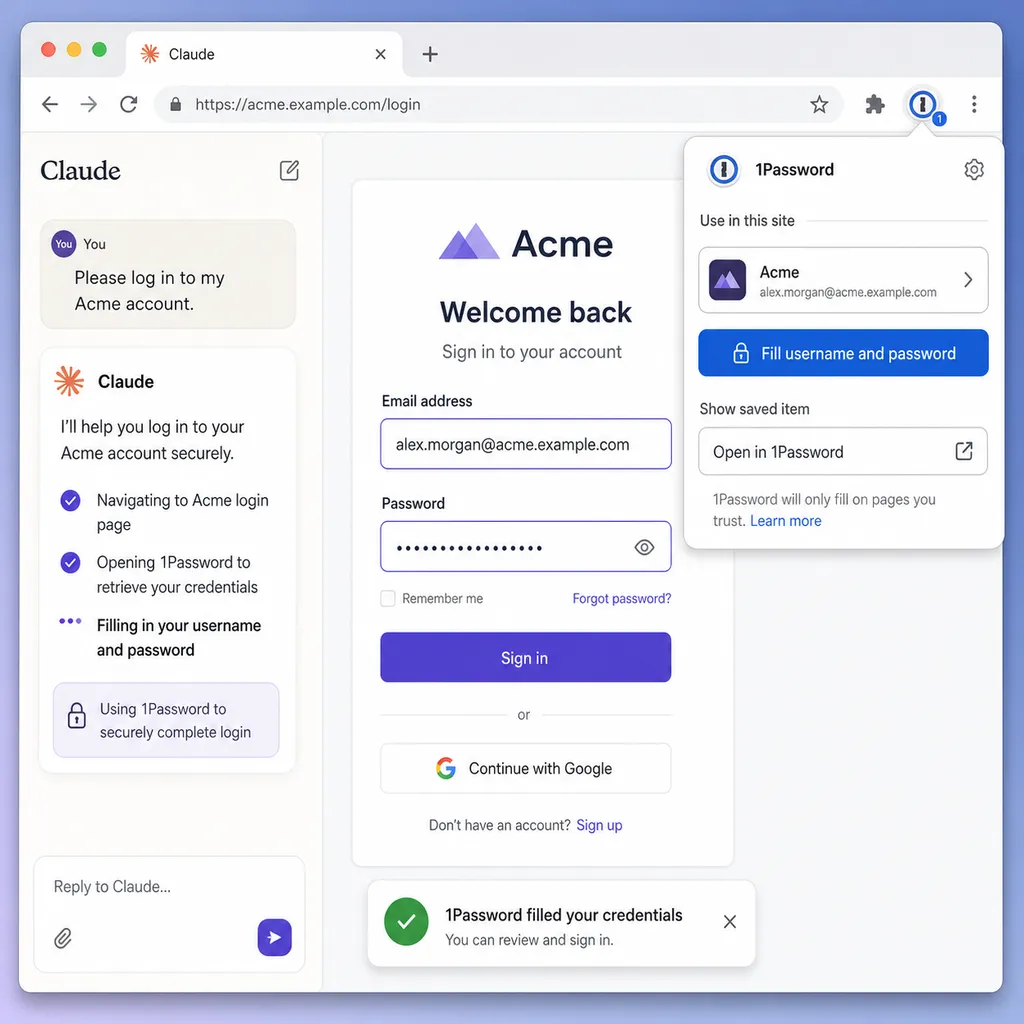
The Core: A “Zero Exposure” Framework
Let’s start with what exactly happened.
After a user installs 1Password for Claude, when Claude executes agent tasks in the browser—for example, “book these three round-trip tickets using my Chase Visa”—it will encounter logins, 2FA, payment entry, and other steps. Previously, the options were either user intervention (which defeats the point of an agent) or passing plaintext credentials to the model (which basically means copying your password into Anthropic’s logs).
1Password’s method, officially called the zero-exposure security framework, works as follows:
- When Claude needs credentials, 1Password directly injects them into the corresponding input fields on the target webpage—via the browser extension layer, bypassing the model’s context.
- The model itself only sees that “the login action has been completed”—not the username, password, or TOTP code.
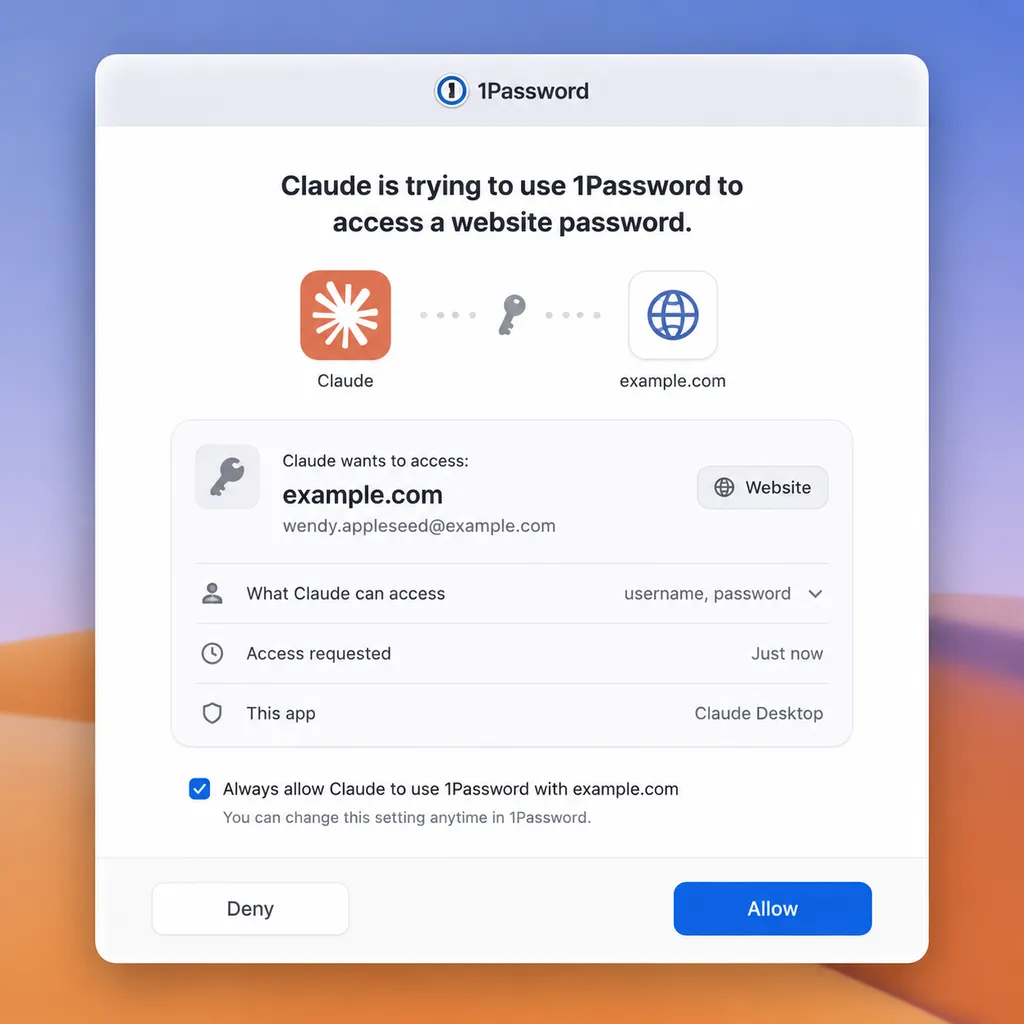
- Each injection requires user authorization on the 1Password side, with fine-grained control by site, session, or action type.
In other words, Anthropic never gets your password, and even if someone later reviews Claude’s chat records, they can’t retrieve it. This design has actually been used on the enterprise side for a while—1Password’s previous SDK already allowed AI agents to fetch secrets using service account + secret reference, mainly for automated workflows. This is the same security model, now implemented end-to-end in a consumer browser scenario.
Why This Deserves Its Own Spotlight
For the past six months, the AI agent’s most embarrassing limitation hasn’t been reasoning power—it’s a lack of identity.
You can have Claude or GPT-5 write code, read documents, or do research, but as soon as the task chain requires logging into a real site, the flow breaks. Anthropic’s Computer Use and OpenAI’s Operator have both struggled here—either the user has to preload cookies into a VM or manually type credentials when prompted. The former is insecure, the latter is unintelligent.
The industry has long known: either password managers open a gate, or AI companies will build their own password managers. 1Password clearly doesn’t want Anthropic to take the latter route.
Now that this path is open, Claude’s range of possible interactions expands drastically:
- Booking flights, hotels, and train tickets, even in loyalty systems that require login to redeem points
- Making configuration changes in developer consoles like GitHub, Vercel, or Cloudflare
- Handling banks, brokers, and insurance portals that require 2FA
- Managing dozens of SaaS subscriptions—cancel, switch plans, download invoices
These were all previously stuck at the “login” step. Now the door is open.
Compared with Competitors: Not the First—but Possibly the First Usable One
To be fair, 1Password isn’t the first password manager to move toward AI agent integration. Bitwarden supported CLI-level “secret reference” integration as early as late 2024, similar to 1Password’s op read—AI sees only something like op://Personal/notion-api/credential, with plaintext never leaving the vault. Developers have already been running setups like Claude Code + op-agent for managing API keys and access tokens.
But those setups live in developer terminals; they’re essentially secure wrappers for injecting shell environment variables. The crucial differences in 1Password for Claude are:
- Consumer browser scenarios. The target user isn’t a “dotfiles-tweaking engineer” but an everyday subscriber who wants AI to handle chores.
- Official collaboration. Backing from Anthropic means Claude natively knows “1Password can fetch credentials here,” rather than being tricked via prompt engineering.
- Event-level auditing. Every credential use triggered by Claude is recorded as an event; users can replay it in their vault—for example, Claude used your United Airlines account on July 15 at 14:37.
Don’t expect LastPass to join in—it’s still recovering from its data breaches over the past two years. 1Password’s bet on AI agents is smart: the password manager market has stagnated for the last five years, and the agent era has handed it a brand-new use case.
A Less Optimistic Question
A great technical design doesn’t mean there’s no risk. From a developer’s perspective, at least three red flags stand out:
First, the injection-layer attack surface. “Credentials never enter the model context” is a strong promise, but injection occurs between the browser extension and target page. If that layer is compromised—for instance, a phishing page disguised as Chase—will Claude obediently inject credentials? 1Password’s extension traditionally safeguards with URL matching, but when the URL comes from the model’s autonomous decision-making, control shifts from user to model. New chain, new threat model.
Second, multi-step task authorization fatigue. In theory, each credential use needs user approval, but if Claude handles a dozen subscriptions at once, that’s a dozen prompts. Users will likely enable “remember this for an hour.” Psychological boundaries erode—not 1Password’s fault per se, but an old UX problem amplified by AI agents.
Third, where are the boundaries of zero-exposure? Claude can’t see the password, but it can see everything after login—the account balance, investments, spending history. The password stays private, but personal financial data flows through the inference pipeline. Password safe, privacy not necessarily. 1Password’s release avoids this point, but it’s the key question for consumers.
What This Means for Anthropic
Strategically, this step aligns with Anthropic’s broader trajectory this year.
Starting with Claude Code, May’s major Computer Use revamp in Claude 4.5, and July’s Skills feature for persistent agent context—Anthropic has been steadily transforming Claude from “chat assistant” into “browser operator.” The 1Password integration is a necessary step on this path: without identity, an agent can only demo; with identity, it can truly execute workflows.
By comparison, OpenAI’s Operator hasn’t scaled largely because of this identity problem—OpenAI tried a secure browser sandbox, but users resist re‑logging into everything in a foreign environment. Anthropic’s integration with a password manager users already trust means much lower friction.
That also explains why the partner is 1Password rather than Bitwarden or Dashlane: 1Password has the highest Fortune 500 penetration among all password managers, and Anthropic’s top priority right now is enterprise agent deployment.
For Developers: Should You Integrate?
For AI app developers, 1Password for Claude is currently a consumer-level feature, but the SDK has long supported AI agent integration. If you’re building an agent product that needs access to users’ third-party accounts, consider:
- Don’t store user credentials in plaintext, even encrypted ones. A leaked key = collective breach.
- Use a “secret reference” layer. Let your agent know where credentials are, not what they are. 1Password, Bitwarden, and Doppler all provide this.
- Keep audit logs. Record when, how often, and for which sites credentials were used. When things go wrong, audit trails are the only way to prove innocence.
For domestic (Chinese) developers, another practical concern is multi-model orchestration. One agent may need Claude for some tasks and GPT‑5 or DeepSeek V3.5 for others. Platforms like OpenAI Hub (openai-hub.com) unify multiple models under one key, OpenAI-compatible and locally routable, supporting even the latest Claude Opus 4.7—ideal for running “Claude as core + auxiliary models” without billing or routing headaches.
A Bigger Picture: The Trust Boundary of AI Agents Is Being Redefined
Zooming out, the real significance of 1Password for Claude isn’t that Claude gained a new skill—it’s that for the first time, the industry now has a public, compliant pattern for “AI using user credentials.”
Previously this was a gray area. Pasting your password into ChatGPT to troubleshoot a login technically violates most platforms’ terms, but no one cared because scale was tiny. In the agent era, scale will explode. When half your friends rely on AI agents for daily tasks, there must be an industry‑level answer to “how should AI handle passwords.”
1Password and Anthropic’s current answer is “zero‑exposure injection + granular user authorization + event‑level audit.” It may not be final, but it sets a baseline: if your AI product touches user credentials, you need at least these three guarantees.
Google’s Passkey + Gemini Agent details remain undisclosed, and Apple is silent for now. 1Password’s early move gives it first‑mover advantage in setting the standard. From an enterprise IT‑procurement angle, that’s huge leverage—CISOs evaluating AI agent projects will likely ask, “How do you manage credentials?” and 1Password will be the easiest answer to approve.
For ordinary users, is it worth enabling? My take: if you’re already a 1Password subscriber, try it—but only for low‑sensitivity sites. For banks, brokers, and major email accounts, log in manually for now. Let this mechanism mature in real‑world abuse scenarios for six months before expanding permissions.
The first key of the AI agent era has been handed over. The question now is—who can safeguard the trust that comes with it.
References
- 1Password & Anthropic/Claude Mythos Discussion — Reddit’s 1Password community discussion of the partnership, including technical critiques and real‑world feedback on the zero‑exposure mechanism.