Tencent WorkBuddy launches on HarmonyOS, becoming the first general-purpose AI assistant to debut on the platform.
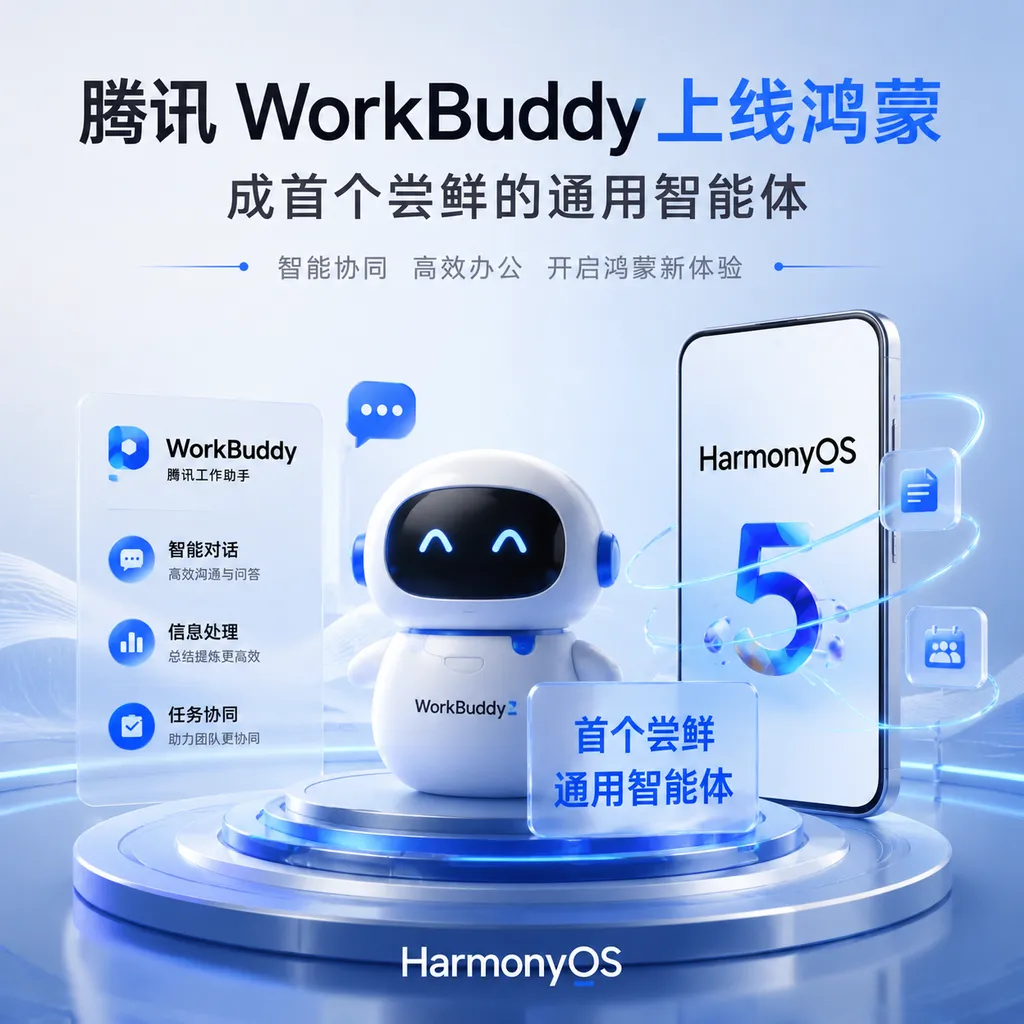
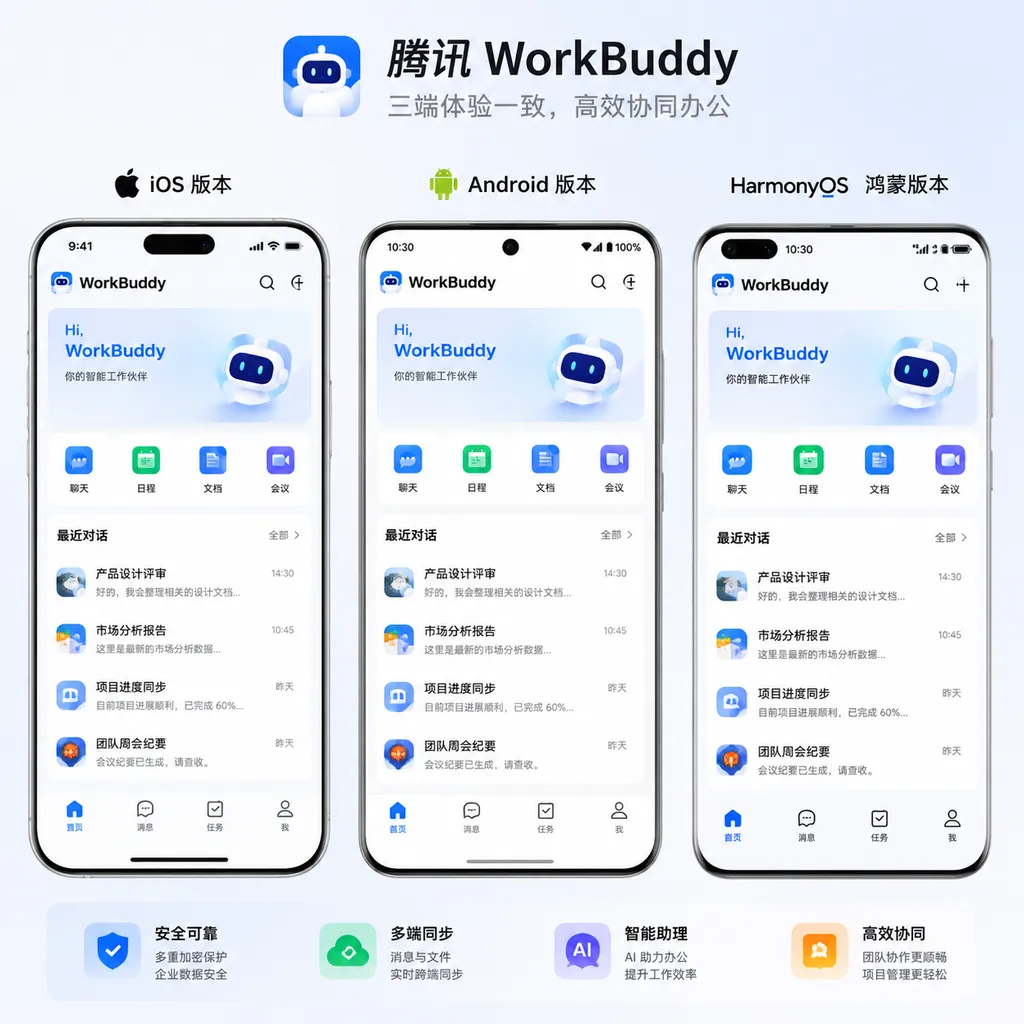
The official version of the Tencent WorkBuddy App was released today. It is now available simultaneously on iOS, Android, and HarmonyOS, becoming the first general-purpose AI agent app to launch on HarmonyOS, with support for remote access to desktop capabilities from mobile devices.
Tencent WorkBuddy Official Edition Launch: The First General-Purpose Agent on HarmonyOS — Your Phone Can Remotely Command Your Computer to Work
On July 18, Tencent officially released the standalone WorkBuddy app. It’s now available for iOS, Android, and HarmonyOS — the last one being the most notable. This is the first truly general-purpose intelligent agent app to land on HarmonyOS. Don’t underestimate that “first”: over the past six months, HarmonyOS’ native app ecosystem has been dominated by niche AI tools, chatbots, and built‑in assistants; truly general-purpose agents have been missing. Tencent just took the lead this time.
The Basics: One App, Consistent Across Platforms, and It Can Control Your Computer Remotely
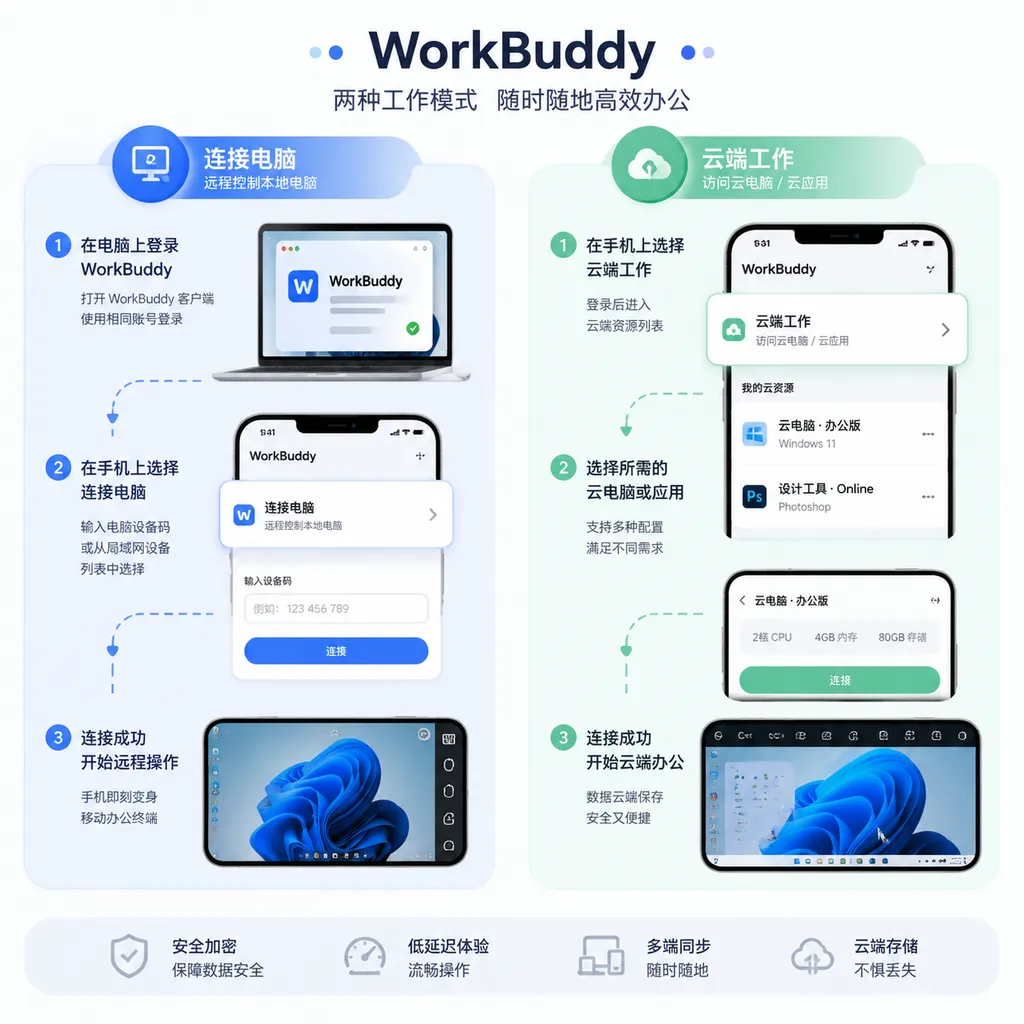
Let’s start with what was actually released. WorkBuddy was originally positioned as a desktop product — an “efficiency agent” that helps office workers handle documents, run automation tasks, and connect a range of tools across the Tencent ecosystem. The new mobile app, according to the official description, “has most of the desktop version’s capabilities.” The truly interesting part lies in its two execution modes:
- Connect to computer: The mobile app directly connects to the desktop client, allowing full access to desktop capabilities. You can have WorkBuddy operate your office computer from the subway or during a meeting — running scripts, organizing files, generating reports, and more.
- Cloud work: Works independently from local devices, ready out of the box. Core desktop features like Skills, experts and expert teams, automated scheduled tasks, asset download/sharing, and project management are all available, powered by Tencent Cloud. The knowledge base is now linked with Tencent Docs and ima Knowledge Base.
This division of labor is actually clever. Cloud mode solves the “always available” issue, while connection mode addresses “what about my local environment and private files?” No matter how capable a desktop agent is, if you can’t access your computer, its value is cut in half. On the flip side, moving everything to the cloud leaves out local development environments, private data, and login states. Tencent’s dual‑mode design essentially tackles both tracks for mobile‑side agents simultaneously.
For input, it supports text, voice, photos, local files, one-click imports from Tencent Docs and ima — quite a complete multimodal setup. It’s not a technical breakthrough, but for a general agent, the richness of input channels directly impacts frequency of use. The ability to snap a photo of a whiteboard and have the agent process it immediately from your phone feels completely different from having to open your computer and transfer files first.
Why HarmonyOS Deserves Special Attention
The phrase “the first general-purpose agent on HarmonyOS” sounds simple but carries multiple layers of meaning.
First, the ecosystem pressure for HarmonyOS Native apps (HarmonyOS NEXT). Since HarmonyOS transitioned fully to its native version last year, the ecosystem has been catching up. Most major apps are now adapted, but AI applications — especially those that need system-level access and cross-device coordination — have been scarce. There are specialized AI tools for image editing or writing, but a general-purpose agent that can “take care of a task you describe” has been missing.
Second, this move signals the relationship between Tencent and Huawei. Tencent’s adaptation pace on HarmonyOS hasn’t been particularly aggressive — WeChat for HarmonyOS took a long time to stabilize. Now with WorkBuddy, Tencent is explicitly saying the HarmonyOS version has “an experience completely identical to iOS and Android.” That wording is telling — no compromises, no cutbacks, no “temporary version for HarmonyOS users.” With Tencent’s strict product-line management, this level of parity is not trivial.
Third, the pragmatic angle: in the general AI agent race, seamless multi‑platform access has become the next battleground. Over the past year, competitors like ByteDance’s Doubao, Alibaba’s Tongyi, Baidu’s Wenxiaoyan, and Moonshot’s Kimi have been expanding aggressively across mobile, desktop, browser plugin, and OS-level integration. Tencent’s consumer-facing AI agents have moved comparatively slowly — Yuanbao focuses on Q&A and content generation — whereas WorkBuddy is clearly aimed at execution‑oriented workplace automation. By launching first on HarmonyOS, Tencent is completing its cross‑platform lineup.
What Exactly Is WorkBuddy?
Let’s elaborate, as many developers might not have a clear picture of what WorkBuddy actually is.
It’s not a chatbot and not just a document helper. The desktop WorkBuddy’s core structure is built around “Skills + Experts + Expert Teams”:
- Skills are atomic abilities, like “extract fields from Excel,” “batch rename files,” or “generate meeting minutes.” Think of them as the agent’s skills library.
- Experts (Agents) combine multiple Skills to solve specific problems — e.g., “Accounting Expert” or “Weekly Report Expert.”
- Expert Teams involve multiple agents collaborating to handle complex workflows — e.g., a team with data collection, cleaning, analysis, and visualization roles. The user gives one high-level instruction, and the team divides the work internally.
Add to that automated scheduled tasks (Cron-like), a knowledge base (attached data sources), and project management (parallel task tracking). The overall product acts more like a personal workflow engine than a simple conversational AI.
Packing all of this into a mobile app unlocks one major value — decoupling task initiation. Previously, you had to sit at your desktop to make the agent work. Now you can trigger it from your phone and then close the app while the task continues running on the cloud or your computer. This usage model is very different from the SaaS-era “open–operate–close” pattern; it’s more like hiring yourself a remote assistant.
Compared with Competitors: Where Does It Stand?
Looking across the field, the main players in China’s “general-purpose agent app” space include:
- Kimi – Strong in long-context understanding and information processing; evolving toward agent capabilities but weak on execution.
- Doubao – Highest consumer reach and comprehensive general abilities, but limited integration with office workflows.
- Zhipu Qingyan AutoGLM – Aggressively agent-oriented and capable of controlling phone screens, but limited in stability and scenario coverage.
- Tongyi & Wenxiaoyan – More Q&A and content‑generation‑focused, with little workflow‑engine functionality.
WorkBuddy’s differentiation is clear: It doesn’t aim to “answer anything”; it wants to “do things for you.” Narrower scope, but more practical for office users. Its tri‑level structure — desktop + cloud + mobile — is also currently the most complete among peers.
Of course, there are weaknesses. First, the hardest part of general agents is reliability on complex tasks. WorkBuddy’s desktop version is stable, but the mobile‑to‑desktop remote chain involves real engineering challenges — network interruptions, state synchronization, rollback handling. Whether it drops the ball in real usage will depend on feedback. Second, the Expert Team mechanism’s multi‑agent collaboration can be difficult for average users to grasp. Its configuration threshold is much higher than “just chat,” so user education will be important.
What It Means for Developers
If you’re a developer, for now WorkBuddy doesn’t provide a public API. Custom Skill configuration is limited to the desktop interface, with no external extension layer yet — unlike low‑code agent platforms such as Coze or Button.
Still, a few aspects are worth watching:
- The technical foundation for HarmonyOS agents: The fact that experiences are “identical across three systems” suggests Tencent has invested seriously in HarmonyOS development. If components like ArkTS or the distributed soft bus were utilized, future open collaboration APIs could bring interesting cross‑device possibilities combining HarmonyOS and WorkBuddy.
- The productization path for multi‑agent collaboration: The Expert Team setup represents an industrialized version of what academia calls Multi‑Agent Systems. Instead of a fully autonomous AutoGPT‑style model, users can see and intervene in real time. This “semi‑automated, user‑intervenable” design might be the right way general agents reach mass adoption.
- Model‑layer flexibility: Tencent hasn’t disclosed much about the models behind WorkBuddy. It likely mixes its own Hunyuan model with external ones. For developers building similar “workplace agents,” model selection is key — complex task planning often requires switching between top models like GPT, Claude, Gemini, or DeepSeek. Aggregator platforms such as OpenAI Hub, which unify mainstream models under one API key and are OpenAI‑compatible with direct domestic access, can save substantial effort when prototyping agent apps.
A Few Judgments
By 2026, the focus in the general agent field has shifted from “what can it do” to “will people actually use it.” WorkBuddy’s simultaneous three‑platform release and HarmonyOS debut are timely moves. Its positioning — execution‑oriented rather than conversation‑oriented — hits the real user pain point: people don’t need another chatbot; they need an AI that takes over repetitive tasks.
But what truly defines success isn’t how many platforms it’s on — it’s task success rate. Every extra step in a remote phone‑to‑PC chain doubles the chance of failure. It’s easy to release the app, harder to make users feel “AI didn’t mess up again.” Tencent’s dual desktop + cloud fallback design makes sense, but its effectiveness will depend on long‑term use.
For ordinary users, it’s simple: search WorkBuddy in any app store, install it, and let it handle one task you’ve done a hundred times before. If it really succeeds, this just might be the workflow you’ll need to get used to for the second half of 2026.
References
- Tencent WorkBuddy Official App Released; Available for Android / iOS / HarmonyOS – ITHome — ITHome’s first report detailing WorkBuddy’s triple‑platform release, HarmonyOS adaptation, and dual execution modes.