
Chrome lets Gemini help you fill out forms — autofill is getting smarter.

Google Chrome Canary is testing a “Fill with Gemini” feature, which allows users to type @@ to have the browser automatically retrieve information from apps like Gmail and Google Photos to fill out forms, eliminating the need to manually switch tabs and copy-paste.
Google is stuffing Gemini into Chrome again—this time, it’s aiming at autofill.
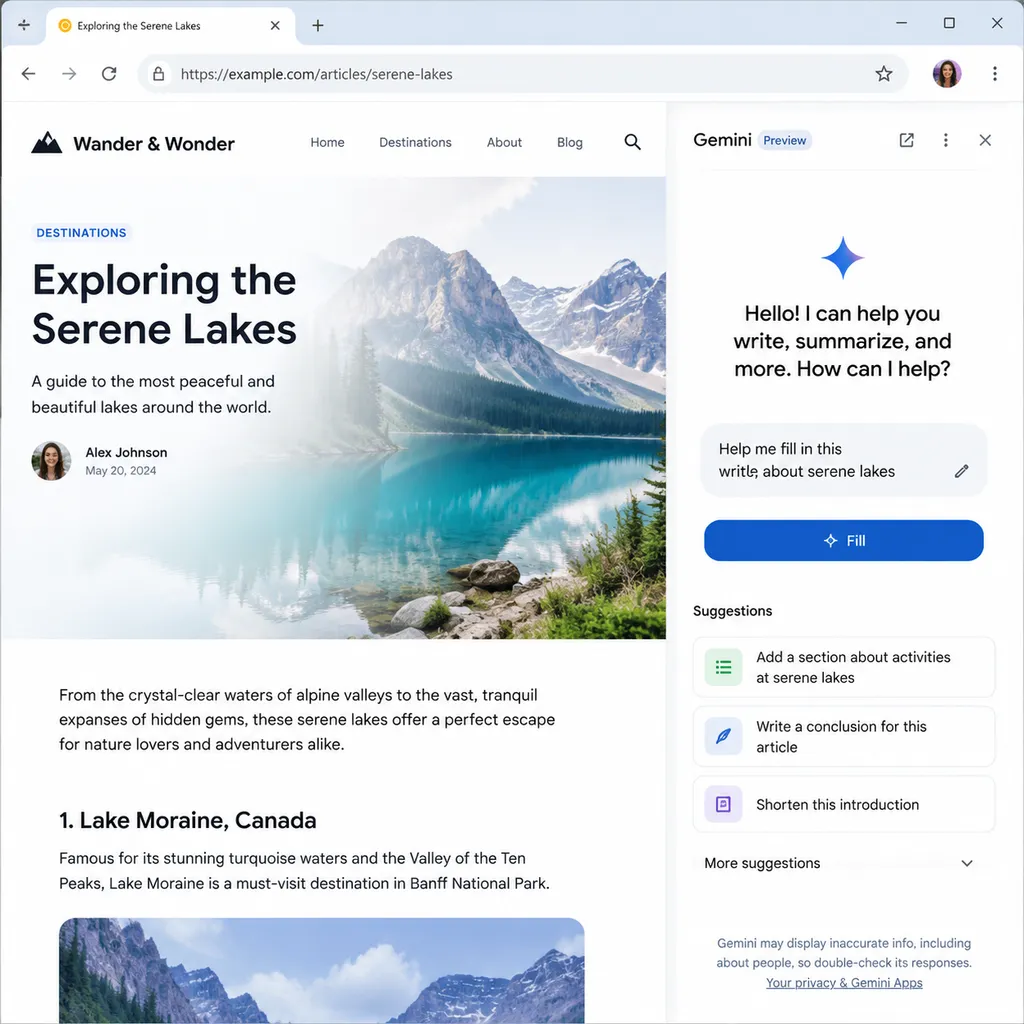
According to a report from Windows Report, the latest build of Chrome Canary is testing a feature called “Fill with Gemini.” The logic is simple: when a user types @@ in a web form or right-clicks “Search anywhere and fill,” Chrome invokes Gemini to look for relevant information from your Gmail, Google Photos, and other apps, and fills out the form automatically. The entire process happens without leaving the current page or switching tabs to hunt for order numbers or flight details in your inbox.
It may sound trivial, but if done right, this would represent a nontrivial shift in browser-level interaction design.
Traditional Autofill vs. LLM Autofill — What’s the Difference?
Let’s clarify one thing first: Chrome has long supported autofill. It’s been storing structured fields like names, addresses, credit cards, and passwords for years—matching input name and autocomplete attributes and filling them accordingly.
But traditional autofill has a hard boundary: it only handles structured, predefined fields. Say you’re booking a flight and the airline asks for an “order confirmation number.” You’d manually search through Gmail, locate the confirmation email, and copy that 6-character alphanumeric code. The browser can’t help you because it doesn’t know what’s inside your Gmail or what this input field is asking for.
“Fill with Gemini” aims to solve exactly that by merging two capabilities:
- Understanding what the form is asking. The model analyzes the page title, URL, and input context to interpret the semantic meaning of a field.
- Retrieving the answer from personal data. Gemini searches apps like Gmail and Google Photos—potentially later Drive or Calendar—with a query like “the user needs the confirmation number for flight XX.”
In essence, this turns the browser into a RAG (retrieval-augmented generation) client, with your personal Google account data as the retrieval source. It’s similar to the AI browser concepts behind products like Comet or Dia—but Google’s advantage is that it already controls your Gmail, Photos, Calendar, and Drive data.
Triggered by @@ — an Interesting Design Choice
From a UX perspective, using @@ as a trigger is quite clever.
It doesn’t conflict with any common key combinations, avoiding false triggers. When users type @@ in a form, Chrome instantly switches to AI autofill mode and pops up suggestions. This design borrows from familiar paradigms like Notion’s / commands and Slack’s @ mentions—mental models already validated in developer communities.
The right-click option “Search anywhere and fill” serves as a fallback for users unaware of the @@ shortcut. Both paths lead to the same outcome.
When triggered for the first time, Chrome displays an info card informing users that “This feature is powered by Gemini and may look for information in Gmail and other apps.” This notice-and-consent design appears to preempt potential privacy controversies.
Privacy: Google Offers Two Assurances
Once enabled, Chrome uploads the title and URL of the current webpage to Google’s servers. This is necessary for the model to understand context and know what to fill.
Google provides two explicit assurances:
- Data used for autofill will not be used for AI model training
- The data will not be manually reviewed
From a policy standpoint, that’s more restrained than earlier AI features that defaulted to using user data for training. However, developers should note several gray areas:
- What exactly counts as “webpage title and URL”? If a URL contains query parameters or session tokens, are those uploaded too?
- Is the search across Gmail and Google Photos handled client-side or server-side? If it’s server-side, that means at least a temporary vectorized form of your email content is exposed to Gemini.
- Will policies differ for enterprise (Google Workspace) accounts?
Support documentation currently states that “this feature is unavailable when signed into Chrome with a school Google account” and “is not supported in Incognito mode.” These restrictions suggest that the feature relies heavily on a persistent user data profile and cannot function in temporary sessions or managed accounts.
How It Relates to Chrome’s “Autonomous Browsing”
Many confuse this with Gemini’s earlier Autonomous Browsing feature.
Autonomous Browsing is a full-fledged agent capability: you tell Gemini, “Book me a hotel in New York on July 25th under $300,” and it opens tabs, clicks buttons, fills forms, and compares prices automatically. It’s a multi-step workflow, available only to Google AI Pro or Ultra subscribers, with daily quotas of 20 and 200 calls respectively.
“Fill with Gemini,” by contrast, is a single-step assistant tool. The user still browses and fills forms manually but can delegate specific information retrieval—like fetching an order number—to Gemini.
It’s essentially a simplified version of autonomous browsing:
| Capability | Fill with Gemini | Gemini Autonomous Browsing | |---|---|---| | Task Type | Single field fill | Multi-step workflow | | User Role | In control | Supervisory | | Data Source | Gmail / Photos, etc. | Web + personal data | | Subscription Requirement | Free (likely) | AI Pro / Ultra | | Risk of Erroneous Actions | Low | Medium to high |
From a product strategy view, Google is rolling out a gradient: introducing users to AI assistance with lightweight use cases like “help me fill in the order number,” before progressing to fully autonomous agents. This gradual path is more conservative than Perplexity’s Comet, which went all-in on agents from the start.
What It Means for Developers
If this feature ships to the stable channel, it will have several implications for developers building web forms.
Form semantics will matter more. Gemini determines how to fill a field based on the page context—label text, placeholder, nearby copy, and input attributes like name or aria-label. In the past, using <input name="field_1"> might have sufficed for traditional autofill, but LLM-based filling will favor semantically clear forms. This may incidentally push developers toward more standardized markup.
“AI readability” will become a factor. Just as SEO once drove pages to optimize for search engines, form structures may soon need optimization for LLMs. Field descriptions, contextual hints, and error messages can all affect Gemini’s accuracy.
Anti-fraud and risk control logic will need updates. AI-filled forms will complete far faster and with more regular timing between fields than humans. Traditional anti-bot systems relying on mouse movement or typing cadence might misclassify such inputs unless thresholds are recalibrated—risking false positives against legitimate AI-assisted users.
Customer support workflows might change. Common support tickets like “Where can I find my order number?” could decrease if the browser retrieves that info automatically. Conversely, if Gemini fills something incorrectly, users might blame your product—introducing new product accountability risks.
Still in Canary—Don’t Rush
At present, the feature is only visible in Chrome Canary, the earliest experimental channel. Google has not announced a release timeline.
Chrome’s typical rollout path is Canary → Dev → Beta → Stable, with some experiments cut along the way. Previous AI experiments such as Tab Organizer and Help me write followed this same gradient.
Judging from Google’s pace of injecting AI into Chrome this year—Gemini in the address bar, page summaries, Tab Groups AI, autonomous browsing, and now Fill with Gemini—the browser is evolving from a “rendering engine + network stack” into an “AI agent runtime environment.” Collaboration between the Chromium and DeepMind teams appears tighter than ever.
For developers using the Gemini API, OpenAI Hub offers a unified OpenAI-compatible interface—one key can call Gemini, GPT, Claude, and other mainstream models directly from within China—ideal for quickly testing multi-model comparisons.
The next big question: when the browser itself becomes the agent host, how long can the traditional paradigm of “open a page, view some content, click a button” continue to last?
References
- Let Gemini help you fill out forms: Google Chrome updates autofill feature – IT Home: First report of Chrome Canary’s “Fill with Gemini” feature, detailing triggers and privacy policy.
- 7 productivity-boosting ways Gemini integrates with Chrome – Zhihu: Overview of Gemini’s Chrome integrations, including autonomous browsing and agent capabilities.