Perplexity Comes to the Windows Desktop
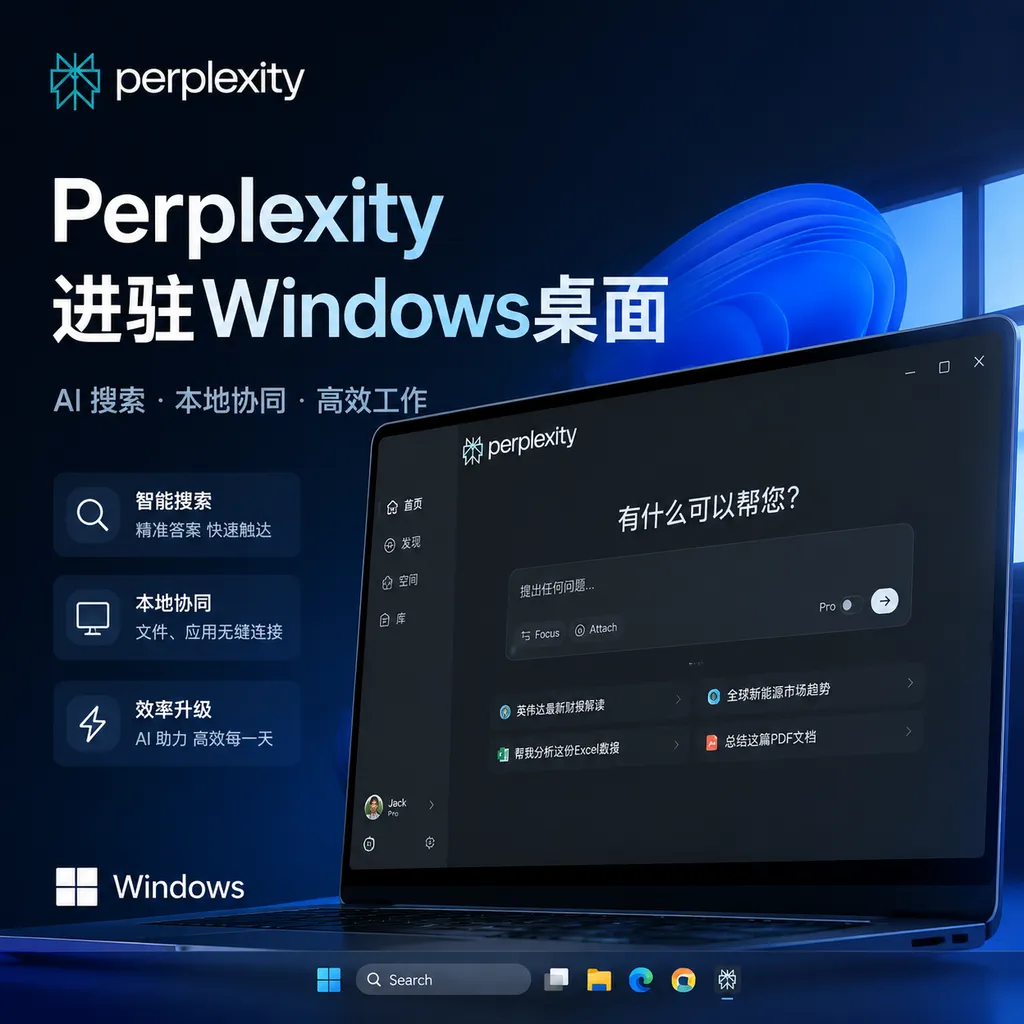
Perplexity is expanding Personal Computer to Windows, enabling the Agent to directly operate authorized local files, applications, and the Microsoft Office suite. However, it is not a fully offline, local AI system, but rather a hybrid system combining local execution with cloud-based orchestration.
Perplexity Brings Its General-Purpose Agent to Windows
Perplexity recently expanded Personal Computer to Windows. It is not just another chat box floating on the desktop. Instead, it aims to turn a Windows PC into a digital agent that can work continuously: reading local files authorized by the user, operating desktop applications, moving information between the web and Microsoft 365, and directly creating documents, editing spreadsheets, or processing contracts.
As of July 28, 2026, the official Windows page still primarily directs users to join the waitlist. It is therefore more accurate to describe this as the product’s official arrival on Windows and an expansion of its testing scope, rather than a release available to all Windows users without restrictions.
This distinction is worth clarifying up front. Over the past year, AI companies have often treated “launched” as synonymous with “available.” But for agent products, waitlist-based testing and full public availability are separated by issues of permissions, security, reliability, and infrastructure costs—not merely by the presence of a download button.
It Wants to Do More Than Open Applications for You
Personal Computer was initially built around dedicated Mac hardware, typically a Mac mini that could remain online around the clock. The Windows version follows the same approach: putting the agent on the computer where the user actually works, rather than confining tasks to a cloud browser or isolated sandbox.
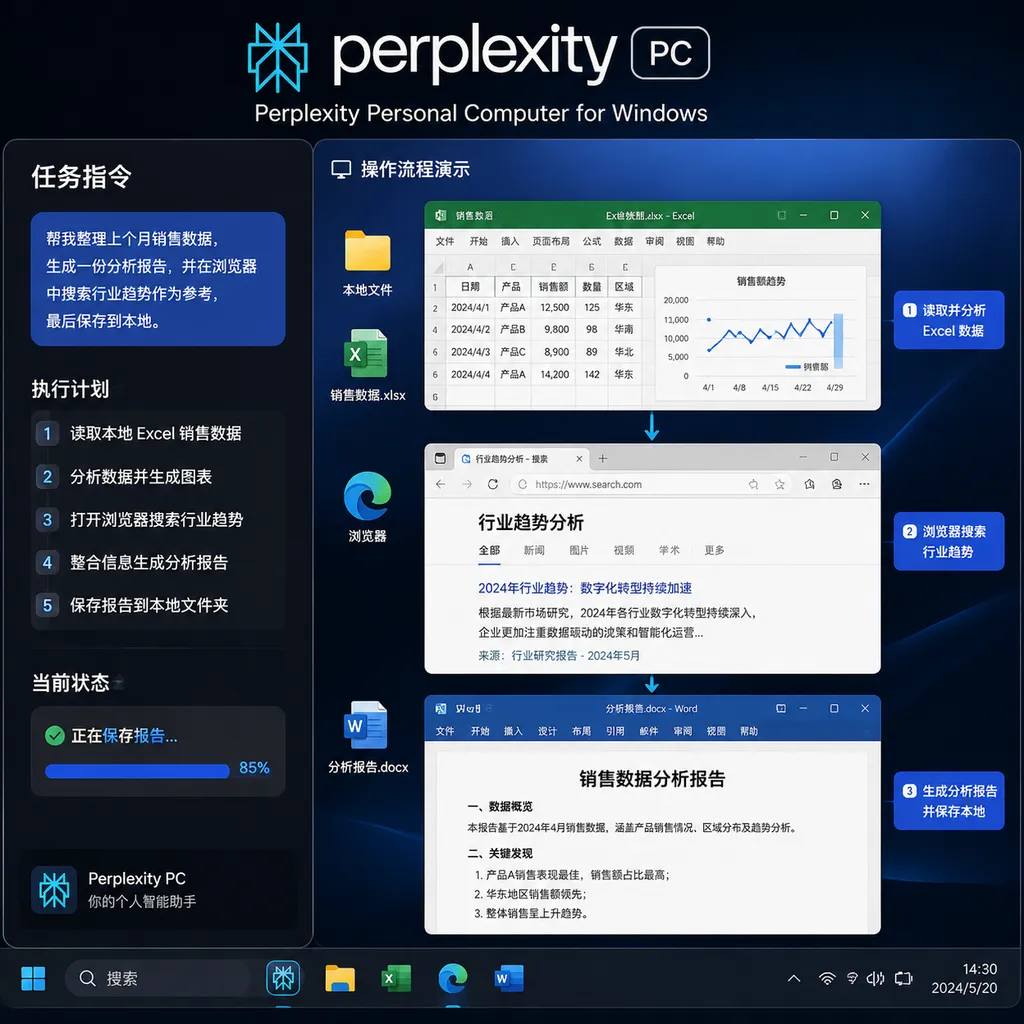
Perplexity provides a straightforward example: find a contract in the Downloads folder, revise it, and add redlines. The task sounds ordinary, but it requires the agent to complete a sequence of steps:
- Determine which contract the user means;
- Search for the file in an authorized local directory;
- Read the contract and identify risky clauses;
- Open the appropriate document application and make edits;
- Preserve tracked changes instead of overwriting the original file;
- Explain what was changed and why;
- Wait for confirmation when necessary instead of sending the document directly to an external party.
A traditional chatbot can, at most, complete the third step and provide suggested revisions. The threshold Personal Computer is trying to cross is the shift from “telling you how to do it” to “getting it done on your computer.”
It can also handle more common office workflows, such as generating project documents from local meeting notes, updating spreadsheets with web research, organizing materials scattered across multiple folders, or accepting tasks initiated from another computer or phone and continuing them on the Windows desktop.
The real value lies not in any individual action, but in the ability to chain those actions together. Windows users do not lack AI tools that can summarize documents. What they lack is an execution layer that can maintain task state across the file system, browser, Office applications, and enterprise collaboration tools.
“Running Locally” Does Not Mean “Running Models Offline”
The most easily misunderstood aspect of Personal Computer is the word “local.”
It does run on the local computer and can access user-approved folders, files, and applications. But that does not mean more than 20 frontier models are downloaded onto the Windows PC, nor does it mean the product can continue operating fully without an internet connection.
A more accurate interpretation is:
- The local desktop handles the environment and execution: accessing the file system, observing application state, and performing actions such as clicking, typing, and editing;
- Perplexity’s cloud systems handle task orchestration: understanding goals, breaking tasks into steps, selecting models, and coordinating search and reasoning;
- Different models handle different subtasks: such as retrieval, coding, long-document analysis, visual understanding, and result verification;
- The permission layer controls what is visible: the agent can access only the folders, files, and applications explicitly approved by the user.
It is more like an execution terminal stationed inside Windows and connected to a cloud-based control center than a fully offline AI workstation.
This distinction is critical. If an enterprise procures Personal Computer under the assumption that it is a purely local solution, it may misjudge the boundaries of its data. Even if desktop actions occur on the device, whenever task interpretation, model inference, or context orchestration involves the cloud, organizations must continue asking: What content is uploaded? Is it retained? How long are logs stored? Can specific models be disabled? Can sensitive files be processed exclusively on-device?
Perplexity currently emphasizes that the product “only accesses approved content” and that its operations are transparent. But permission controls are only the first layer of security; they do not automatically mean data never leaves the device.
Windows Is the Real Test for Products Like This
Personal Computer was previously deployed on Macs, making it suitable for early adopters, developers, and teams willing to set up a dedicated Mac mini. On Windows, the product faces an entirely different scale and level of complexity.
Windows remains the world’s most widely used desktop operating system and the dominant platform for enterprise work, finance, manufacturing, government, and legacy software. A great deal of mission-critical work does not happen in neatly structured web applications. It is buried in Excel macros, shared drives, aging desktop clients, internal management systems, and files with inconsistent formats.
This is precisely where desktop agents may create value.
In May, Perplexity strengthened its integrations with Microsoft 365 and Teams. The Windows version now adds the local files and desktop applications layer. The former addresses whether the agent can enter Microsoft’s cloud productivity environment; the latter addresses whether it can operate the desktop users actually work with every day.
Together, the two could allow an agent to complete a relatively comprehensive workflow: extracting action items from a Teams meeting, locating project materials in a local shared directory, updating an Excel budget, and finally generating a Word report.
This also distinguishes Perplexity from ordinary AI search products. AI search answers “Where is the information?” A desktop agent handles “What should be done next, and in which application?”
Perplexity’s Strength Is Also Its Weakness
Perplexity does not own a leading foundation model of its own. Personal Computer instead follows a multi-model orchestration approach. According to the company, the system can coordinate more than 20 frontier models and select different capabilities for different tasks.
The advantages of this strategy are clear:
- It avoids relying on a single model for every task;
- It can use different models for search, coding, images, and long-form text;
- When a provider upgrades its model, the orchestration layer can quickly benefit from the improved capabilities;
- Users do not have to manage numerous model accounts and separate contexts themselves.
But it also creates two problems.
First, Perplexity must prove that its orchestration layer delivers enough value. Why should users not simply use agents from Microsoft, OpenAI, Anthropic, or Google? The answer cannot merely be, “We connect to more models.” It must be demonstrated through task success rates, long-term memory, permission management, and cross-application execution.
Second, a multi-model system means more complex data flows and cost structures. A seemingly simple contract revision task might sequentially invoke a search model, a reasoning model, and a document analysis model before undergoing multiple rounds of review. The results may be better, but latency, billing, and auditing complexity will all increase accordingly.
From a product-positioning perspective, Personal Computer is closer to an orchestration layer for an agent operating system than to a desktop client for any particular model. What Perplexity is really selling is not the models themselves, but the ability to let different models use a person’s computer reliably.
The Hardest Part of a Desktop Agent Is Not Clicking—It Is Knowing When to Stop
Agents in demos typically follow the correct path. Real Windows desktops, however, are full of exceptions: pop-up windows covering buttons, duplicate filenames, locked Excel formulas, applications updating unexpectedly, remote desktop sessions disconnecting, or users manually editing the same file while the agent is working.
Before a general-purpose computer agent can enter production environments, it must address at least four categories of problems.
1. Reversibility
Does the agent automatically create a copy before modifying a file? Can a deleted directory be restored? When it changes an Excel formula, can it show cell-level differences?
For enterprise users, “being able to undo a mistake” is often more important than “getting it right the first time.” Without a reliable rollback mechanism, an agent can handle only low-risk tasks.
2. Approval Boundaries
Reading a contract and sending a contract are not at the same level of risk. Organizing emails is also different from actually sending them.
A mature permission system should support more than a binary allow-or-deny model. It should provide tiered approvals: reading can happen automatically, writing must be logged, and actions such as sending, making payments, deleting, or publishing externally must wait for confirmation.
3. Prompt Injection
When an agent can read webpages, documents, and emails, malicious instructions can be hidden inside that content. For example, a file could try to induce the agent to ignore its original task, access other directories, or upload sensitive information.
A desktop agent cannot treat every sentence it encounters as a user command. User instructions, system policies, external content, and application feedback must occupy different levels of trust. Otherwise, the ability to “operate a computer” will quickly become an amplifier for the attack surface.
4. Observability
Users need to know which model the agent invoked, which files it read, what it changed, and why the task failed. Simply displaying “Thinking” is nowhere near enough.
Perplexity’s emphasis on operational transparency and authorized access is a step in the right direction. But for developers and enterprise administrators, it will also need more granular execution logs, policy configuration, and audit interfaces. An agent that cannot be monitored will struggle to enter serious workflows.
It Is More Practical Than a Cloud Agent, but Also More Dangerous
Perplexity offers both Computer, which runs in the cloud, and Personal Computer, which operates on a local device. The two are not simply higher- and lower-tier versions of the same product.
Cloud agents are well suited to web research, cross-site information aggregation, and long-running background tasks. They are isolated from the user’s computer, easy to deploy, and operate in a relatively controlled environment. But their capabilities become significantly constrained once a task involves local files, desktop software, or an enterprise intranet.
Personal Computer bridges that gap. It can enter the user’s actual work environment, giving it a better chance of becoming an everyday tool. The trade-off is that it has greater permissions, a broader attack surface, and the potential for mistakes to directly affect production files.
Our assessment is that the Windows version has greater commercial significance than the previous approach centered on dedicated Mac minis. Requiring users to purchase and maintain an additional device inherently limits consumer adoption. Running the agent on existing Windows PCs is the only way to reach the truly massive office-user population.
But “reaching more computers” does not mean it is “ready to take over more work.” Until Perplexity publishes more complete details on pricing, data-handling policies, auditing capabilities, and real-world task success rates, Personal Computer is better suited to reversible, low-risk tasks whose results are easy to inspect—such as archiving materials, generating first drafts, and updating spreadsheets. It should not be used directly for payments, production-system changes, or unreviewed external communications.
For Developers, the Desktop Is Becoming a New Agent Runtime
The industry signal sent by Personal Computer’s arrival on Windows is more important than the product itself: competition among agents is shifting from model capabilities to control over the operating environment.
The ability to write documents is no longer scarce among models. The next competitive gap will depend on who can reliably obtain context, invoke tools, preserve task state, and recover from errors. The browser was the first environment agents entered; Windows and macOS desktops are the next runtime.
For developers, this means applications will gradually need to prepare for agent access by providing stable, structured interfaces, clearly defined permission scopes, traceable operation logs, and automation channels more reliable than coordinate-based clicking. Visual button recognition and simulated mouse input are sufficient for demos, but they are difficult to rely on for long-running production tasks.
Perplexity has not released a more powerful model this time. Instead, it is competing for the position between models and the operating system. That position may appear less glamorous than foundation models, but it could be closer to what users are actually willing to pay for.
Whether the Windows version succeeds will ultimately depend not on how many applications it can open, but on whether users feel comfortable handing over control of their computers for ten minutes.
References
- Perplexity official product materials: the Personal Computer for Windows feature page, covering access to local files and applications, orchestration of more than 20 frontier models, authorization scopes, and waitlist-based testing status; no external link is included due to end-of-article domain restrictions.
- Related reporting from The Verge: confirms that Personal Computer has expanded to Windows and explains its relationship with the Mac version and its Microsoft 365 and Teams integrations; no external link is included due to end-of-article domain restrictions.
- Search for discussions of Perplexity Personal Computer on Reddit: used to review ongoing user discussions about product availability, permissions, and real-world experiences. Community content does not constitute official confirmation.