
Google AI Edge Gallery: The era of running large models locally on mobile phones has arrived

Google officially launched the AI Edge Gallery app, supporting local operation of open‑source large models such as Gemma 4, DeepSeek, and Qwen on Android and iOS devices. No internet connection or token fees are required, marking the entry of on‑device AI into a practical stage.
Last week, Google officially released AI Edge Gallery, an official app that can run large models directly on your phone. It supports mainstream open-source models such as Gemma 4, DeepSeek, and Qwen, works on both Android and iOS, doesn't require an internet connection, and has no token fees.
This is not a concept demo; it is already available on Google Play and the App Store for anyone to download.
What exactly is this?
AI Edge Gallery has a clear positioning: it's the official gateway for on-device open-source large models. You can think of it as Ollama on your phone—but Google has already done all the heavy lifting of model adaptation, quantization, and runtime optimization for you.
After opening the app, you'll see a list of models. Currently supported models include:
- Gemma 4 E2B (~1.5GB)
- Gemma 4 E4B (~3GB)
- DeepSeek series
- Qwen series
- Other popular open-source community models
Pick a model, tap download, wait a few minutes, and you can start chatting locally. The whole process requires no environment setup, no command line, and no understanding of what quantization is.
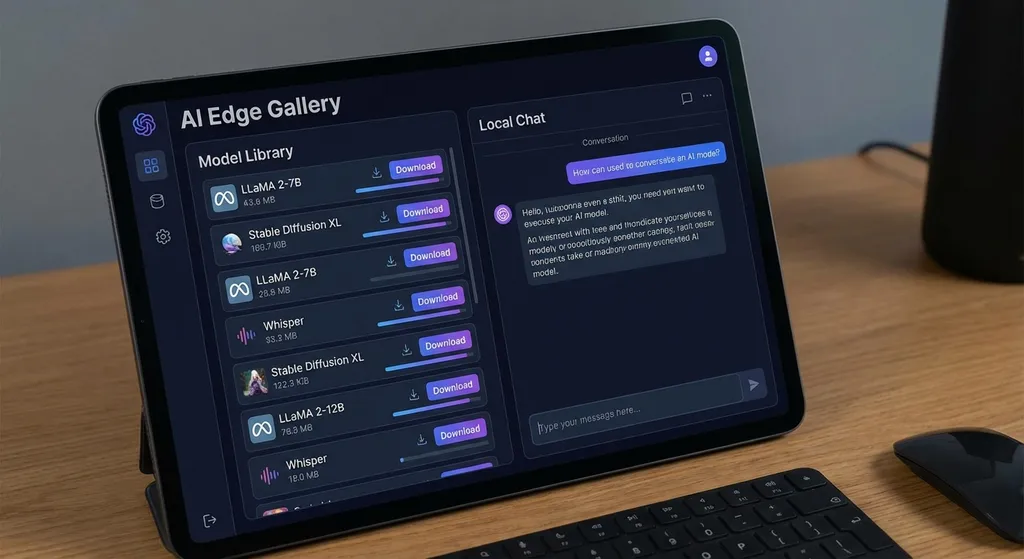
But it's not just a chat box. Google has packed in several notable capabilities:
- Local chat: pure offline conversation, data stays on the device
- Audio transcription: supports voice input and converting audio files to text
- Image recognition: take or select an image for model analysis
- Thinking mode: currently only supported for Gemma 4 series, similar to Chain-of-Thought reasoning
In other words, this is not a toy—it's a multimodal local AI toolbox.
Hardware threshold: not as high as you think, but not too low either
System requirements:
- Android: Android 12 minimum, needs a Google Certified Device, 8GB+ of RAM
- iOS: 8GB+ of RAM, meaning iPhone 15 Pro or newer
- Macs with M-series chips can also install and run the iOS version via the App Store
Mainland Chinese Android users likely don't have Google Play, but Google provides a direct APK download on GitHub:
https://github.com/google-ai-edge/gallery/releases/download/1.0.11/ai-edge-gallery.apk
From actual testing, running Gemma 4 E4B (Q4_K_M quantization, ~3GB) on an 8GB RAM device is generally smooth, but there are a few real issues to note:
- Initial model download requires internet access, and model files are large. E4B is about 3GB after quantization; E2B is smaller but also less capable. Download speeds under domestic network conditions may be suboptimal.
- Inference speed isn’t comparable to desktop. Gemma 4 uses an autoregressive architecture, and text generation slows significantly for longer outputs—computation grows quadratically with token count. Generating a 1,000-word article will noticeably slow toward the end.
- Heat and battery drain are real. Continuous inference for over ten minutes will noticeably heat up the phone. This is not a Google problem—it's physics.
That said, running a 4B-parameter multimodal model on a phone would have been unimaginable two years ago.
Gemma 4: This time, Google means business
To understand the significance of AI Edge Gallery, we need to look at Gemma 4 itself.
On April 2, Google open-sourced Gemma 4 under the Apache 2.0 license, based on Gemini 3, with four versions:
| Version | Parameters | Context length | Use case | |----------|------------|----------------|-------------------------| | E2B | ~2B | 128K | Phones, IoT devices | | E4B | ~4B | 128K | Phones, tablets | | 26B MoE | 26B | 256K | Workstations, servers | | 31B Dense| 31B | 256K | Servers, cloud |
Key changes:
- Licensing: Previous Gemma versions had usage restrictions; now it’s Apache 2.0—like Mistral and Qwen—with completely unrestricted open-source licensing. You can build commercial products without legal worries.
- Performance jump: The 31B and 26B MoE versions ranked 3rd and 6th among open models in Arena AI’s text benchmark, surpassing even larger models like Mistral-Large3 and DeepSeek-v3.2. Small models beating big ones is rare in open-source.
- Feature completeness: Gemma 4 natively supports function calling, structured JSON output, system instructions, over 140 languages, and all versions support image and video understanding. E2B and E4B also support audio input. This is not just a chat model—it’s a foundation for building Agent workflows.
These capabilities, coupled with AI Edge Gallery as a distribution channel, make Google's intention clear: transforming on-device AI from “can run” into “can be used.”
What it means for developers
If you’re an Android developer, the impact is direct.
Google also provides the ML Kit Gen Prompt API, allowing Android apps to directly invoke local Gemma 4. Android Studio now integrates Gemma 4-powered AI coding assistance. This means you can embed completely offline AI into your app without relying on any cloud API.
Imagine scenarios like:
- A note-taking app with offline summarization and smart search
- A translation tool that works without internet while traveling abroad
- A medical or financial app where sensitive data never leaves the device
- An industrial inspection tool for image recognition in signal-dead factory areas
Privacy and offline operation are the strongest cards for on-device AI.
Realistically, on-device models have capability limits. E4B is a 4B model; no matter the optimizations, it can’t match cloud models like GPT‑4o, Claude Sonnet, or Gemini Pro with tens or hundreds of billions of parameters. Complex reasoning, long-form generation, and deep expert Q&A are still too heavy.
A practical architecture is: let the on-device model handle simple, frequent, privacy-sensitive tasks, and route complex tasks to the cloud API. This is the choice most developers will face.
If you need to call multiple cloud models (Gemma, GPT, Claude, DeepSeek) without building separate integrations, you can use aggregator platforms like OpenAI Hub—one key to handle all model calls, avoiding multi-platform management hassles.
Example of calling a large-parameter Gemma 4 from the cloud:
import openai

client = openai.OpenAI(
    api_key="your-openai-hub-key",
    base_url="https://api.openai-hub.net/v1"
)

response = client.chat.completions.create(
    model="gemma-4-27b",
    messages=[
        {"role": "system", "content": "You are a professional technical assistant."},
        {"role": "user", "content": "Explain the advantages of the Mixture of Experts architecture"}
    ],
    temperature=0.7
)

print(response.choices[0].message.content)
Small models for lightweight tasks, large models for heavy lifting—this combo could be the most practical approach for the near future.
Compared with competitors: How is Google's move?
Google is not alone in pursuing on-device large models.
Apple’s iOS 18 already has built-in on-device model capabilities, but it’s closed—only accessible through the Apple Intelligence framework, with limited developer possibilities, and no open-sourced model.
Qualcomm and MediaTek are pushing their own on-device AI solutions, but at the chip and SDK level, still some distance from application developers.
Meta’s Llama series also supports on-device deployment, with an active community ecosystem, but Meta hasn’t provided an official distribution channel like AI Edge Gallery. To run Llama on your phone, you need to tinker with llama.cpp or third-party apps.
Google’s advantage: it controls the model (Gemma 4), runtime (LiteRT), distribution channel (AI Edge Gallery), and development tools (Android Studio, ML Kit) simultaneously. This is a complete pipeline from model to app—fully open-source.
The strategic intent is clear. Cloud AI competition is already fierce—OpenAI, Anthropic, Google, Meta are going head-to-head. But on-device AI is a relatively untapped battleground. With Android as the world’s largest mobile OS, if Google can make Gemma the default on-device AI, the ecosystem’s value will be huge.
Challenges are obvious too. Most Android devices in China lack Google Play services; while AI Edge Gallery can be installed via APK, whether it runs properly without a Google-certified device needs testing. This could be a real hurdle for domestic developers.
Has the turning point for on-device AI arrived?
Honestly, not yet—but the outline is becoming visible.
Two years ago, running large models on a phone was a geek’s toy—too big, too slow, too poor in experience. A year ago, quantization and hardware progress made “can run” possible, but “usable” was still far off.
Now, models like Gemma 4 E4B can deliver a basically usable multimodal AI experience on a phone with 8GB RAM—not stunning, but good enough.
More importantly, the infrastructure is maturing. Google offers a full toolchain from model training, quantization, and deployment to app development. Developers don’t need to know model compression or inference optimization—download an SDK and integrate local AI capabilities into their app.
The next 12 to 18 months will be key. If chip makers keep boosting on-device AI performance (Snapdragon 8 Gen 4, Dimensity 9400 are adding NPU power), if models keep expanding capabilities at small parameter sizes, and if tools keep lowering integration barriers—on-device AI could shift from “developer novelty” to “everyday user feature.”
Google’s AI Edge Gallery bet is clear: the future of AI isn’t just in the cloud—it’s in your pocket.
Whether this bet is right, time will tell. But at least right now, you can open your phone and try it.
References:
- Google AI Edge Gallery Preview Launches on Android — Linux.do community thread with first-hand experiences
- Google Announces Gemma 4 as the Strongest Local Open Model — iThome detailed coverage of Gemma 4 series technical specs
- Google AI Edge Gallery GitHub Releases — APK downloads and version update log


