Warp Brings the Coding Agent Back to the Terminal
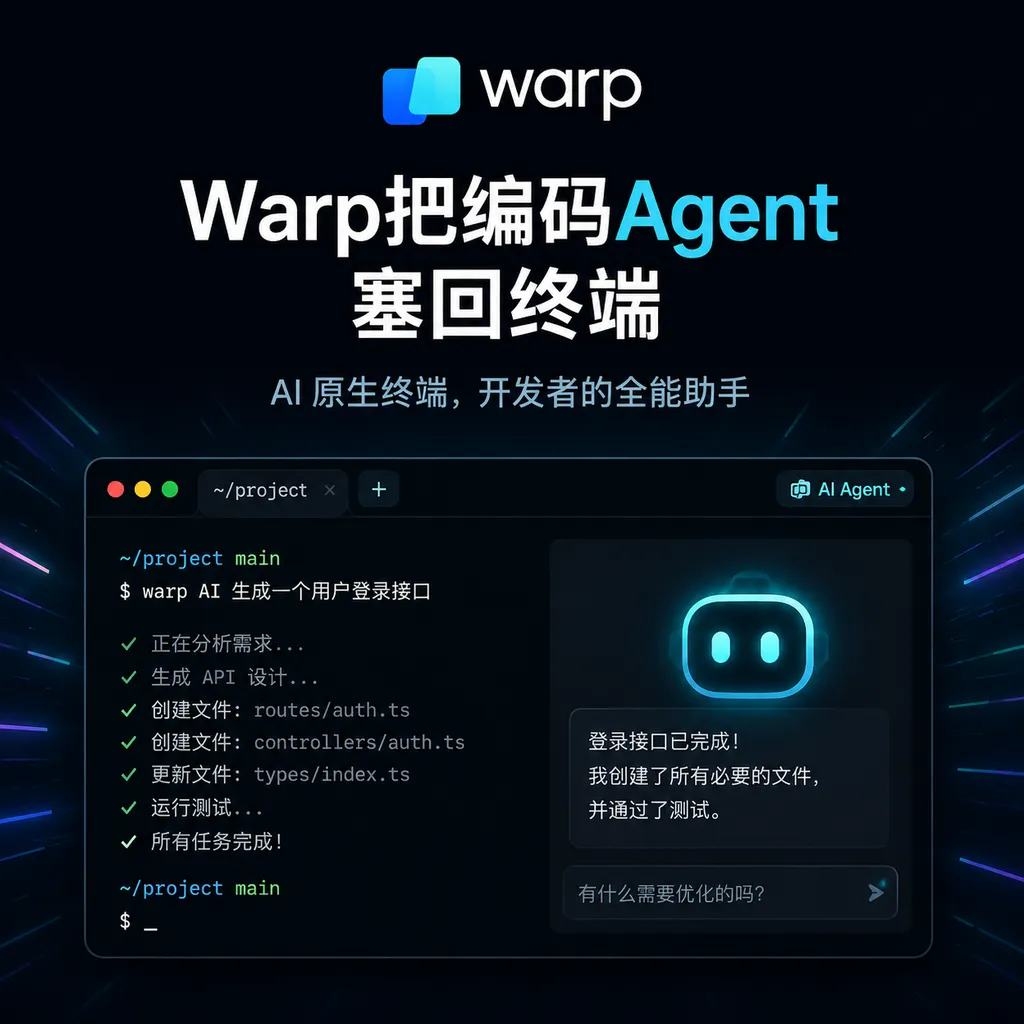
Warp recently launched Agent CLI, extending its coding agent beyond the Warp terminal to developers’ existing shells, remote hosts, and automated workflows. The real story isn’t the addition of another chat interface, but that Warp is beginning to shift from a terminal product to agent infrastructure.
Warp No Longer Requires Developers to Switch Terminals First
Warp recently released Agent CLI, extracting its built-in coding agent from Warp’s own graphical terminal and bringing it into developers’ existing command-line workflows.
This means developers no longer have to adopt the entire Warp Terminal interface and interaction model before they can use Warp’s agent capabilities. Whether they prefer the system terminal, iTerm2, Ghostty, Windows Terminal, or SSH connections to remote development machines, Agent CLI can be integrated more easily into their existing workflows.
As of August 5, 2026, the coding agent market already has no shortage of command-line tools. Products such as Claude Code, Codex CLI, and Gemini CLI are all competing for the terminal entry point. The value of Warp’s release, therefore, is not that it proves agents can write code in the shell—that question was settled long ago—but that it turns the agent execution framework previously tied to Warp’s own terminal into a relatively independent interface.
In short: Warp used to sell a fully furnished agent workshop. Now it is starting to send out the workers and dispatch system separately.
Agent CLI Is Not Just Another Chat Box
Traditional terminal AI tools usually begin with a question-and-answer interaction: the user enters a request, the model returns a shell command or code snippet, and the user decides whether to execute it. Coding agents go a step further. They need to form a continuous loop:
- Understand the repository structure and development rules;
- Search for relevant code and dependencies;
- Create a modification plan;
- Edit one or more files;
- Run builds, tests, and static checks;
- Continue fixing issues based on errors;
- Summarize changes, risks, and unfinished work.
For example, a developer might give an agent a somewhat imprecise task: fix a test that occasionally fails under a certain concurrency condition while ensuring that the API behavior remains unchanged. What the agent actually needs to handle is not a single text completion, but a sequence of tool calls:
git status --short
rg "flaky_test|race condition" .
pytest tests/integration/test_worker.py -x -vv
git diff --stat
git diff
The commands above are merely a typical execution chain, not the installation or invocation syntax for Agent CLI. The key is that the agent needs to know when to search, when to modify files, when to run tests, and which step to return to after a failure. The system layer responsible for context, tools, permissions, and execution loops is commonly called an agent harness.
What Warp really wants to sell is this harness layer, not merely the underlying models.
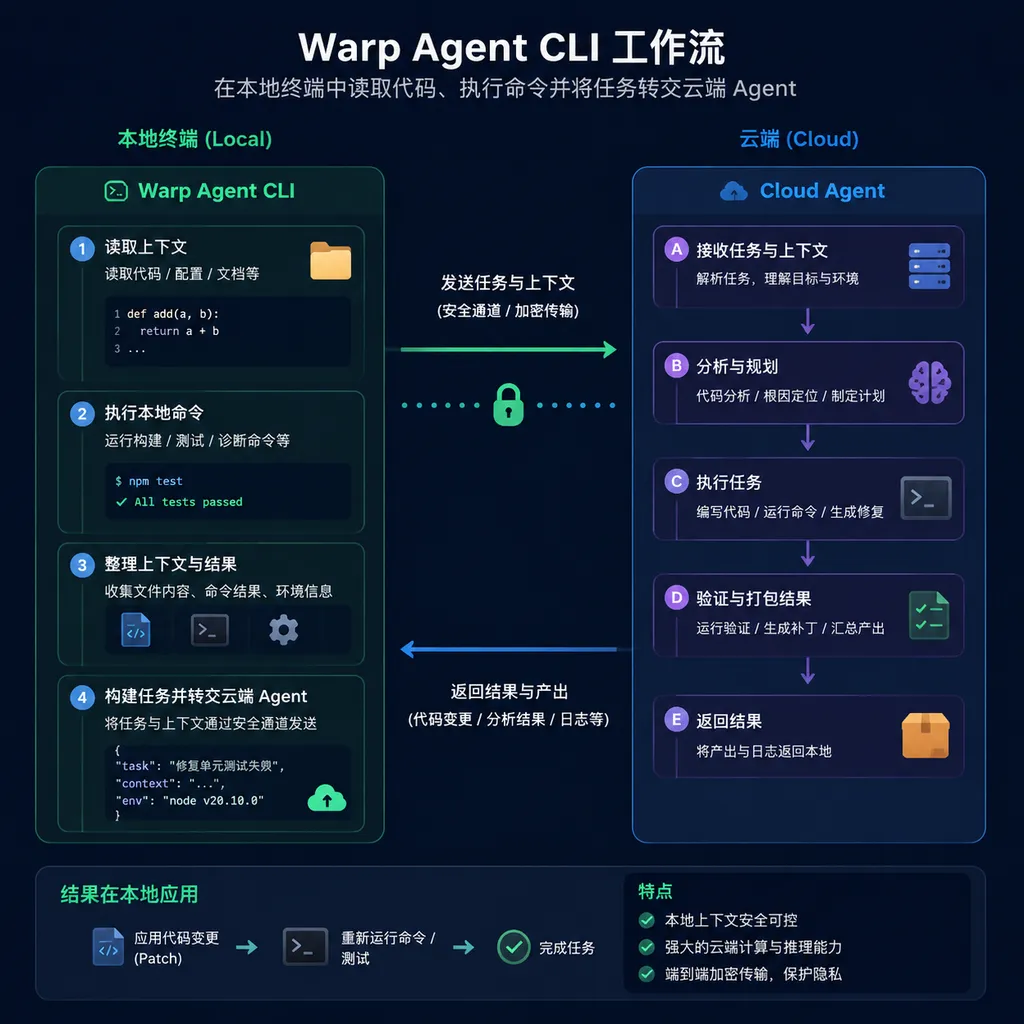
Based on Warp’s current description of its product portfolio, its agent platform emphasizes codebase indexing, multi-model access, model routing, multi-agent orchestration, and fine-grained permission controls. Agent CLI adds a more general-purpose entry point to these capabilities: the front end can be an ordinary terminal, while complex tasks can still connect to Warp’s underlying agents and cloud execution infrastructure.
The Move from the Local Shell to the Cloud Is the Real Focus of This Release
Keeping an agent running locally offers clear advantages: the files are already on disk, feedback is fast, and developers can observe or interrupt the process at any time. But the local model also has limits.
A small refactor may take only a few minutes, while a cross-module migration, full-repository test run, or parallel batch of tasks may continue for tens of minutes or even hours. At that point, laptop sleep, network switching, terminal closure, and insufficient local compute all become problems.
Warp is building a cloud agent platform around Oz, emphasizing task handoff from local environments to the cloud and the ability to launch agents through different entry points, including the CLI, SDK, and Warp Terminal. Seen within this broader product strategy, the role of Agent CLI becomes relatively clear:
- Keep short tasks local. Developers can observe commands, review diffs, and complete fixes quickly;
- Hand long-running tasks off to the cloud. Tests, refactors, and bulk migrations do not need to occupy local sessions;
- Run multiple tasks in parallel. Developers no longer have to manually open and manage multiple terminal windows for agents;
- Provide unified team governance. Enterprises can centrally view tasks, usage, permissions, and execution status.
This is more meaningful than simply adding a chat panel to the terminal. The terminal is only an entry point. Whether tasks can continue running across devices and whether they can be audited and taken over are what determine whether coding agents can evolve from personal toys into team tools.
Warp Has Finally Acknowledged That Developers Will Not Switch Terminals Just for an Agent
Warp’s greatest early product advantage was also an obstacle to its growth.
It redesigned the command line around structured blocks and added editable commands, history search, collaboration, and AI capabilities, offering an experience far more modern than that of traditional terminals. But the terminal is one of the hardest tools for developers to migrate away from. Shell configurations, keyboard shortcuts, plugins, fonts, remote connections, and muscle memory can each become reasons to abandon a migration if they are incompatible.
The success of tools such as Claude Code has already shown that the most effective way to distribute coding agents is not to reinvent the IDE or terminal, but to enter the places where developers already work. CLIs have several inherent advantages:
- They can run directly in local repositories;
- They can access servers over SSH;
- They can be invoked by scripts, containers, and task orchestration systems;
- They are editor-independent and do not require betting on the VS Code or JetBrains ecosystem;
- They are well suited to headless remote development environments.
Agent CLI may look like just another product format, but it is actually a correction to Warp’s distribution strategy. Warp no longer requires users to choose its terminal interface first. Instead, it lets the agent enter existing workflows and then looks for opportunities to bring users toward Warp Terminal or the Oz cloud platform.
This is the right choice—and not an early one.
Compared with Claude Code and Codex CLI, Warp Is Selling the Orchestration Layer
Viewed solely as a command-line interface, Warp Agent CLI is entering an already crowded market.
Claude Code’s advantage lies in the tight integration between its models and agent experience, with reliable performance in complex code comprehension and long-chain tasks. Codex CLI integrates more easily with OpenAI’s models and developer ecosystem. Gemini CLI enters the market backed by Google’s models, toolchain, and large context capacity. In addition, the open-source community offers a large number of terminal agents that can be self-hosted and customized.
It will be difficult for Warp to establish a long-term moat based on coding performance alone. Model capabilities change too quickly; the leading underlying model today may be replaced within a few months. Warp has therefore adopted a more pragmatic position: support multiple models and multiple agent entry points, while differentiating itself through execution environments, model routing, codebase context, cloud concurrency, and team governance.
This approach is somewhat analogous to Kubernetes in relation to containers. Enterprises may not care which specific model completes a task. What matters more is:
- Whether models can be selected according to task type;
- Whether the commands an agent can execute can be restricted;
- Whether usage limits can be controlled for each team and project;
- Whether the system can record what the agent changed and what it ran;
- Whether failed tasks can be resumed, retried, or handed off to a human;
- Whether multiple agents might modify the same files and create conflicts.
If Warp can handle these issues well, it will not merely be competing against a handful of CLI products. It will be competing for the role of the team-level agent control plane.
On the other hand, supporting multiple models and entry points also increases system complexity. Model-native agents can usually take advantage of new capabilities in their own models first, while third-party harnesses must adapt to different models’ tool-calling interfaces, context formats, and permission mechanisms. Adding another orchestration layer does not always produce better results; it may also introduce additional latency, cost, and failure points.
The Real Test Is Permissions, Not Code Generation
The closer Agent CLI gets to a real terminal, the less its security risks can be dismissed with a simple “please confirm this command” prompt.
Terminals commonly contain cloud service credentials, SSH keys, package manager tokens, database connection details, and production environment scripts. An agent capable of executing shell commands can theoretically read this information, install dependencies, send network requests, or delete files. Even if the model has no malicious intent, README files, issue content, test data, and third-party dependencies within a repository can all become prompt-injection vectors.
Teams adopting such tools should establish at least the following boundaries:
- Use isolated branches or temporary worktrees by default. Do not allow agents to modify protected branches directly;
- Place the execution environment inside a container or restricted virtual machine. This is especially important for repositories from untrusted sources;
- Require human approval for sensitive commands. This includes deletion, publishing, deployment, and infrastructure changes;
- Grant only the minimum credentials required for each task. Do not give an agent fixing tests access to a production database;
- Retain complete audit records. Record not only the final diff, but also the commands executed and network access performed;
- Limit task costs and maximum runtime. Prevent agents from continuously consuming model quotas and cloud resources while stuck in erroneous loops.
Warp’s emphasis on fine-grained permissions and team governance is the right direction. For enterprise users, however, permission controls on a marketing page are not enough. Support for configurable policies, machine-readable logs, private networking, secret isolation, and reliable task recovery mechanisms will determine whether the product can enter production workflows.
Being Able to Use a CLI in CI Does Not Mean It Is Suitable for CI
Agent CLI naturally invites automation: if it can be launched from the command line, it can be inserted into CI/CD. But being invocable and being able to run reliably without supervision are two different things.
Interactive coding agents can ask users questions at any time. CI jobs, by contrast, must handle deterministic exit codes, timeouts, retries, concurrency conflicts, and machine-readable results. If an agent waits for approval while unattended, the pipeline will hang indefinitely. If every run produces substantially different changes, the cost of code review will not decline either.
In the short term, Agent CLI is therefore better suited to scenarios such as:
- Diagnosing failed tests and generating candidate patches;
- Upgrading dependencies in bulk and submitting changes on separate branches;
- Adding tests, type annotations, or documentation according to explicit rules;
- Classifying issues and generating implementation plans;
- Performing supplementary reviews during the pull request stage;
- Handling maintenance tasks that are reversible, low-privilege, and clearly scoped.
Tasks that should not be fully automated from the outset include production deployments, database migrations, security policy changes, and large refactors that lack clear acceptance criteria. The more autonomous an agent becomes, the more clearly the team must define those criteria.
Warp Is Evolving from a Terminal Company into an Agent Infrastructure Company
Agent CLI carries greater strategic significance for Warp than it provides immediate functionality for ordinary developers.
In the past, Warp’s central narrative was about redesigning the terminal. Now, its official positioning has shifted toward an Agentic Development Environment born from the terminal. The Warp client has also become more open source and allows developers to bring in external agents such as Claude Code, Codex, and Gemini CLI. This indicates that Warp does not intend merely to protect the entry point to its own agent. Instead, it wants to become the interface through which various agents run and collaborate.
Allowing other agents into Warp Terminal while letting Warp Agent leave Warp Terminal may seem like two opposing strategies, but they share the same goal: to place Warp between developers and agents, rather than only between developers and the shell.
That is the most noteworthy aspect of this release.
Agent CLI itself may not immediately change developers’ choices. Those already deeply invested in Claude Code or Codex CLI have no reason to migrate simply because another entry point has appeared. Warp needs to demonstrate that its model routing, cloud handoff, multi-agent orchestration, and team management genuinely save time compared with directly using model vendors’ CLIs.
For teams that need to manage multiple models, multiple code repositories, and multiple parallel agents, however, Warp’s direction is more valuable than building yet another prettier chat window. The next stage of competition among coding agents will not be determined solely by who can generate code faster. It will depend on who can enable tens or hundreds of agents to work with controlled permissions, visible costs, and auditable results.
Agent CLI is only the entry point. Warp’s real bet is on the agent orchestration layer that comes after the terminal.
References
- Warp GitHub Repository: Information about Warp’s open-source client, its positioning as an Agentic Development Environment, support for external CLI agents, and project architecture.
- Warp GitHub Issues: A public issue tracker for the Warp client, agent workflows, and developer feedback.