JD.com Open-Sources JoyAI, Enabling Real-Time Video Editing During Playback
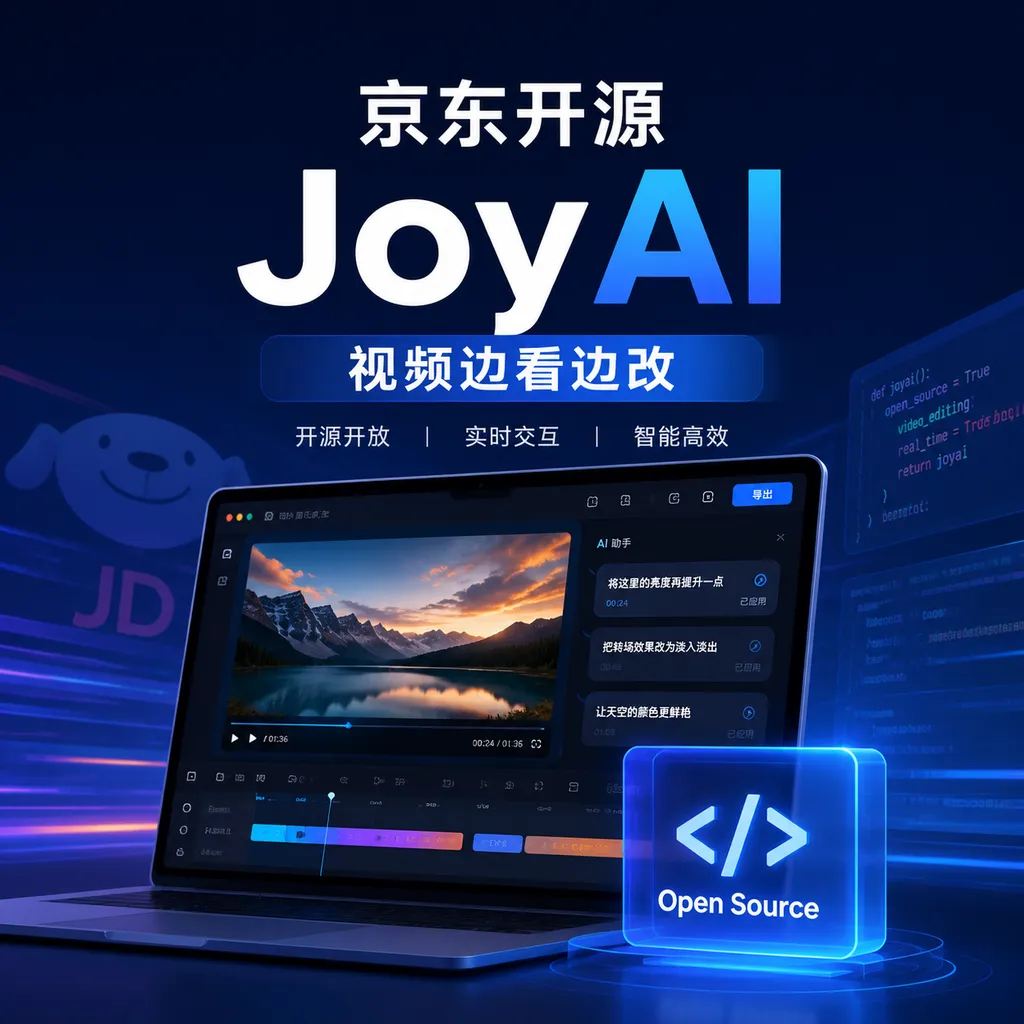
JD.com today announced the open-source release of JoyAI-Video-Edit, a real-time streaming video editing model that can continuously modify people and scenes during playback. The approach is worth watching, but its real-time performance, image quality, and the completeness of the open-source release still need to be verified through code review and hands-on testing.
JD Open-Sources JoyAI-Video-Edit, Bringing “Edit as You Watch” to Video Editing
On August 5, JD announced the open-source release of its self-developed real-time streaming video editing model, JoyAI-Video-Edit. According to information disclosed by JD, the model allows users to continuously modify people and scenes through instructions while watching a video, transforming video editing from a one-off offline process into an interactive experience with real-time feedback.
This is not simply a traditional video generation model with a video player layered on top.
The real problem JoyAI-Video-Edit aims to solve is one of the most disruptive delays in today’s AI video editing experience: users submit a video and instructions, wait for the model to complete the entire inference process, and can only inspect the result after generation has finished. If a person, background, or motion path does not meet expectations, the entire process must be run again. Streaming editing, by contrast, attempts to work like a large language model generating text token by token: it first processes the frames that have already arrived and continuously returns the edited frames.
If its quality and speed reach a practically usable level, it could significantly change how users interact with AI video tools. However, as of publication on August 5, 2026, the publicly available information primarily focuses on two selling points—“real-time streaming” and the ability to edit “people and scenes”—and is not yet sufficient to determine whether the model has crossed the threshold for production use.
What Exactly Does “Edit as You Watch” Change?
Most AI video workflows today are still essentially batch-processing pipelines: upload the source material, enter a prompt, wait for the task to finish, download the result, and then decide whether to redo it. They are more like render farms than editors.
Streaming editing works differently. The system does not need to wait until the entire video has been processed. Instead, it divides the video into continuous frame blocks or time windows, outputting each portion as soon as the model has processed it. Users can immediately see whether an instruction has taken effect and continue making adjustments during playback.
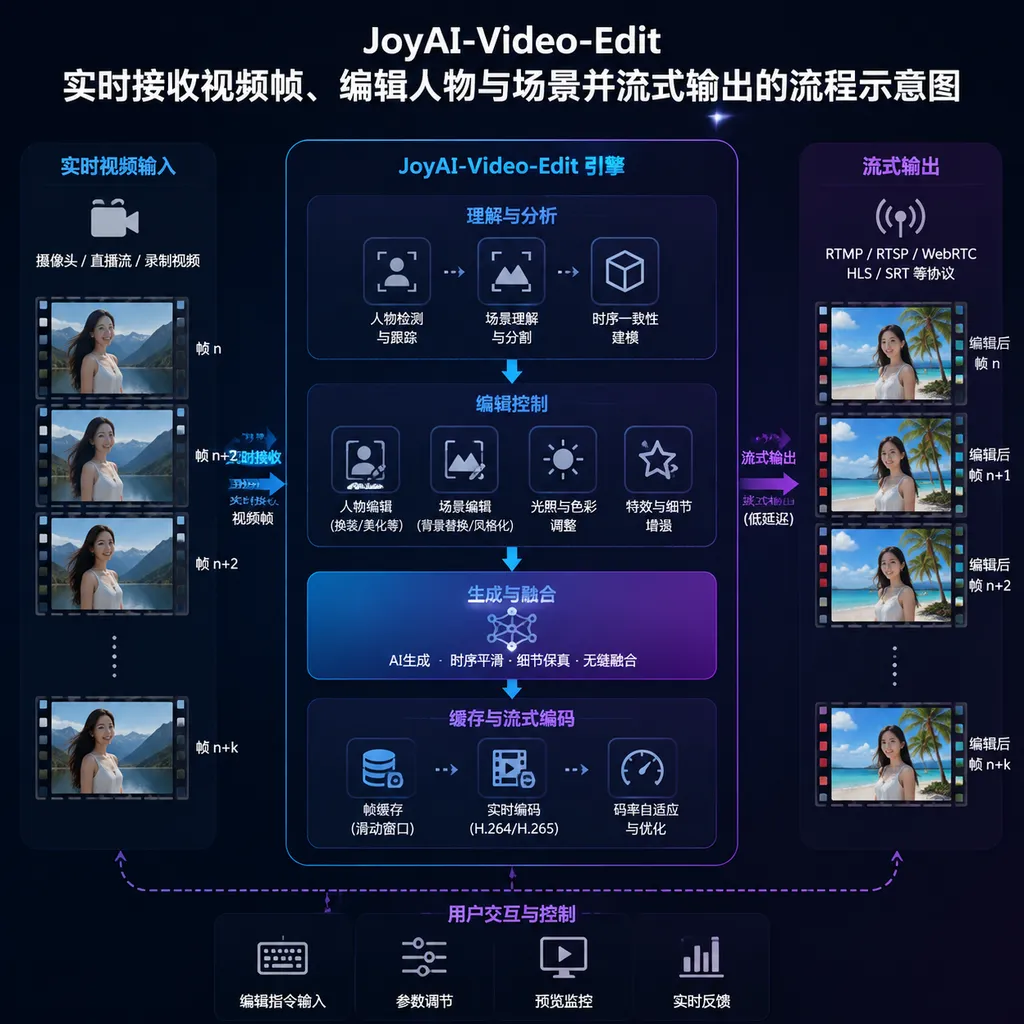
An idealized processing pipeline would look roughly like this:
Real-time video frames
   ↓
Short-term buffer window
   ↓
Joint encoding of video features and text instructions
   ↓
Maintain the state of people, scenes, and actions
   ↓
Edit the current frame block
   ↓
Continuously output results and receive the next editing instruction
For example, a user editing a product showcase video could first instruct the model to replace the indoor background with a beach. After viewing a few seconds of the result, the user could then ask it to preserve the product’s appearance, change the person’s clothing, and reduce the visual prominence of the background. In the traditional workflow, this might require three separate generation passes; in a streaming workflow, it becomes more like a continuous editing session.
This is also where JoyAI-Video-Edit offers the most value: it optimizes not only the speed of a single generation run, but also the feedback cycle between making a request and seeing the result. For creators, the latter is often more important than benchmark scores.
The Real Challenge Is Not Frame-by-Frame Output, but Keeping the Video From “Falling Apart”
“Streaming” may sound like an engineering matter of processing data in chunks, but video editing cannot simply treat every frame as an independent image.
If the model only processes the current frame, a person wearing a red coat one second could have a different face the next. A table in the background might constantly change shape, object edges could flicker, and camera movement could lose continuity. A usable streaming video editing model must therefore address at least the following categories of problems simultaneously.
1. Temporal Consistency
The model needs to remember what happened previously. A person’s identity, clothing textures, lighting direction, and object positions cannot drift arbitrarily between processing windows.
An offline model can inspect the entire video and plan earlier and later frames together. A streaming model can usually see only the current frames and a limited amount of historical information. If the window is too short, the model may lose context; if it is too long, GPU memory usage and latency increase. The balance between the two determines whether “real time” works only under demonstration conditions.
2. Instruction Persistence and Switching
“Replace the background with snowy mountains” is not an instruction that should modify only one frame; it needs to remain in effect throughout subsequent footage. When the user issues a second instruction, the model must also determine whether it overrides the previous request or adds to it.
Conversational models can rely on textual context, but video editing must bind textual state to visual state. Otherwise, the previous editing conditions may stop working as soon as the person turns around or the camera cuts to a different shot.
3. Latency and Throughput
Real-time performance cannot be evaluated solely by the average number of frames generated per second. Time to first frame, inter-frame jitter, and stability during sustained operation also matter.
Even if a system achieves a high average frame rate, the interactive experience will still be poor if it pauses every few seconds. Developers should pay closer attention to four sets of metrics:
- Time to first frame: How long it takes to see the first segment of the result after submitting an instruction;
- Sustained throughput: How many frames per second the system can process consistently at a specified resolution and on specified hardware;
- Tail latency: How long the slowest batch of frames takes when complex shots appear;
- GPU memory usage: How many resources are jointly consumed by historical state, cached features, and the current window.
The currently available reference materials do not disclose detailed performance data for JoyAI-Video-Edit across different resolutions, frame rates, and GPU configurations. As a result, “real time” cannot yet be assumed to mean full real-time playback at 24 or 30 fps. It may instead mean faster time to first frame and results that are continuously returned as a stream, even if the actual generation speed remains slower than the source video’s playback speed.
This is not a matter of semantics, but an engineering distinction that must be made when evaluating video models.
4. The Trade-Off Between Image Quality and Speed
Larger video models and more denoising steps generally offer a better chance of producing high-quality details, but real-time interaction requires the model to generate output as quickly as possible. Preserving character identity and detail while maintaining low latency usually requires trade-offs involving model distillation, cache reuse, few-step inference, or feature compression.
The ultimate value of JoyAI-Video-Edit does not depend on whether it can run, but on whether these trade-offs are reasonable. If it is fast but characters’ faces constantly change, it can only be used for previews. If the results are stable but generating one second of video takes tens of seconds, it remains an offline tool—just one with a streaming delivery interface.
Why Is JD Building a Video Editing Model?
From a business perspective, JD’s entry into this field is unsurprising.
E-commerce is an industry that produces video content at high frequency. Product showcase videos, digital-human presentations, livestream clips, advertisements, and localized marketing versions all involve large amounts of repetitive editing. Brands typically do not generate just one video; they rapidly create multiple versions around the same product by changing backgrounds, changing a model’s clothing, adjusting seasonal elements, or modifying the aspect ratio and visual style for different channels.
Streaming editing is more practical in these scenarios than pure text-to-video generation. Merchants often already have real product footage. Their core need is not to “make a movie” from scratch, but to quickly change the setting or presentation without compromising the product itself.
For example, a video of a pair of shoes could preserve the shoes’ color, texture, and motion path while changing only the city street into a rainy environment. An apparel merchant could continuously test different backgrounds and styling combinations while watching a model walk. If the model can also provide reliable region protection for the product itself, its practical value in e-commerce content production would be more immediate than in general entertainment scenarios.
However, this also imposes stricter requirements. Consumers may tolerate occasional detail changes in entertainment videos, but if an e-commerce video alters a product’s color, logo, number of ports, or material, it becomes a misleading representation. It is therefore important to determine whether JoyAI-Video-Edit supports masks, reference images, subject locking, and precise regional controls.
Compared With Existing Solutions, Its Competitive Edge Is Not Simply That It “Can Edit”
Video editing models are no longer a new concept. Existing approaches can broadly be divided into three categories:
- Offline generation or repainting: The entire source clip is provided as input and users wait for the complete result. Image quality is generally easier to maintain, but revision cycles are longer;
- Traditional visual effects tools: These rely on tracking, segmentation, masks, and keyframes. They offer high controllability but also have a higher barrier to entry;
- Streaming generation and editing: These emphasize low latency and immediate feedback, but maintaining long-term consistency is more difficult.
JoyAI-Video-Edit has chosen the third path. Its competitive edge does not lie in whether it can replace a background based on a prompt, but in whether it can turn that capability into a stable, continuous, and repeatedly adjustable interactive system.
If the model merely divides the output of offline inference into multiple segments for delivery, then most of the improvement is at the product level. If it can reuse historical visual state and perform localized updates when new instructions arrive, without recomputing the entire video, that would constitute more substantial innovation at both the model and system levels.
Based on the information currently available, we cannot yet determine how far it goes. JD’s description of it as a “real-time streaming video editing model” makes the direction clear enough, but developers will still need to wait for a technical report, model weights, inference code, and benchmark results to assess the depth of its implementation.
After an “Open-Source Announcement,” the Next Question Is How Much Is Actually Open-Sourced
For developers, open source is not a binary label. Whether a project is genuinely usable depends on how many components are delivered and whether the license permits the intended use cases.
The most important points to verify next are:
- Whether complete model weights are provided, rather than demonstration code alone;
- Whether the training or fine-tuning methods are disclosed;
- Whether the inference pipeline includes video encoding and decoding, caching, and streaming service components;
- Whether the model supports consumer-grade graphics cards or requires multiple data-center GPUs;
- Whether the open-source license permits commercial use and redistribution;
- Whether independent evaluations are provided for tasks such as person replacement, background editing, and local masking;
- Whether resolution, frame rate, time to first frame, and GPU memory usage are disclosed;
- Whether safety restrictions are provided for faces, copyrighted materials, and deceptive content.
As of publication, the reference materials do not provide these details or a verifiable official repository URL. A more accurate assessment at this stage is therefore: JD has publicly announced that JoyAI-Video-Edit is open source, but the completeness of the release and the actual cost of deployment will need to be evaluated based on the repository, weights, license, and runtime results published later.
Developers may want to remain patient for now. Video models are especially prone to situations where “the demo runs smoothly, but deploying it yourself is an entirely different matter.” Static shots, low resolutions, and short videos can conceal many problems. Truly convincing tests should cover fast motion, occlusion, shot transitions, scenes with multiple people, and long-running operation.
Our Assessment: The Direction Matters More Than the Specifications, but It Is Still Too Early to Draw Conclusions
JoyAI-Video-Edit has chosen a direction that is both sound and grounded in real demand.
Over the past two years, video models have largely competed on resolution, duration, and cinematic quality. Yet the most frequent pain point for creators remains the cost of revision. Generating a video that looks good is not particularly difficult. What is difficult is changing a character’s clothes or replacing the background while preserving the motion, camera work, and subject details—and doing so without having to regenerate the entire clip.
Streaming interaction moves video models from “generators that process submitted jobs” toward “editors you can converse with.” Once feedback latency becomes sufficiently low, users’ workflows will change accordingly: instead of struggling to write one perfect, lengthy prompt, they can first inspect the result and then refine it gradually through multiple short instructions. This closely resembles the path by which large language models replaced traditional NLP workflows—the value comes not only from model capabilities, but also from lower interaction costs.
However, we still do not recommend excessive optimism based solely on the words “real time.” JoyAI-Video-Edit faces three real tests:
- Whether it can maintain consistency of people and scenes during continuous playback;
- Whether it can achieve sufficiently low latency on commonly available hardware;
- Whether it can provide a complete open-source release that developers can reproduce, modify, and deploy.
If all three conditions are met, it will be a foundation model worthy of serious evaluation by developers, particularly for e-commerce content, livestream effects, interactive advertising, and low-latency creative tools. If it can only run on high-end hardware and in short demonstration clips, it is more likely to remain at the proof-of-concept stage for now.
JD has put the product concept of “edit as you watch” on the table. What matters next, more than a promotional video, are the weights and license in the repository—and an inference command that an ordinary developer can successfully run.
References
- GitHub global search: JoyAI-Video-Edit — Used to track the public status of the project’s official repository and related code. Search results do not in themselves indicate official endorsement by JD; specific information should be verified against the project organization and license.
- Public announcement from JD Blackboard on August 5, 2026 — JD announced the open-source release of JoyAI-Video-Edit and stated that it supports real-time modification of people and scenes while a video is being watched. No external link is included here because the source domain is outside the range of links permitted in this article.