VS Code 1.132: Feedback Directly to Elements
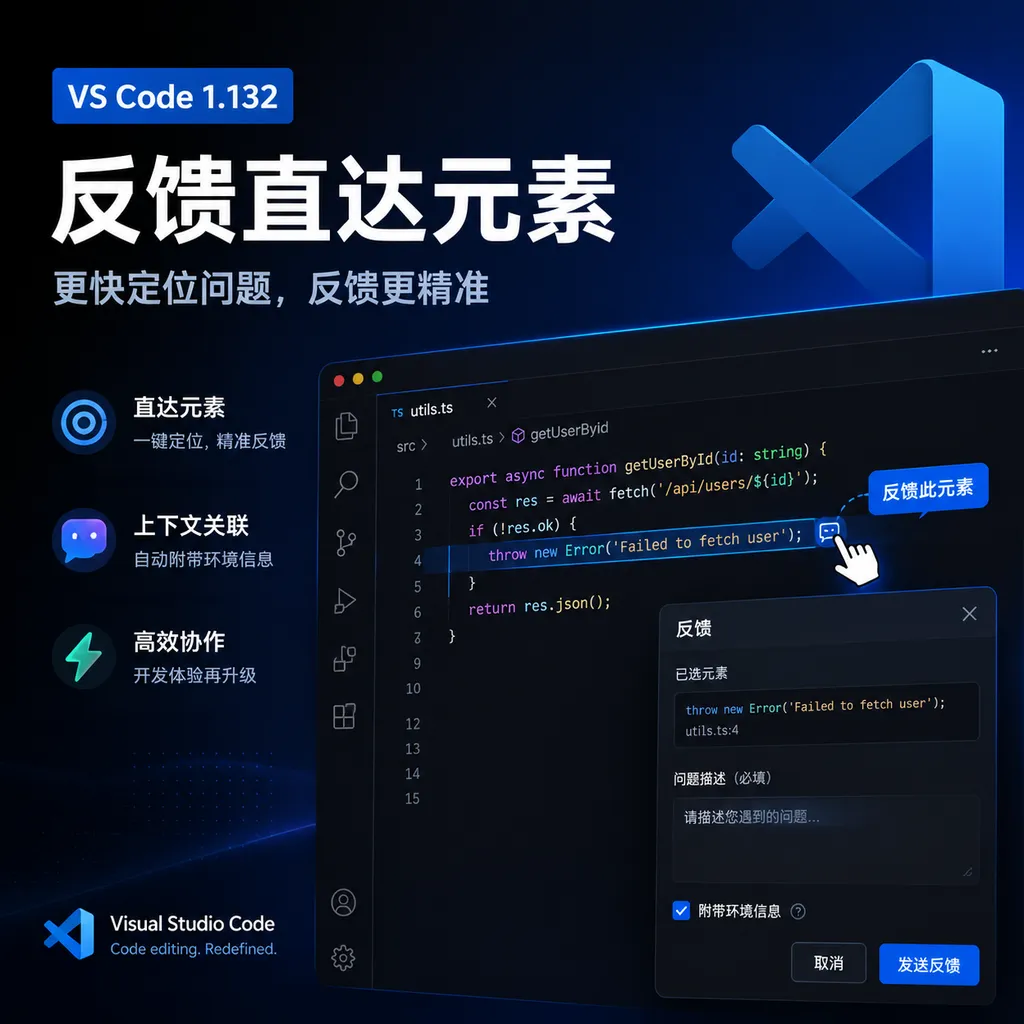
VS Code 1.132 links web feedback directly to specific elements and adds side chat, multilingual on-device voice input, and a Markdown diff view. Agentic coding is shifting from “understanding requirements” to “accurately understanding context.”
VS Code 1.132: Feedback Goes Straight to the Element
Microsoft released Visual Studio Code 1.132 yesterday (August 5). Rather than adding yet another chat entry point, this update focuses on one of the thorniest problems in agentic programming: how to deliver human feedback accurately to an agent without interrupting the task already in progress.
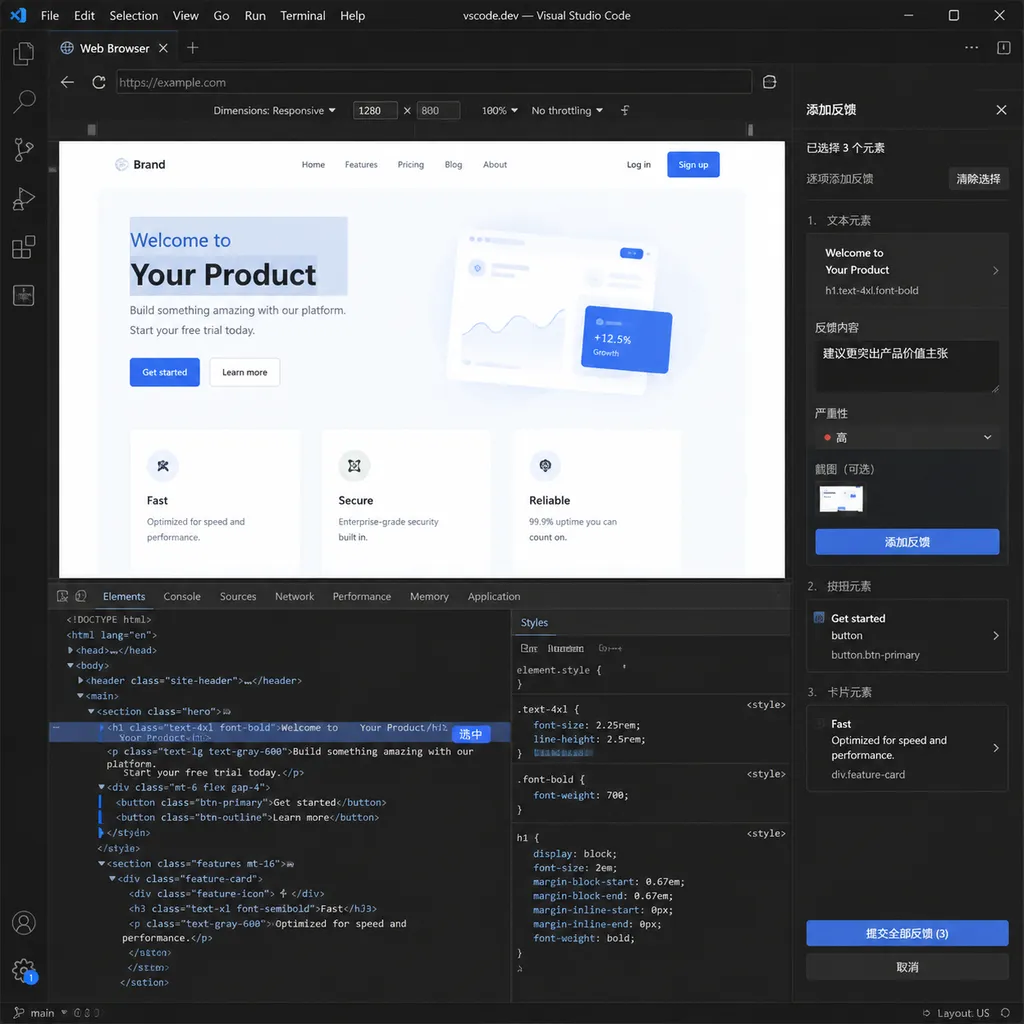
The built-in browser now supports element-level feedback, allowing developers to select one or more elements on a page, add specific revision notes to each, and send those comments—along with their page context—to an agent. At the same time, VS Code has introduced side chats that do not interrupt the primary task, multilingual on-device voice input, and a Markdown diff view that displays changes in the rendered output.
None of these features is particularly remarkable on its own, but within an agent workflow, they all point in the same direction: VS Code is turning the previously loose model of “chat-based programming” into a collaborative system with more precise context, parallel task execution, and easier review.
Web Feedback No Longer Relies on “That Button on the Left”
The most notable change in VS Code 1.132 is element-level feedback in the built-in browser.
Developers can activate element commenting mode with the following command:
workbench.action.browser.addElementCommentToChat
Once in this mode, they can select multiple elements on the page and add separate comments to each before actually sending them to the chat window. For example:
- Add “This should collapse at mobile widths” to the navigation bar;
- Add “The color does not match the design, and the hover state is also missing” to the login button;
- Add “Truncate the title after two lines, but do not change the height of the price area” to a product card;
- Add “Showing an error message should not cause the entire page to jump” to a form input.
This is on a completely different level of precision from throwing a screenshot at the model and saying, “Change that part in the bottom-right corner.”
Screenshots primarily convey pixel information. The model must first identify the page structure, then infer which visual region the user means, and finally locate the corresponding component in the code. As soon as a page contains repeated buttons, similar cards, or responsive layouts, it becomes easy to target the wrong thing.
Element-level feedback is more like attaching tickets directly to the webpage DOM. Rather than describing a vague area, the user first points to a specific object and then explains the intended change. For the agent, this effectively provides both the “what to change” and the “why” at the same time.
The value here goes beyond saving a few words in a prompt. Much of the rework in frontend development ultimately comes from misaligned context: designers talk in terms of visual elements, developers think in terms of components, and models see files and code. Element-level feedback attempts to connect all three.
It Is More Like Giving the Agent a Web Annotation Pen
This capability is particularly well suited to UI adjustments, page acceptance testing, and in-browser testing.
A typical workflow might look like this: the agent implements the page and starts the development server; the developer reviews the result in VS Code’s built-in browser; after finding issues, the developer leaves multiple pieces of feedback directly on page elements; the agent then uses those annotations to locate the relevant components, styles, and test files before completing a second round of changes.
Compared with returning to the chat box to describe every issue individually, selecting multiple elements and sending the feedback in one batch is clearly more consistent with how real acceptance reviews work. It turns feedback from a series of fragmented conversations into a structured set of change requests.
This will also change how prompts are written. Previously, a developer might have entered:
The blue button in the card on the left side of the second section of the home page gets pushed below the title when the window is narrowed to around 768 pixels. Please adjust the layout without changing the desktop appearance.
Now, it makes more sense to select the button directly and comment, “Keep it on the same row as the title at the 768px breakpoint without affecting the desktop layout.” The UI selection resolves the reference, while the text only needs to express the constraints.
However, element-level feedback should not be understood to mean, “Wherever you select, the agent will always make the correct change.” Modern webpages involve many complications:
- A single visual element may consist of multiple nested nodes;
- DOM nodes in frameworks such as React and Vue may not map directly to a unique component;
- Shadow DOM, iframes, Canvas, and virtualized lists make targeting more difficult;
- After a page has been built and minified, class names may no longer be readable;
- The same component may be reused across multiple pages, so a local change may have global effects.
What this feature truly shortens, therefore, is the distance from a problem on the page to likely locations in the code. It does not replace code review. The agent still needs to understand component dependencies, design-system constraints, and test coverage.
/btw Keeps the Primary Task and Ad Hoc Questions Separate
VS Code 1.132 also introduces side chats. Developers can enter /btw to start a side conversation without interrupting the current agent task.
This may look like a minor chat-interface detail, but it addresses an extremely common conflict in agent workflows: while a long-running task is in progress, users often think of additional questions.
For example, while the agent is migrating an authentication module, the developer may suddenly want to confirm:
- Which version of Node.js does this project currently use?
- Where is a particular environment variable injected?
- Why does the test directory contain both Vitest and Jest?
- Will the SQL generated earlier lock the table?
If these questions are inserted directly into the primary conversation, the agent may veer away from its original task or even misinterpret an ad hoc inquiry as a new execution instruction. Opening a completely separate chat window, on the other hand, makes it easy to lose the context of the current workspace and task.
The idea behind side chats is to preserve contextual links while isolating execution intent. The primary agent continues working on the original task, while the user asks questions, validates assumptions, or discusses alternatives in the side conversation.
The new version also supports references to other chats. Users can reference an existing conversation with #chat:, or simply drag a chat tab into the input box. For multi-agent collaboration, this is more practical than copying and pasting a large block of conversation history: a planning conversation can reference a research conversation, a code implementation conversation can reference an architecture discussion, and a review agent can read the decision-making context of the previous agent.
This implies an important shift: chat histories are evolving from temporary message streams into referenceable development assets. Once conversations can be named, linked, and reused, their role begins to resemble issues, design documents, and commit messages rather than merely “something you asked the model.”
Agent Host Is the More Important Long-Term Architectural Signal
Element-level feedback and side chats are the features users can see directly. Behind them, however, the Agent Host architecture that Microsoft is advancing deserves even more attention from developers.
According to the release notes for VS Code 1.132, Microsoft is redesigning agent sessions around a separate Agent Host process. This process can run different agent harnesses, including Copilot, Claude, and Codex, and connect the editor to agents through the Agent Host Protocol (AHP).
Once sessions are placed in a separate process, one immediate benefit is that the same session no longer has to remain permanently tied to a particular VS Code window. Multiple windows can connect to and display it. For large repositories, multi-workspace development, and long-running background tasks, this is far more sensible than tying an agent’s lifecycle to a chat panel.
One way to understand this is that VS Code is separating the agent from “a feature inside the editor” into “a service that the editor connects to.” The editor handles code, terminals, browsers, and the interaction interface, while Agent Host manages model execution, tool calls, and session state.
This architecture is still being rolled out gradually, and not every user will switch to it automatically after installing 1.132. Users who want to try it need to check the chat.agentHost.enabled setting and the available harnesses. In enterprise environments, this setting may also be managed centrally through organizational policies.
Microsoft’s direction is already clear: rather than binding VS Code exclusively to Copilot, it wants the editor to become a universal runtime frontend for multiple agents. The real competitive question will shift from “Does the editor have AI?” to “Can different agents reliably access the same workspace, terminal, browser, and session context?”
Voice Input Is Starting to Understand the Shell, Not Just Plain Text
Version 1.132 also improves voice input in the terminal. The new version attempts to preserve shell syntax instead of simply transcribing speech as natural language.
For example, saying:
git commit dash m hello world
will produce a command similar to:
git commit -m "Hello World"
The key capability is not recognizing git commit, but converting the spoken phrase “dash m” into -m and adding quotation marks around the commit message. Command lines contain numerous short options, pipes, paths, and case-sensitive content. With ordinary dictation, even a single incorrectly recognized character can make the entire command fail.
The new dictation feature processes input on-device by default and uses the multilingual Nemotron 3.5 model. When the language corresponding to the system or browser locale is supported, dictation uses that language; otherwise, the model detects the language automatically.
On-device processing matters in two ways. First, it reduces latency because short commands do not need to make a full round trip to the cloud. Second, it creates a clearer privacy boundary. Terminal content may include server addresses, directory names, and internal project identifiers, so uploading all raw voice data to the cloud is not suitable for enterprise development environments.
Of course, voice-controlled terminal input is still appropriate for “typing,” not for “blind execution.” When deleting files, changing permissions, pushing to remotes, or running database commands, developers should still check the transcription before pressing Enter. For shell commands, even 99% recognition accuracy does not make the risks negligible.
Markdown Diff Fills a Gap in Documentation Review
Starting with 1.132, the hybrid Markdown editor includes an experimental Markdown diff capability. Developers can view additions, modifications, and deletions in the rendered document while continuing to edit the file directly.
Traditional Markdown diffs usually show differences in the source. That is not a major problem for developers, but once tables, blockquotes, list nesting, and link text become complex, a source diff makes it difficult to answer one question quickly: what will the document actually look like after this change?
The rendered diff view turns the review target from Markdown syntax back into the actual content. It is particularly useful when agents automatically modify README files, API documentation, changelogs, and architecture documents. Developers can see both the final formatting and exactly which passages the model deleted or reworded.
This is not merely a nice-to-have. Agents can write documentation quickly, but they can also quietly alter technical meaning while “polishing” the text. Without a diff view, users often inspect only the rendered result, making it difficult to notice that a constraint has been removed or that the model has changed a definitive conclusion into a vague statement.
VS Code’s Bet: Agents Do Not Need a Bigger Chat Box
The updates in VS Code 1.132 may appear unrelated: browser annotations, side chats, conversation references, voice commands, and Markdown Diff. Yet they all address the same category of problems emerging as agentic programming matures—how context is expressed, how tasks are isolated, and how results are verified.
Over the past year, competition among code editors has focused primarily on model capabilities and completion speed. Now that mainstream models can all generate components, modify repositories, and run commands, the marginal benefit of simply adding a more powerful model is declining. The products most likely to retain developers are those that reduce the cost of explaining requirements, waiting for tasks, and reviewing results.
Element-level feedback is the most useful step in this release. It does not promise to make agents smarter. Instead, it reduces ambiguity in how people refer to things when communicating with agents. This kind of improvement is less eye-catching than a model benchmark score, but it is much closer to the real pain points of everyday development.
Side chats and Agent Host also show that Microsoft is preparing for concurrency, multiple sessions, and multiple agents. The IDE of the future will likely not consist of a single chat box controlling a single model. Instead, multiple agents will handle planning, implementation, testing, and review separately, while humans provide additional feedback across tasks and decide whether to merge the results.
To make this model truly reliable, however, VS Code still needs to address three areas: clearly showing what page and file context an agent has received; allowing users to audit every tool call; and establishing explicit permission and resource boundaries between multiple sessions. Otherwise, as the number of sessions and the level of automation increase, troubleshooting errors may become even more difficult.
Overall, 1.132 is not an update built around a single attention-grabbing “big feature.” It is a systematic effort to reduce friction in agent collaboration. For teams that primarily develop web applications in VS Code and frequently use coding agents, element-level feedback and side chats are worth trying as soon as possible. For users who do not currently use agents, the Markdown diff view and on-device multilingual voice input also provide value on their own.
References
- ITHome: Microsoft Releases VS Code 1.132, Bringing Element-Level Feedback to the Built-in Browser and Supporting Multilingual Voice Input — Introduces the element-level feedback, side chats, terminal voice input, and Markdown diff features in version 1.132.