Imagine 2.0: Image Generation Is Just the Beginning
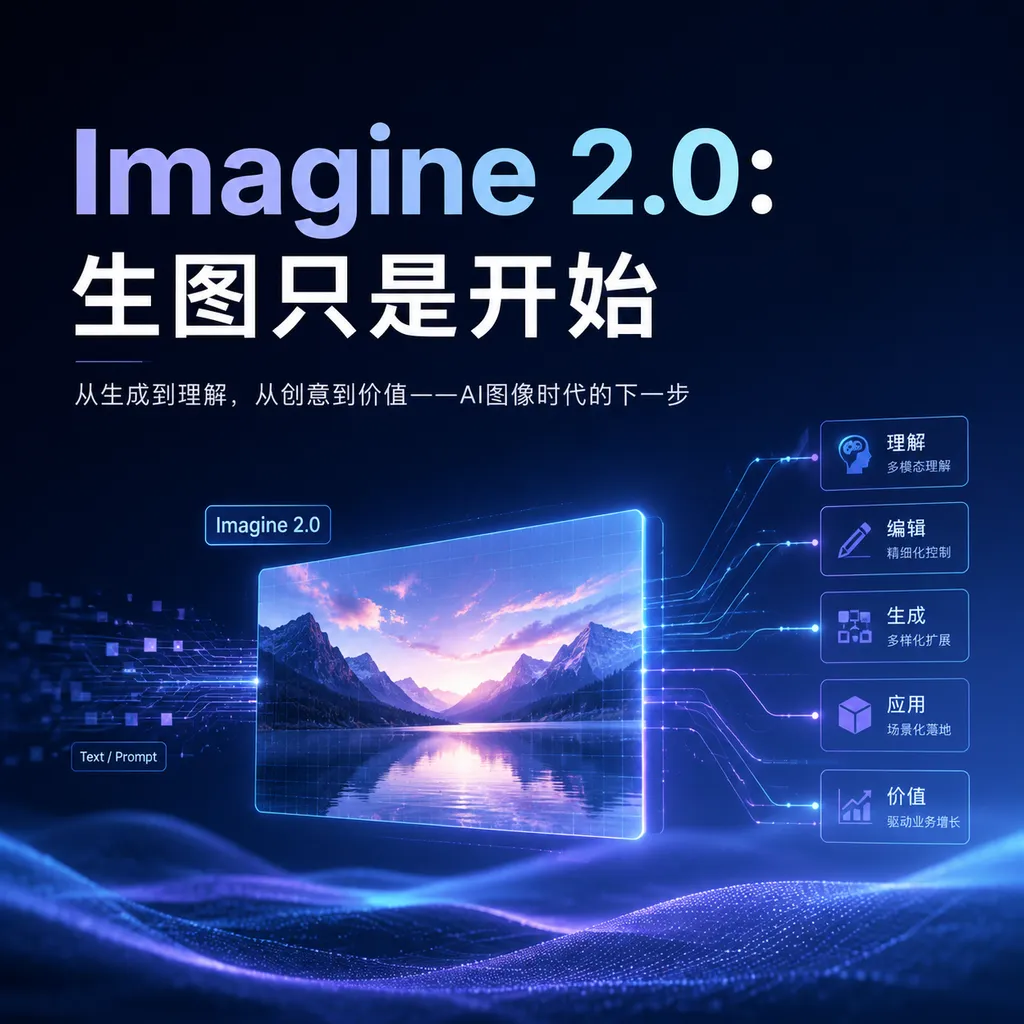
SpaceXAI releases Imagine Image 2.0, enhancing text rendering, multi-turn consistency, and localized editing, and ranking second on the latest Arena image generation and editing leaderboards.
Imagine Image 2.0 Launches, but the Real Focus Is Not Just Making Images Prettier
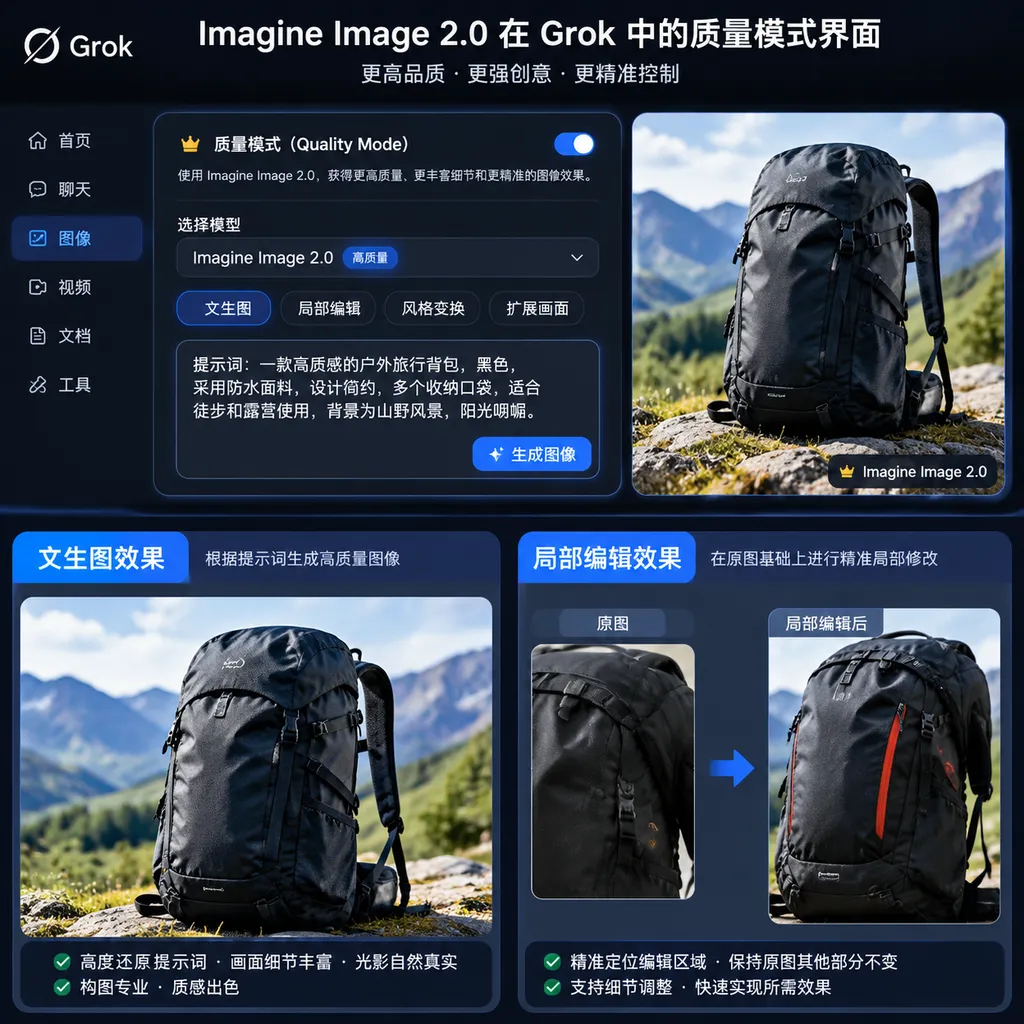
SpaceXAI officially launched Imagine Image 2.0 today, August 8. The new model is now available as Quality Mode on Grok.com and in Grok’s iOS and Android apps.
The upgrade covers both text-to-image generation and image editing. What truly deserves attention, however, is not how much the visual quality has improved, but how SpaceXAI is transforming Imagine from an “image generation model” into a visual system that more closely resembles a production tool. It can preserve subject settings across multiple rounds of revisions, modify only selected areas, support up to five reference images, remove backgrounds, and extend the canvas.
As of August 7, 2026, SpaceXAI cited the Arena Text-to-Image and Image Edit leaderboards, where Imagine Image 2.0 ranked second globally in both text-to-image generation and image editing, behind only OpenAI’s GPT Image 2.
That second-place ranking is meaningful, but it should not be overinterpreted. Arena reflects user preferences in blind tests, not a comprehensive evaluation of text accuracy, brand consistency, editing stability, inference speed, and cost. For developers and design teams, the real factor determining adoption is still whether the model can streamline the entire “generate—review—edit locally—deliver in multiple sizes” workflow.
What Exactly Has Been Upgraded?
The capability improvements in Imagine Image 2.0 can be divided into five main areas:
| Capability | What Has Changed in Imagine Image 2.0 | Suitable Use Cases | | --- | --- | --- | | Instruction following | Better handling of multiple elements, detailed constraints, and layout requirements | Posters, e-commerce hero images, infographics | | Text rendering | Plans text placement and page structure, with improved clarity for small text | Menus, advertisements, social media graphics | | Multi-turn consistency | Attempts to preserve subjects, composition, and existing settings throughout revisions | Character design, product image iteration | | Localized editing | Provides magic wand selection, segmentation-based selection, background removal, and other tools | Recoloring, object replacement, background extraction | | Multi-asset composition | Accepts up to five reference images in a single task | Product-and-model composites, style transfer |
None of these capabilities is an industry first on its own. Adobe, OpenAI, Google, Recraft, and others have long offered inpainting, background removal, and multi-image references. The significance of Imagine Image 2.0 lies in SpaceXAI consolidating these capabilities into Grok’s generation workflow and attempting to make the model responsible for more of the visual planning, rather than leaving users to finish everything in Photoshop.
1. Text and Layout Are No Longer Purely a Matter of Luck
The most common AI image generation demos feature people, landscapes, and concept art. Commercial requirements, however, often cannot avoid text: product names, prices, event dates, buttons, and explanatory labels. If even one is missing, the asset may not be deliverable.
Imagine Image 2.0 emphasizes that, when handling complex images with multiple regions, the model first plans the typography and layout structure to maintain visual consistency among the different elements while improving the clarity of small text. In other words, it does not merely treat text in the prompt as a type of texture. Instead, it attempts to understand the hierarchy among headlines, subheadings, primary subjects, and decorative elements.
This is useful for marketing posters, product promotional images, and presentations. For example, a user can request that the product be placed on the left, three selling points on the right, and an area reserved for the brand logo at the bottom. Older models often blend these requirements together or swap their positions during regeneration. Image 2.0 aims to make layout constraints more stable.
However, “clearer text” does not mean that text is now completely reliable. For long Chinese copy, exact prices, pharmaceutical instructions, contracts, or compliance marks, the final text should still be overlaid programmatically or with design software rather than relying directly on pixel-level generation. The model is best suited to producing visual drafts and short copy, while business systems handle accurate content. For now, this division of labor is more reliable.
2. Multi-Turn Editing Matters More Than the Quality of the First Image
SpaceXAI’s assessment of this update is correct: in real-world work, the first generated image is almost never the final version.
Designers typically make a sequence of requests:
- First, generate a product poster for a coffee machine;
- Change the background from a kitchen to an office;
- Preserve the coffee machine’s angle, but change only the body color to black;
- Remove the cup on the right;
- Expand it to an aspect ratio suitable for a banner advertisement.
The problem is that conventional image generation models may inadvertently alter other content at every step. The cup may be removed, but the coffee machine’s buttons change as well. The background may be replaced successfully, but the brand logo becomes blurry. The canvas may be extended, only for the person’s face to be redrawn.
Imagine Image 2.0 places particular emphasis on subject preservation across multiple rounds of generation and editing. The key metric here is not how many new details the model can create in each round, but whether it understands which parts should change and which parts must remain completely untouched. In production workflows, this kind of restraint is often more valuable than creativity.
Magic Wand, Segmentation, and Background Removal: The Model Begins Taking Over the Operational Layer
The most professional-tool-like capabilities in this update are the localized editing features.
Magic Wand Tool
After the user points to an area, the model modifies only that corresponding region while attempting to leave everything else unchanged. It works similarly to a selection tool in traditional image-editing software, but after making the selection, users no longer need to adjust colors or paint manually. Instead, they describe the desired result in natural language.
For example, a user could select a model’s coat and enter, “Change it to dark blue wool without altering the person’s pose or the lighting.” In theory, this would complete a constrained local redraw.
Segmentation-Based Selection
Segmentation is more precise than simple point selection and is suitable for objects with complex edges, such as hair, glasses, car outlines, and layered clothing. For e-commerce teams, this capability can reduce the time spent creating masks and repeatedly extracting subjects from backgrounds.
It is worth noting that the official materials demonstrate the user-facing feature experience. Existing information does not fully explain whether the magic wand, segmentation, and background removal are native capabilities of the Image 2.0 model itself, or whether they are jointly orchestrated by segmentation models, interface tools, and the generative model. This distinction matters little to ordinary users, but it is important to developers planning API integrations, because operations available in the web interface may not necessarily be exposed one-to-one as API parameters.
Background Removal
Image 2.0 can export subjects with transparent backgrounds, making it easier to place people or products into other designs. The feature itself is not new, but integrating it into the generation and editing workflow eliminates the need to repeatedly switch between “download image—open background-removal tool—export PNG—upload again.”
Multi-Reference Image Editing
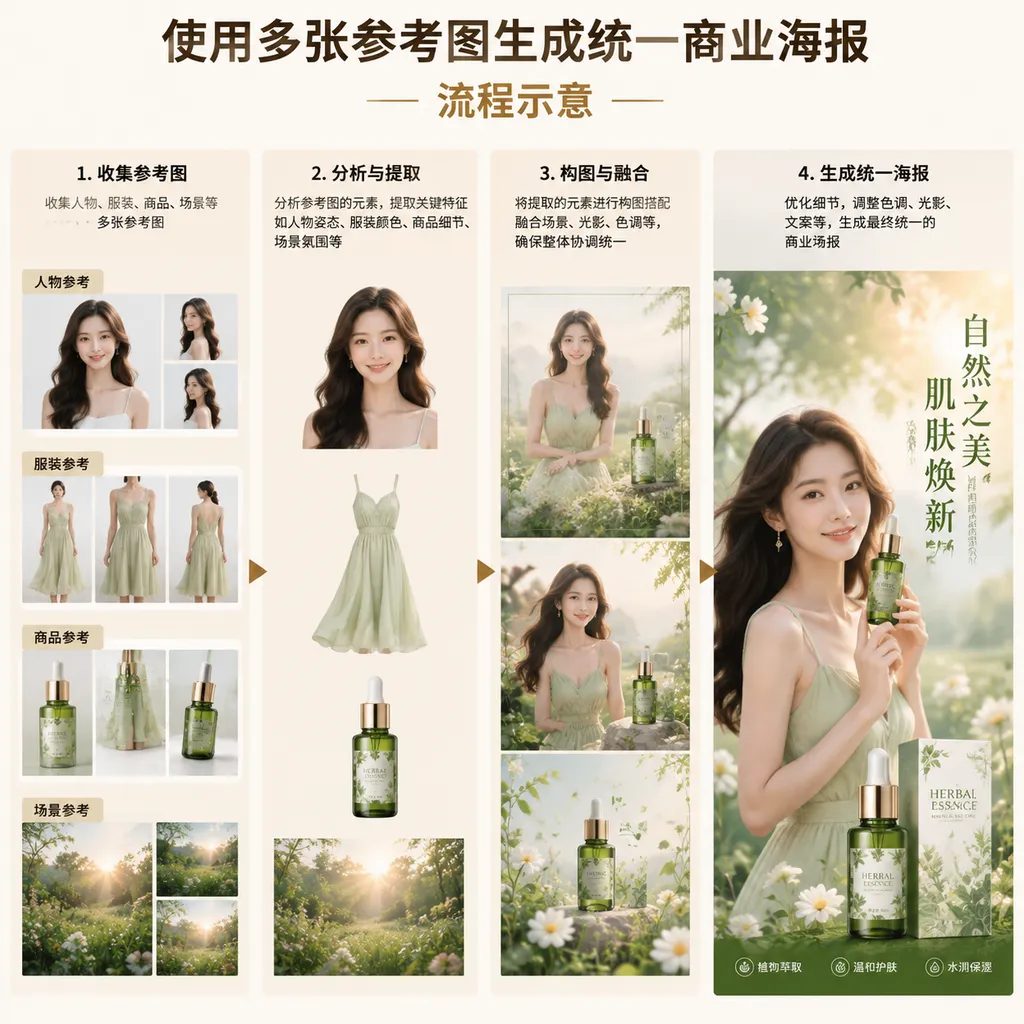
The new model supports up to five reference images in a single task. A typical use case would involve providing the model with a product image, a person image, a scene image, and a brand-style image simultaneously, allowing it to create the composite directly instead of requiring the user to assemble a reference board manually.
The real challenge of multi-image input is not simply “seeing five images,” but correctly distinguishing the role of each one: the first establishes the person’s identity, the second provides the clothing, the third defines the environment, the fourth constrains the composition, and the fifth serves only as a color reference. If the model mixes these constraints together, adding more reference images may actually make the result harder to control.
Therefore, support for up to five images is merely a capacity metric. Actual performance still depends on identity preservation, material replication, spatial relationships, and instruction priority. When building workflows, developers should clearly label the purpose of each image instead of uploading five images at once and simply saying, “Generate something based on these.”
Intelligent Resizing Solves the Problem of Delivering One Image to Ten Platforms
Imagine Image 2.0 also introduces intelligent resizing. When users select a new target aspect ratio, the model does not simply stretch or crop the original image. Instead, it fills in content beyond the original frame.
For example, if a vertical poster featuring a person needs to be converted into a horizontal web banner, conventional cropping often cuts off the person or product. Intelligent outpainting can preserve the subject, generate appropriate backgrounds on the left and right, and leave room for headlines and buttons.
Available information indicates that this capability covers a range of common aspect ratios from 1:2 to 2:1. It is particularly suitable for advertising campaigns, where the same set of visual assets often needs to be adapted into vertical feed images, square social media graphics, video thumbnails, and website banners. Previously, this required designers to create multiple versions. Now, the model can first extend the canvas, after which a person can verify the composition and copy.
However, outpainting still has an easily overlooked issue: the model creates information that did not exist in the original image. This generally poses little risk for solid-color backgrounds and indoor scenes. For architecture, product structures, news photographs, or medical images, however, the generated areas may contradict reality. Intelligent resizing is suitable for creative assets, not as a lossless reconstruction tool.
Ranking Second Globally Shows That xAI Has Entered the Top Tier
According to the August 7 leaderboards cited by SpaceXAI, Imagine Image 2.0 ranked second in both Arena’s text-to-image and image-editing categories, behind GPT Image 2.
At a minimum, this shows that xAI’s image capabilities are no longer merely an auxiliary feature of the Grok chatbot. Previously, Grok Imagine attracted more attention for its generation speed, photorealistic style, and relatively permissive content boundaries. Image 2.0 begins emphasizing text, editing, layout, and asset reuse, signaling a clear shift toward professional productivity.
Compared with GPT Image 2, Imagine Image 2.0 currently resembles a fast-closing runner-up. OpenAI’s advantages remain its overall stability in text rendering, complex instruction execution, and multi-image editing, as well as its more mature developer ecosystem. Imagine’s competitive strength lies in its deep integration with Grok and in turning high-frequency operations such as selection, outpainting, and background extraction into a complete product experience.
As for Midjourney, it remains highly capable in aesthetic styling and visual exploration, but it is not necessarily the most direct comparison for precise editing, structured layouts, and API workflows. Recraft focuses more on brand design and vector assets, while Adobe controls mature professional software workflows. The market Imagine Image 2.0 is trying to capture is not simply about “who can create the best-looking image,” but who can deliver editable, batch-adaptable commercial assets more quickly.
Another point must be emphasized: leaderboard rankings change, and blind user voting tends to favor images that are more visually striking at first glance. When enterprises select a model, they should test it against their own task sets, including:
- Whether brand logos and product structures remain consistent;
- Whether the subject drifts after five consecutive edits;
- Whether Chinese text, numbers, and small text are accurate;
- Whether identities become confused across multiple reference images;
- Whether image generation latency and failure rates are acceptable;
- Whether content moderation policies meet the requirements of the regions where the business operates;
- Whether API costs can support batch generation.
A second-place ranking proves that the model is worth testing, but it cannot replace the testing itself.
How Developers Can Integrate It: First Confirm Which Editing Capabilities the API Exposes
Related reports indicate that Imagine Image 2.0 will provide a developer API. Because model identifiers, image dimensions, and editing fields may differ across platforms, developers should rely on the actual listings in the platform console before integrating it. In particular, they should not assume that all magic wand and segmentation capabilities available on the web have already been mapped to standard API endpoints.
When calling the model through a platform compatible with the OpenAI format, basic text-to-image generation can generally use the Images API calling pattern. OpenAI Hub aggregates models including GPT, Claude, Gemini, and DeepSeek. Once the corresponding Imagine model has been added, it can be accessed using a unified key and a compatible API. The example below does not hard-code a model ID, avoiding the mistake of treating the product name as the actual API identifier:
import os
import base64
from openai import OpenAI

client = OpenAI(
    api_key=os.environ["OPENAI_HUB_API_KEY"],
    base_url=os.environ["OPENAI_BASE_URL"]
)

result = client.images.generate(
    model=os.environ["IMAGE_MODEL_ID"],  # Use the actual model ID shown in the platform console
    prompt=(
        "Generate a 16:9 launch poster for a new coffee machine. "
        "Place the product on the left and reserve space on the right for a headline and three selling points; "
        "use a dark gray background and studio lighting, preserve the product structure accurately, and render text clearly."
    ),
    size="1536x1024",
    response_format="b64_json"
)

image_bytes = base64.b64decode(result.data[0].b64_json)
with open("poster.png", "wb") as f:
    f.write(image_bytes)
There are three integration details worth noting.
First, fields such as size and response_format may not work identically across all image models. Compatibility with the OpenAI format standardizes the calling structure; it does not mean that capability parameters are identical across vendors.
Second, multiple reference images, localized selections, and transparent backgrounds typically require additional fields and may even require multipart uploads. A standard text-to-image endpoint covers only the most basic calls. If the business depends on using up to five reference images, developers must confirm whether the platform exposes parameters for image order, role descriptions, editing masks, and related controls.
Third, for multi-turn editing, the application should save the original image, prompts, masks, and output from every step instead of relying only on conversational context. Image tasks involve large amounts of data and long processing chains. Explicitly saving editing states makes rollbacks easier and helps identify which step caused the subject to drift.
Image 2.0 Is Useful, but It Is Not the End of Design Software
Imagine Image 2.0 is an update in the right direction. Instead of focusing solely on resolution, photorealism, or the number of available styles, it acknowledges that AI-generated images ultimately need to be revised, reused, and delivered in multiple sizes. The magic wand, segmentation, multiple reference images, and intelligent outpainting are all aimed at real-world workflows.
For now, however, it is better understood as a “more powerful visual drafting and editing engine” than as a complete replacement for Photoshop, Figma, or professional e-commerce design systems. Layer management, vector output, auditable brand guidelines, precise font control, batch template variables, and team approval workflows remain strengths of professional software.
For individual creators, Image 2.0 can significantly reduce repeated generation attempts and manual background extraction. For developers, its value depends on whether the API fully exposes localized editing, multi-image references, and transparent-background capabilities. For enterprises, the ranking is actually the least important information; stability, cost, and controllability determine whether it can enter a production environment.
SpaceXAI has propelled Imagine into the top tier of image models. The real test from here is not whether it can generate another stunning showcase image, but whether, after the fifth round of revisions to the same image, every area the user asked it not to change truly remains untouched.
References
- ITHome: SpaceXAI Launches Imagine Image 2.0 — Covers the model’s launch date, Quality Mode, localized editing tools, multi-reference image capabilities, and Arena rankings.
- Zhihu: The Evolution of AI Image Generation Models and Key Technologies — A community-compiled overview of the evolution of image models, used to understand the development context of Grok Imagine and other generation and editing models; not official documentation.