Suno Starts Taking Over DAW Work
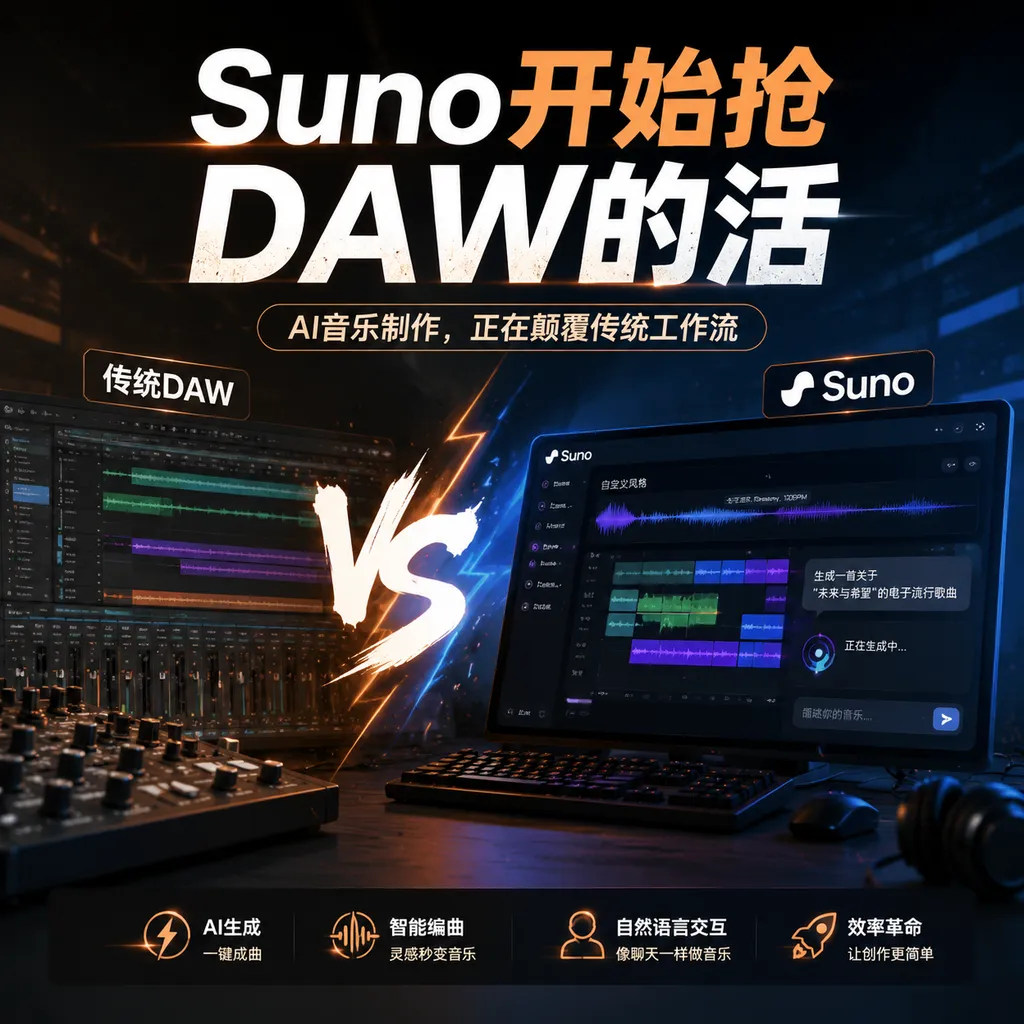
Suno Studio 2.0 adds MIDI, automation, and AI-generated effects plugins, evolving from a one-click song generator into a full production environment. However, the lack of third-party plugin support means it still falls well short of a professional DAW.
Suno Wants to Do More Than Just Help You Generate a Song
On August 14 local time, Suno officially launched Studio 2.0, adding MIDI, track automation, built-in effects, and a chat assistant that can understand the current project and generate custom effects plugins.
The focus of this update is not to make generation slightly faster or offer a few more musical styles, but to fill in the basic workflows of a traditional digital audio workstation, or DAW. Suno is clearly no longer content to remain a web tool where users enter a prompt and wait for a finished song. It is beginning to take over the entire production process, from composition and arrangement to mixing.
If the old Suno was more like a vending machine—enter lyrics and a style, then receive a complete song—Studio 2.0 is closer to a studio operated with the help of AI. Users can play chords, edit notes, and arrange sections themselves, or hand the work over to AI halfway through.
This is a more important product shift than improving model audio quality.
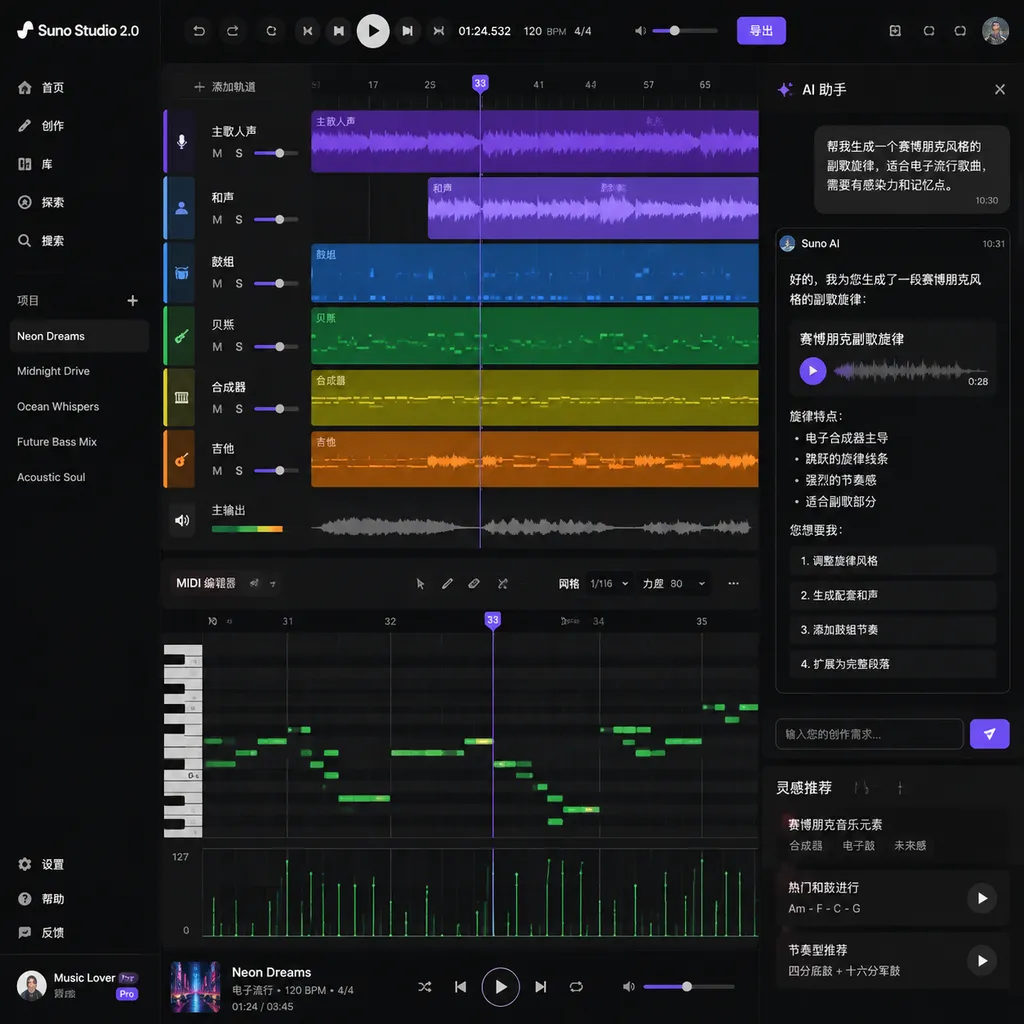
The Arrival of MIDI Means Generative Music Finally Has a “Skeleton”
The most important upgrade in Studio 2.0 is MIDI support.
MIDI does not store actual sound. Instead, it records performance information such as notes, velocity, duration, and tempo. It is more like a digital score that can continue to be edited: the same MIDI passage can be assigned to a piano, synthesizer, bass, or strings, and every incorrectly played note can be fixed individually.
For traditional DAWs, MIDI has been a foundational capability for decades. For AI music products, its significance lies in giving generative models an input that is more precise than text yet easier to modify than finished audio.
Studio 2.0 allows users to play a set of chords or a melody first, then provide that MIDI data to the AI as a prompt. Typical operations include:
- Converting MIDI into audio played by a specific instrument;
- Continuing to compose subsequent sections based on an existing melody;
- Preserving the harmonic progression while regenerating the arrangement in different styles;
- Generating a bridge, chorus, or new instrumental parts from verse material;
- Correcting wrong notes in a performance and quantizing the rhythm.
This addresses a long-standing problem with generating music from text alone: text is good at describing atmosphere, but poor at expressing musical structure precisely.
Users can write, “Create a melancholic synth-pop chorus that gradually builds,” but it is difficult to specify through prompts alone the chord in the third bar, the accent on the fifth beat, or exactly how the melody should resolve to the tonic. MIDI fills this control gap between text and audio. The creator provides the skeleton, while the AI handles instrumentation, expansion, and sonic realization. The result is usually more controllable than generating everything blindly.
However, Suno’s current MIDI capabilities remain limited. Studio 2.0 currently works only with its proprietary built-in synthesizer and does not allow users to freely connect third-party VST instruments. The built-in synthesizer offers three envelopes and four LFOs, enough for basic sound shaping, but still only a starting point compared with the vast software-instrument ecosystems of mature DAWs.
In other words, Suno now has MIDI tracks, but not yet a complete MIDI ecosystem.
Automation and Effects Fill Gaps in Production, Not Generation
Studio 2.0 also adds automation controls. Users can adjust the volume and panning of individual tracks along the timeline, allowing parameters to change as the arrangement progresses.
This feature may seem less eye-catching than AI generation, but it is an important indicator of whether a tool is truly approaching the capabilities of a DAW.
A song is not finished simply by stacking several tracks together. Vocals may need to be brought forward in the verse, harmonies may need to gradually widen in the chorus, a guitar in the interlude may need to move from left to right, and the ending may require a fade-out. Automation writes these dynamic changes into the timeline instead of keeping a parameter fixed from beginning to end.
Suno has also added a set of basic built-in effects, including:
- Distortion;
- Delay;
- Reverb;
- Compression;
- EQ.
These are all common modules in a standard music production chain. EQ cuts or boosts specific frequency ranges, compression controls dynamic range, reverb shapes the sense of space, delay creates repetition and depth, and distortion adds harmonics and texture.
Judging solely by variety, this toolset is no richer than that of any mainstream DAW. What makes it different is that users may not need to adjust these effects themselves.
The Chat Assistant Can Now Directly Operate on Projects
Suno has embedded a chatbot into the Studio 2.0 interface. Rather than answering questions in isolation from the project, this assistant can read the musical content of the current project and perform tasks involving its existing tracks.
Users can ask it to write lyrics, add a guitar part, or simply say, “Make this vocal track sound better.” The AI can then automatically add reverb, compression, and EQ to create an effects chain.
Traditional DAWs follow a parameter-driven interaction model: the producer first diagnoses the problem, then finds the appropriate plugin, and finally adjusts the threshold, ratio, frequency, and wet/dry mix one by one. Suno is attempting to make this intent-driven: users describe only the sound they want, while the system translates natural language into a set of specific actions.
The difference is similar to manually entering image-processing parameters versus simply saying, “Make the background darker and the subject stand out more.” The former offers precise control but requires users to understand what each tool does. The latter has a lower barrier to entry and is better suited to rapid experimentation.
A more radical feature allows users to ask the AI through the chat interface to create custom effects plugins. Everything from specialized reverbs and choruses to brick-wall compression or limiting-style dynamics processing can be described in natural language. Generated effects are saved to the user’s account and can be reused in future projects.
This means AI is taking on not only content generation, but also tool generation.
Previously, users would search plugin marketplaces for an effect that came close to meeting their needs, then learn how to use its parameters. Studio 2.0 instead attempts to let users describe what they want and have the system create the corresponding processing module on the fly. In theory, a musician with no DSP programming knowledge could request “a granular reverb that appears only on high-frequency tails,” then save the generated result as a personal tool.
However, two concepts need to be distinguished here: Suno’s ability to generate and save effects within its own environment does not mean it has already built an open plugin platform compatible with standard formats such as VST and AU. For now, these AI-generated effects are closer to reusable modules within a Suno account than traditional plugins that can be exported to other DAWs, freely distributed, and run across platforms.
It Is Moving Closer to a DAW, but It Is Not Yet a Replacement for Ableton or Logic
Calling Studio 2.0 “more like a DAW” is accurate. Saying it can already replace a mature DAW is clearly premature.
The competitive moats of professional tools such as Ableton Live, Logic Pro, and FL Studio consist of more than a timeline and a few effects. They also include long-established third-party plugin ecosystems, complex routing, bus processing, recording management, hardware controller support, project compatibility, and stability for large projects.
Suno still has at least several obvious weaknesses:
- No third-party plugin ecosystem. Producers currently cannot freely use the VST instruments and effects they know, making it difficult to migrate existing workflows in their entirety.
- Limited built-in synthesis capabilities. Three envelopes and four LFOs are serviceable, but they fall short of a complete professional sound-design environment.
- Insufficient explainability of AI actions. When the system automatically improves a vocal, users still need to know exactly which parameters it changed; otherwise, it is difficult to reproduce the result consistently or fine-tune it.
- Capabilities for complex projects remain unproven. Multitrack recording, detailed editing, performance on large projects, and cross-project management are unavoidable requirements in professional production.
- Generated content still has limits in controllability. MIDI improves structural control, but AI-generated timbres, performance details, and final mixes may not fully align with a producer’s aesthetic preferences.
Therefore, in the short term, Studio 2.0 is best suited not to heavy studio users, but to people who are no longer satisfied with “one-click song generation” yet do not want to learn a professional DAW from scratch.
This audience previously fell into a tooling gap: ordinary generators were too closed, while traditional DAWs were too complex. Suno is building a middle layer—retaining professional concepts such as timelines, MIDI, and effects while using a chat assistant to hide much of the operational complexity.
The Focus of AI Music Competition Is Shifting From “Generated Results” to the “Editing Process”
Over the past two years, AI music products have mainly competed on three things: whether songs are complete, whether vocals sound natural, and whether enough styles are available. But as generation quality gradually approaches a usable level, the question that truly affects retention has become: how much can users change when they are dissatisfied with the result?
One-click generation is excellent for producing surprises, but poorly suited to sustained production. Users may like a song’s chorus but dislike its verse; approve of the melody but want to replace the drums; or want to preserve the vocals while rearranging the harmonies. If a product can only let users reroll the entire song, creation turns into a gacha game.
MIDI, automation, per-track effects, and project context all address the problem of “local editing.” They turn generated results from one-off deliverables into project assets that can continue to be developed.
This is the most noteworthy aspect of Studio 2.0: Suno is transforming AI from a work generator into a collaborator within the production environment.
It is even beginning to proactively reduce the need for users to perform tasks themselves. In an official demonstration, Suno staff first manually corrected wrong notes and quantized the MIDI, then admitted that these tasks should really be handed directly to the chatbot. The vocal effects chain was also selected by AI rather than by choosing plugins one at a time.
This design creates a contradiction. On the one hand, it enables more people to complete tasks that once required professional training. On the other hand, if pitch correction, instrumentation, mixing, and effects design can all be taken over with a single sentence, do users still need to learn these production skills?
Suno’s apparent answer is that professional parameters will not disappear, but they will move from the default interface into an advanced control layer. Most users will express their intent first, while a smaller group will go deeper and fine-tune the results.
The Real Dividing Line Is Whether AI Can Respect Human Choices
Studio 2.0 is moving in the right direction. Compared with continuing to pile on “more styles with one-click generation,” MIDI and project-level editing do more to bring AI music into real production workflows. In particular, using MIDI directly as a generation prompt establishes a clearer interface between human performance and model generation.
But the value of professional tools lies not merely in saving users a few clicks. It lies in ensuring that every choice is traceable, reversible, and reproducible. Automatically generating an effects chain with AI is convenient, but if it turns a producer’s judgment into an incomprehensible black box, it merely hides the complexity rather than truly resolving it.
What is worth watching next is not how many more effects Suno can generate, but whether it further opens up:
- Third-party VST or standard plugin interfaces;
- More complete MIDI editing and export capabilities;
- Parameter differences and version histories before and after AI operations;
- Reusable and shareable effects and workflows;
- Project interchange with traditional DAWs.
If these capabilities are gradually added, Studio 2.0 could become a new form of DAW: the timeline would remain, but the chat box and generative model would become core interfaces on par with the piano roll and mixer.
Suno has not yet replaced professional DAWs. More precisely, it is redefining who needs to learn how to use a DAW—and how much production knowledge someone must master before they can create a releasable song.
References
- ITHome: Suno Studio 2.0 AI Arrangement Console Released With MIDI Support and Effects Plugins—An overview of Studio 2.0’s major updates, including MIDI, automation, the chat assistant, and AI-generated effects plugins.