Gemini starts correcting your verbal slips for you
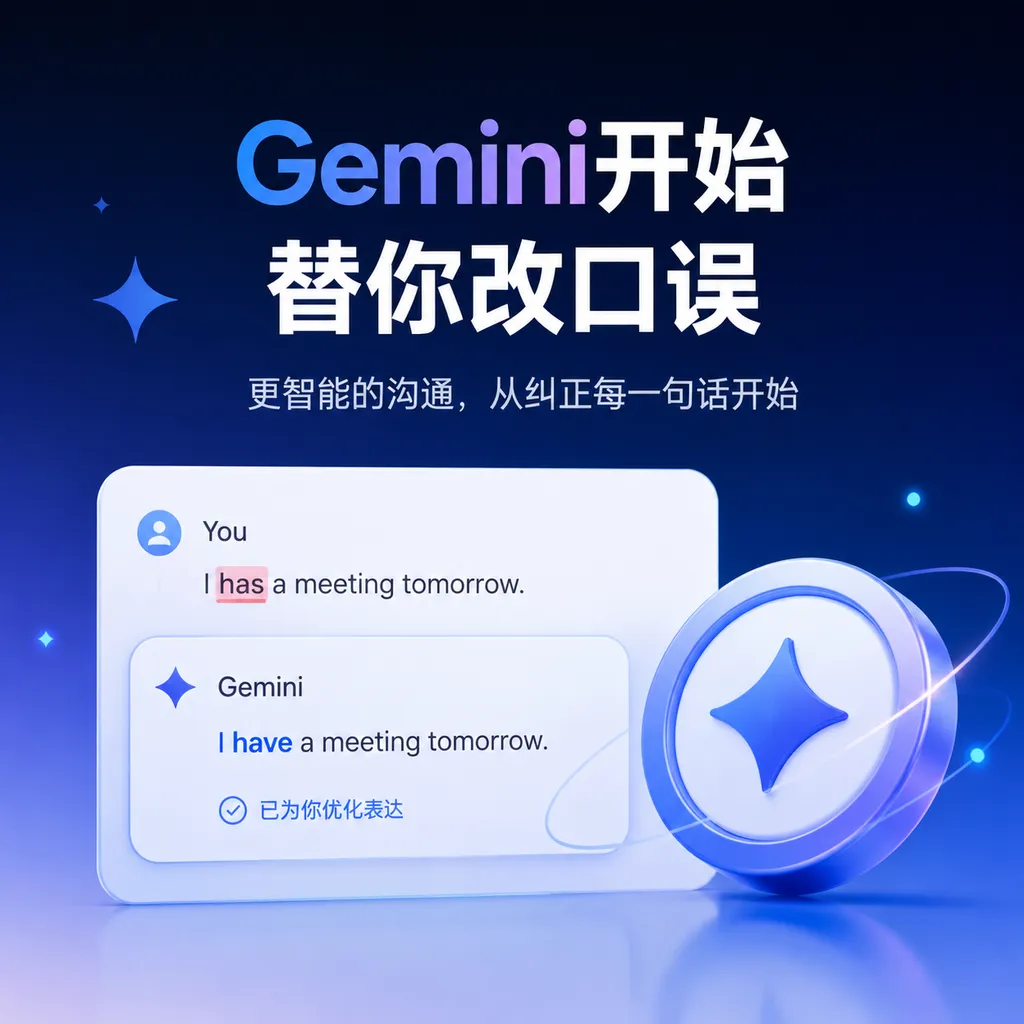
Google has released Gemini 3.5 Transcribe, which not only converts speech into text but also automatically removes filler words and handles self-corrections. It’s more like a real-time dictation editor, though it also carries the risk of altering the speaker’s original words.
Gemini 3.5 Debuts Not as Pro, but as a “Dictation Editor”
Google released Gemini 3.5 Transcribe today (August 27). While the industry is still waiting for Gemini 3.5 Pro, Google has first used the “3.5” version number for a speech-to-text model.
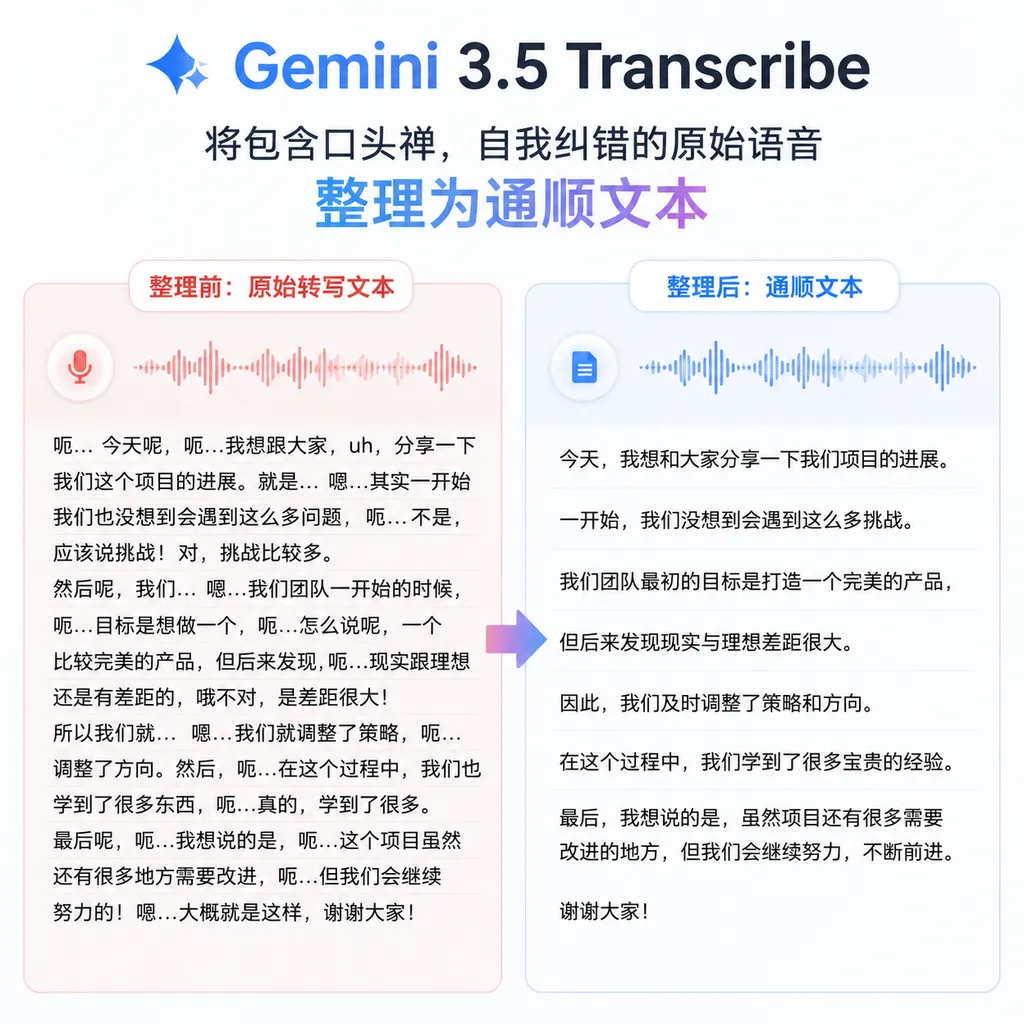
The most noteworthy aspect of the new model is not simply that it lowers the word error rate a little further, but that it changes the boundaries of speech-to-text: it automatically removes filler words such as “um” and “uh,” understands when users immediately correct themselves, and directly outputs polished sentences.
For example, a user might say:
We’ll have a meeting next Tuesday, um, no, Wednesday at 3 p.m. The attendees will be product, engineering, and, uh, the design team.
Traditional speech recognition systems tend to faithfully record the entire utterance. Gemini 3.5 Transcribe, by contrast, might directly produce:
We’ll have a meeting next Wednesday at 3 p.m. The attendees will be the product, engineering, and design teams.
This is no longer just ASR (automatic speech recognition); it adds a layer of lightweight semantic editing during transcription.
70% Faster, but Benchmarks Are Not the Main Point
According to information released by Google, compared with the previous-generation Chirp 3, Gemini 3.5 Transcribe is expected to improve the overall speed from the moment a user speaks to the generation of the final transcript by approximately 70%. Google reports an error rate of 5.5% in real-time scenarios, compared with 7.32% for Chirp 3.
Some third-party tests reported even lower figures: an average word error rate of approximately 4.0% for streaming transcription and approximately 2.6% in non-streaming mode. These figures cannot be directly compared because the final results are affected by the corpus, language mix, noise conditions, whether output is generated in real time, and how punctuation and proper nouns are handled.
For developers, the more useful questions are:
- Can real-time interaction keep up with the user’s speech? If the captions are consistently an entire sentence behind, even a high final accuracy rate cannot save the voice assistant experience;
- Do intermediate results jump around frequently? If streaming transcription repeatedly overturns already-output text, captions and input fields will appear unstable;
- Can proper nouns be controlled? Mishearing a technical term once often harms usability more than missing an ordinary function word;
- Does the final text still require manual cleanup? For meeting minutes and voice input, the cost usually lies in revising the transcript, not just in recognition itself.
From this perspective, a 70% speedup in producing the final result, together with automatic cleanup of spoken language, may matter more than reducing the error rate from 7.32% to 5.5%.
The latter is a conventional improvement in the recognition model; the former is a reworking of the product experience.
It Processes Not Sound, but the “Undo Operation” in the Speaking Process
Human speech and typing have one fundamental difference: when typing, you can delete something before submitting it, whereas when speaking, you can only continue speaking to correct what you said.
“Tomorrow morning—no, I mean the afternoon after tomorrow.”
To a traditional transcription engine, this is a sequence of sounds that must all be recorded. To a more intelligent voice-input system, “no, I mean...” is equivalent to a natural-language undo-and-replace operation.
Gemini 3.5 Transcribe attempts to recognize this structure. It needs to determine:
- Which parts are merely filler words used during pauses;
- Which statement the user has explicitly retracted;
- Whether the subsequent expression supplements the previous one or replaces it;
- Whether the original intent remains intact after cleanup;
- When it can output a stable result instead of continuing to wait for the user to correct themselves.
This is much more complex than simply recognizing phonemes. The model must not only “hear” the words, but also perform short-range reasoning over the context.
It is also closer to the input layer developers actually need. A voice agent does not want to receive a verbatim transcript full of “um,” “that,” and “let me say that again.” It needs user instructions that are as clear and structurally stable as possible. For task-execution systems, clean transcription can reduce contextual noise for downstream large language models and eliminate the need for a separate call dedicated to cleaning up the text.
Supports 85 Languages and Mid-Sentence Language Switching
Gemini 3.5 Transcribe supports 85 languages and can handle language switching during speech. This capability is familiar to Chinese developers: in technical meetings, it is almost routine for a single sentence to contain Chinese, English product names, and abbreviations.
For example:
First increase the rate limit for the staging environment, then check the timeout for the Gemini endpoint.
Ordinary Chinese speech engines often forcibly map English technical terms to phonetically similar Chinese characters, while purely English engines may damage the Chinese portions. Gemini 3.5 Transcribe aims to have the model automatically determine language boundaries instead of requiring users to select one fixed language in advance.
Google also allows developers to provide custom vocabulary lists to improve recognition of company names, product names, medical terms, legal terminology, and internal abbreviations. This capability may look less impressive than model benchmarks, but it directly determines whether the model can enter enterprise workflows.
If the model cannot reliably recognize terms such as “Kubernetes,” “ClickHouse,” or internal project codenames, development teams will consider it difficult to use regardless of how low its overall error rate is.
For pre-recorded audio, the new model can also distinguish up to three speakers and provide speaker attribution and word-level timestamps. This is sufficient for interviews, customer-service calls, and small meetings, but the three-speaker limit remains conservative for roundtable discussions, classrooms, and large meetings.
Two Model Endpoints for Real-Time and Recorded Audio
Google provides developers with two model endpoints:
gemini-3.5-transcribe-live: for streaming scenarios such as real-time captions, voice agents, and typing while speaking;gemini-3.5-transcribe: for pre-recorded audio such as meeting recordings, podcasts, customer-service quality checks, and media assets.
This split is reasonable. Real-time transcription prioritizes low latency and must constantly make predictions before a sentence has ended. Recorded-audio transcription can see the subsequent context, making it easier to determine sentence boundaries, homophones, and self-corrections, and it can generally achieve a lower error rate.
When connecting through OpenAI Hub, developers can use the OpenAI-compatible audio transcription interface. The following is a basic example; refer to the console for the specific model availability by region and extended parameters:
curl https://api.openai-hub.com/v1/audio/transcriptions \
  -H "Authorization: Bearer $OPENAI_HUB_API_KEY" \
  -F "model=gemini-3.5-transcribe" \
  -F "file=@meeting.wav" \
  -F "response_format=verbose_json" \
  -F "prompt=Custom vocabulary: Kubernetes, ClickHouse, OpenAI Hub, Rambler"
The Python calling method is as follows:
from openai import OpenAI

client = OpenAI(
    api_key="YOUR_OPENAI_HUB_API_KEY",
    base_url="https://api.openai-hub.com/v1"
)

with open("meeting.wav", "rb") as audio_file:
    result = client.audio.transcriptions.create(
        model="gemini-3.5-transcribe",
        file=audio_file,
        response_format="verbose_json",
        prompt="Custom vocabulary: Kubernetes, ClickHouse, Rambler"
    )

print(result)
If an application requires real-time captions, it should not simply split the audio into segments every few seconds and repeatedly call the non-streaming interface. This would lose context across segments and could easily split a sentence in the middle of a self-correction. A more appropriate approach is to use the Live model to maintain a continuous session and distinguish between “interim results” and “final results” on the frontend.
Pixel 11 Is the First Deployment, with Voice Input Fields as the Ideal Testing Ground
Gemini 3.5 Transcribe is already being used by the Rambler feature in the Gboard keyboard on the Pixel 11, and it will later be integrated into more of Google’s products and services.
Voice input is where this capability can demonstrate its value most easily.
When users speak in a chat box or document, they generally are not trying to preserve a verbatim recording for evidentiary purposes. They want to quickly produce text that can be sent directly. Traditional voice input is faster than typing, but users still have to delete verbal fillers, correct repeated expressions, and add punctuation after speaking. The actual time savings are therefore not as large as one might expect.
Rambler moves these editing steps into the transcription stage. Once the user finishes speaking, the text is already close to being ready to send.
More broadly, this capability is also well suited to:
- Voice agents: clean up users’ slips of the tongue before passing clear instructions to the tool-calling layer;
- Customer-service analysis: generate call transcripts that are easier to search and categorize;
- Meeting minutes: reduce repetition and meaningless pauses in verbatim transcripts;
- Real-time captions: improve readability while keeping latency under control;
- In-vehicle input: users cannot conveniently go back and edit text, so the model must understand corrections on its own;
- Accessibility input: reduce post-editing for users who rely on voice input for extended periods.
What Google is truly competing for is not merely the transcription API market. Voice is becoming an input gateway again for operating systems, search, browsers, and AI agents. Whoever can reliably convert spoken language into executable intent will be closer to the first layer of next-generation human-computer interaction.
“Cleaner” Does Not Mean “More Faithful”
Gemini 3.5 Transcribe’s greatest strength is also its clearest risk.
When the model deletes verbal fillers, combines repeated sentences, and processes self-corrections based on context, it effectively gains a degree of editorial authority. The user sees a more fluent passage of text, but that passage may not be a strict verbatim record.
This is usually beneficial for chats, emails, and search queries. However, caution is required in the following scenarios:
- Legal evidence and court records;
- Original medical consultation records;
- Direct quotations from news interviews;
- Compliance audits and financial customer service;
- Research that analyzes pauses, hesitation, and changes in wording;
- Meetings where the original form of a statement must be strictly preserved.
The statements “I think this proposal, um, may involve risks” and “I think this proposal involves risks” are broadly similar in meaning, but their degree of certainty is not exactly the same. If the model further treats “may” as redundant and removes it, the meaning changes materially.
Therefore, a reliable product design should not save only one cleaned final transcript. It should provide at least two layers of results:
- Verbatim mode: preserve the original words, pauses, self-corrections, and timestamps as much as possible;
- Smart mode: output clean text with fillers removed and corrections processed.
For high-risk businesses, the original audio, model version, and mapping between each revision should also be retained. Otherwise, when a user questions, “That is not what I said,” it will be difficult for the system to explain whether a particular passage came from speech recognition or from the model’s semantic editing.
Smarter Than Whisper, but Cost and Controllability Still Matter
The speech transcription market is not short of models. Whisper and its optimized variants have already established a mature ecosystem: developers can deploy them locally or call them through low-cost inference services. In comparison, Gemini 3.5 Transcribe’s differentiation is not that it can finally understand multiple languages, but that it integrates speech recognition, contextual understanding, and text cleanup into a single pipeline.
It is suitable for applications that value low latency, multilingual support, custom vocabulary, and intelligent editing out of the box. If a business only needs to generate broadly readable transcripts in batches, or if the audio contains sensitive data and must be deployed privately, mature open-source solutions may still be cheaper and more controllable.
In other words, Gemini 3.5 Transcribe is selling more than accuracy: it reduces post-processing engineering work.
Previously, developers might have had to connect ASR, punctuation restoration, speaker diarization, filler-word removal, and LLM-based polishing. Google is now attempting to compress several of these layers into a single model. The benefits are a shorter pipeline and lower latency; the cost is that the model’s internal behavior becomes harder to audit, while users become more dependent on the provider’s judgment about the “original intent.”
Assessment: Practical, but Users Must Have a “Don’t Edit for Me” Switch
Gemini 3.5 Transcribe is an update with clear product value. Lower error rates are certainly useful, but the more important development is that Google is beginning to transform voice transcription from “recording sound” into “organizing expression.”
This will significantly improve voice input on phones, real-time agents, and meeting processing. Especially when users frequently pause, correct themselves, or mix multiple languages, a model that understands the speaking process is closer to real-world needs than an engine focused only on word-by-word recognition.
However, intelligent cleanup should not become an unchangeable black box. For consumer input methods, automatic cleanup can save considerable time; in medical, legal, media, and compliance scenarios, faithful recording is often more important than polished text.
Whether Gemini 3.5 Transcribe is truly useful will ultimately depend not only on how many “ums” it can remove, but also on whether it can accurately determine when it should edit on the user’s behalf and when it must not change a single word.
Sources
- IT Home: Google releases Gemini 3.5 Transcribe speech-to-text model, which can automatically remove verbal fillers — Includes information on the model’s release date, performance comparison with Chirp 3, language support, and deployment in Pixel 11’s Rambler feature.