Photoshop Starts Editing Photos with Prompts
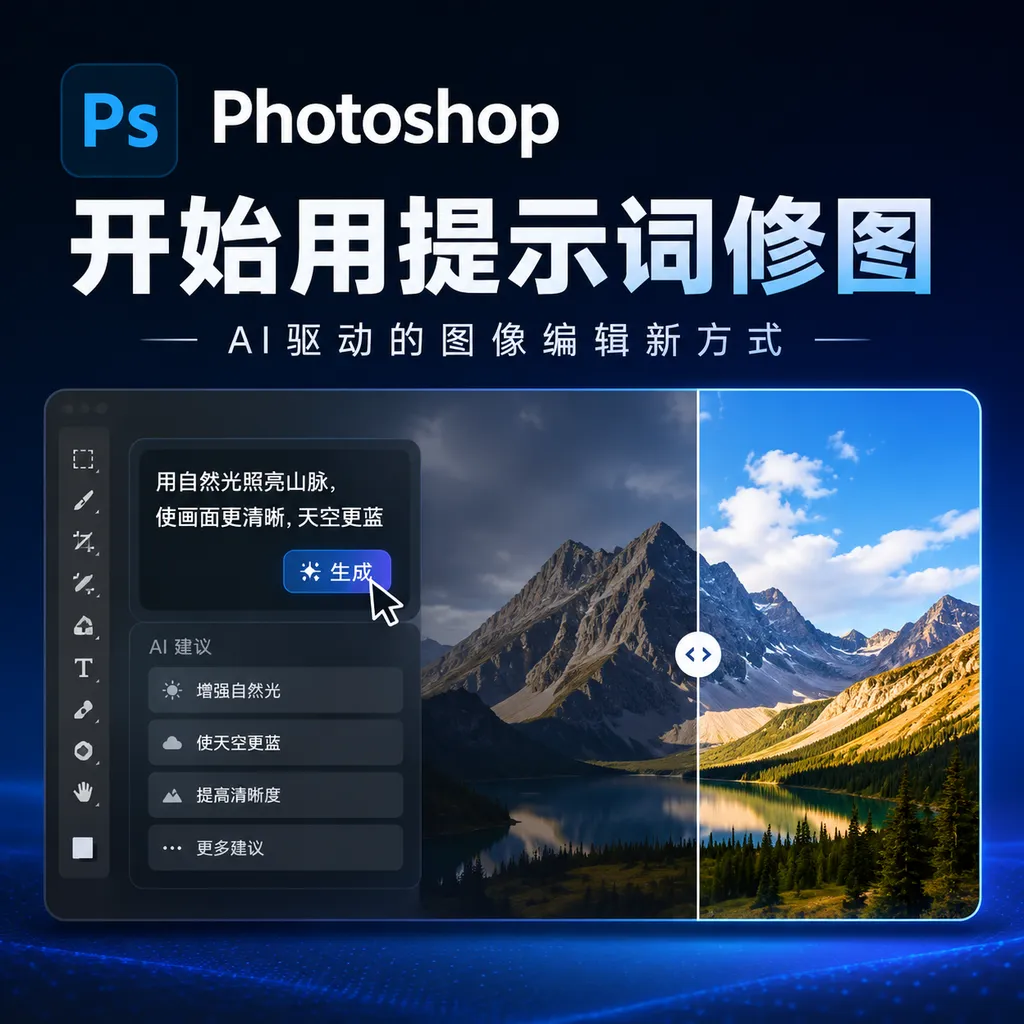
On August 27, Adobe launched a beta of its “AI-Assisted Editor” for Photoshop, bringing prompt-based editing, localized annotations, Generative Fill, and other capabilities together in a streamlined workspace. It lowers the barrier to photo editing, but for now, it still cannot replace professional layer- and mask-based workflows.
Photoshop Begins Editing Images with Prompts: The Professional Workflow Is Finally Getting a New Entry Point
On August 27, Adobe announced that Photoshop had begun testing a new mode called “AI Assisted Editor.” Instead of squeezing AI into another isolated button, it reorganizes the editing interface around natural-language prompts, creating a simpler way to work.
Users no longer need to decide whether to use the lasso, masks, the Clone Stamp, or Generative Fill. They only need to describe what they want to change—for example, turning daytime into nighttime, removing passersby from the background, adding a promotional banner to a product image, or extending the scene beyond the original boundaries. Photoshop calls on Adobe Firefly to generate the result, after which users can continue editing in the AI Assisted Editor or return to the traditional professional editing mode.
The significance of this update is not that Photoshop is gaining AI image-editing capabilities for the first time. Over the past few years, Generative Fill, Generative Expand, and the Remove tool have gradually been added to Photoshop. The real change is that Adobe is attempting to give Photoshop an entry point based on “describe the task first, then process the image,” so users do not have to confront the entire complex professional workspace from the outset.
Not Just Adding a Button, but Redesigning the Entire Workflow
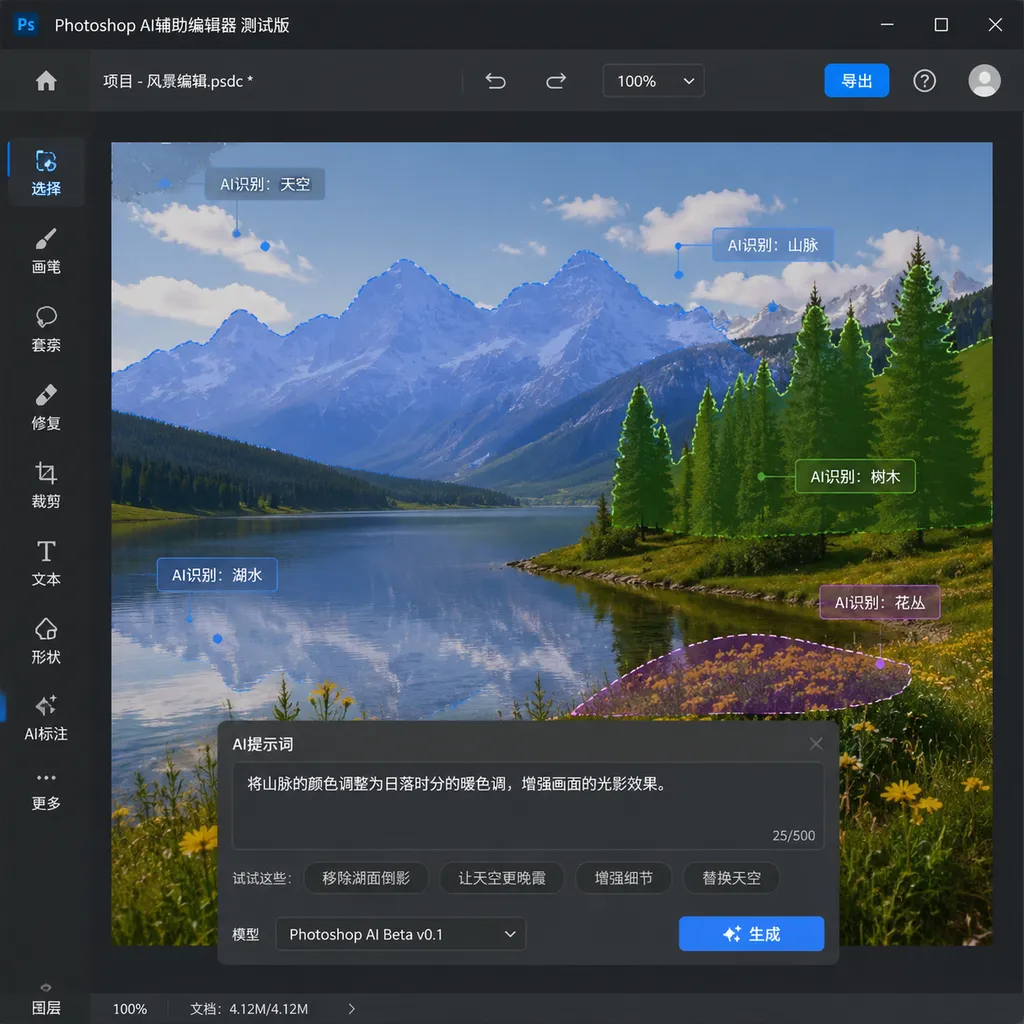
The AI Assisted Editor exists as an optional mode in Photoshop. Users can enable it via a switch in the menu bar or hide the entry in Settings. Once activated, Photoshop switches to a more streamlined interface, shifting the focus from the traditional toolbar to prompt input, area marking, and previews of generated results.
The current test mode includes several capabilities:
- Prompt Editing: Describe changes to the entire image directly in text;
- Remove Background: Automatically identify the subject and remove the background;
- Generative Expand: Extend the canvas boundaries and fill in the additional content;
- Remove Tool: Delete people, objects, or distracting elements from an image;
- Generative Fill: Replace or complete content in a selected area;
- Generative Upscale: Increase image dimensions and improve detail;
- AI Marking: Click or roughly paint over an area in the image, then describe in text what needs to be changed.
Prompt Editing is more like a “conversational image editor” for the entire picture. Users can enter “Turn this photo from day into night” or “Change this rainy scene to a sunny day,” and the model will attempt to adjust the sky, lighting, color tone, and environmental atmosphere at the same time, rather than changing only a handful of local pixels.
AI Marking is closer to a natural-language version of traditional localized editing. Users can freely draw over or click an image area, then enter instructions such as “Add more clouds,” “Replace these shoes,” or “Add a banner with the words ON SALE NOW.” For developers and users of design tools, this interaction is not particularly mysterious: essentially, it binds a “selection or rough mask” to a “generative editing instruction,” while shifting the burden of precise selection to the model.
This workflow is especially appealing for e-commerce design, social media graphics, and advertising-material revisions. For example, changing the background of a product hero image, altering the weather, and adding a promotional banner might previously have required separate steps for cutouts, layer compositing, text layout, and lighting adjustments. Now, users can first generate a usable draft with a few prompts, then hand it over to a designer for final corrections.
Adobe Begins Addressing the Weaknesses of Prompt-Based Editing Head-On
Prompt-based image editing looks simple enough, but it has always faced a practical problem: the model may understand what the user wants to change without reliably understanding where it should change it.
For example, if a user asks to replace the black phone in a person’s hand with a silver camera, the model may also alter the fingers, the person’s pose, or even facial details. When asked to turn daytime into nighttime, the sky may indeed become darker, but the lights on buildings, shadows on people, and reflections on the ground may not change accordingly. For tasks that require preserving a subject’s identity, a product’s shape, or brand details, this kind of drift can directly determine whether the result is commercially usable.
Adobe’s addition of prompt-based mask editing is intended to address precisely this gap. Users can first make a rough selection of the area they want to modify, then use a text instruction to have Firefly Image 5 adjust the specified section. Compared with asking the model to redraw the entire image directly, this approach establishes the editing range in advance, offering a better chance of reducing problems such as image-quality degradation, inconsistent lighting, mismatched perspectives, and changes to the subject’s structure.
It is still not a complete replacement for traditional masks. Traditional masks offer controllable boundaries and reproducible results, allowing designers to determine down to the pixel which areas are retained and which become transparent. An AI mask is more like having the system perform an initial semantic segmentation, after which the user checks the result. For scenarios requiring a high degree of consistency—such as posters, packaging, and portrait retouching—manual adjustments will still be necessary in the end.
Adobe’s strategy is therefore fairly clear: it is not asking professional users to abandon Photoshop’s existing workflow. Instead, it wants AI to handle a large number of low-value, repetitive operations first, then return fine-grained control to layers, masks, and traditional tools. AI is responsible for “producing a version that is directionally correct,” while the designer is responsible for “turning it into a deliverable version.”
Support for Multiple Models: Photoshop Is No Longer Tied to a Single Generation Backend
In terms of model support, Prompt Editing is compatible with multiple generative models, including FLUX 2 Pro, FLUX Context Pro, Gemini 3.1 (with support for Nano Banana 2), Gemini 3 (Nano Banana Pro), and Gemini 2.5. Adobe is also using Firefly Image 5 for prompt-based mask editing.
This reveals a noteworthy signal: Photoshop is shifting from “AI features powered by a single model” toward “an editing platform with selectable models.”
For image editing, different models have different strengths. Some are better at preserving the consistency of people and objects, some are more suitable for contextual modifications, and others perform better in text generation, image detail, or processing speed. Making Prompt Editing compatible with multiple backends could theoretically allow Adobe to strike a finer balance among performance, speed, cost, and user choice.
However, the more models there are, the greater the product-level complexity becomes. Ordinary users may not care which model is currently being used; they care whether the shoes were replaced correctly, whether the product logo was distorted, and whether the text on the generated banner can be used directly. Ultimately, Adobe needs to solve not the question of “how many models it supports,” but how to conceal model differences behind a consistent editing experience—or provide users with sufficiently transparent choices when those differences genuinely affect the result.
From this perspective, Photoshop’s model compatibility is more of an infrastructure capability than a direct selling point for users. What will truly determine the success of the feature is still area control, result reversibility, generation speed, and consistency in commercial assets.
Non-Destructive Lighting Adjustments Fill a Gap in the AI Workflow’s Professional Controls
In addition to the AI Assisted Editor, Photoshop has added non-destructive layer lighting adjustment tools supporting parameters such as exposure, contrast, highlights, shadows, whites, and blacks. Adobe hopes to give users adjustment capabilities similar to those in Camera Raw within Photoshop’s layer-based workflow.
“Non-destructive” is crucial. With the traditional approach of directly modifying pixels, restoring the original brightness or readjusting a local area can become difficult after saving and layering on further edits. Non-destructive adjustments preserve these changes as layers or editable parameters, allowing designers to modify them repeatedly or apply them only to specific layers.
This update may not be as eye-catching as Prompt Editing, but it could have a greater impact on the daily efficiency of professional users. A generative model can quickly produce an image that looks good, but consistency in lighting and color, as well as the relationship between layers, often determines whether an asset can enter the final delivery process. AI generates the content, while non-destructive adjustments put that content back into the original design system. Together, they more closely resemble a real production workflow.
Photoshop Still Cannot Deliver a Finished Product with “Just One Sentence”
The greatest value of Adobe’s update is that it makes the first step in Photoshop simpler. Its greatest limitation, however, is that it does not eliminate the most difficult parts of professional image editing.
Prompts are well suited to expressing goals, but not all constraints. If a user says, “Replace the background with a premium blue gradient,” the model can generate many versions, but it may not comply with brand color values, print-safe areas, product edges, font specifications, or advertising regulations. If a user says, “Make the person look more natural,” the model also cannot automatically know which changes would damage the person’s identity and which are merely ordinary pose adjustments.
For ordinary users, the AI Assisted Editor may be sufficient for a one-off social media image edit. For designers, it is more like a new entry point for drafting and automation. Tasks that require stable output will still depend on layer structures, smart objects, precise selections, masks, color management, and human review.
Adobe clearly has not positioned it as a replacement for traditional Photoshop. The AI Assisted Editor can be hidden at any time, and generated results can continue to be processed in the professional mode. This design is more pragmatic than simply launching an independent AI image application: it acknowledges that prompts are suitable for rapid exploration while recognizing that professional production requires a controllable, editable, and traceable engineering workflow.
Implications for Developers and Toolchains
The lesson of this update for developers is not simply that “all software will need to connect to large models in the future.” More importantly, image editing is shifting from single-step tool calls toward multi-turn, composable task execution.
A complete AI image-editing task usually includes at least four stages: understanding the image, locating the target area, executing the modification, and validating the result. Giving the model only one prompt effectively compresses all four stages into a single generation, so stability is naturally limited. The addition of AI Marking and prompt-based masks exposes “locating the target area” as a separate step, while returning to traditional Photoshop editing preserves the human stages of “validation and correction.”
More mature image editors of the future may compete around the following capabilities:
- Reliability of area understanding: Can the model distinguish between the subject, background, foreground occlusions, and reflective areas?
- Consistency across multiple edits: After three to five consecutive modifications, do the person, product, and composition remain stable?
- Explainability and reversibility: Can users see which areas were changed and undo individual steps separately?
- Compliance with production constraints: This includes resolution, color, text, brand assets, and copyright requirements;
- Effectiveness of model routing: Can the system automatically select a model that is faster, more detailed, or more consistent depending on the task?
This is also why model aggregation and unified invocation layers remain valuable. For developers, an image-editing product does not necessarily need to remain tied to a single model forever; it can switch between different models depending on the task. OpenAI Hub currently supports a range of mainstream models and OpenAI-compatible formats, making it suitable for testing differences among models in image understanding, content generation, and editing tasks. For this particular Photoshop update, however, Adobe has already encapsulated model selection within its own editing experience, so ordinary users do not need to handle the invocation details themselves.
Conclusion: Photoshop Is Competing to Become the Default Editing Gateway in the AI Era
Photoshop’s traditional moat has been its tools, file formats, and professional workflow. Adobe is now attempting to add another layer of capability on top of that foundation: allowing users to quickly obtain a result through natural language first, then use Photoshop’s professional features to complete the final touches.
This is more realistic—and more consistent with Photoshop’s position as a product—than the narrative that AI will “completely replace designers.” In the short term, the AI Assisted Editor is best suited to quick image changes, asset exploration, and repetitive processing. For demanding commercial design work, it will still require human confirmation and the safety net of traditional tools.
However, once the entry point changes, users’ expectations of an editor will change as well. In the future, users may no longer first ask, “Which tool should I select?” Instead, they may ask, “Can I simply tell the software what I want?” That is precisely what Photoshop’s test is intended to validate: while preserving professional control, can prompts become the new default entry point for image editing?
Sources
- ITHome: Adobe Photoshop Launches Beta of “AI Assisted Editor” — An overview of the AI Assisted Editor’s features, activation method, prompt-based masks, non-destructive lighting adjustments, and model support.