Claude Code finally bridges desktop and terminal.
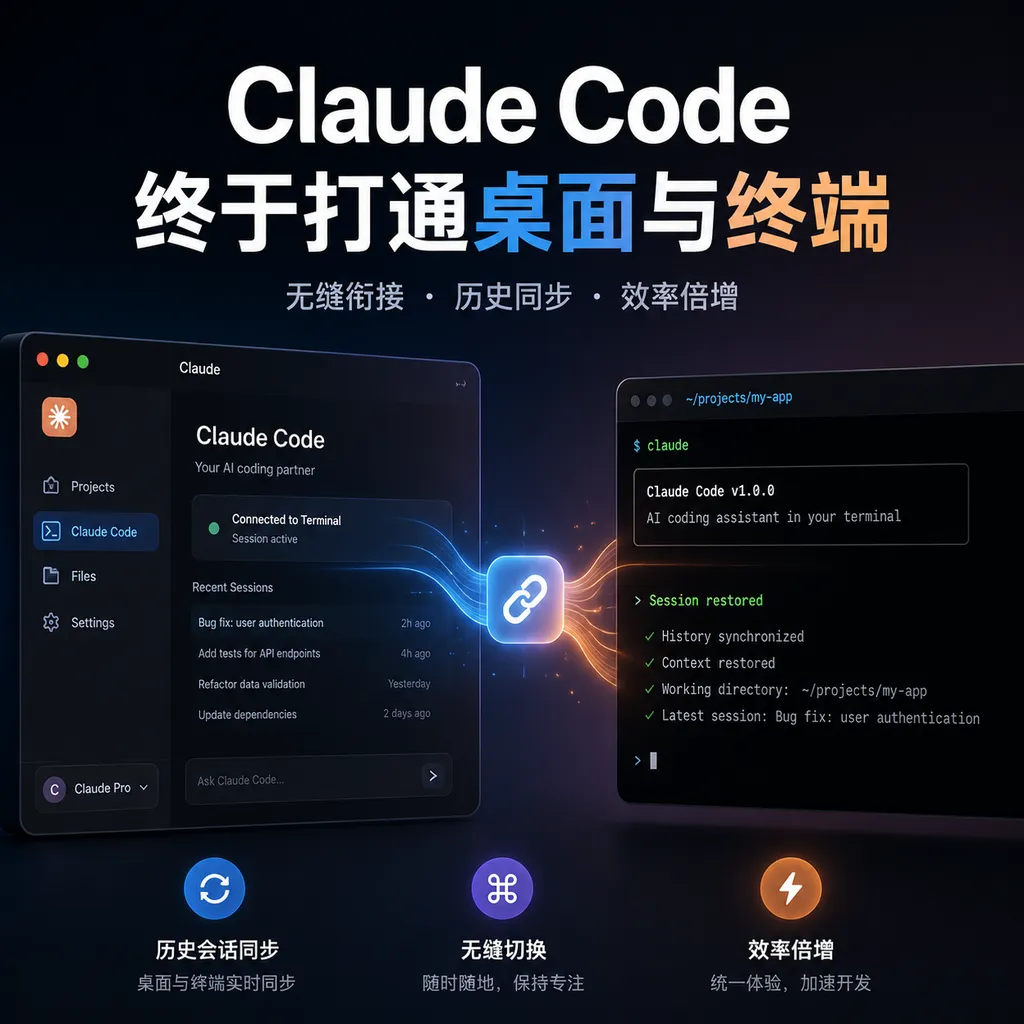
On August 29, Anthropic announced that Claude Code's desktop app now supports session resumption. Developers can use `/resume` to continue unfinished work from the terminal CLI, with the full context, code snippets, and reasoning process preserved.
No Need to Explain Terminal Work from Scratch Anymore
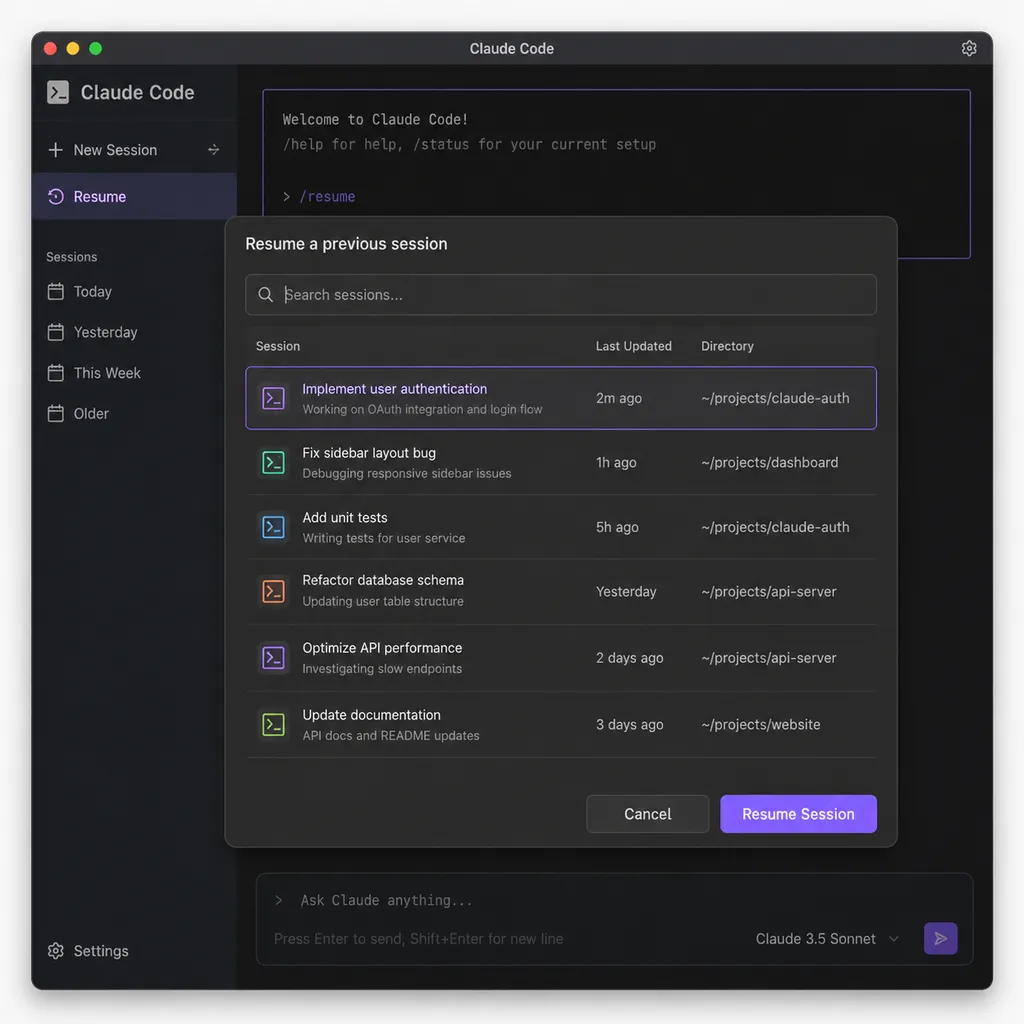
Anthropic announced today (August 29) that Claude Code can finally share sessions between the desktop app and the terminal CLI. Developers can now enter /resume in the desktop app to bring up work sessions previously created in the terminal and continue them with a click—without having to re-describe the project structure, the approaches already tried, or the contextual understandings previously established with the model.
This is not simply moving a chat history to another window. It brings over a development session that can still continue executing tasks. Code previously read in the CLI, commands previously run, design trade-offs discussed, and changes already generated but not yet merged are all restored along with the session.
For people who use Claude Code to handle long-running tasks, the value of this update is straightforward: the terminal handles high-frequency command execution, while the desktop app provides an interaction experience better suited to reading and operation. The two are no longer isolated workspaces.
A New Command Completes the Final Link
Claude Code was not previously completely unable to restore sessions.
In the terminal, developers have long been able to retrieve previous work through session-resumption capabilities. To switch from the terminal to the desktop app, there was also the /desktop command, which handed the current session over to the desktop application for continued work. But the reverse direction was missing: if developers had already left the terminal and wanted to continue working on an old CLI session in the desktop app, there was no usable session selector available there.
As a result, Claude Code’s different interfaces felt like several one-way roads:
- A task started in the terminal could continue to be handled there;
- The current terminal session could be handed over to the desktop app;
- But the desktop app could not conveniently retrieve historical sessions previously started in the CLI;
- History was also not previously fully interoperable across the Web, desktop app, VS Code, and other interfaces.
The core of this update is the addition of a reverse resumption path. On the terminal side, /desktop hands the current work over to the desktop app; on the desktop side, /resume retrieves a previous CLI session. With one command handing off and the other picking up, Claude Code’s desktop and terminal experience finally forms a closed loop.
From a product-design perspective, this patch is not flashy, but it is crucial. It does not address model capabilities, but a workflow problem developers encounter every day: I have already spent dozens of turns talking with the model and just want to switch interfaces—why do I have to start over?
What Gets Wasted Is Not Chat History, but Contextual Capital
One cost that is easiest to underestimate in AI programming tools is the cost of rebuilding context.
A real development task typically does not stop at “help me write an API.” The model first needs to read the repository, understand the relationships between modules, locate the problem, try approaches, run tests, fix side effects, and finally adjust the implementation according to the developer’s preferences. By the middle of a task, the truly valuable information is often scattered across dozens of conversational turns.
The developer may already have told the model:
- Which directories contain legacy code and should not undergo large-scale refactoring;
- Which database migration approach has already been rejected;
- Which test failures are environmental issues rather than problems introduced by the current changes;
- That a particular API must remain backward-compatible;
- That the current changes may touch only one service and must not opportunistically modify the entire repository.
Not all of this can necessarily be inferred from the code itself, but it determines whether the rest of the task can proceed smoothly. If this context is lost when switching interfaces, the developer has to pay an invisible tax: explaining everything again, reconfirming it, and waiting for the model to read and understand it again.
The longer the task, the higher this tax becomes. Restarting a short conversation may take only a few minutes. But when a session already involves dozens of files, multiple failed approaches, and complex test results, the cost of feeding the context back in may be greater than the cost of simply finishing the task.
Claude Code’s cross-interface resumption essentially protects this contextual capital. It elevates a session from a temporary interaction confined to a particular window into a development state that can move between different work interfaces.
The Official Demo Reveals Claude Code’s Real Intensity of Use
Anthropic’s official demo also showed a striking dashboard: Lydia Hallie, an engineer on the Claude Code team, had accumulated 1,240 sessions on her account and consumed 162.4M tokens—that is, 162.4 million tokens.
The important point is not who used how many tokens, but what the figure indicates: Claude Code is no longer a chatbot that occasionally helps fill in a few lines of code. For heavy users, it is more like an engineering collaborator that remains alongside a project over the long term. Sessions may continue for extended periods, tasks may progress in stages, and historical context may gradually become part of the working materials.
When the number of sessions reaches the thousands, “Can it be resumed?” is no longer merely a convenience question—it is a productivity issue. A developer may switch among the terminal, IDE, desktop application, and remote environments every day. If each switch requires rebuilding the context from scratch, the tool itself creates friction.
That is why the truly important aspect of this update is not the addition of another slash command, but that Claude Code is beginning to recognize that a developer’s work is not tied to any particular interface.
Resumed Sessions Can Still Be Rewound
Cross-interface resumption also does not sacrifice Claude Code’s existing checkpoint mechanism. After retrieving a session, developers can still use /rewind to roll the conversation and code back to an earlier point.
This is particularly important when code is being modified automatically.
The risks of AI programming tools do not come only from the model writing incorrect code. They also come from changes accumulating continuously over the course of a long task. Once the model has performed multiple rounds of operations in succession, developers often need to inspect the current state before deciding whether to continue, roll back, or retry from an intermediate point. After switching to the desktop app, if the session were merely “copied” as a static record, developers would still worry that they could not control the preceding changes after taking over.
The current logic is closer to version control: the session can continue, and key points can also be rolled back. It cannot replace Git, nor can it guarantee that the model will not make mistakes, but at least taking over across interfaces does not inherently become an irreversible migration.
It is important to note that /rewind rolls back Claude Code session checkpoints and related code operations. It does not mean that all actions manually performed by the developer in the system can be unconditionally undone. When databases, external services, deployment environments, or irreversible commands are involved, developers still need to exercise their own judgment. Cross-interface sessions do not change this.
Compared with Its Competitors, Claude Code Is Filling a Workflow Gap
In terms of model capabilities, Claude Code has no shortage of competitors. Cursor, Windsurf, GitHub Copilot, and other AI programming agents are all competing for the same types of development tasks. But what truly affects long-term retention is often not whether a particular completion is a few dozen milliseconds faster. It is whether the tool can fit into developers’ existing work habits.
Terminal users care especially about three things:
- Can it directly operate on real repositories and local environments?
- Can it run tests, scripts, builds, deployment commands, and other operations?
- After a task is interrupted, can it accurately return to its original state?
Claude Code established advantages in the first and second areas early on, but incomplete cross-interface resumption left a clear gap in the third. The terminal is suited to automation and remote development, while the desktop app is better for reviewing changes, browsing context, and handling steps that require human confirmation. If the two cannot share state, developers can only remain in one interface until the task is finished—or accept starting over.
This update makes Claude Code’s product form more like “multiple control panels for the same agent” rather than three mutually independent clients. The terminal is the execution entry point, while the desktop app is the visual takeover point. Users can switch according to the stage of a task instead of accommodating the boundaries of the tool.
However, the main focus of Anthropic’s current integration remains desktop and CLI sessions. It does not mean that every Claude Code use case is now fully unified. Session management across the Web, VS Code, and different machines in particular still depends on the specific version, login status, and operating mode. Developers should not interpret this update as meaning that “all endpoints share one unrestricted global workspace.”
How to Use It: Handing Off from the Terminal to the Desktop, Then Retrieving It from the Desktop
Based on the information currently available, the typical usage can be summarized in two directions.
In the terminal, if the current task needs to be moved to the desktop app, use:
/desktop
In the Claude Code desktop app, enter:
/resume
A list of historical sessions will then appear. Select a work session previously created in the CLI to continue from its original context.
A workflow better suited to actual development might look like this:
- In an SSH session or local terminal, have Claude Code scan the repository, run tests, and identify the problem;
- When the task reaches a stage requiring intensive code review, switch to the desktop app with
/desktop; - In the desktop app, confirm the changes proposed by the model and review the full conversation and code diff;
- If batch script execution or command-line work is needed later, resume the same session from the terminal;
- If the direction turns out to be wrong, use
/rewindto return to a stable checkpoint instead of creating the task again from scratch.
The significance of this workflow is that it turns interface switching from a “task interruption” into a “change in working mode.”
The Real Test Is Session Management, Not the Resumption Button
Of course, session resumption is only the first step. As AI agents take on increasingly long tasks, tools will also need to solve more complex problems: how to name and categorize historical sessions, how to distinguish different branches, how to help team members understand the background of a particular session, how to safely continue local work across multiple machines, and how to prevent historical context from growing without limit.
The figures of 1,240 sessions and 162.4 million tokens already show that heavy users are not asking merely whether history exists, but how to manage an ever-growing number of work states. If every session is just a title and a timestamp, the stronger the resumption capability becomes, the more confusing the list may also grow.
In addition, sharing sessions across interfaces raises permission and privacy concerns. Terminal sessions may involve local paths, environment variables, private repository information, database connections, and executed commands. The desktop app’s ability to view and continue this content depends on the device’s login status, project permissions, and local environment all remaining under control. For enterprise users, auditing session transfers, permission isolation, and data-retention policies may be more important than the feature itself.
Therefore, this update does not mean that Claude Code has solved every problem in agentic programming. It means that the product has finally filled in a long-standing break that had a substantial impact on the user experience.
Verdict: A Small Feature with a Major Impact on Long-Term Usability
Connecting Claude Code’s desktop app and terminal will not directly make the model smarter, nor will it change the quality of any individual code-generation result. But for people who genuinely use AI agents as development tools, this may be more noticeable than yet another model upgrade.
The reason is simple: model capabilities determine what a task can accomplish in one go, while session continuity determines whether developers are willing to entrust the tool with completing the task over time.
In the past, developers had to choose between the terminal and the desktop app. Now, at least between the CLI and desktop app, that choice is beginning to disappear. Claude Code no longer requires users to remain in a particular window to preserve context. This takes it one step beyond being an “AI tool that can execute commands” and toward becoming an agent workbench that can span the development workflow.
Claude Code users can check their client version today and try entering /resume in the desktop app. If your work typically spans dozens of conversational turns, multiple testing stages, and different development environments, this update is probably not just a nice bonus. It finally eliminates the context-rebuilding cost you previously had to pay.
OpenAI Hub currently supports mainstream models such as Claude and their related ecosystem capabilities. Developers who also use models from multiple providers can continue to access them through a unified interface using OpenAI-compatible APIs. However, as far as this Claude Code update is concerned, the real change lies in the client workflow, not at the API-call layer.
Sources
- ITHome: Finally, Claude Code Connects the Desktop App and Terminal—Reports on Anthropic’s newly announced cross-interface session-resumption feature, the usage logic of
/resumeand/desktop, and the session statistics shown in the official demo. - Zhihu Column: A User Guide to the Claude Code Terminal Version—Introduces the product forms of Claude Code CLI, the desktop app, and the Web version, as well as terminal use cases.
- Reddit: How to Centrally List and Resume Claude Code Sessions Across Multiple Machines—Reflects the practical need in the developer community for centralized session management and resumption across environments.