<think>**Translating headline naturally**</think> Microsoft’s Transcription Model Slashes Costs to $0.10 per Hour
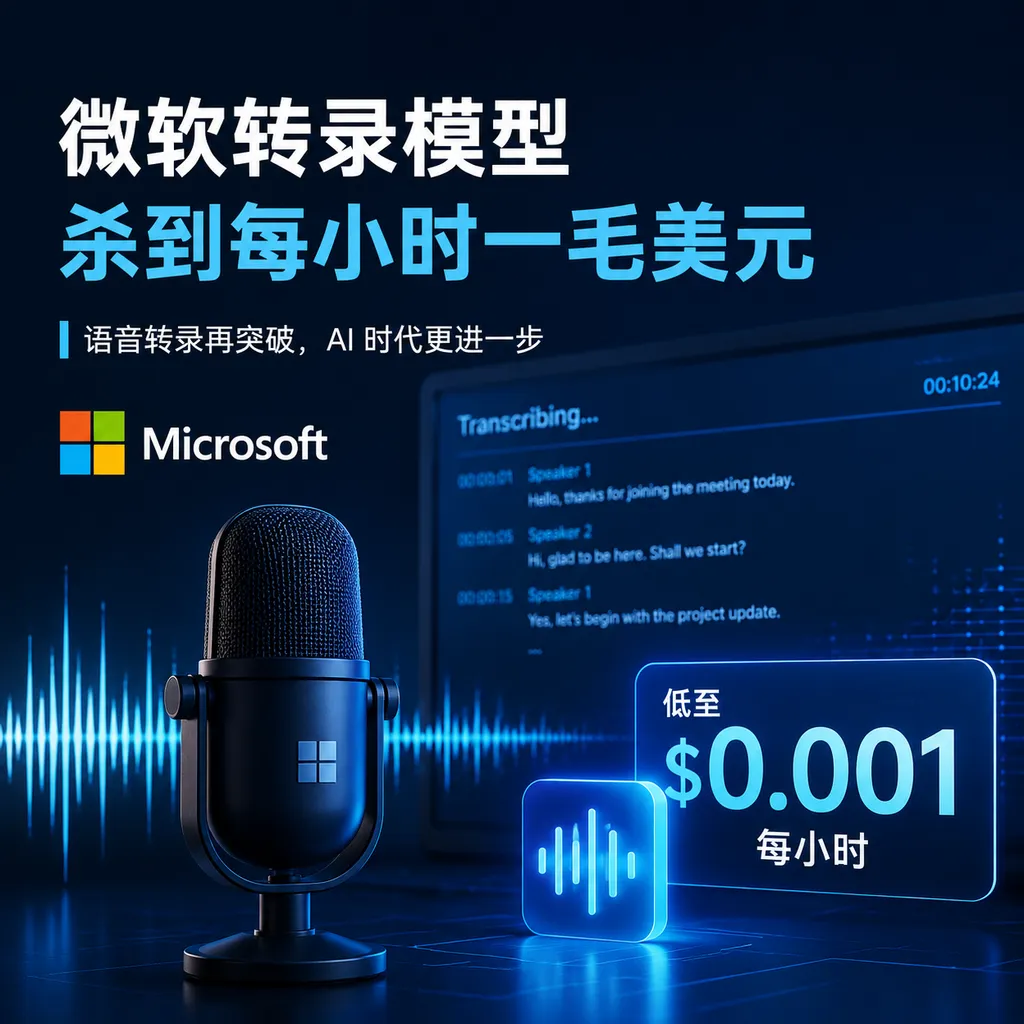
Microsoft Launches MAI-Transcribe-2, Directly Challenging GPT-Transcribe, Gemini, and Whisper with a 5.2% Average Word Error Rate Across 60 Languages and a Limited-Time Price of $0.10 per Audio Hour.
<think>Refining headline translation</think>
Microsoft’s Transcription Model Arrives at Just $0.10 an Hour
Microsoft released its next-generation speech-to-text model, MAI-Transcribe-2, on September 3. Its headline metrics are straightforward: support for 60 languages, an average word error rate of 5.2% on FLEURS, plus new speaker diarization, word-level timestamps, and configurable transcription styles. During the launch promotion, it costs $0.10 per audio hour, with the discount running through the end of 2026.
This pricing is clearly aimed at large-scale speech workloads.
At current exchange rates, transcribing one hour of audio costs only about RMB 0.67. Even at 1,000 hours of recordings per day, the raw model cost would be only around $3,000 per month. For use cases that continuously process massive volumes of audio—such as customer service quality assurance, meeting archiving, subtitle generation, and clinical documentation—transcription models are shifting from “an AI capability that must be budgeted carefully” to a basic cost item more akin to object storage or message queues.

5.2% Word Error Rate: Microsoft Wins on Average Multilingual Performance
According to data published by Microsoft, MAI-Transcribe-2 achieves an average word error rate (WER) of 5.2% on the FLEURS benchmark covering 60 languages, whether the caller explicitly specifies the language or lets the model detect it automatically.
The results for each model on the same benchmark are as follows:
| Model | WER with Language Specified | WER with Automatic Language Detection | |---|---:|---:| | MAI-Transcribe-2 | 5.2% | 5.2% | | Gemini 3.1 Pro | 5.3% | 5.8% | | GPT-Transcribe | 10.4% | 10.6% | | Whisper v3-Large | 22.8% | 23.5% |
Lower WER is better. Put simply, 5.2% corresponds to roughly one deletion, insertion, or substitution error for every 19 reference words on average. This conversion is only useful for building intuition, since tokenization rules differ across languages, and a “word” is not the same statistical unit in Chinese, Japanese, and English.
What matters is not that MAI-Transcribe-2 beats Gemini by 0.1 percentage points, but that it shows no obvious degradation when detecting the language automatically. Real-world products usually do not know in advance whether a user is about to speak English, Mandarin, or Spanish, much less whether they will switch languages mid-sentence. If a separate language classifier must run before transcription, it not only adds latency but also creates another chain through which errors can propagate.
MAI-Transcribe-2 supports conversations that naturally mix languages, without requiring callers to lock in a language beforehand. For multinational meetings, bilingual podcasts, or Chinese interviews interspersed with English terminology, this is more practical than shaving another fraction of a point off a benchmark score.
However, FLEURS does not represent the entire real world. It is useful for measuring cross-lingual performance, but it cannot fully capture overlapping speakers, far-field microphones, narrowband telephone audio, heavy background noise, accents, specialized terminology, or long recordings. Developers should not replace a production model based solely on one leaderboard. The only truly meaningful test set is still a company’s own collection of customer service recordings, meeting samples, or video assets.
The Most Striking Metric Is Actually Speed
Citing an evaluation by Artificial Analysis, Microsoft says MAI-Transcribe-2 is:
- 10 times faster than GPT-Transcribe;
- 7 times faster than ElevenLabs Scribe v2;
- 5 times faster than Gemini 3.5 Transcribe.
The corresponding test reported a speed factor of 403.6. Based on that figure, one hour of audio could theoretically be processed in about nine seconds. The claim of being “10 times faster” is a relative result under a specific test configuration and does not mean it can be consistently reproduced across all regions, file formats, and concurrency levels. Even so, it reveals Microsoft’s real objective with this release: not merely to compete for the top accuracy score, but to reduce both latency and cost per unit of audio.
For offline transcription, speed means the same batch of videos can enter search, summarization, and review workflows sooner. For near-real-time subtitle services, speed directly determines how many seconds captions lag behind the speaker. If the model is fast enough, developers can reserve more of their budget for downstream speaker cleanup, entity extraction, summarization, and compliance checks instead of spending it all on ASR itself.
It is also important to distinguish between two concepts: Microsoft charges by the “audio hour,” not by the hour of actual model runtime. If you submit a 60-minute recording and the model processes it in nine seconds, you are still billed for one hour of audio.
$0.10 Is Cheap, but Don’t Use Promotional Pricing to Calculate a Three-Year TCO
MAI-Transcribe-2’s launch price is $0.10 per audio hour through December 31, 2026. At that rate:
- 1,000 hours of audio: $100;
- 10,000 hours of audio: $1,000;
- 100,000 hours of audio: $10,000;
- 1 million hours of audio: $100,000.
This pricing is low enough to change the “self-host or buy an API” calculation for many teams.
Historically, there have usually been three reasons to self-host models such as Whisper: keeping data within your own environment, retaining control, and lowering costs at high usage volumes. The third reason is now becoming less compelling. Self-hosting involves more than GPU inference costs. It also includes keeping models resident, provisioning for peaks and troughs, audio preprocessing, job scheduling, failure retries, monitoring, and engineering maintenance. For teams with uneven throughput, paying $0.10 per hour may be much easier than maintaining a GPU cluster of their own.
But this is still a limited-time price. Microsoft has not explicitly committed to a long-term rate after the promotion ends, so teams should not use $0.10 to calculate total costs for the next three years. A more prudent approach is to place the transcription provider behind an internal adapter layer, while retaining at least model routing, timeout fallback, and batch replay capabilities.
In other words: the price makes it worth integrating and testing, but not hard-coding your system around it.
Speaker Diarization Can Save More Engineering Work Than a Slightly Lower WER
MAI-Transcribe-2’s new speaker diarization capability can identify different speakers in the same recording and assign the transcribed text to the corresponding speaker.
This capability is often underestimated. Traditional meeting transcription pipelines usually require two systems: an ASR model to determine “what was said,” and a diarization model to determine “who said it.” The two sets of results must then be combined using time intervals. If the boundaries are misaligned, the final few words from one speaker can easily be attributed to the next.
Native speaker information means developers can eliminate one model call and one layer of alignment logic. However, “Speaker 1” and “Speaker 2” merely indicate that different voices have been distinguished. They do not mean the model knows those speakers are John and Jane. Mapping speakers to real identities still requires meeting attendee information, a voiceprint system, or manual confirmation.
Another practical feature is word-level timestamps. Sentence-level timestamps are sufficient only for rough subtitles, while word-level timestamps can support:
- Clicking text to jump to a specific point in the audio;
- Automatically clipping short video segments;
- Precisely aligning subtitles;
- Highlighting the word currently being played;
- Locating sensitive statements during compliance reviews;
- Mapping search results back to evidence in the original recording.
These capabilities will not make the model look smarter on a leaderboard, but they directly determine whether it can fit into production workflows.
Verbatim and Clean Address Two Completely Different Needs
MAI-Transcribe-2 offers two configurable transcription styles:
- verbatim: Preserves filler words such as “um” and “uh,” along with repetitions and slips of the tongue, as much as possible;
- clean: Removes filler words and cleans up phrasing to produce more readable text.
Verbatim is suitable for litigation evidence, quality assurance, user research, psychological counseling, and similar scenarios, because “how something was said” may be just as important as “what was said.” Clean is better suited to meeting minutes, subtitles, article preparation, and knowledge-base ingestion, reducing the amount of text cleanup required from downstream large language models.
This may look like a simple toggle, but it effectively distinguishes between “recording” and “editing” at the model level. In the past, many teams would first generate a verbatim transcript and then call a large language model to remove verbal tics. If MAI-Transcribe-2 can reliably produce clean transcripts, it could eliminate an additional text-model request while reducing the risk of factual alteration during cleanup.
The model also supports keyword biasing. In scenarios dense with product names, personal names, drug names, and industry abbreviations, this is often more important than general-purpose WER. A model may make only two mistakes in an entire passage, but if those mistakes are the company name and the amount of money involved, the output may still be unacceptable for the business.
How Developers Can Integrate It
MAI-Transcribe-2 is currently available through Microsoft Foundry, MAI Playground, and OpenRouter. Aggregated access is also available through OpenAI Hub’s OpenAI-compatible API. The actual model identifier, speaker diarization fields, and timestamp parameters should be confirmed against the platform’s model list and API documentation.
Below is an example using an OpenAI-compatible audio transcription endpoint. Because MAI-Transcribe-2’s model ID and extension parameters may vary between providers, replace the model name in the code with the actual ID shown in the console:
curl -X POST "<OPENAI_HUB_BASE_URL>/v1/audio/transcriptions" \
  -H "Authorization: Bearer $OPENAI_HUB_API_KEY" \
  -F "file=@meeting.mp3" \
  -F "model=<MAI_TRANSCRIBE_2_MODEL_ID>" \
  -F "response_format=verbose_json" \
  -F "timestamp_granularities[]=word"
For production deployment, teams should address at least the following issues:
- File segmentation: Whether long audio needs to be split, and how to maintain continuous timestamps across segments;
- Speaker merging: Whether Speaker 1 in different segments is still the same person;
- Audio normalization: Whether sample rate, channel count, and encoding format affect the results;
- Failure retries: How to avoid duplicate charges when the upload succeeds but transcription times out;
- Privacy and compliance: Whether recording retention periods, log redaction, and regional requirements comply with business policies;
- Quality regression testing: Track WER separately by language, device, noise level, and business category instead of looking only at the overall average;
- Pricing fallback: Whether the system can quickly switch to another model after the promotion ends or the provider changes its rates.
For real-time captions, teams must also confirm whether the API supports streaming audio or only one-shot file transcription. Even if an offline model can process an hour of audio in a few seconds, that does not automatically mean it can provide stable incremental streaming output. This cannot be inferred directly from the claim that it processes one hour of audio in only a few seconds.
Microsoft Is Launching a Price War in Speech Infrastructure
The significance of MAI-Transcribe-2 is not simply that Microsoft has released another model. It is that the speech transcription market is beginning to follow the same trend as text models: capability gaps are narrowing, while price and throughput are becoming the new competitive axes.
Judging from the public figures, Microsoft has put accuracy, speed, functionality, and promotional pricing on the table all at once. GPT-Transcribe benefits from its ecosystem and existing integrations, Gemini is backed by Google’s multimodal capabilities, and Whisper has a mature open-source deployment ecosystem. MAI-Transcribe-2’s strategy is more like this: use a hosted model covering 60 languages to consolidate language identification, ASR, speaker diarization, and timestamp alignment—capabilities that were previously fragmented—into a single call wherever possible.
That is good news for developers, but it also means model selection cannot be based on WER alone. What truly determines total cost is how many models and how much post-processing are required to turn a recording into usable text, as well as how much manual effort is needed when something fails.
Our assessment is that MAI-Transcribe-2 is likely to become one of the transcription models most worth production regression testing in the second half of 2026, but it is still too early to declare it the overall winner based solely on vendor benchmarks. Its average multilingual WER of 5.2% is impressive, while the $0.10-per-hour price is even more disruptive. Whether it can remain equally reliable with overlapping speakers, dialects, telephone recordings, and specialized terminology will have to be proven with real-world data.
At least through the end of 2026, Microsoft has lowered the barrier to testing far enough. For teams sitting on large volumes of audio, it would almost be unreasonable not to run their own data through it at least once.
References
- ITHome: Microsoft’s Most Powerful Transcription AI Model, MAI-Transcribe-2, Debuts—Summarizes Microsoft’s announcement, FLEURS accuracy comparisons, speed data, limited-time pricing, and major features.