Doubao Phone Assistant begins truly operating the phone
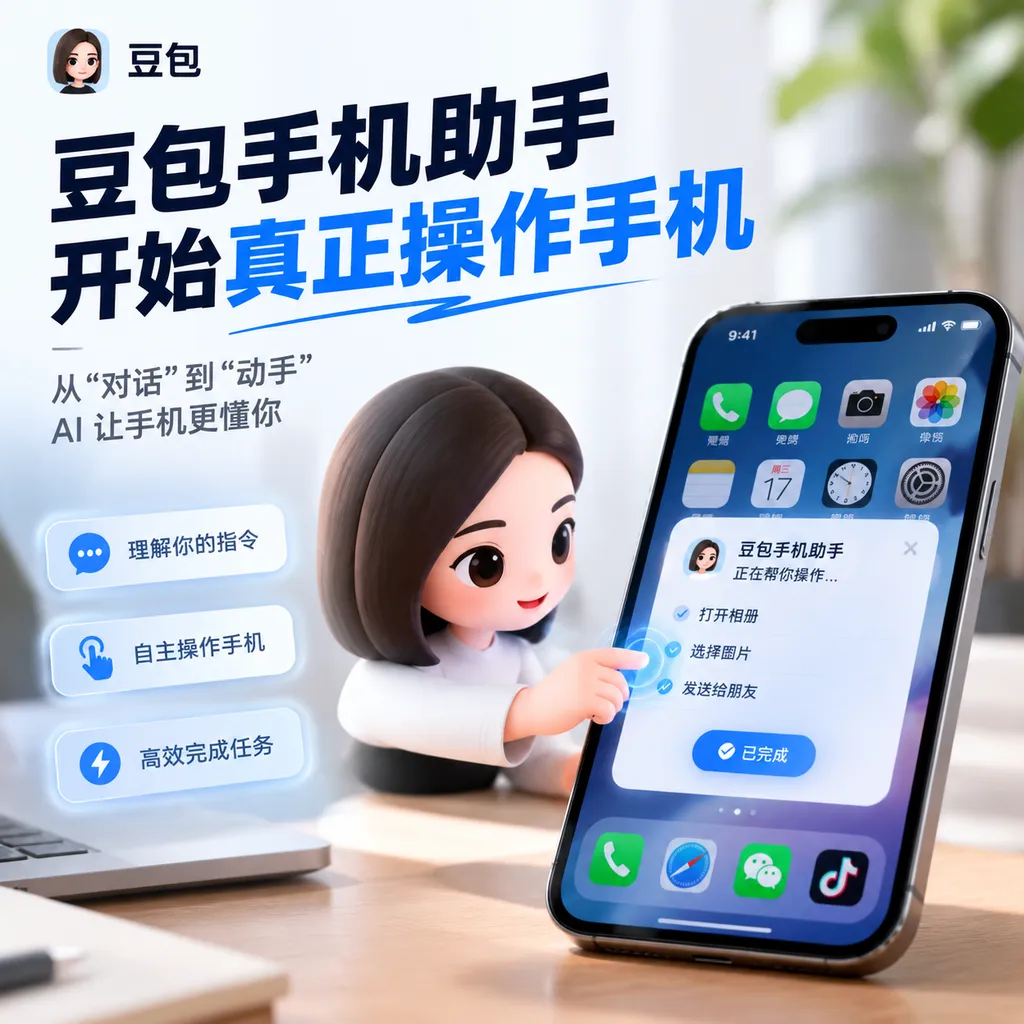
The consumer version of the Doubao Mobile Assistant was released today. In addition to screen-based Q&A, local search, and recording-based memory, it is introducing the ability to “operate the phone” in beta and launching the SAEP protocol, which allows third-party apps to independently decide whether to accept AI-powered automated operations.
Doubao Phone Assistant Begins Truly Operating Phones: First, Put Developers’ Boundary Issues on the Table
On September 14, the consumer version of Doubao Phone Assistant was officially released. Compared with the previously released technical preview, the focus of this update is not merely “whether it can call AI,” but advancing it toward a phone entry point that ordinary users can use every day: users can wake the assistant via voice or a dedicated AI key, have it understand the current screen, search local materials, organize recordings, and even try to operate the phone directly.
More importantly, Doubao has simultaneously introduced the Screen Automation Expression Protocol (SAEP) and launched a 30-day public consultation on its rules. Under this protocol, third-party applications can declare whether they allow or prohibit AI assistants from performing screen automation, and can further define the boundaries of such operations.
This may be more important than any particular new feature released this time. As phone agents truly move toward consumers, the challenge has never been merely getting models to “understand the screen.” It is also about enabling app developers to know what AI can and cannot do, who can trace an incident when something goes wrong, and who can stop it. Doubao is now attempting to answer these questions first with a cooperation protocol. At least, the direction is right.
From a “Question-and-Answer Box” to a Phone Entry Point
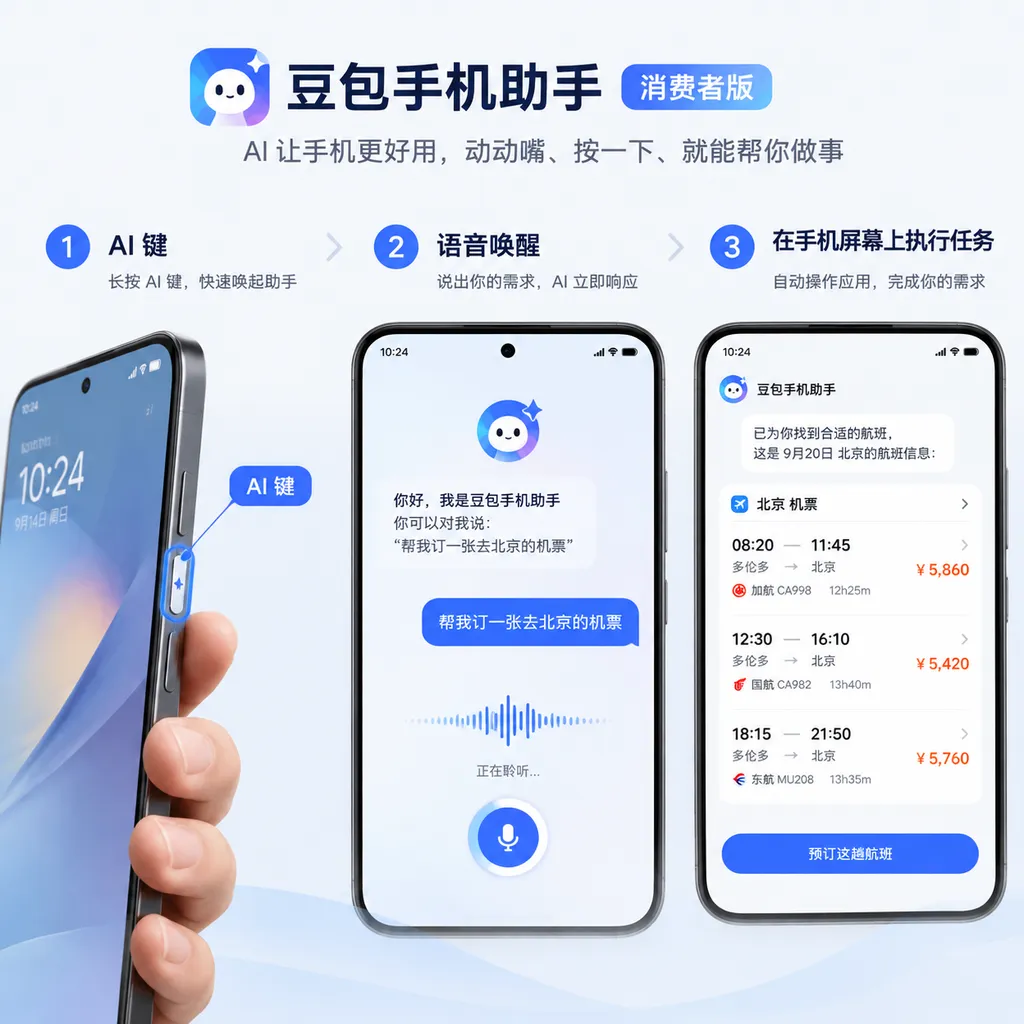
The consumer version first fills out the interactive experience. Doubao Phone Assistant supports multiple activation methods, including voice and an AI key. The dedicated AI key also adds fingerprint authentication. After verifying their identity, users can directly call the assistant to execute tasks in certain scenarios without having to unlock the phone again each time.
This design is highly practical. If a phone assistant can only be found inside an app, users have to locate it, open it, and then enter a question before using it, making it difficult to increase usage frequency. If the activation entry is sufficiently quick, however, the assistant has a chance to evolve from an “app for occasional chats” into a system-level tool. The AI key solves the physical-entry problem, while voice enables hands-free operation. Together, the two are clearly closer to the original form of a phone assistant than simply adding another chat window.
Doubao has also optimized voice activation for far-field use, internal noise, and noisy environments. For developers, these capabilities may be less eye-catching than a new model parameter or benchmark score, but they are more critical to product success: when users speak in the kitchen, car, office, or shopping mall, whether the assistant can hear them correctly determines whether it is truly “available at hand.”
Of course, fingerprint authentication does not mean that every high-risk action can be completed without confirmation. Tasks such as making payments, transferring money, sending messages, and deleting data still require clear authorization and secondary confirmation. AI should reduce the number of taps, not casually take away users’ control over the results.
Screen Q&A Solves Context Fragmentation
The consumer version adds screen Q&A capabilities. Users do not need to take screenshots, copy text, or switch apps; they can ask Doubao to continue processing a task based on the current screen content.
The official example is as follows: a user opens the camera, points it at an indoor environment, and says, “Based on this interior design style, help me choose a cabinet no more than 1.2 meters wide and priced under 1,000 yuan.” Doubao can simultaneously use the interior design style shown in the camera image and the user’s size and price requirements, then search e-commerce platforms for products that meet the criteria.
The value of this type of scenario lies not in whether the model can recognize images, but in the fact that it links three steps that were previously disconnected: seeing the real-world environment, understanding natural language, and carrying out cross-app searches. Traditional phone operation requires users to take photos, identify objects, search, filter, and compare prices separately. The goal of a phone agent is to compress these actions into a single sentence.
But it is also important to recognize that this capability remains a long way from “completing a purchase on the user’s behalf.” Judgments about interior design style may be subjective, while product dimensions, inventory, and prices can change. E-commerce platforms may also use promotional rankings. A reliable assistant needs to clearly present the basis for its search, its filtering criteria, and its final candidates, rather than simply providing an answer that appears reasonable.
For app developers, screen Q&A means that interfaces will no longer serve only human visual reading. Button labels, product attributes, price information, and status feedback may all become inputs for an agent to read and understand. Interfaces that rely on icons, canvases, dynamic rendering, or complex gestures will become more difficult for automation tools to operate reliably in the future if they lack clear accessibility semantics.
Local Search and Recording Memories Make the Assistant More Like a “Personal Archive”
Doubao Phone Assistant also provides search tools for local data, allowing users to retrieve content from photo albums, text messages, notes, and other sources as requested. For example, when a user asks when their travel permit for Hong Kong and Macao expires, the assistant can find the answer from relevant information on the phone.
This is closer to the value of a personal assistant than ordinary online Q&A: the answer is not on the public internet, but on the user’s own device. A model knowing all public knowledge does not mean it knows where the user held a meeting yesterday, which text message contains their ID information, or what advice was given during the last interview. Truly high-frequency personal tasks are often precisely about locating and connecting these scattered pieces of information.
Privacy therefore becomes an issue that must be addressed directly. Doubao officially emphasizes that data collection and processing follow the principles of “reasonable necessity” and “user autonomy and control,” and that it has established an agent protection system with tiered and graded management of the scope of operations. The key to this statement is not the words “AI is safe,” but whether it can be translated into visible mechanisms for permissions, confirmations, logs, and revocation.
For example, when searching local text messages, the system could return only fragments relevant to the question rather than handing the entire conversation to the model. When reading the photo album, it could first limit the search by time, album, or content type. When performing an external action, it should clearly tell users which app will be opened, what data will be modified, and what the final result will be. For developers, minimizing permissions and ensuring traceability of results should take priority over “giving agents as much freedom as possible.”
The recording experience has also been upgraded in this update and connected to Feishu Minutes. Users can manually save the current screen content through voice input, a three-finger swipe upward, or pressing the AI key and volume key simultaneously, creating memories that can be searched locally. Later, users can directly ask, “What product suggestions were mentioned in yesterday’s user interview?” without having to search through the entire recording or meeting notes again.
This type of capability is especially useful for students, salespeople, product managers, and people who attend frequent meetings. It is not simply about turning recordings into polished summaries; it makes past content searchable reference material. The prerequisite is that the system can distinguish between different scenarios, correctly mark times and sources, and allow users to view, delete, and correct memories. Otherwise, once an inaccurate transcription enters the “personal knowledge base,” subsequent searches will only amplify the error.
SAEP: AI Automation Finally Has a Set of “Traffic Rules”
The most industry-significant update this time is that the “operate the phone” feature has been opened in beta, together with the introduction of the SAEP Screen Automation Expression Protocol.
In the past, many phone agents operated by visually recognizing the screen and then simulating taps, swipes, and text input. This approach is quick to get started with and requires almost no cooperation from apps, making it particularly suitable for rapid demonstrations. But it is also highly fragile: a change in button position, the appearance of a pop-up, or the addition of an advertisement can cause a task to go astray. More seriously, an agent might perform actions such as submitting orders, publishing content, or changing settings in a third-party app without explicit authorization.
SAEP’s approach is to have third-party applications declare their operational boundaries in advance. An app can choose to allow an AI assistant to perform automation on its interface, or explicitly prohibit it. For apps that explicitly prohibit it, Doubao Phone Assistant promises not to perform automated operations.
This is equivalent to adding an “application-level protocol” to GUI automation. Previously, an agent would try to click whatever it saw, with the rules determined mainly by the model’s judgment in the moment. With a declaration mechanism, at least some decisions can be moved upstream to app developers. Developers know their business risks best and are most aware of which pages can support assisted operation and which actions must be completed personally by the user.
However, launching a protocol is only the beginning; it does not mean the problem has been solved. For SAEP to truly work, it must answer at least the following questions:
- How will declarations be read by machines? If boundaries exist only in documents or manual reviews, agents will still be unable to make stable judgments. The protocol should ideally provide a unified, verifiable metadata format so that the system knows what action a given button represents and which operations require user confirmation.
- How will prohibition declarations be enforced? If, after a third-party app refuses, the assistant can still bypass the restriction through low-level coordinate clicks or accessibility capabilities, the protocol will be reduced to a gentlemen’s agreement. The system layer needs to provide a trustworthy blocking mechanism.
- How will high-risk actions be tiered? “Opening a page” and “submitting a payment” should not be at the same permission level. Actions such as logging in, transferring money, posting, deleting, purchasing, and uploading files should all adopt stricter authorization policies by default.
- How will responsibility be traced? When an agent makes an incorrect operation, it must be possible to distinguish between an error in model planning, a system execution error, a change in the app interface, and unclear user authorization. Without operation logs and task replays, developers will have difficulty troubleshooting and users will have difficulty filing appeals.
- Will the protocol be open and cross-platform? If SAEP serves only Doubao Phone Assistant, its ecosystem value will be limited. Whether it can be adopted by other phone manufacturers, agent products, and application frameworks will determine whether it ultimately becomes merely a product rule or a broader industry interface.
From this perspective, the real competitive point of this Doubao release is not “whether it can automatically order takeout,” but whether it can enable phone manufacturers, app developers, and users to establish acceptable boundaries of responsibility. For phone agents, avoiding one dangerous action may be more important than completing ten additional demonstration tasks.
For App Developers: The GUI Is No Longer Merely an Interface Between People and Screens
If phone agents continue to become widespread, app developers will need to reassess the GUI. In the past, interfaces were designed primarily around human vision, touch, and hearing. In the future, they will also have to face intelligent agents capable of observing, planning, and executing.
This does not mean that every app must immediately open itself to automation. On the contrary, the first step is to clarify which capabilities are worth opening and which must be disabled. For example, content browsing, public-information searches, order-status queries, and filling out form drafts could potentially allow agent assistance. Payment confirmation, account-security settings, privacy-data exports, and irreversible deletion, however, should by default retain human confirmation.
Applications also need to provide more stable semantic information. For people, “the blue button” may be sufficiently clear; for an agent, it is not. Control names, states, error causes, and the context of the current page should all be expressed structurally, preventing the system from having to rely solely on pixel-level guesses. This would also improve accessibility, automated testing, and cross-platform adaptation, rather than serving AI alone.
A more practical approach is to design the actions an agent can invoke as a limited set of business capabilities, instead of fully exposing the entire app to coordinate-based clicking. For example, an e-commerce app could provide explicit actions such as “search for products by criteria,” “add to cart,” and “check logistics,” while leaving the final payment to user confirmation. Compared with allowing a model to freely operate dozens of pages, this approach is easier to test, audit, and roll back.
Initial Device and Consumer Rollout
The first consumer version of Doubao Phone Assistant will be available on the Nubia NaviX Ultra. The device is currently open for reservations and will officially go on sale on September 16.
This also shows that Doubao Phone Assistant is not merely a standalone app update, but is advancing toward becoming a system-level entry point. The dedicated AI key, fingerprint authentication, far-field activation, and local-data access all require coordination among hardware, system permissions, and model services. Only when these capabilities are made into a stable system experience can users form habits around them.
But the consumer version is still a trial. The phone-operation feature is currently available in beta, meaning that its range of use, stability, and number of supported apps will remain limited. GUI automation is particularly vulnerable to system versions, screen sizes, app updates, and network conditions. Whether the official team can establish clear failure notifications, human takeover, and task-cancellation mechanisms will directly affect users’ trust in it.
Assessment: The Next Battle for Phone Agents Is Not Better Chatting, but Better Understanding of Boundaries
The product direction of the Doubao Phone Assistant consumer version is clear: pull AI out of the chat page and place it among the screen, recordings, local materials, and third-party apps. Screen Q&A addresses context, local search addresses the retrieval of personal information, recording memories address the long-term use of materials, and “operating the phone” attempts to turn understanding into action.
Its shortcomings are equally clear. The closer it gets to system-level permissions, the less it can rely solely on the intelligence of large models. Models make mistakes, pages change, user instructions can be ambiguous, and third-party apps have their own security boundaries. For phone agents to truly become infrastructure, permissions, declarations, confirmations, auditing, and revocation must be made into product capabilities rather than security promises hidden in promotional copy.
SAEP has at least taken an important first step: it acknowledges that third-party apps are not “ownerless interfaces” that agents may freely enter, and that developers have the right to express permission or refusal. Next, the key question is whether the protocol can evolve from a 30-day public consultation into an enforceable technical specification, whether it can be adopted by more applications, and whether it can provide a clear chain of responsibility when an incorrect operation occurs.
For users, the consumer version is worth trying, but beta features should not be treated as an all-purpose personal assistant. For developers, now is the time to redesign permission and automation boundaries. The final form of phone AI may not be a larger chat box, but an operating-system rule set that enables agents to act safely across different apps. What Doubao may truly be getting a head start on with this release is precisely that rule set.
Sources
- ITHome: Doubao Phone Assistant Consumer Version Released: GUI Cooperation Protocol Introduced Simultaneously — Introduces the consumer-version features, the SAEP protocol, data-processing principles, and initial-device information.
- Zhihu: Doubao Phone Assistant Technical Preview Released, AI Directly Embedded in Phone Operation — Provides background on discussions of phone automation during the earlier technical-preview stage.