Perplexity Local Agent Lands on Windows RTX
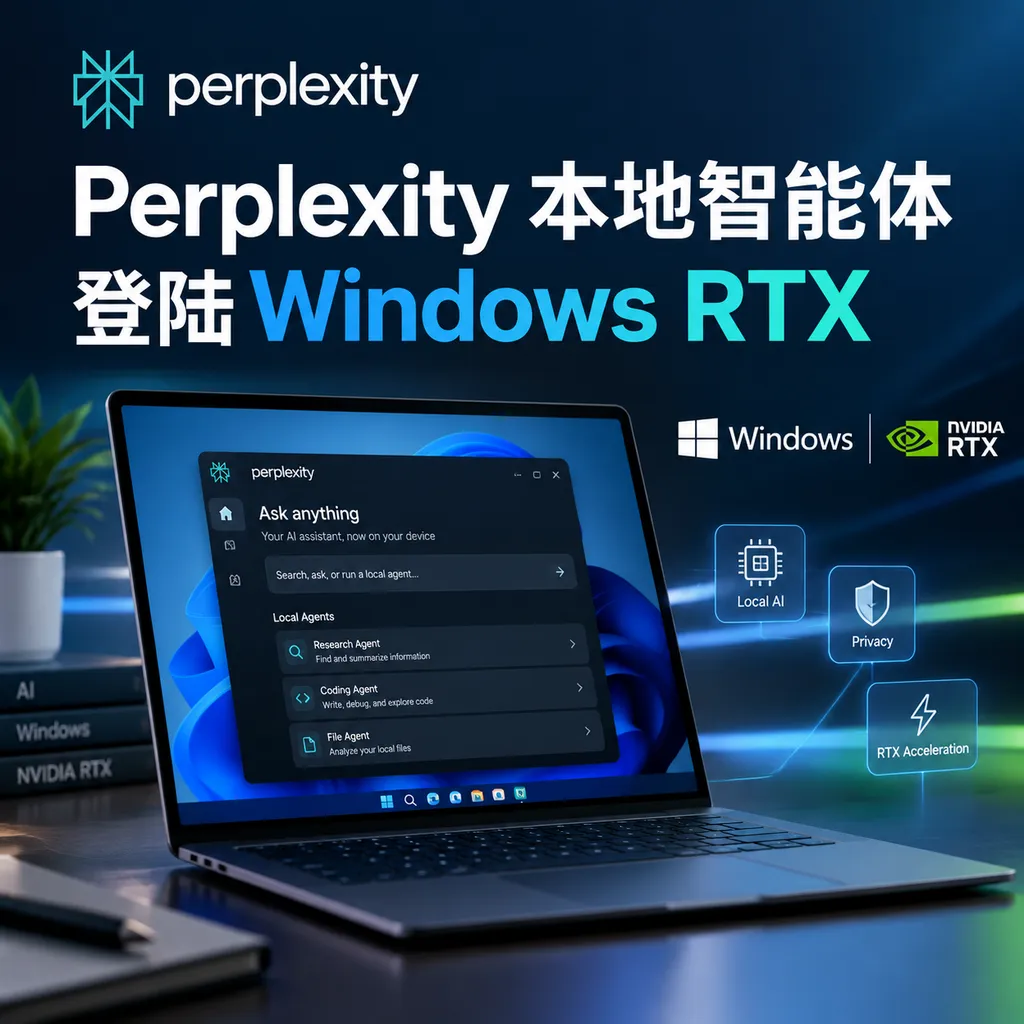
Perplexity is bringing Portable Computer to Windows RTX PCs: powered by the local Qwen 3.8 27B model, it handles files, code, and multi-step tasks, calling cloud-based models—with user authorization—only when complex reasoning is required. It lowers the barrier to deploying local agents, but the hardware requirements remain demanding.
Perplexity’s Local Agent Lands on Windows RTX PCs: Your Computer Starts Working for You, but You’ll Need an RTX First
Perplexity’s Portable Computer is officially available today to Windows RTX PC users. It is not just another desktop assistant that can only chat, but an agent system that connects local models, a task orchestrator, a sandbox, and cloud models: tasks start on the local machine by default and are not uploaded if they can be completed locally. Only when more complex reasoning or execution is required does it ask the user for permission to call on cloud computing power.
The supported devices this time include compatible Windows PCs equipped with NVIDIA GeForce RTX graphics cards, as well as RTX PRO professional workstations. Previously, Portable Computer was primarily aimed at NVIDIA DGX Spark and Linux RTX PCs. The arrival of the Windows version means that this “local-first” agent is no longer serving only development boards, workstations, and enthusiast users, but is beginning to reach a much larger PC developer community.
But don’t interpret this as “install an app and give an ordinary computer a digital employee.” Portable Computer’s value is indeed closer to productivity than that of traditional local chatbots, but its requirements for VRAM, memory, and the GPU ecosystem likewise keep most ordinary office computers out of the picture.
Two Types of Computing Power in One App
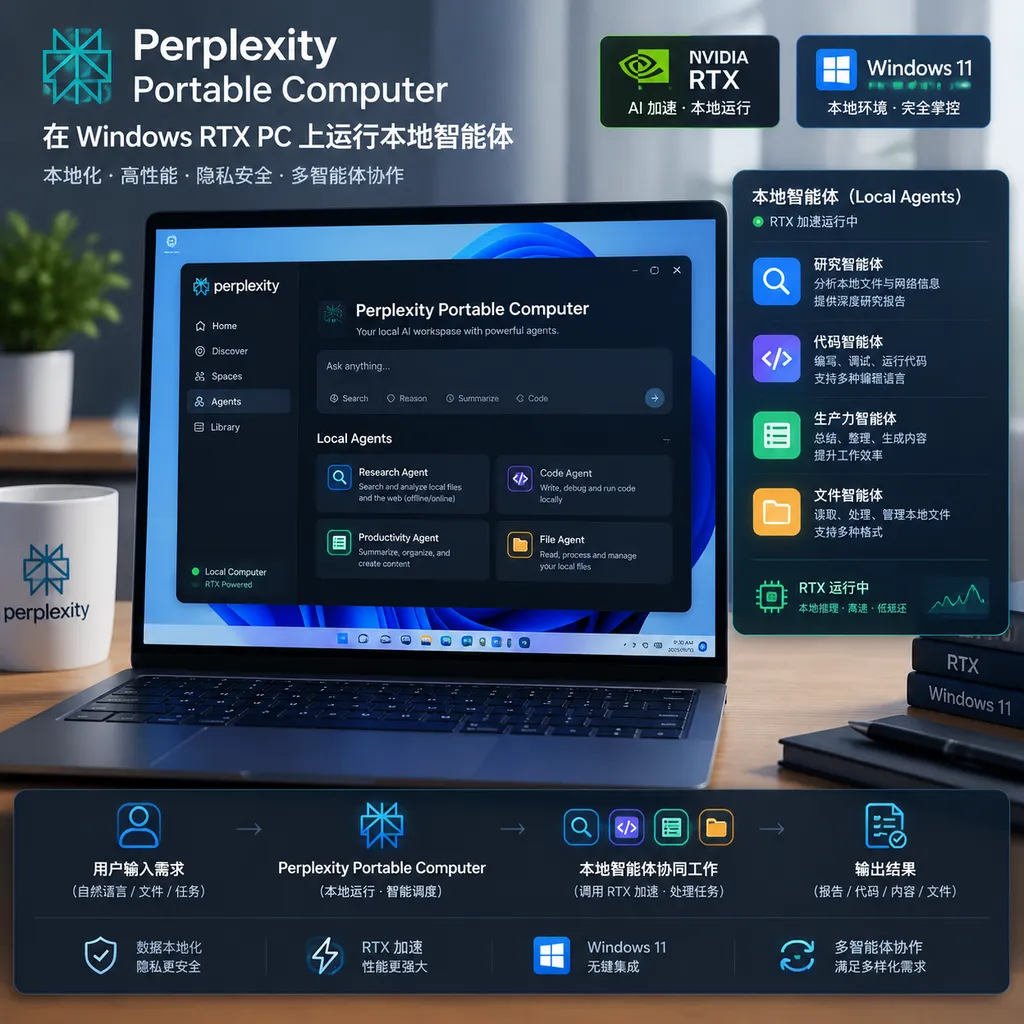
Perplexity Computer is a multi-model orchestration agent launched by Perplexity in February this year. It is positioned more like a digital employee that can operate a browser, call tools, and break down tasks. Portable Computer is its localized version. The core change is not the interface, but where tasks begin and where data passes through.
Users can initiate tasks directly in the Windows client, for example:
- Read the open Pull Requests in a code repository and categorize them by risk, status, and owner;
- Scan project documentation, identify installation instructions that are outdated, and generate modification proposals;
- Consolidate contracts, spreadsheets, or meeting materials in a local folder and extract key fields;
- Connect to OneDrive, Google Drive, Gmail, Slack, and GitHub to organize information scattered across different applications;
- Search for information in a browser, then combine the results with local files to produce a report.
What these tasks have in common is that they are not one-off question-and-answer exchanges, but consist of multiple steps. The agent must first understand the objective, then decide which files to read, which tools to call, whether to execute code, and how to organize the final result.
Traditional cloud-based agents send the task and relevant context to the provider’s servers, where a cloud model handles planning and execution. Portable Computer, by contrast, keeps the first step local whenever possible. It runs a local model on the device to analyze files and data, call its built-in browser, and use its proprietary SPACE sandbox environment. For developers, this distinction is highly practical: code repositories, customer data, and internal documents do not have to leave the computer at the outset.
Of course, local does not mean that every task can be completed locally. During execution, Portable Computer determines whether a particular step requires a more powerful cloud model. If so, it identifies potentially sensitive information that may be transmitted, displays the relevant content to the user, and requests authorization before anything is actually uploaded. This mechanism is more prudent than “sending everything to the cloud by default,” but the ultimate security boundary still depends on whether the user carefully reviews the authorization prompt.
Qwen 3.8 27B Is the Engine; an NVIDIA GPU Is the Ticket In
Portable Computer includes the Qwen 3.8 27B model. The model has undergone additional fine-tuning by Perplexity to adapt it to Computer’s task-orchestration workflow, and it has been optimized for NVIDIA RTX GPUs. Users do not need to find the model themselves, obtain quantized weights, or configure an inference framework. Nor do they need to manually assemble tool calls and a sandbox environment: after installing the client, they can enable the local agent directly.
This experience solves the most troublesome part of local AI. In the past, anyone wanting to run a model on a computer that could handle long contexts and call tools often had to go through a long series of configurations: download tens of gigabytes of weights, confirm that VRAM and memory were sufficient, choose an inference backend, deal with model formats, and then connect file access, browser control, and code execution. There is still an entire engineering stack between getting a model to run and getting it to actually complete tasks.
Perplexity has packaged all of this into Portable Computer. For developers who simply want to use an agent without maintaining a local AI environment, this is more appealing than installing a model runner on its own.
However, packaging the experience does not eliminate the hardware requirements. Previously published local-deployment information indicates that after Qwen 3.8 27B is quantized to 4-bit, the model download is approximately 27.6 GB and requires at least 24 GB of memory. The actual experience on a Windows RTX PC will also be affected by VRAM capacity, system memory, graphics drivers, and task context length. In other words, having an “RTX-supported” card does not automatically mean that it is suitable for running Portable Computer; an entry-level GPU may be able to launch it, but that does not mean it can smoothly handle large repositories or multi-file tasks.
Perplexity is also developing a fine-tuned Nemotron 3.5 Lightning variant. Public information indicates that the model is expected to be approximately 19 GB, but its memory requirement may reach 36 GB. Its goal is faster response, not simply to replace Qwen 3.8 27B. Speed is important for agents: if every file read and action-planning step requires a long wait, multi-step tasks can quickly lose the meaning of “automation.”
The Real Value of Local Execution Is Not Saving Money, but Controlling Data
One of Portable Computer’s promotional highlights is that local tasks do not consume Perplexity Computer service quotas, and processing by the local model is not billed by token. For high-frequency work such as batch-summarizing files, migrating code module by module, and scanning large repositories, this could indeed reduce usage costs.
But data control is more worth paying attention to.
Developers are usually not worried if a model takes a few extra seconds to respond, but they do care whether source code, customer contracts, or financial spreadsheets are sent to a third-party server. The same applies to internal enterprise knowledge bases: even when cloud services offer comprehensive privacy assurances, many organizations still restrict sensitive data from leaving the network because of compliance, data-residency, and vendor-management requirements. Portable Computer allows some tasks to be completed locally, at least providing a path that enterprises may find easier to accept than “upload everything.”
This is also what distinguishes it from ordinary desktop Copilot products. The latter typically focus on system-level calls and cloud-based generation, whereas Portable Computer is designed more like a local workflow executor. It does not merely help you write a paragraph; it attempts to establish connections among multiple files, applications, and operations.
However, local privacy must not be equated with absolute security. The application needs access to local files, GitHub projects, and office-software connectors, which in itself gives it relatively high privileges; the agent may also perform operations through a browser or sandbox. Users need to pay attention to connector permissions, the scope of file selection, cloud-upgrade rules, and task-execution records.
Perplexity currently uses a “local-first, cloud-upgrade” architecture. The direction is right, but whether the product is sufficiently transparent will determine whether it can enter genuinely sensitive workflows. Ideally, every data transfer should be traceable, every tool call should be reversible, and every cloud upgrade should precisely explain what is being sent, rather than merely displaying a vague confirmation window.
For Developers, the Most Useful Scenario Is “Semi-Automated Engineering Collaboration”
Portable Computer is unlikely to replace senior engineers anytime soon, but it is suited to handling large amounts of work that follows clear rules while requiring operations across files and tools.
Take a code repository as an example. The agent can first read open requests in GitHub and categorize them by scope of change, test status, and potential risk. It can then check the corresponding documentation and configuration files to identify places where the code has changed but the documentation has not been updated. Finally, it can generate modification suggestions for the developer to review. The entire process does not require continuously uploading the complete repository to the cloud; the local model can first handle retrieval, summarization, and preliminary judgment.
The key to these tasks is not how impressive the model’s single response is, but whether it can reliably execute dozens of small steps. Even if a model is only 80% accurate at each step, a clear plan, a sandbox, and human confirmation may still make it more efficient than having developers manually browse files, copy information, and switch between applications. Conversely, if the agent cannot explain which files it read or why it reached a particular conclusion, the greater the level of automation, the greater the risk.
Financial and operational scenarios are also well suited to this architecture. For example, local financial spreadsheets, emails, and cloud-drive materials can be consolidated, with numbers and timelines first extracted on the local machine, after which the user decides whether to let a cloud model generate a more complex analysis. It is important to emphasize that this capability does not mean the agent can be directly entrusted with investment decisions or financial approvals; it is better suited to organizing materials, flagging anomalies, and generating drafts. The final judgment should still be made by a human.
Perplexity’s Calculation: It Is Not Trying to Fight Local Model Platforms Head-On
From a product-strategy perspective, Perplexity has not tried to turn itself into another purely local model platform. Its advantages remain Computer’s task orchestration, browser tools, connectors, and cloud models, while the local model is more like a new execution layer.
This combination avoids a practical problem: it is difficult for a single local model to match the level of a flagship cloud model on every task. Having the local model handle file reading, classification, batch processing, and routine tool calls, while handing difficult reasoning to the cloud, can both reduce data exposure and preserve an upper limit for complex tasks.
Compared with lower-level local-model tools such as Ollama and LM Studio, Portable Computer requires less configuration, but it may offer less control and a narrower range of model choices. Compared with fully cloud-based Claude, ChatGPT, or Perplexity Computer, it has advantages in privacy and batch-processing costs, but requires users to own suitable RTX hardware. It is not a universal answer that “everyone should use”; rather, it offers a compromise for people with a graphics card and local data who also want to use agent workflows.
NVIDIA clearly benefits from this as well. RTX PCs are no longer merely devices for running games, graphics applications, or single-turn chats, but are being packaged as personal AI workstations. For NVIDIA, encouraging more applications to optimize around CUDA, TensorRT, and RTX helps shift the reason to buy a graphics card from “it runs faster” to “only this class of hardware can run local agents smoothly.”
Is It Suitable to Install Now? Consider Three Questions
First, do you often handle files that cannot be casually uploaded? If you only write emails or summarize public webpages, cloud products are generally more convenient. If your daily work revolves around source code, internal documents, contracts, and customer data, a local-first architecture is more valuable.
Second, does your computer actually have sufficient resources? Do not look only at the GPU model; also consider VRAM, system memory, disk space, and cooling. Downloading and running a 27B-class model is no small burden, and background Windows applications will also consume resources.
Third, are you willing to review the agent’s actions? Portable Computer can connect to email, cloud drives, code repositories, and collaboration tools. The more capable it is, the less you can afford to be lax about permission management. It is recommended to begin with read-only tasks and gradually enable file-writing, code-execution, and external-sending permissions.
If the answer to all three questions is yes, Portable Computer is worth trying. If you simply want to experience local chat, installing it may be somewhat like “using a cannon to swat a mosquito.” Its real selling point is not the number of model parameters, but turning a local model into an executor capable of handling real-world workflows.
Conclusion: Local Agents Are Finally Moving from Model Demos to Workflows
Portable Computer’s arrival on Windows RTX PCs shows that the competition in local AI is shifting from “who can get a model running” to “who can make a model work reliably on real tasks.” The model is only the starting point. Task planning, tool connections, permission controls, sandbox execution, and cloud collaboration determine whether an agent can enter developers’ everyday work.
Perplexity’s solution still has clear boundaries: its hardware requirements are high, a local model cannot possibly cover every complex task, and connectors and cloud upgrades require users to remain alert to privacy risks. But it at least presents a clear direction—keep sensitive, repetitive, large-scale work on the local machine; hand tasks requiring stronger reasoning to the cloud under conditions that are visible, controllable, and authorized.
This is more useful than simply claiming that “AI can run offline,” and it is closer to the form enterprises will actually adopt. For developers who already own RTX workstations, Portable Computer’s value lies not in replacing every cloud model, but in connecting idle local computing power to an agent framework that can get work done. Ordinary PC users, meanwhile, will have to wait for lighter models and lower hardware barriers.
If you are already using Perplexity Computer, you can also view Portable Computer as a new local execution entry point: let it process data locally first, then decide whether to upgrade to the cloud based on task difficulty. Perplexity’s support for developer-familiar model-calling ecosystems such as OpenAI Hub does not mean that the product has become an API tool, but for teams that need to switch among different models, this idea of local and cloud models coexisting may become the standard configuration for agent products in the future.
References
- NVIDIA: Perplexity’s local agent Portable Computer is now available to Windows RTX PCs: Introduces the availability of the Windows RTX PC version, local models, connectors, and the cloud-authorization mechanism.
- Perplexity AI launches the Portable Computer local-agent application: Provides additional information about Portable Computer’s product positioning, hardware requirements, and local-deployment details.