
Anthropic launches Claude Design, enabling non-designers to create visual drafts
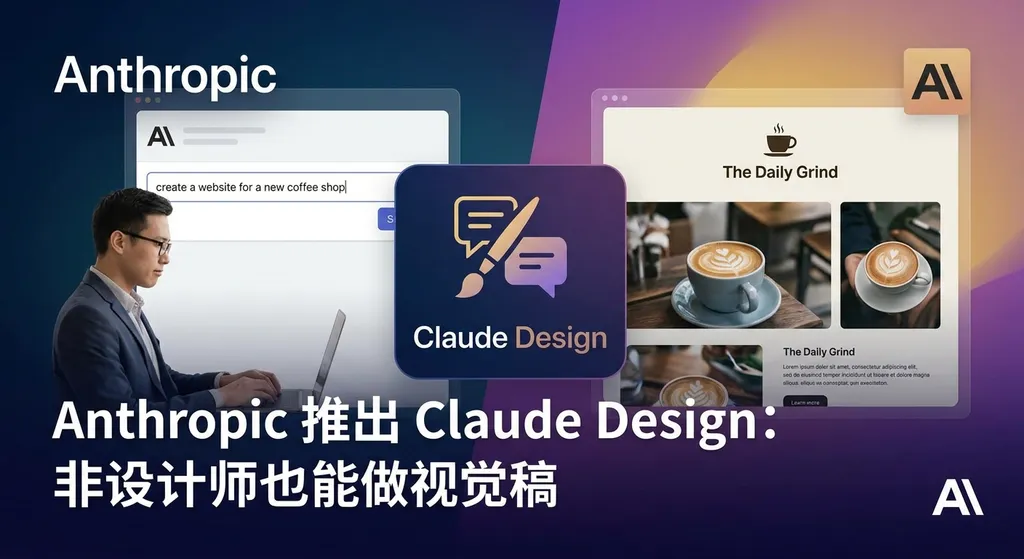
Anthropic launches Claude Design, a visual collaboration tool based on Opus 4.7, enabling founders and product managers to quickly create prototypes, slides, and design drafts without a design background. Figma's stock price fell by 6% in response.
Anthropic Launches Claude Design — Visual Mockups for Non-Designers
Yesterday (April 16), Anthropic released Claude Design, a new tool that enables non-designers to quickly create visual assets. This is the second standalone product incubated by Anthropic Labs, powered by the newly released Claude Opus 4.7 model. It targets founders and product managers—people who need to express ideas fast but lack formal design training.
Following the news, Figma’s stock dropped 6% that day. The market’s reaction was clear: AI is starting to take a bite out of professional design tools.
Not a Design Tool, but a “Visual Expression” Tool
Claude Design’s positioning is clear: it doesn’t compete head-on with professional tools like Figma or Sketch—it solves the pain point of “I have an idea but can’t design.”
Here’s what you can do with it:
- Product prototypes: Generate interactive UI prototypes directly from text prompts
- Presentations: Quickly produce visually designed slides
- One-pagers: Visualize business plans or product concepts
- Marketing assets: Create social media graphics or poster drafts
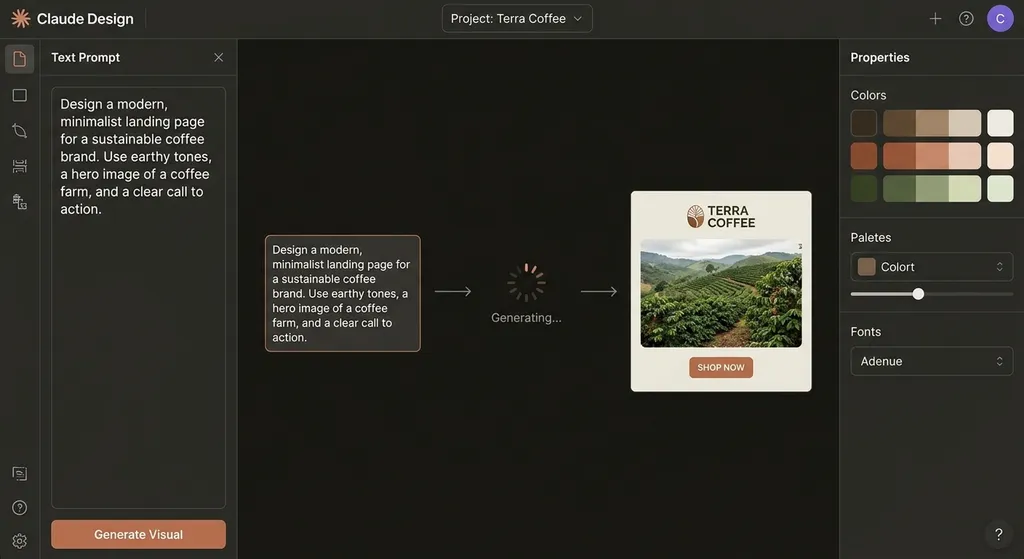
The core concept is conversational collaboration. You don’t need to learn Figma’s layer system or understand typography—just tell Claude, “I want a landing page for a SaaS product, blue as the main color, with three feature cards,” and it will generate a usable design. Not happy with it? Continue refining through conversation—Claude interprets revisions based on context.
Anthropic’s Head of Design, Jenny Wen, noted in a talk in Berlin last year that traditional design workflows can’t keep pace in the AI era. Developers can run seven Claude instances in parallel to build features, while designers still follow a linear path of “requirements review → prototype → visual design → delivery.” The speed gap is enormous. Claude Design decentralizes design capability—giving non-designers the power to quickly iterate ideas themselves.
How Strong Are Opus 4.7’s Visual Capabilities?
Claude Design’s capabilities rely on Opus 4.7’s improved visual comprehension. According to Anthropic’s data:
- XBOW visual accuracy: jumped from 54.5% (Opus 4.6) to 98.5%
- CursorBench coding tasks: improved from 58% to 70%
- Rakuten production task completion: tripled over the previous generation
XBOW is a benchmark for AI visual understanding involving complex charts and UI parsing. A 98.5% accuracy means Claude can now precisely interpret design layouts, colors, and element relationships—the foundation for producing high-quality visuals.
Opus 4.7 introduces a new xhigh effort level, allowing more compute for complex tasks. This is critical for design workflows—creating multi-page prototypes demands consistent visual style and coherent interactions. That requires the model to “think carefully” rather than just “generate quickly.”
Pricing remains the same as Opus 4.6 ($15/M tokens input, $75/M tokens output). However, due to tokenizer upgrades, actual token usage may slightly increase. For a visual generation product like Claude Design, per-session token consumption is higher than text-only use. Anthropic lists Claude Design usage separately on user dashboards, signaling its intent to manage cost pressures.
How Is It Different From Midjourney or DALL·E?
At first glance, people might think: isn’t this just AI image generation? How is it different from Midjourney or DALL·E?
The key distinction lies in editability and structured output.
Midjourney generates a flat image—you get pixels. Want to tweak a button color or move text? You have to regenerate or edit manually in Photoshop. Claude Design, on the other hand, generates structured design files—every element is an object that can be edited directly or exported as developer-ready code or design tokens.
This difference defines use cases. Midjourney is ideal for concept art or mood boards; Claude Design is for deliverable work files. A product manager can hand a Claude Design prototype to an engineer and say, “Build this,” not “Use this as inspiration.”
Another major difference: context comprehension. Claude Design inherits Claude’s conversational intelligence—it understands business goals, brand tone, and target users. You can say, “This is for enterprise clients; it should look professional and trustworthy,” and Claude will adapt color schemes, fonts, and layouts accordingly. Midjourney cannot grasp that level of semantic nuance.
Will Designers Lose Their Jobs?
Every AI design release raises the same question. The answer remains: routine, low-skill tasks will be automated, but professional designers’ value isn’t just in making visuals.
Claude Design solves the “0 to 1” problem—rapidly visualizing ideas to validate directions. But the “1 to 100” stage—brand consistency, fine-tuning, UX optimization—still requires expertise.
Figma’s 6% drop doesn’t mean “designers don’t need Figma anymore”; it means “non-designers don’t need designers for first drafts.” The market is re-evaluating the TAM (Total Addressable Market) of design tools.
Jenny Wen also highlighted a shift in organizational roles: when non-designers can produce usable visuals, designers evolve from “executors” to “gatekeepers” and “system builders.” They won’t draw 50 landing page variants manually—they’ll define design systems, review AI output, and refine edge cases.
The change parallels what GitHub Copilot did for programmers. Junior developers’ CRUD code gets automated, but senior developers’ skills—architecture, performance tuning, code review—become even more valuable.
Usage Limitations of Claude Design
Claude Design is currently in research preview, available to Claude Pro, Max, Team, and Enterprise subscribers, and rolling out gradually.
User feedback highlights several constraints:
- Separate usage quota: Claude Design draws from distinct usage credits, not shared with regular Claude chats. Even Pro users might quickly use up their Design allowance.
- Generation speed: Visual rendering makes it slower than plain text output. A complex multi-page prototype could take 30 seconds to 1 minute.
- Style precision: You can fine-tune via conversation, but pixel-level control (e.g., “change button corner radius to 8px”) is difficult. Best for high-level iteration, not detailed polishing.
- Export formats: Supports image, PDF, and partial code exports, but not native Figma files. Continuing work in Figma requires manual rebuilds.
Anthropic hasn’t announced standalone pricing or API access for Claude Design. Given Claude Code’s timeline—from Labs preview to public release over several months—Design will likely follow a similar path.
If Claude Design Opens Its API
Imagine Claude Design offering an API. What could developers build?
The most straightforward use case is automated marketing asset generation. E-commerce platforms could create product detail pages or promo banners from item data; SaaS providers could auto-generate changelog visuals from update text.
Another scenario: visual layers for low-code platforms. Tools like Retool or Bubble simplify logic-building, but UI still needs manual layout. With Claude Design API, users could simply say, “Make a CRM client list page,” and the system generates it automatically—ready to bind to data.
For developers using OpenAI Hub, if Claude Design adopts a similar API structure, integrating it would be effortless:
import openai

# Configure OpenAI Hub
openai.api_base = "https://openai-hub.com/v1"
openai.api_key = "your-openai-hub-key"

# Call Claude Design API (hypothetical future support)
response = openai.ChatCompletion.create(
    model="claude-opus-4-7-design",  # hypothetical model name
    messages=[
        {"role": "user", "content": "Generate a SaaS pricing page with three plans: Basic, Pro, and Enterprise"}
    ],
    response_format={"type": "design"}  # specify design file output
)

# Retrieve generated design file URL
design_url = response.choices[0].message.content
print(f"Design generated: {design_url}")
OpenAI Hub’s advantage lies in unified endpoints and direct domestic connectivity. If your app needs GPT for copywriting, Claude for design, and DeepSeek for coding, OpenAI Hub spares you from managing multiple keys and API formats.
Mythos: Anthropic’s Hidden Ace
Alongside Opus 4.7, Anthropic revealed a stronger model—Claude Mythos Preview.
Mythos reportedly outperforms Opus 4.7 across all benchmarks, but due to safety considerations, it’s limited to 40 partner organizations. No public metrics yet, but its name and purpose suggest it’s a technical verification stage before Claude 5.0.
This strategy differs from OpenAI’s “release fast, iterate later” approach. Anthropic prefers “test safely in small batches before broad deployment.” Which is better depends on how you view AI safety risk.
For enterprise users, Anthropic’s conservative stance may be more appealing—they prioritize stability and reliability over early access. For the developer community, though, OpenAI’s aggressive openness fosters faster experimentation and community-driven bug fixes.
Together, Claude Design + Mythos illustrate Anthropic’s product philosophy: Labs products explore new applications; limited-preview models test boundaries; mature ones roll out commercially. This balanced approach emphasizes safety—but might cause Anthropic to miss certain momentum windows in the “AI app explosion” phase.
The Next Step for Visual Generation
Claude Design is only the beginning. The endgame for AI visual generation isn’t “AI draws pictures for you,” but “AI understands your intent and auto-produces contextually aligned visual output.”
Imagine this workflow:
- As you write a product document mentioning “conversion rate increased by 30%,” AI auto-inserts a data visualization chart.
- While making a presentation about competitor analysis, AI generates a comparison table and adjusts emphasis based on your narrative.
That requires several core abilities:
- Multimodal understanding: comprehend relationships among text, data, and images
- Context awareness: understand task objectives, audience, and stylistic expectations
- Structured output: generate editable, reusable design components—not pixels
Opus 4.7 advances the first, Claude Design pioneers the third, but the second—truly understanding “why” behind a design—remains a long-term challenge.
The direction, however, is clear. As AI evolves from tool to collaborator, design becomes more accessible—but not obsolete. Like photography: when cameras became ubiquitous, professional photographers’ value shifted from “knowing how to shoot” to “knowing what and how to shoot well.”
Claude Design lets more people press the shutter, but crafting a great photo still demands expertise.
References
- Meet Claude Design | Anthropic Labs - Linux.do Community Discussion — first-hand Chinese community reactions and user feedback
- Dedicated Claude Design quota spotted in Claude usage dashboard - Linux.do — discussion thread about independent Claude Design usage limits


