Tencent WorkBuddy Generated the Backend Too
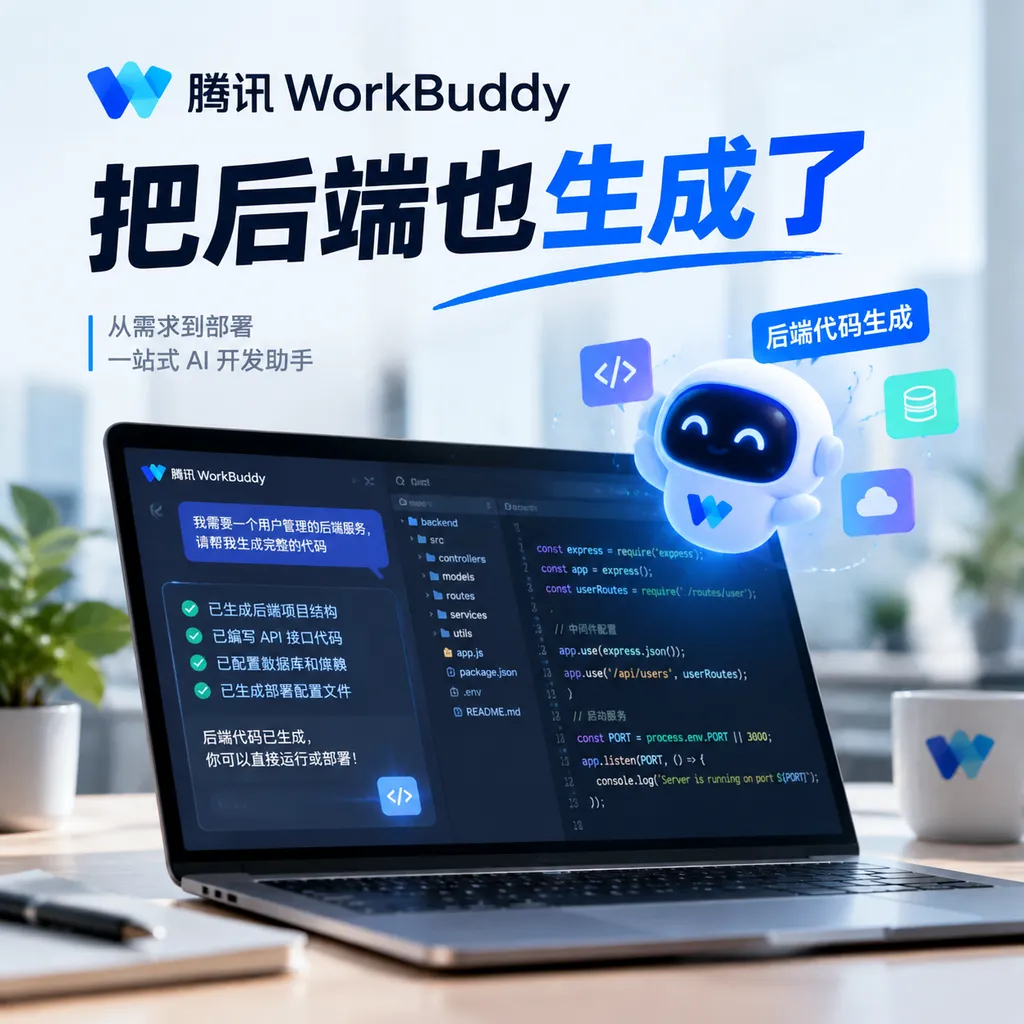
WorkBuddy 5.5.6 introduces full-stack web application generation, with managed database, file storage, user authentication, and AI calls. It lowers the barrier to deploying applications, but resource pricing, portability, and production-grade operations still need to be validated.
Tencent Takes Its AI Website Builder Full-Stack
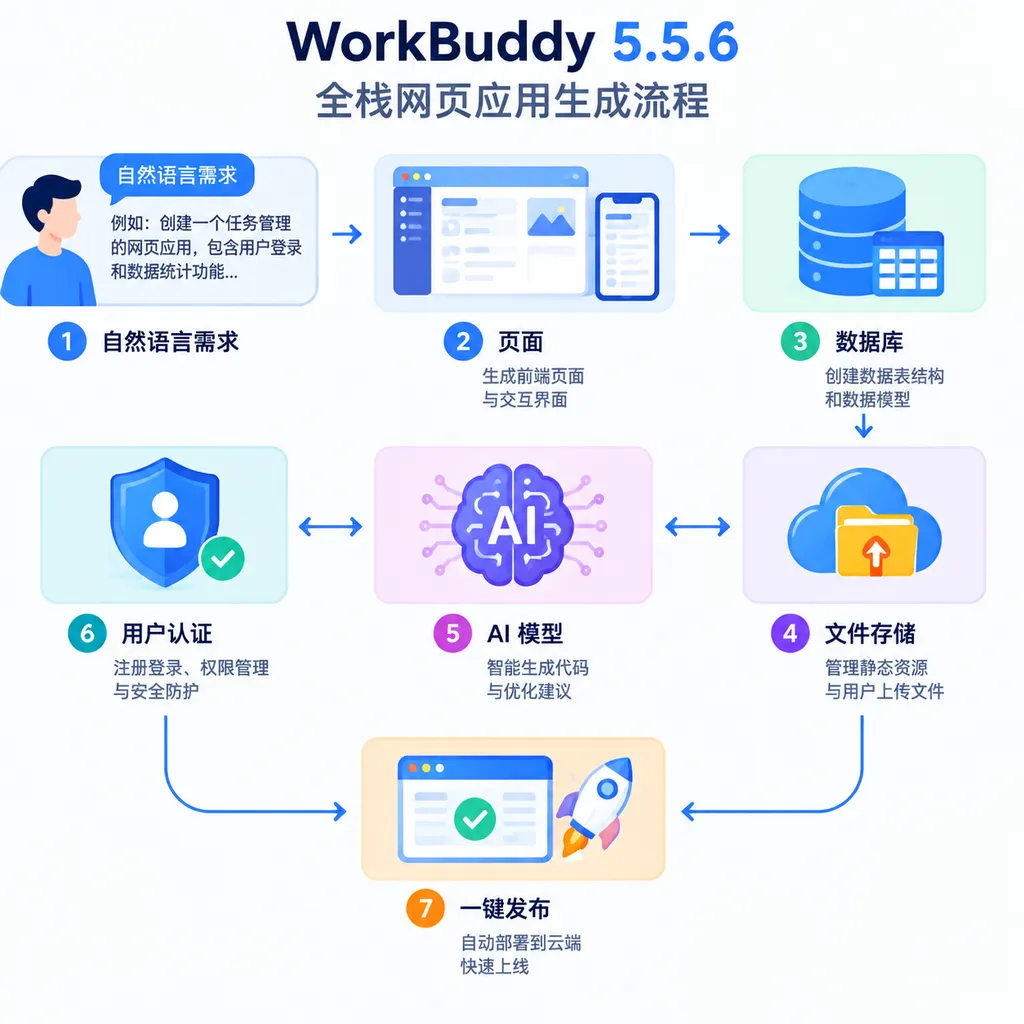
On September 18, Tencent released WorkBuddy 5.5.6, introducing full-stack “application” generation capabilities. The initial release supports web applications: after users describe their requirements in natural language, WorkBuddy not only generates the interface but can also configure cloud databases, file storage, user registration and login, and AI integrations, then publish the application directly as an accessible link.
Simply put, this update is not about “getting AI to write a few more lines of code.” It is about taking a web application from prototype to a runnable state.
Previously, when AI was used to generate an admin dashboard, the frontend interface could usually be produced within minutes. However, the truly time-consuming work still came afterward: where to host the database, how to upload images, how users should log in, how to isolate data between users, where to store model API keys, and which server to deploy the application to. WorkBuddy 5.5.6 attempts to handle all of these steps together.
From “Generating Pages” to “Generating Usable Applications”
According to information disclosed by Tencent, WorkBuddy now provides seven core capabilities:
- All-in-one creation and publishing: Interface generation, data configuration, and production deployment are all completed within WorkBuddy;
- No deployment required: Users do not need to purchase servers or configure runtime environments themselves and receive a direct access link after publishing;
- Cloud database: Structured data is stored in the cloud, with support for create, read, update, and delete operations, as well as configurable data read/write permissions;
- File storage: Images, attachments, and other files can be uploaded to the cloud and used within applications;
- Registration and login: Built-in identity authentication allows users to register and log in, with data isolated by user;
- Keyless AI integration: Applications can call large models directly, without developers having to apply for and manage API keys separately;
- Operational analytics: Once an application is online, users can view metrics such as user counts and registration growth.
None of these capabilities is particularly novel on its own. Databases, object storage, identity authentication, and cloud functions are already standard components of Backend as a Service platforms. The change is that WorkBuddy incorporates them into a natural-language application generation workflow, allowing AI to handle both the frontend interface and basic backend configuration.
For example, a user can simply enter:
Create an internal customer feedback system for my team.
After logging in, employees should be able to submit text, screenshots, and a priority level;
administrators should be able to view all feedback, update its processing status, and filter it by submitter and date;
also use AI to automatically categorize issues and generate a weekly summary.
A traditional development workflow would require designing database tables first, followed by integrating a login system, file uploads, model APIs, and a deployment environment. WorkBuddy’s goal is to identify the user table, feedback table, attachment fields, role permissions, and AI processing workflow from this description, then assemble them into a directly accessible web application.
This is precisely the most valuable aspect of the update: it expands the boundaries of AI application generation from software that “looks functional” to software that can genuinely store data, distinguish between users, and run continuously.
What It Really Eliminates Is Backend Glue Work
Over the past year, AI website builders and so-called vibe coding products have become quite mature at frontend generation. A user can describe a landing page, data dashboard, or admin panel, and the model can quickly generate React, Vue, or vanilla web code. The problem is that the frontend often accounts for only part of a business application.
As soon as real users are involved, developers encounter a series of unavoidable questions:
- How should login sessions be maintained?
- How should user passwords and identity credentials be stored securely?
- How should database schemas be designed?
- Which data can be read publicly, and which data should be accessible only to its creator?
- Where should images and attachments be stored?
- How can model API keys be prevented from being exposed in the browser?
- How should the application be deployed, scaled, and monitored for usage?
These tasks are not necessarily highly challenging from a technical perspective, but they are extremely fragmented. For internal tools, event registration systems, customer feedback platforms, lightweight CRM systems, and AI-powered content processing tools, developers often need to repeatedly build the same infrastructure for relatively simple requirements.
WorkBuddy 5.5.6 essentially combines an AI code generator with BaaS (Backend as a Service). The interface is merely the entry point; the database, authentication, storage, and model integrations are the foundation that makes the application truly operational.
For developers, its most direct value is not “eliminating coding entirely,” but reducing the foundational configuration required during a project’s initial zero-to-one stage. A demo system that previously took half a day or even one or two days to assemble may now be turned into a shareable version through a single conversation.
Keyless AI Integration Is Convenient, but Also an Abstraction Layer
Keyless AI integration is particularly noteworthy in this update.
Under normal circumstances, integrating a large model into a web application requires at least a server-side proxy layer. Developers cannot place API keys directly in the frontend, because any visitor could extract them from browser code or network requests. The server side must also handle permission checks, usage limits, error retries, and logging.
WorkBuddy provides model capabilities as a managed service, so users do not have to apply for or safeguard API keys themselves. This significantly lowers the barrier to integrating AI functionality. A form-based data collection application can add text summarization directly; a knowledge organization tool can add classification and extraction; and a customer service page can incorporate automated replies.
The trade-off for this convenience is that developers lose some low-level control. The currently available public information does not yet fully explain the following details:
- Which models can be used, and whether specific model versions can be pinned;
- How resource consumption is calculated for AI calls;
- Whether streaming output, structured output, and tool calling are supported;
- Context, timeout, and concurrency limits for individual requests;
- Retention policies for call logs, prompts, and user data;
- Whether the same interfaces can continue to be used after an application is migrated away from WorkBuddy.
For prototypes, unified abstraction generally offers more benefits than drawbacks. Once an application enters production, however, model version control, cost attribution, log auditing, and data compliance become important. Keyless does not mean there is no key; it simply means the platform manages the key and billing.
Cloud Service Resource Points Become the New Unit of Measurement
Alongside the launch of full-stack application capabilities, WorkBuddy has also adjusted the benefits included with its individual subscription plans in China. Free users receive a cumulative 5 GB of knowledge base capacity, while paid plans provide greater knowledge base storage.
Cloud services can be enabled for applications as needed. Tencent states that WorkBuddy will proactively display a prompt when it detects relevant requirements, and cloud resources will be connected only after the user confirms; they will not be enabled automatically by default. The number of applications that can have cloud services enabled simultaneously, as well as the monthly resource points available to each application, varies by subscription tier as follows:
| Subscription Tier | Applications That Can Have Cloud Services Enabled Simultaneously | Monthly Resource Points per Cloud-Enabled Application | | --- | ---: | ---: | | Free | 10 | 5,000 | | Standard | 30 | 25,000 | | Premium | 50 | 50,000 | | Flagship | 99 | 150,000 |
Resource point consumption is primarily related to the number of users accessing an application and its actual usage. This billing method is easier for ordinary users to understand, but it still lacks sufficient transparency for developers.
Database reads and writes, file traffic, AI inference, and identity authentication have very different cost structures. If all of them are ultimately converted into “resource points,” developers need to know how many points are consumed by a page visit, a file upload, and a model call, respectively. Otherwise, it will be difficult to estimate costs in advance as an application scales.
This is especially true for AI calls. If a text classification request and a long-document summarization request are both abstracted into resource points, the differences in model selection, context length, and output size must be reflected in clear rules. Otherwise, an application may appear inexpensive during small-scale testing, only to exhaust its allowance rapidly once the number of users increases.
Suitable for Rapid Delivery Does Not Mean Suitable for Every Production System
Based on its current capabilities, WorkBuddy 5.5.6 is best suited to three types of scenarios.
The First Is Internal Enterprise Tools
Examples include duty logs, project weekly reports, sales leads, equipment repair requests, and knowledge collection systems. These applications have clear requirements and relatively low concurrency, but still need login functionality, data isolation, and attachment uploads. The cost of traditional custom development often exceeds the business value of the application itself, while WorkBuddy can significantly shorten delivery times.
The Second Is Product Validation and Event Applications
Startups can quickly build prototypes for appointment booking, registration, surveys, content moderation, or AI assistants, allow real users to try them, and then decide whether to invest in full-scale development. For these applications, “being able to launch today” is often more important than having a perfect architecture.
The Third Is AI Tools for Individuals and Small Teams
Examples include contract summarization, meeting minute organization, résumé analysis, and asset classification. Keyless integration means that developers without backend expertise do not need to build a separate proxy service, while also reducing the risk of key exposure.
However, if a project requires complex transactions, high concurrency, private networking, fine-grained auditing, custom runtime environments, or multi-cloud deployment, WorkBuddy cannot yet be regarded as a replacement for traditional engineering systems. A true production system must also address database migration, backup and recovery, staged rollouts, monitoring and alerting, and fault isolation—capabilities that are not the focus of this update.
What Tencent Is Really Competing for Is the Application Entry Point
On the surface, this update is a product feature upgrade. Behind it, however, is a shift in the direction of competition among AI development tools.
In the first stage, vendors competed over who could generate more complete code. In the second, they competed over who could understand an entire project and independently modify multiple files. Now the competition is extending further downstream: whoever can connect the database, authentication, storage, models, and deployment is closer to becoming a true “application generation platform.”
Tencent’s advantage lies in its comprehensive cloud service infrastructure and network environment suited to access and deployment for users in China. By tying the generative development entry point to its existing cloud capabilities, Tencent can create a complete closed loop from requirement descriptions to resource consumption.
However, this also raises an unavoidable issue: platform lock-in.
Developers need to consider whether generated code can be exported in full, whether database schemas and data can be migrated, whether the identity system can be replaced, and whether applications can continue to run independently after leaving WorkBuddy. If export capabilities are limited, users are getting something closer to applications hosted within the platform than engineering projects they fully own.
Therefore, the most accurate positioning of WorkBuddy 5.5.6 is not “AI replacing full-stack engineers,” but rather an application generator that productizes and manages common full-stack capabilities. It eliminates a substantial amount of glue code and deployment configuration, while enabling users who do not know how to maintain servers to build applications that genuinely persist data.
This is a highly practical step, and ordinary teams may find its value easier to recognize than a simple improvement in code completion accuracy. Whether it can evolve from a prototyping tool into a platform capable of supporting long-term business operations will ultimately depend on three questions: whether resource points are transparent, whether generated assets can be migrated, and whether its production-grade security and observability capabilities can keep pace.
References
- ITHome: Tencent WorkBuddy 5.5.6 Launches Full-Stack Web Application Generation — Introduces the core features of this release, as well as cloud-enabled application limits and resource point allowances for individual subscription plans in China.