Seedance 2.5: Try Before You Shoot—Draft Mode Is Now Live
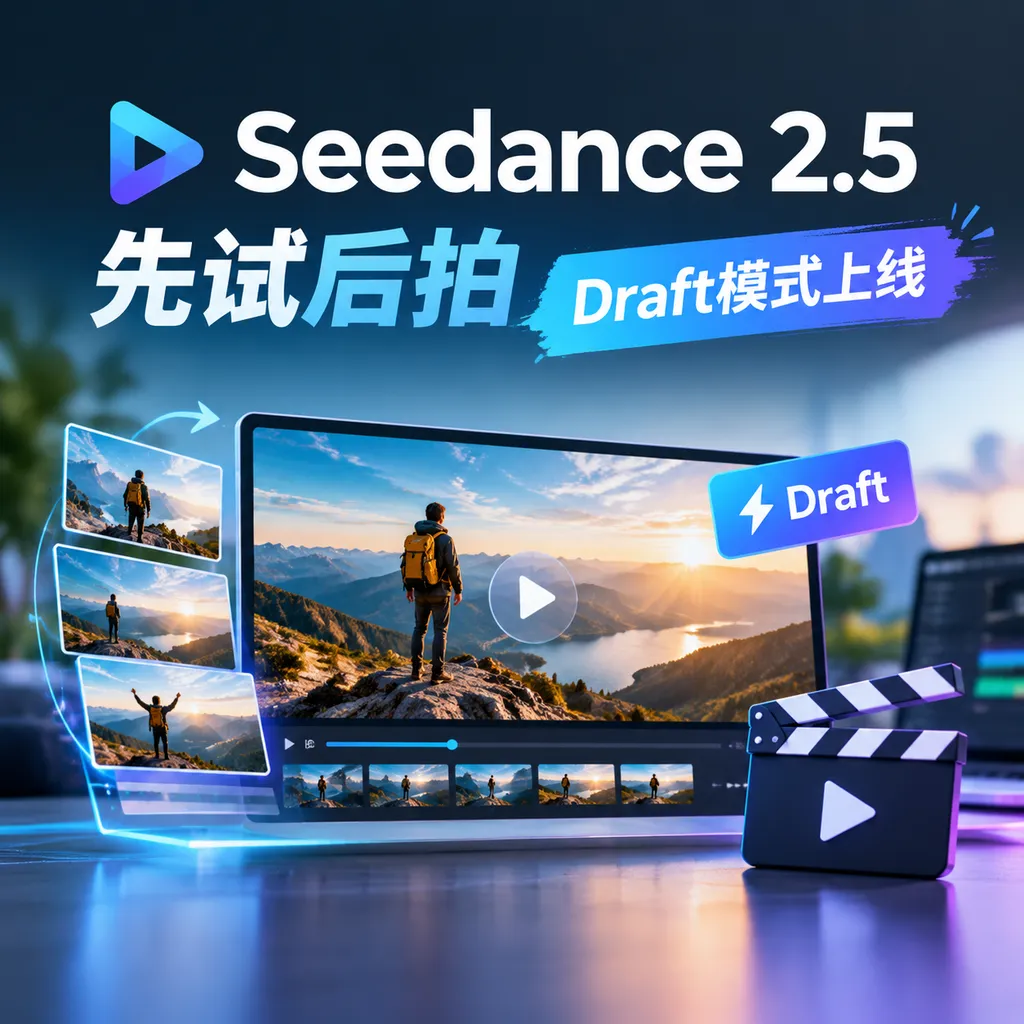
On September 22, the Seedance 2.5 API launched Draft mode. Users can first validate composition, motion, and pacing at low cost in 480P, then generate a final 1080P version based on the sample video ID. According to official estimates, generating four samples for a 5-second video can reduce costs by 57% and nearly double the speed.
Seedance 2.5 Launches Draft Mode: Try Before You Render
On September 22, Volcano Engine announced the official launch of Draft mode for the Seedance 2.5 API. It addresses one of the most practical—and costly—problems in AI video generation: before delivering a final video, creators often have to repeatedly “pull cards” to try different outputs, yet every attempt is charged as a high-definition final render.
Draft mode splits the workflow into two steps: first, quickly generate a 480P draft to confirm that the concept, composition, motion, dialogue, sound effects, and camera movement meet expectations; then, based on the draft, generate the final 1080P version. According to official estimates, when generating a 5-second 1080P video and selecting a satisfactory result after an average of four attempts, Draft mode can reduce costs by 57% and nearly double overall generation speed.
For enterprises and studios, this is not simply the addition of another resolution option. Instead, it clearly separates the “trial-and-error” stage of AI video production from the “delivery” stage. It is closer to storyboarding and previsualization followed by final rendering in traditional film production than to simply enlarging a low-resolution image.
The Most Expensive Part of AI Video Is Often Not the Final Take
In the past, the typical workflow for using video generation models was roughly as follows: write a prompt, generate a video, discover that the character’s movements are wrong, revise the prompt, find that the composition is right but the pacing is off, try again, and finally obtain a result with the right overall direction—only to “pull the wrong card” again when generating the high-definition version.
The problem with this workflow is that what users actually want to verify is usually not the visual detail, but several more fundamental questions:
- Does the subject appear in the correct position?
- Do the character’s movements match the script?
- Is the camera movement necessary and smooth?
- Are the dialogue and sound effects synchronized with the visuals?
- Can the pacing support the narrative of an advertisement or short film?
- Can the combination of reference images, reference videos, and prompts produce the intended direction?
Before these questions have been resolved, directly generating a 1080P video offers little value. High definition only makes errors more visible; it does not automatically correct them.
This is especially true for advertisements, film trailers, and e-commerce videos, where teams often need to compare multiple versions simultaneously: three different camera movements for the same product, different expressions for the same actor, or different pacing for the same script. The longer the video, the more complex the shots, and the more people involved in decision-making, the more quickly the number of generations can increase.
The core value of Draft mode is to move these frequent but low-value attempts into the cheaper and faster 480P stage whenever possible. Only after creators confirm that “this is the shot I want” do they spend their budget on the final image quality.
Not Low-Resolution Generation Followed by Upscaling
From an implementation perspective, Seedance 2.5 Draft does not first generate a 480P video and then apply ordinary super-resolution to it. Nor does it require users to copy the same prompt and regenerate the video in 1080P.
After selecting a draft, users can initiate a 1080P final-video task using the ID associated with that draft. The system links the key conditions used to generate the draft, including:
- The original prompt;
- Assets such as reference images or reference videos;
- The
seedrandom seed; - The
ratioaspect ratio; - The
durationvideo duration; - The generation parameters associated with the draft itself.
In other words, the second call is not a completely independent high-definition rerun. It performs a second round of inference based on the generation conditions established during the first stage. The model attempts to carry the confirmed structure, composition, motion, and overall direction from the draft into the 1080P final video.
This distinction is important.
If a 480P video is merely enlarged, the final image may have a higher pixel resolution, but it may not contain genuinely high-definition detail. Local textures, lighting, and motion edges can easily exhibit an obvious “upscaled” appearance. If the same prompt is simply submitted again, the model may reinterpret the scene, causing the character’s position, camera movement, or even motion pacing to change.
Seedance 2.5 Draft attempts to find a production-oriented solution between these two approaches: the draft locks in the creative concept and shot logic, while the final version completes the inference again at a higher resolution. This preserves the native look of 1080P without sacrificing quality, while reducing uncertainty during the high-definition stage.
Of course, this does not mean that the two generations will match frame by frame. The official documentation also clearly states that details such as local textures, complex patterns, small text, and the number of people in densely populated scenes may still change. Therefore, Draft is more accurately positioned as an “enhancement of structural and directional consistency,” rather than a video-level duplication mechanism.
What to Check at 480P—and What to Check at 1080P
Draft mode is not suitable for every video-generation task. It is best suited to creative stages where “shot direction matters more than detail.”
During the 480P draft stage, it is recommended to focus on the following:
1. Composition and Subject Position
Check whether the product, character, or key prop appears in the intended position, and whether the relationship between the foreground and background is clear. If the subject is already obstructed, cropped, or off-center in the draft, generating a 1080P version directly usually will not resolve the problem automatically.
2. Motion and Camera Movement
Check whether the character performs the specified action, whether the camera pushes in, pulls out, pans, or tracks the subject, and whether the direction of movement conflicts with the narrative. For video generation, motion continuity often has a greater impact on usability than the texture of a static image.
3. Pacing and Duration
A 5-second shot may need a turning point at a specific moment, and the team must determine whether the action feels sluggish and whether shot transitions leave enough time for the viewer to absorb the scene. These factors can all be evaluated at low resolution. If the pacing is wrong, improving the image quality will only waste resources.
4. The Relationship Between Dialogue, Sound Effects, and Visuals
Seedance 2.5 video generation involves more than visual imagery. Whether dialogue is misaligned and whether sound effects match the actions should also be screened during the draft stage.
5. Whether the Prompt and Reference Assets Are Effective
If the draft already shows subject-identity drift, inconsistent style, or incorrect use of reference assets, the prompt and input materials should be revised first rather than proceeding directly to final generation.
At the 1080P stage, the focus can then shift to local textures, text clarity, product materials, lighting transitions, and minor visual defects. This division of labor prevents teams from investing time and budget in pixel-level details before the overall visual direction has been finalized.
Official Estimate: The More Attempts You Make, the More Cost-Effective Draft Becomes
Volcano Engine’s example is as follows: excluding input video, when generating a 5-second Seedance 2.5 1080P video and requiring an average of four attempts to select a satisfactory clip, Draft mode can reduce costs by 57% and nearly double generation speed.
The important point is not whether 57% applies to every task, but that the cost curve changes.
In the standard mode, every attempt may directly enter high-resolution generation. Draft mode moves most of the attempts into the 480P stage. If a shot requires repeated adjustments to character movements, camera angles, and pacing, the more attempts are needed, the more significant the cumulative savings from low-cost drafts become.
For individual creators, this means they can test multiple directions more freely instead of generating only one “good enough” version out of concern for cost. For enterprise teams, it may also reduce internal review costs: several 480P options can first be compared side by side, after which only the selected version is rendered as a high-definition deliverable.
However, the actual savings will still depend on multiple factors, including video duration, resolution, whether input video is included, the number of generations, concurrency, and the applicable billing rules. The official example is better used as a basis for workflow planning and should not be interpreted to mean that every task will receive a fixed 57% discount.
API Integration: Enterprise Users Only Need to Enable draft
From an API usage perspective, Seedance 2.5 Draft does not introduce a complicated new workflow. When creating a video-generation task, enterprise users can set the draft parameter to true to first generate a 480P draft.
After selecting a satisfactory draft, they can use the corresponding draft ID to initiate 1080P final-video generation. The specific field names and task-submission interface should still be determined according to Volcano Engine’s official API documentation. Note that the draft ID is not merely an ordinary result identifier; it links the parameters from the first generation with the conditions used for the second high-definition inference.
A workflow abstraction more suitable for engineering teams is:
- Organize the prompt, reference assets, and video parameters;
- Enable Draft and generate 480P drafts in batches;
- Save each draft’s task ID, score, and human notes;
- Have a human reviewer or automated evaluation module filter the candidate drafts;
- Submit the ID of the selected draft to the high-definition generation task;
- Perform quality checks on the 1080P final video and make any necessary revisions.
If a team already has a video-generation orchestration system, Draft mode can also be integrated into a more comprehensive candidate-selection workflow. For example, the system can first filter videos by duration, aspect ratio, and task status, then have a human reviewer check the motion and composition, and finally execute 1080P generation only for a small number of candidates. This is more valuable than simply adding a “draft mode” button to the front end because it genuinely changes the cost structure of the video production pipeline.
For Developers, the Key Is “State Management”
On the surface, this update is about resolution and cost optimization. In practice, it also introduces new engineering requirements for API integration: developers need to manage the state relationship between the two stages of the task.
At a minimum, the following information should be stored:
- The draft task ID;
- The draft generation status and failure reason;
- The prompt version associated with the draft;
- The storage address or version number of the reference assets;
- The draft ultimately selected by the user;
- The high-definition task ID;
- The relationship between the 1080P final video and the draft.
If only the final video URL is stored while the draft ID and prompt version are discarded, it becomes difficult to reproduce the creative process later. For enterprise projects, this can affect review, traceability, and batch modifications.
The system should also account for retry strategies. If draft generation fails, the draft task can be retried directly. If high-definition generation fails, the system should not start the card-drawing process from scratch; instead, it should resubmit the high-definition task based on the already-confirmed draft. The two-stage tasks should also ideally be assigned distinct database states, such as “draft generation in progress,” “awaiting confirmation,” “high-definition generation in progress,” “completed,” and “failed—awaiting retry.”
These details may not appear in marketing copy, but they determine whether Draft mode can truly be deployed in advertising asset platforms, video workbenches, or batch content-production systems.
Compared with “Low-Resolution First, Then Upscaling,” Draft Is More Like a Production Tool
The market already offers low-resolution previews and post-processing super-resolution solutions. Seedance 2.5 Draft’s advantage is that it processes the draft and final version within the same generation logic.
The benefit of the traditional “low-resolution generation + super-resolution” workflow is its simplicity: quickly obtain an image first, then use a super-resolution model to increase its size. However, it cannot fix structural problems from the original generation stage, nor can it truly restore missing motion details. If a character has the wrong number of fingers or a product’s shape is distorted, super-resolution will only make these problems clearer.
In Draft mode, the 1080P stage is still a generation inference process. In theory, it has an opportunity to reprocess textures, lighting, and edge details at a higher resolution. The trade-off is that changes caused by the second inference still exist, so there is no guarantee that every detail will exactly replicate the draft.
Therefore, Draft is not simply a renamed “low-resolution preview,” nor is it a frame-locking tool that guarantees 100% consistency. It is closer to a production-oriented compromise: first use a low-cost version to establish the shot logic, then use the high-definition model to perform a constrained reconstruction.
Jimeng Also Offers Draft Mode
In addition to the API, consumer creators can select “Seedance 2.5 (Draft Mode)” as the model in Jimeng and try it directly. For users who do not need to build an automated pipeline, this approach is more intuitive. Enterprise users, meanwhile, can connect draft selection, asset management, and high-definition generation to their existing systems through the API.
This also indicates that Draft is not merely a low-level parameter for developers. It is a standard creative workflow that Seedance 2.5 is promoting: validate first, then deliver.
Assessment: This Update Is More Valuable Than a Simple Price Cut
Competition in AI video generation is no longer just about which model can generate the most attractive individual video. As model capabilities converge, enterprises are more concerned with how many attempts are required to produce a usable video, how long each revision takes, and whether the final result can be reproduced consistently.
From this perspective, Draft mode is more valuable than simply reducing the price of a single generation. It makes model uncertainty explicit within the workflow, using 480P to absorb exploration costs and 1080P to handle delivery costs. For advertising, short-form drama, film previsualization, and e-commerce content production that require extensive trial and error, this approach could become the default workflow.
However, it is not a universal solution. For shots with dense text, extremely strict product-detail requirements, or a need for frame-by-frame consistency, local differences may still appear between the draft and final version, and manual review will ultimately remain necessary. Developers should also not interpret it as “generate at low resolution first and then inevitably receive an identical high-definition version.”
A more accurate description is: Draft transforms AI video generation from one-off card drawing into a manageable two-stage generation process.
The significance of Seedance 2.5’s launch is not that it adds a 480P option, but that it allows creators to spend their budget on shots that have already been validated. For the AI video industry, this may be closer to a genuine productivity upgrade than simply pursuing higher resolution.
References
- ITHome: Seedance 2.5 Launches Draft Mode, Using 480P to Validate Creative Concepts First — Introduces the launch of Draft mode, its generation workflow, cost savings, and the consistency mechanism between drafts and final videos.
- Zhihu: Seedance 2.5 Launches Draft Mode: Efficient 480P Trial and Error, 1080P Final Output in One Step — Further discusses the differences between Draft mode and ordinary low-resolution generation and super-resolution solutions, as well as the practical creative workflow.