DeepSeek Code Agent Moves Beyond the Terminal
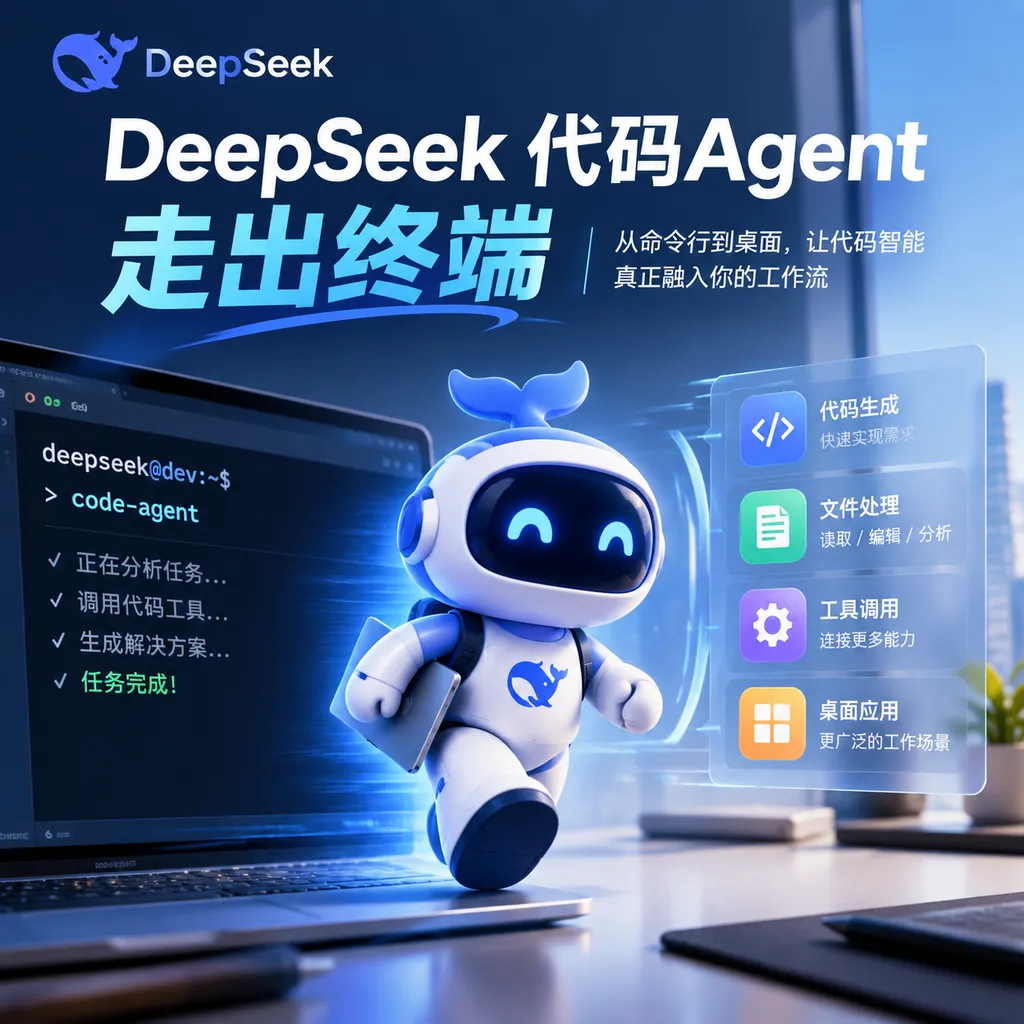
DeepSeek Harness Official Desktop Edition V0.1.7-rc.2 has quietly launched, eliminating the need for Node.js and command-line configuration. It lowers the barrier to using coding agents, but its plugin ecosystem, stability, and platform support are still immature.
DeepSeek Code Agent Moves Out of the Terminal
DeepSeek is moving its code Agent from the terminal to the desktop.
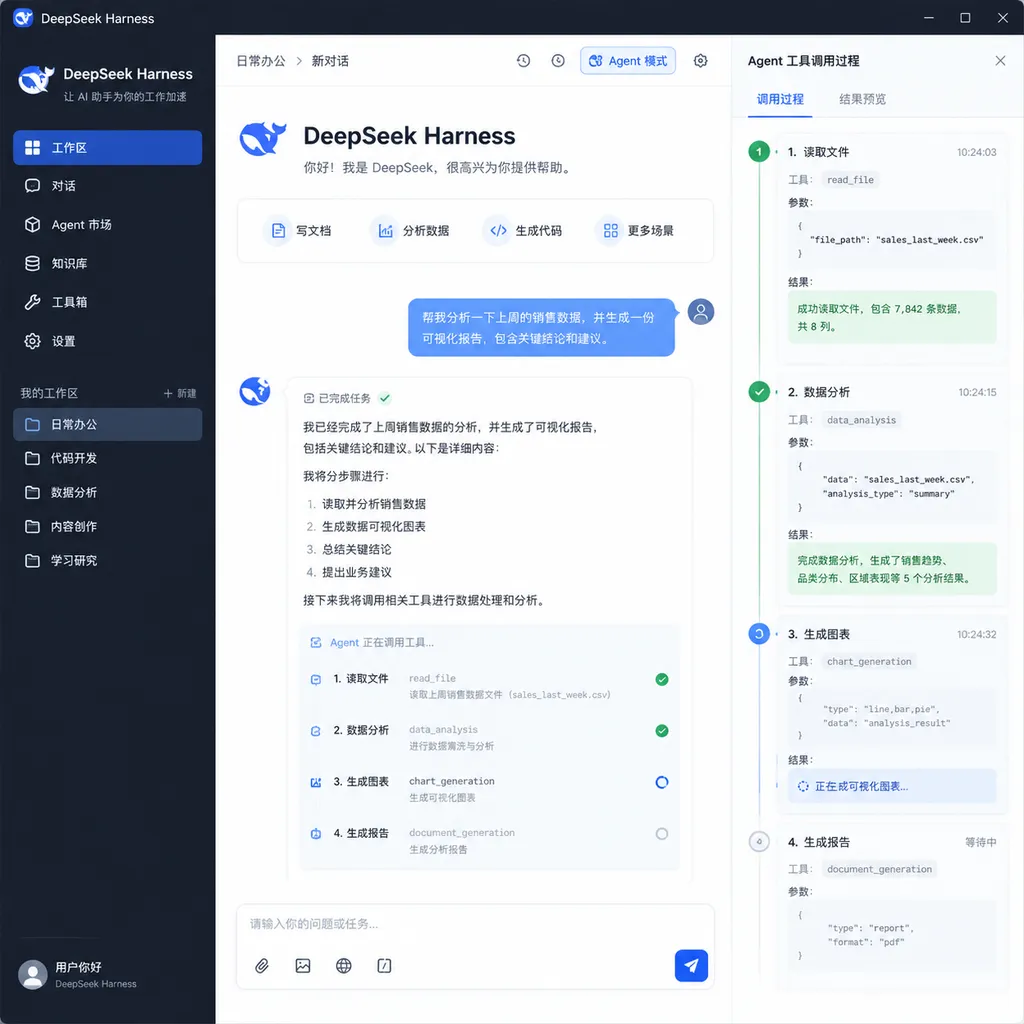
On September 25, a compiled version of the official DeepSeek Harness desktop application appeared on the download page. The current version is V0.1.7-rc.2, and it is still labeled as a developer preview. Compared with the previous approach, which relied primarily on the WebUI, the new version no longer requires users to preinstall Node.js, open a terminal, or manually run npx @deepseek-ai/dsh. After downloading and installing the package, developers can run the Agent just like an ordinary desktop application.
The official client currently offers versions for Windows x64 and macOS Apple Silicon, but does not yet support Windows ARM, Intel-based Macs, or Linux. DeepSeek has also not held an official launch event. It appears to have released the executable ahead of a public launch so that early users can participate in testing.
This update does not introduce a more powerful new model, nor does it change Harness's core capabilities. It is nevertheless worth watching. The reason is simple: for code Agents, the way they are installed and run is not merely superficial packaging. It is a key factor in determining whether they can evolve from experimental projects used by a small number of developers into everyday productivity tools.
No More Setting Up an Environment Just to Run the Agent
Previously, using DeepSeek Harness generally required developers to prepare a Node.js environment, fetch and run the program through npm or npx, and then access the local WebUI through a browser. For people familiar with frontend toolchains, this process was not particularly complicated, but it created a series of additional issues: whether the Node.js version was compatible, whether all dependencies were present, whether the terminal process was still running, whether the local port was occupied, and whether the configuration would remain usable after an upgrade.
None of these problems is difficult to handle individually. Together, however, they can easily turn a quick “let's try it” into half an hour of environment troubleshooting.
The desktop version essentially packages the runtime, interface, and startup process into a single installer. Users no longer need to care how Harness is launched, nor do they need to keep a terminal window open in order to preserve Agent tasks. For developers already comfortable using dsh from the command line, the increase in capability is limited. For those who simply want the Agent to read a repository, modify files, and run tests, the difference in experience is quite significant.
It can be understood in the same way as Docker Desktop relates to Docker Engine: the underlying mechanisms have not been reinvented, but an installable, updatable, and manageable graphical interface can substantially broaden a tool's practical reach.
It is important to emphasize that becoming a desktop application does not mean “fully local,” nor does it mean that model inference will automatically take place on the user's computer. Harness is an Agent runtime responsible for coordinating models, tools, files, terminals, and task loops. Which model handles a particular request and where the data is sent still depends on the plugins installed by the user, the model provider, and their configuration. The installer eliminates the need to prepare an environment for running Harness; it does not eliminate every external dependency.
Four Modes Correspond to Four Agent Workflows
The desktop application currently provides four modes: Standard, PTC, Minimal, and Create. They do not merely adjust the style of responses. They change the tools the Agent can use and the way it organizes tasks.
Standard Mode: The Default Code Workbench
Standard mode covers file reading, code editing, information retrieval, and terminal access. It is suitable for most repository-level tasks. For example, a developer can ask the Agent to analyze a project's structure, identify the cause of a failing test, modify the relevant code, and then run the tests to verify the result.
This is also the mode most similar to the typical experience offered by products such as Cursor, Claude Code, and Codex: the model does not merely generate a piece of code, but completes the cycle of “inspect, determine, execute, and verify” within a real workspace.
PTC Mode: For Batch Tool Calls
PTC mode includes the capabilities of Standard mode, but places greater emphasis on calling tools in batches and filtering, deduplicating, counting, and aggregating the returned results.
If Standard mode is like a developer inspecting files one by one, PTC mode is more like dispatching a collection of scripts to scan an entire repository first and then consolidating the results into a single table. It is suitable for highly repetitive tasks, such as checking API definitions in bulk, counting dependency usage, extracting anomalous patterns from large volumes of logs, or performing the same migration operation across multiple modules.
The value of this capability depends on the scale of the task. For changing a single function, complex orchestration may instead increase waiting time. When dealing with hundreds of files, batch tool calls are more likely to demonstrate their advantages.
Minimal Mode: Giving the Agent Only a Terminal
Minimal mode restricts the Agent to using terminal tools. This design may appear regressive, but it is actually well suited to capability testing and reproducible experiments.
Once the file editor, search plugins, and specialized tools have all been removed, developers can more clearly observe whether the model can understand a project, modify its contents, and verify the results through shell commands. Fewer tools also mean that the execution path is easier to audit. For teams that want to compare the fundamental Agent capabilities of different models, Minimal mode is closer to a fair testing environment than a workbench packed with specialized tools.
However, it is not necessarily safer. The terminal itself is a highly privileged tool, and a single incorrect command can have a much greater impact than an ordinary text edit. What truly determines risk is permission isolation, confirmation of dangerous operations, sandbox scope, and logging, not how “minimal” the interface looks.
Create Mode: Letting the Agent Modify the Agent
Create mode best reflects Harness's positioning. Through conversation, users can ask the Agent to write plugins, combine tools and prompts, and even create new work modes and interfaces.
This partially hands back to the Agent the work traditionally done manually in an Agent framework: writing configuration, registering tools, and orchestrating workflows. For example, a team could customize a “pre-release check” mode that sequentially runs unit tests, performs a dependency audit, generates a change summary, and verifies the version number. It could also add a dedicated search plugin for an internal codebase.
This mode offers the greatest room for experimentation, but also carries the highest risk. Model-generated plugins may access the file system, terminal, credentials, or external services. Without code review and permission boundaries, “letting the Agent extend itself” can easily become “giving unverified code more permissions.” During the developer preview stage, it is more appropriate to experiment in test repositories and isolated environments rather than connecting directly to production credentials.
“Everything Is a Plugin” Is Both an Advantage and a Current Barrier
DeepSeek open-sourced Harness in August 2026. The project is written in TypeScript, uses the MIT license, and is built around the idea that Everything is a Plugin: models, tools, skills, sessions, storage, sandboxes, Agent loops, scheduling, and the UI are all extensible through the underlying Cordis plugin system.
This design differs from many highly integrated code Agents. The latter typically provide a fixed interface, fixed tools, and limited extension points. Their advantage is that they work out of the box; their disadvantage is that key components are difficult to replace. Harness is more like a modular Agent chassis: teams can replace the model integration, storage mechanism, and execution environment, or reorganize the Agent loop for specific tasks.
This composability is highly attractive to teams that need private deployment, integration with internal tools, or multiple models. Developers do not have to wait for the official team to build a particular tool into the product. As long as the plugin interface allows it, they can add it themselves.
The problems also come from the same place. The usability of a plugin-based system depends not only on interface design, but also on the number of plugins, maintenance quality, dependency management, and compatibility strategies. Early experiences described in the reference materials indicate that installing third-party plugins can still involve repeated configuration issues. The desktop client removes the startup barrier for Harness itself, but does not automatically eliminate the complexity of the broader plugin ecosystem.
In other words, DeepSeek has turned “starting the car” into pressing a button, but the trunk still contains a box of parts that users must select and connect themselves.
The Desktop Version Is More Than a Repackaging, but Do Not Expect a Performance Miracle
In terms of its implementation, the Harness desktop version can still be viewed as a desktop wrapper around the existing WebUI and runtime. Its interface is not radically different from previous versions. Therefore, if the Agent's reasoning ability is the only point of comparison, the desktop version should not be understood as a model upgrade.
What it genuinely improves is the runtime boundary and system integration: a standalone window, background persistence, system notifications, update management, and unified control over local protocols and the application lifecycle. According to reference reports, the official version uses a custom dsh-app:// protocol rather than relying solely on a local port that the user must start manually. This packaging can help reduce the exposed surface during startup and make communication between internal application components more controllable.
However, “not using an ordinary local port” cannot be directly equated with absolute security. Which directories a code Agent can read, which commands it can execute, whether it will upload code, and how plugins store secrets still require individual evaluation. The desktop client provides a more complete product shell, but it does not make every security decision on the user's behalf.
It is equally important to be wary of broad claims such as “the desktop version runs AI with better performance.” An Agent's final results are affected simultaneously by the underlying model, context organization, tool design, execution strategy, and task type. Even if DeepSeek's models have been jointly optimized with Harness, that does not imply that the desktop application inherently has stronger reasoning capabilities than the WebUI or command line. A more accurate statement is that the official client may provide a more consistent runtime environment, while specific modes may be better suited to particular models and tasks.
What DeepSeek Is Really Catching Up On Is the Agent Entry Point
Over the past year, competition among code Agents has shifted from “can they autocomplete code?” to “can they complete a continuous piece of work on behalf of a developer?” Models need to read multiple files, call the terminal, handle errors, revise their approach, and verify the result again. Whoever can reliably support this execution chain has a better chance of becoming developers' new point of entry into their work.
Claude Code and Codex emphasize high-density interaction in the terminal, while products such as Cursor and Windsurf approach the problem through the editor. Harness differs in that it first attempts to become an open Agent runtime with replaceable components, and then uses the desktop client to add a product-oriented entry point.
This choice has both advantages and disadvantages. An open framework is more likely to attract developers who enjoy customization, and it makes it easier for enterprises to integrate their own models and tools. But the standards are higher for a desktop product. Users will not tolerate failed plugin installations, interrupted tasks, or incompatibilities across versions simply because the underlying architecture is elegant. Once it enters the desktop, automatic updates, crash recovery, permission prompts, credential management, and task traceability all become basic requirements rather than optional advantages.
Therefore, V0.1.7-rc.2 is more like a distribution channel added by DeepSeek for Harness than a mature code Agent product. It makes it easier for users to enter, but has not yet proven that it can remain part of developers' daily workflows over the long term.
Suitable for Early Experimentation, Not for Unreviewed Control of Production Repositories
For developers who want to try the desktop version, the more sensible approach at this stage is to begin with low-risk tasks:
- First ask the Agent to analyze the repository structure in read-only mode, without authorizing modifications;
- Use a temporary branch or test repository to avoid operating directly on the main branch;
- Check the source and permission scope of plugins, as well as the model service configuration;
- Retain manual confirmation for operations such as deleting files, installing dependencies, and executing scripts;
- Review the complete diff before committing, with existing tests and code review processes serving as safeguards;
- Do not place production secrets directly into conversations, configuration files, or unverified plugins.
Breaking changes, compatibility problems, and task failures are all unsurprising in a developer preview. In particular, for a tool like Harness that can call the terminal and modify files, a failure does not merely result in a piece of mediocre text being generated. It may also cause unintended changes to the workspace.
Conclusion: The Barrier Has Been Lowered, and the Real Test Is Just Beginning
The most important significance of the DeepSeek Harness desktop version is not that it adds another window, but that code Agents are beginning to move away from the experimental-tool form of “open the terminal first, then configure the runtime.” Removing the need for Node.js, npx, and manually maintaining a background process can indeed expose more developers to this framework.
But moving to the desktop can only solve installation and distribution problems. It cannot replace a stable Agent loop, a mature plugin ecosystem, or clear permission controls. The current version supports only certain Windows and Mac devices, omits Linux, and still carries a developer preview label, all of which indicate that it remains some distance from being a stable production tool.
If DeepSeek can next complete plugin installation, permission sandboxing, crash recovery, and cross-platform support, Harness could become a highly competitive open Agent workbench. Otherwise, it may simply be an interesting framework packaged to be easier to launch.
The current judgment is clear: It is worth downloading and trying, but it is not yet worth handing over unreviewed production repositories and highly privileged credentials.
References
- ITHome: DeepSeek Harness Official Desktop Preview Released Ahead of Schedule — Information on the desktop version, version number, supported platforms, and four operating modes.
- Zhihu: Introduction to the DeepSeek Harness Desktop Experience — The configuration process and examples of actual tasks on the Harness desktop client.