
OpenClaw one-click cloud deployment, four major models ready to use out of the box
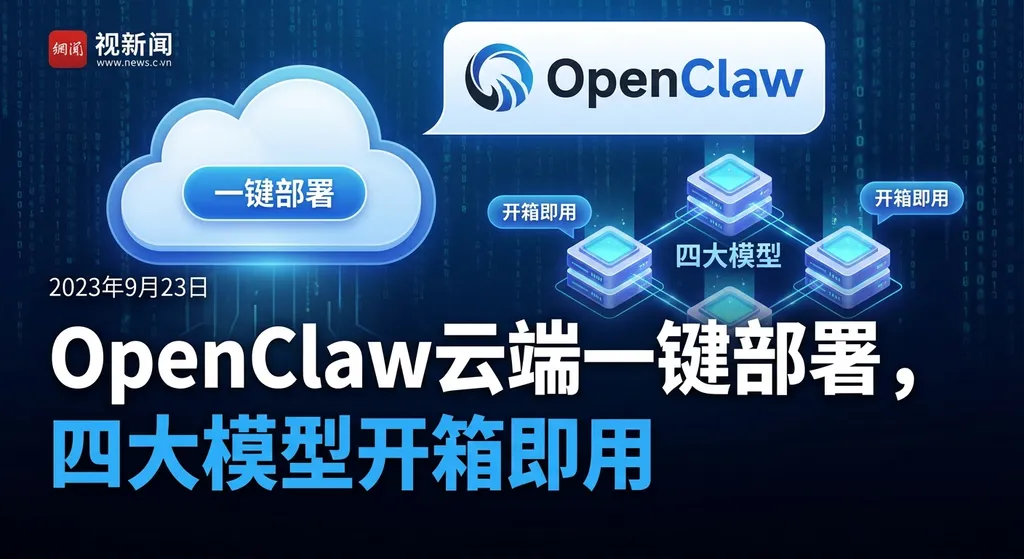
The third-party platform OneToken has launched a cloud-based one-click deployment solution based on Lobster (OpenClaw), natively integrating four major models—GPT-5.4, MiniMax, Kimi, and GLM. You can try it for as little as 0.01 yuan, with domestic models priced as low as 1 yuan per million tokens.
OpenClaw Cloud One‑Click Deployment Solution Launch: Four Models in One, Ready to Use for ¥0.01
The OpenClaw ecosystem has sprouted something new.
The third‑party API relay platform OneToken (onetoken.sh) launched a cloud‑based one‑click deployment solution built on OpenClaw this week. It bundles four models—GPT‑5.4, MiniMax, Kimi, and GLM—boasting “zero configuration, three‑step delivery.” In short: you don’t need to set up your own Python environment or apply for API Keys from four different providers. For just one cent, you can spin up an OpenClaw instance complete with a web management panel.
This isn’t major news in itself, but the trend it reflects is worth discussing — three months after OpenClaw exploded in popularity, the “selling shovels” business around it is rapidly taking shape.
How troublesome is OpenClaw deployment, really?
First, a bit of background. OpenClaw’s official installation method looks neat—just a one‑line curl command:
curl -fsSL https://openclaw.ai/install.sh | bash
But in practice, it’s far from smooth. Based on multiple hands‑on deployment articles from “Smzdm” and Zhihu, you’ll have to deal with at least these issues:
- Environment dependencies: Node.js version, Python runtime, system library compatibility… especially on domestic cloud servers, network conditions are already a hurdle.
- Model integration and configuration: OpenClaw’s core design is BYOK (Bring Your Own Key). You need to register with OpenAI, Zhipu, MiniMax, and Moonshot, apply for API Keys, then fill them into the config file one by one.
- SOUL.md debugging: OpenClaw’s unique “Soul Injection” mechanism defines the AI’s identity and behavior boundaries. There’s no GUI—just text editing—which is non‑trivial for non‑technical users.
- Security settings: Granting a headless AI local file and shell access poses serious risks without proper sandboxing.
Put together, an experienced developer could finish in half a day, but for ordinary users, even the “confirm security warning” step alone can be daunting.
That’s exactly the opportunity for platforms like OneToken.
The OneToken solution: What it actually offers
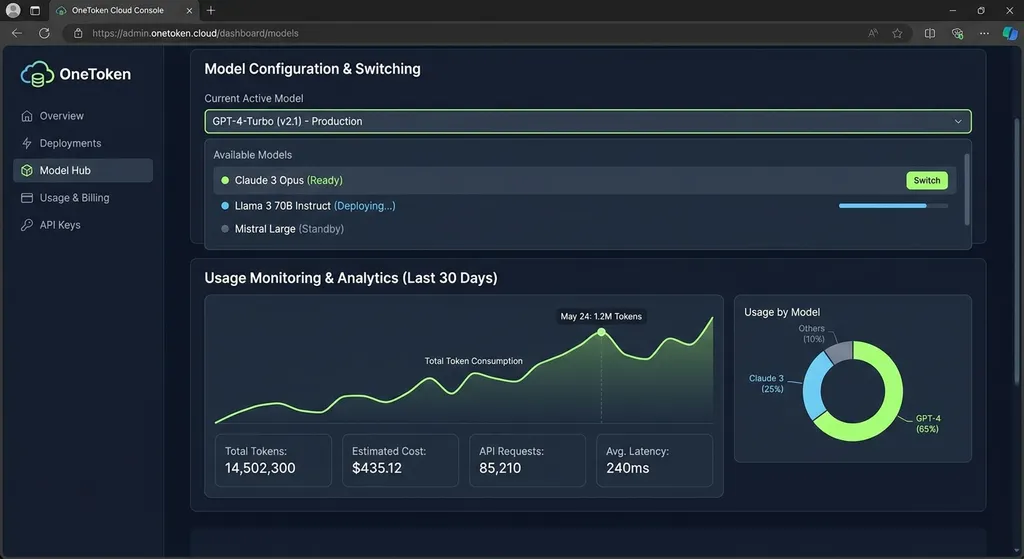
OneToken’s solution uses the domestic “Lobster” cloud platform for one‑click deployment, with three main selling points:
1. Four‑model aggregation, one account to switch them all
Natively integrates GPT‑5.4, MiniMax, Kimi, and GLM. Users don’t need to register and request keys from each provider—OneToken handles relay and aggregation.
Pricing:
| Model | Price (per million Tokens) | Notes | |-------|-----------------------------|-------| | MiniMax | ¥1 | Unified pricing for domestic models | | Kimi | ¥1 | Same as above | | GLM | ¥1 | Same as above | | GPT‑5.4 | ¥3 | 3× multiplier, provisional rate |
At ¥1 per million Tokens, domestic models hit near rock‑bottom market pricing. GPT‑5.4’s triple rate is reasonable—OpenAI’s official rates set the benchmark.
2. Zero‑configuration deployment
No manual Python, Node.js installation, no environment variables. The platform claims “three steps flat”—though it doesn’t specify them, community feedback suggests it’s simply Register → Choose config → Click deploy. Within minutes, you have a full OpenClaw instance running.
3. Web management panel
A visual dashboard for usage monitoring, model switching, and configuration edits. For users unfamiliar with command‑line operations, this is essential—OpenClaw’s native management relies on config files and terminal commands.
The trial threshold is minimal: starts from ¥0.01, including a bonus 1M Tokens. Joining the official group grants another 2M Tokens.
Who is this solution for?
Frankly, if you’re a seasoned developer, deploying your own OpenClaw and integrating APIs isn’t hard. The real target audience for a platform like OneToken is:
- People who want to try OpenClaw without technical hassle: Product managers, operations staff, content creators—the “semi‑technical” crowd with genuine AI automation needs but no desire (or ability) to set up from scratch.
- Small teams needing rapid idea validation: For example, if you want to test automated report generation using OpenClaw + Kimi, spending one cent to spin up an instance is far more efficient than tinkering half a day.
- Cost‑sensitive independent developers: ¥1/million Token means daily automation tasks can be run almost at negligible cost.
But let’s be clear on limitations:
First, it’s a relay service, not official. Since all API calls go through OneToken’s servers, you must assess the risk yourself if dealing with sensitive data.
Second, limited model options. Only four—no DeepSeek, no Claude. For many developers, DeepSeek V3.2 and Claude are go‑to models; their absence is unfortunate. The team promises “more models coming,” but no timeline yet.
Third, GPT‑5.4 pricing is marked “provisional.” It may change, so if your workflow heavily depends on it, plan your budget accordingly.
The “selling shovels” era of the OpenClaw ecosystem
Taking a wider view, OneToken’s emergence isn’t isolated.
Since OpenClaw went viral earlier this year (GitHub stars surpassing 250,000—overtaking React and Linux), its business ecosystem has grown fast:
- Cloud service layer: Tencent Cloud, Alibaba Cloud, Volcano Engine, Baidu AI Cloud, Huawei Cloud—all now offer one‑click OpenClaw deployment.
- Model provider layer: Kimi launched KimiClaw; Zhipu and MiniMax quickly adapted their models to OpenClaw’s standard.
- Third‑party service layer: Platforms like OneToken merge API relay + one‑click setup, pushing the “shovel sales” business to finer granularity.
It mirrors the rise of LLM API aggregation in 2023–2024. OpenRouter first did multi‑model API aggregation; then similar domestic and global platforms followed. Now OpenClaw acts as new “infrastructure,” naturally spawning surrounding service layers.
For model vendors, this is exactly what they want. As Tencent Cloud Dev Community put it: “The healthiest model‑business path is being the provider of water, electricity, and gas—not competing on apps for traffic.” OpenClaw’s BYOK mechanism inherently drives API volume to model providers; platforms like OneToken further lower the access threshold, effectively adding a “property‑management” layer atop the “utilities” pipeline.
OpenRouter’s data backs this up: as of February, Chinese models account for over half of global API traffic—MiniMax M2.5, Kimi K2.5, DeepSeek V3.2, and GLM‑5 taking four of the top five spots.
How can developers connect quickly?
If you already have your own OpenClaw instance—or just want to call these models via API—you don’t have to use OneToken’s deployment.
Leading AI aggregation platforms already support them.
For example, via OpenAI Hub (openai‑hub.com) you can use a single key to access GPT‑5.4, Kimi, GLM, MiniMax, DeepSeek, and Claude, with full OpenAI‑format compatibility and domestic direct connection. Here’s a basic usage sample:
from openai import OpenAI

client = OpenAI(
    api_key="your-openai-hub-key",
    base_url="https://api.openai-hub.net/v1"
)

# Call GPT-5.4
response = client.chat.completions.create(
    model="gpt-5.4",
    messages=[
        {"role": "system", "content": "You are a professional research assistant."},
        {"role": "user", "content": "Analyze the commercialization path of the OpenClaw ecosystem."}
    ]
)
print(response.choices[0].message.content)

# Switch to Kimi—just change the model parameter
response = client.chat.completions.create(
    model="kimi-k2.5",
    messages=[
        {"role": "user", "content": "Summarize the key points of this report."}
    ]
)
print(response.choices[0].message.content)
To integrate into your own OpenClaw setup, simply specify the base_url and API Key in its model config file—fully OpenAI‑compatible format.
Stay realistic: OpenClaw is far from maturity
Finally, a little cold water.
OpenClaw does prove a right product direction—AI should be always‑on infrastructure, not just a chat box. But the reality:
Most people deploying OpenClaw still use it for basic stuff. Web scraping, brief generation, message replies—tasks a simple Python script + API call could do. The true “Agent” capabilities remain underutilized.
Security concerns persist. Giving a headless AI shell access without strong sandboxing means one malicious prompt injection could leak data. That’s not theoretical; real cases are documented in the community.
Ecosystem fragmentation is increasing. Each cloud vendor, model provider, and third‑party platform promotes its own variant of OpenClaw deployment, with differing standards and feature sets. For users, “too many choices” itself becomes a barrier.
OneToken’s solution lowers deployment friction—but doesn’t solve the “what to do after deploying” question. For most users, that’s the real bottleneck.
Still, every new platform’s early phase looks like this—get more people using it first, then optimization and creativity follow. From that angle, lowering the threshold is itself valuable.
References:
- OneToken official deployment post (Linux.do community) — Detailed intro and community discussion of OneToken’s one‑click solution
- OpenClaw cloud deployment and localized setup guide (Zhihu) — 2026 AliCloud full workflow breakdown
- AI Agent Industry Deep Dive: OpenClaw, Market Potential, and New Changes (Zhihu) — Analysis of cloud and model vendor ecosystem around OpenClaw


