Microsoft’s real-time transcription surges to the top
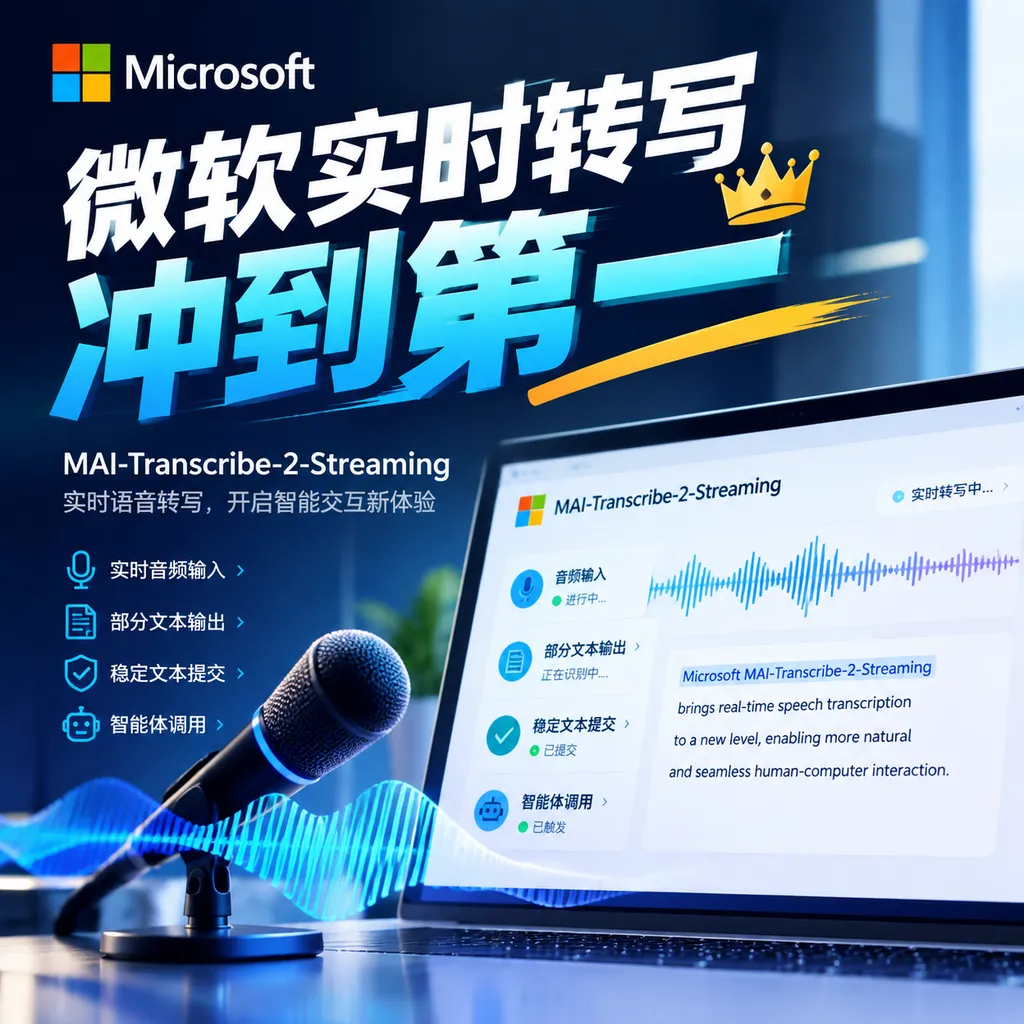
Microsoft has released its first real-time streaming speech-to-text model, MAI-Transcribe-2-Streaming. It supports 60 languages, generates the first text within approximately 100 milliseconds, and ranks among the top performers in Artificial Analysis testing, with a 2.5% word error rate and a final latency of 0.13 seconds.
Microsoft’s Real-Time Transcription Surges to the Top as Voice AI Begins to “Listen and Act”
On October 1, Microsoft released MAI-Transcribe-2-Streaming, the first streaming speech transcription model in Microsoft’s MAI model family designed for real-time scenarios. It supports 60 languages, automatically detects languages, and does not need to wait until a user has finished speaking a sentence before returning results.
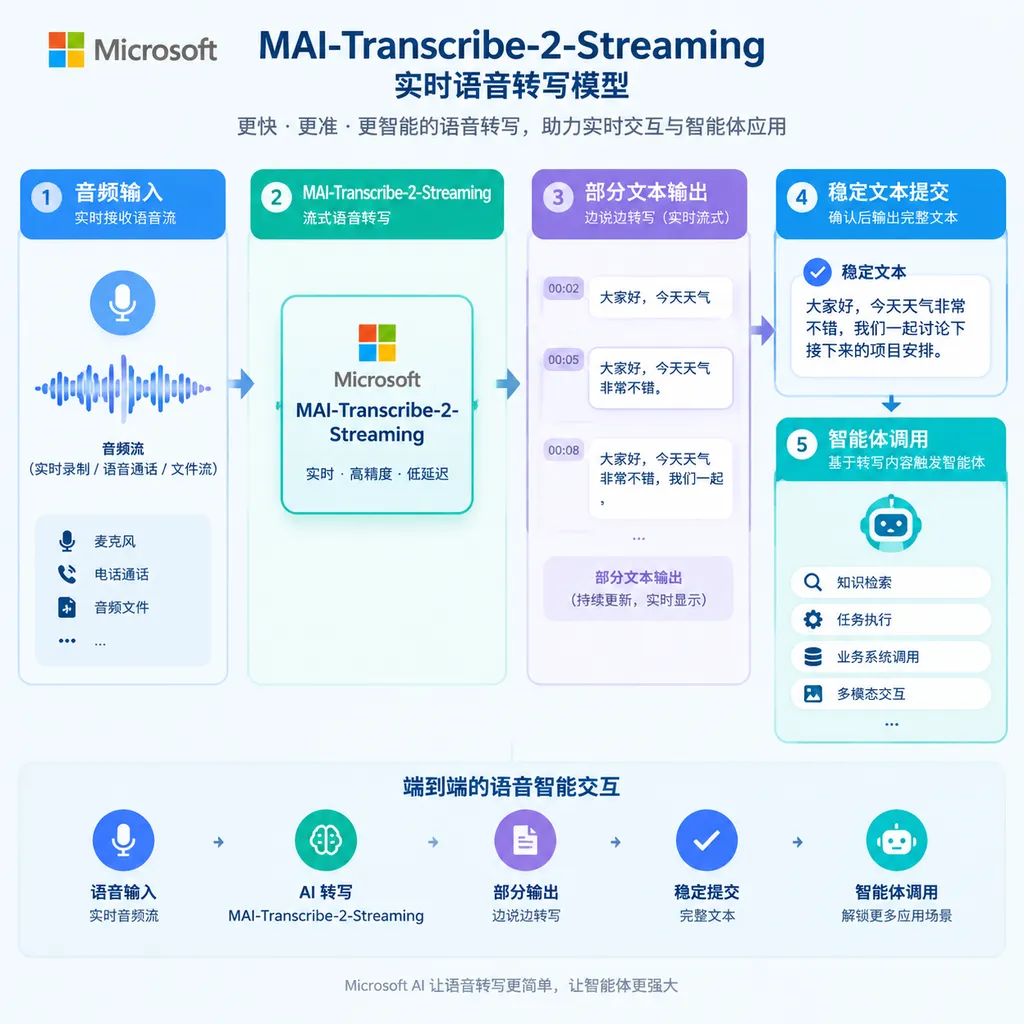
The model’s core selling point is not merely that it “converts speech into text,” but that it advances speech recognition from a post-processing module into the input layer of real-time agents: while the model listens, the system interprets; before the user has finished speaking, downstream reasoning, retrieval, and tool calls can already begin.
In Artificial Analysis’s streaming speech-to-text tests, MAI-Transcribe-2-Streaming achieved a final word error rate (WER) of 2.50% and a final transcription latency of approximately 0.13 seconds, ranking among the top performers. Microsoft’s own real-time evaluations show that the first partial text can appear just over 100 milliseconds after audio input, with text appearing on screen in as little as approximately 320 milliseconds.
It Changes Not Transcription, but the Timing of Interaction
Traditional speech transcription is more like a process of “record first, upload next, and produce the transcript last.” The system needs to wait for a segment of audio to end before decoding and correcting the complete content. This approach works well for meeting recordings, podcasts, clinical documentation, and post-production video subtitles, but it is not suitable for voice applications that require immediate responses.
The logic of streaming transcription is different. The model first generates a provisional result based on the audio it has already received, then continually revises its earlier judgments as additional speech comes in. Users may initially see an incomplete or even changing word, after which the model submits relatively stable final text when the utterance ends.
This brings about an important change: voice applications no longer have to wait for the “period” to appear before they can start working.
For example, in a customer service scenario, when a user says, “My order showed as delivered yesterday, but in reality…,” the agent can already recognize that this is likely a logistics issue and begin checking the order status in advance. Once the user finishes explaining the specific request, the system does not need to start understanding from scratch; it can simply continue supplementing the context.
In a voice assistant, the model can identify an intent such as “Help me check tomorrow’s flights from Beijing to Shanghai” in advance and prepare search or flight-query tools. The only thing that truly needs to wait is whether the user will add conditions afterward—not the end of the entire utterance before the reasoning chain can begin.
The same applies to real-time subtitles. Traditional subtitles often create an obvious sense of lag: “a segment is spoken, there is a pause, and only then does the text appear.” Although streaming output can result in partial-text revisions, as long as the magnitude of those revisions remains manageable, the experience comes closer to “what is said is what is seen.”
A 2.5% WER Is Impressive, but Latency Deserves More Attention
Speech transcription models typically use word error rate, or WER, to measure the proportion of inserted, deleted, and substituted words in recognition results. The lower the WER, the closer the final text is to the original speech. For real-time voice applications, however, final accuracy alone is not enough. It is also necessary to consider when the text appears and whether the model frequently overturns results that have already been displayed.
MAI-Transcribe-2-Streaming performs well on both dimensions: its final WER is 2.50%, and it takes approximately 0.13 seconds to return the final text after the speech ends. In partial-transcription tests that place greater emphasis on immediacy, the model also maintained a WER of around 2.5%, with latency of approximately 0.12 seconds.
For comparison, in the reference tests, Grok Voice Transcribe 2.0 Streaming achieved a final WER of 2.73% and a final latency of approximately 0.49 seconds. The numerical gap may not appear large, but in scenarios such as telephone customer service and real-time voice agents that require continuous turn-taking, a few hundred milliseconds can directly affect whether a conversation feels natural.
However, taking first place in a benchmark does not mean a model can be used directly in every business scenario. WER is affected by accents, domain-specific vocabulary, noise, overlapping speech, and annotation methods. Healthcare, finance, and legal applications care more about the accuracy of proper terms, while customer service systems are more concerned with the stable recognition of numbers, order IDs, and names. Developers still need to conduct regression testing with their own real-world audio before deployment.
60 Languages and Automatic Detection Address Integration Costs
MAI-Transcribe-2-Streaming supports 60 languages and provides automatic, continuous language detection. Developers do not need to manually specify the language before a session begins. The model can determine the language currently being used based on the audio and handle language switches that occur during a session.
This is particularly important for global products and multilingual customer service. In the past, voice systems often required callers to provide a language code in advance. If the parameter was incorrect, recognition quality could rapidly deteriorate even when the model itself was capable enough. More complex situations arise when users switch languages within the same sentence, such as inserting English product names, technical terms, or brand names into a Chinese conversation.
The capabilities Microsoft previously announced for the MAI-Transcribe-2 model also include code-switching, speaker diarization, word-level timestamps, keyword biasing, and configurable transcription styles. When it is necessary to preserve fillers, pauses, and spoken expressions word for word, developers can use a verbatim transcription that more closely reflects the original audio. For subtitles, meeting summaries, or publication-ready copy, they can choose cleaner text instead.
Whether the streaming version is fully equivalent to the non-streaming version in all of these capabilities still depends on the specific interface and product documentation. For developers, the real value of automatic language detection lies in reducing session-initialization logic, but this does not mean they can abandon quality controls at the language, domain, and keyword levels.
The Price Is Not Cheap; Real-Time Performance Is the Source of Its Premium
Currently, MAI-Transcribe-2-Streaming is available at a promotional price of $0.54 per hour, or approximately $9 per 1,000 minutes. Developers can try or integrate it through channels including Microsoft Foundry, MAI Playground, and OpenRouter.
This price should be distinguished from that of Microsoft’s previously released non-streaming MAI-Transcribe-2. During its Azure Speech public preview, the latter was priced at $0.10 per hour—approximately one-fifth the cost of the streaming version.
The two are not simply a matter of “new versus old” models, but represent two different engineering trade-offs:
- MAI-Transcribe-2-Streaming: Continuously returns partial results, making it suitable for real-time conversations, voice agents, live captions, and real-time translation.
- MAI-Transcribe-2: Returns the results all at once after audio processing is complete, making it suitable for audio files, meeting records, clinical documentation, and offline batch processing.
If a business only needs to process a few hours of recorded meetings in batches each day, the additional cost of the streaming version is unlikely to deliver corresponding benefits. But if a single delay causes users to interrupt the conversation, repeat themselves, or causes a customer service agent to miss the opportunity to call a tool, the additional cost per hour may be lower than the cost of human service and a degraded user experience.
Therefore, this model’s competitiveness does not lie in its low price. Its real target is scenarios where 300–500 milliseconds of latency can be magnified into a user-experience problem.
Microsoft Is Completing the Full Voice-Agent Pipeline
The release of MAI-Transcribe-2-Streaming also shows that Microsoft is advancing its self-developed MAI models from individual capabilities toward a complete product matrix. Microsoft has previously launched MAI-Transcribe-2, MAI-Voice-2, MAI-Thinking-1, MAI-Code-1.1-Flash, and the MAI-Image series, and has gradually integrated them into products such as Microsoft Foundry, Copilot, Teams, GitHub, and Dynamics 365.
On the same day as this release, Microsoft also launched MAI-Voice-2.1 and the lower-latency MAI-Voice-2.1-Flash. One handles listening, another handles speaking, and with the reasoning and tool-calling capabilities of large language models layered on top, Microsoft is filling out the input, decision-making, and output pipeline required by voice agents.
The significance of this is that the competitive benchmark for voice AI has shifted from “whose recognition accuracy is higher” to “who can make a complete interaction flow more seamless.” The end-to-end experience depends on at least four stages: when the audio is recognized, whether partial text is stable, when the language model begins thinking, and whether speech synthesis can deliver the answer in time.
If any one of these stages is slow, users will perceive a pause. Even if a transcription model has high accuracy, a voice agent will still seem sluggish if it must wait until the user finishes speaking before responding. Conversely, if a system pursues extremely low latency but frequently revises key entities and numbers, it can create new risks in customer service, payment, and transaction scenarios.
How Developers Should Determine Whether It Is Worth Integrating
First, determine whether the business truly needs real-time feedback. Real-time captions, telephone bots, practice applications, voice search, and interactive meeting tools can generally benefit directly; offline meeting organization and audio archiving do not need to pay a premium simply for “Streaming.”
Second, test the stability of partial text. The intermediate results produced by a streaming model are not final facts. Developers need to distinguish between partial transcripts and final transcripts to avoid repeatedly triggering searches, orders, or other irreversible tool calls whenever a revision occurs.
Third, focus on testing numbers and proper terms. For enterprise applications, misrecognizing a price, flight number, or contract ID is often more serious than misrecognizing several ordinary words. Keyword biasing, post-processing, and business dictionaries remain valuable.
Fourth, pay attention to voice-stop detection. True interaction latency is not merely the time required for the model to convert audio into text; it also includes endpoint detection, network transmission, inference, tool calls, and speech synthesis. If the client’s VAD or network pipeline is configured improperly, the 0.13 seconds measured in model testing will not appear unchanged to the user.
Fifth, assess data compliance and deployment regions. Customer service recordings, medical speech, and internal meetings often contain sensitive information. Beyond the model’s price and performance, data retention, transmission paths, logging policies, and enterprise permission management will also determine whether it can be deployed.
For teams that already manage multiple models through an aggregation platform, MAI-Transcribe-2-Streaming can also be included in the same evaluation process and compared with other speech recognition models using real-world audio, latency, stability, and cost. OpenAI Hub and other API aggregation platforms compatible with the OpenAI format are suitable for centrally managing the invocation methods of different models. However, whether a specific model is already available and which streaming parameters it supports should still be confirmed through the platform’s current model directory and API documentation.
Verdict: Microsoft Is Winning the “Real-Time Pipeline,” Not Just a Leaderboard
The most noteworthy aspect of the release of MAI-Transcribe-2-Streaming is not that Microsoft has added another model name, but that it has placed speech recognition before agent action. A WER of 2.5% makes it competitive, while a final latency of 0.13 seconds gives it the potential to enter high-frequency, real-time interaction scenarios.
But this is not the endpoint for voice agents. What truly determines product success is whether partial transcription is stable, whether automatic language detection remains reliable amid real-world noise, whether proper terms and numbers can be recognized correctly, and whether transcription results can connect smoothly with reasoning, tool calls, and speech synthesis.
For developers, this model is worth testing, especially for teams already building real-time customer service systems, voice assistants, and multilingual products. For ordinary offline transcription needs, its price advantage is not obvious. For applications that need to “listen and understand while acting on that understanding,” it may be one of the types of models worth evaluating first.
Microsoft is raising the bar for voice AI from “understanding what is heard” to “having enough time to act.” The next stage of this competition will not be limited to which model understands the most languages, but will concern who can deliver a complete voice interaction quickly and reliably enough, at a lower cost.
Sources
- IT Home: A New Benchmark for Streaming Transcription AI: Microsoft MAI-Transcribe-2-Streaming Makes Its Debut: Introduces the model’s release date, supported languages, pricing, latency, and Artificial Analysis test results.
- Microsoft MAI-Transcribe-2 Official Model Documentation: Describes the MAI-Transcribe series’ language support, automatic detection, code-switching, and transcription configuration capabilities.
- Microsoft MAI-Transcribe-2 Model Card: Provides information on the model’s capabilities, coverage of 60 languages, and speech recognition quality.