
Codeg V0.9: The multi‑agent IDE can finally be deployed across platforms.
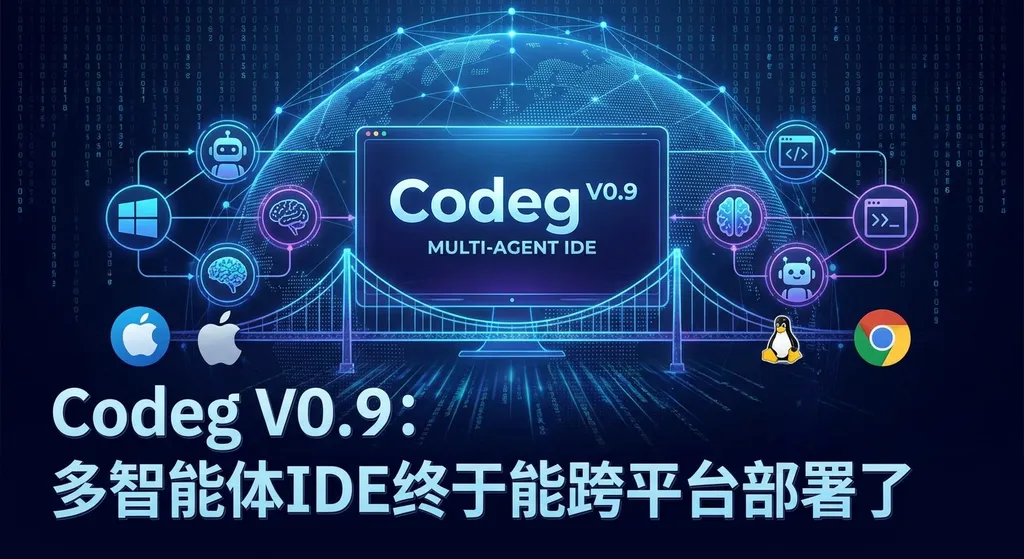
The open-source multi-agent IDE Codeg has released version 0.9, introducing sub-agent rendering and support for desktop and server deployment, unifying popular AI programming tools such as Claude Code, Codex, and Gemini CLI into a single workspace.
Codeg V0.9 Release: All AI Programming Agents in One IDE — Now with Cross-Platform Deployment
The open-source project Codeg recently launched version V0.9. In short: it aims to become the unified gateway for AI coding agents, integrating tools such as Claude Code, Codex, Gemini CLI, and OpenCode into a single workspace. This release also adds long-awaited support for desktop applications and server/Docker deployment.
For developers who use multiple AI coding assistants, this may be a key direction to watch.
First, what exactly is Codeg?
Over the past year, the AI programming landscape has become increasingly fragmented. Claude Code excels at complex refactoring, Codex CLI has its own rhythm for code completion, Gemini CLI leverages Google's long context window for large project analysis, and community-driven solutions like OpenCode are emerging. The problem? You probably don’t use just one.
But each tool has its own terminal interface, configuration method, and context management logic. Switching between them feels fragmented — the project context you built with Claude Code has to be rebuilt from scratch in Codex.
Codeg’s approach: don’t reinvent the wheel — be the “shell.” It doesn’t provide AI model capabilities itself; instead, it runs existing AI coding agents as subprocesses, offering a unified interface, project context, and file management. You can think of it as the window manager for AI coding tools.
Three Key Updates in V0.9
1. Sub-Agent Rendering
This is the core change in this version.
Earlier versions could launch multiple agents, but their output was raw terminal streams — just scrolling text, not much different from opening several terminal windows.
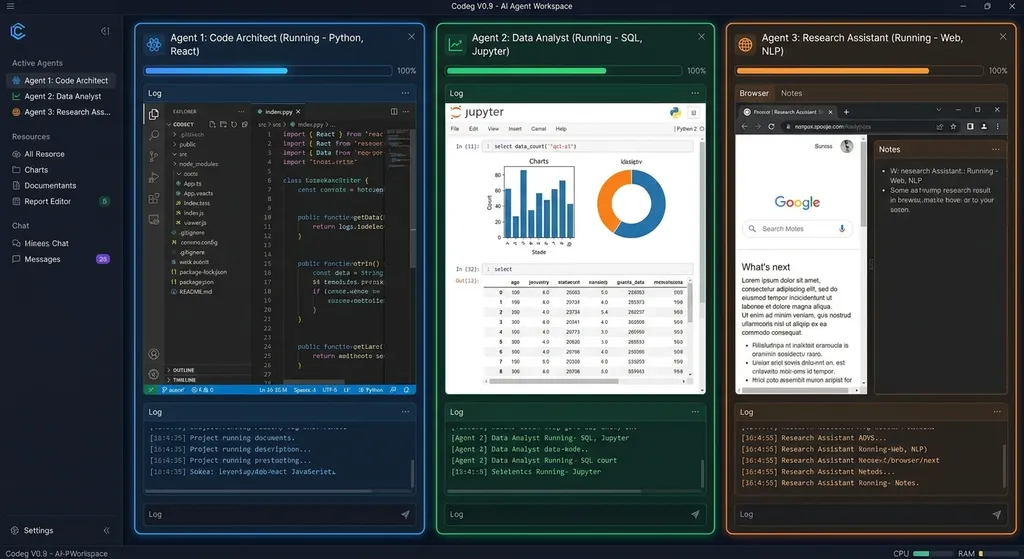
V0.9 introduces a sub-agent rendering mechanism. In short, Codeg can now parse each agent’s output structure and present data (such as code diffs, file operations, or reasoning steps) in a structured way. Claude Code’s modification suggestions appear as diff views, while Gemini CLI’s analyses are formatted into collapsible sections.
This may sound like a UI improvement, but it’s more substantial than that. When two agents handle different modules of the same project, structured rendering lets you quickly see who’s working on what, which files have changed, and where conflicts exist — something nearly impossible to manage efficiently in raw terminal text.
According to community discussions, the latest version supports rendering adaptations for Anthropic’s newest Claude Opus 4.7 model, with optimizations for response speed and structured output parsing.
2. Desktop Application
Previously, Codeg only ran in the terminal. V0.9 adds a standalone desktop client.
It’s more than just an Electron wrapper — the desktop version brings several advantages over the terminal:
- Multi-tab management — each tab can be linked to different agents and projects
- Native file drag-and-drop — drag files directly into the chat area as context
- System-level shortcuts — summon Codeg from any application with one keypress
- Improved font rendering and syntax highlighting (avoiding the terminal’s 256-color limit)
For developers who rely heavily on AI coding assistants, a dedicated desktop app delivers real productivity boosts. No more cramming everything into VS Code’s terminal panel.
3. Server & Docker Deployment
This feature targets team use cases.
V0.9 supports deploying Codeg as a server application accessible via browser, enabling:
- Centralized management of API keys
- Shared conversation history and project contexts within the team
- Use on high-spec servers while keeping local laptops lightweight
A standard Docker image is provided:
# Pull the image
docker pull xintaofei/codeg:v0.9

# Run the service
docker run -d \
  -p 3000:3000 \
  -v ~/.codeg:/root/.codeg \
  -e OPENAI_API_KEY=your-api-key \
  xintaofei/codeg:v0.9
After launching, simply visit http://localhost:3000 in your browser. The config files are mounted to the host for easy persistence and backup.
Community Spotlight: “Multi-Agent Questioning”
One of the most requested features in the Linux.do forum discussions is multi-agent questioning.
In short, it means sending the same question to multiple AIs simultaneously, collecting their answers, and auto-generating a Markdown comparison document. The idea is practical — since different models excel in different areas, cross-verifying complex questions produces more reliable results than relying on a single model.
Community feedback suggests that Codeg’s architecture naturally suits this because it’s inherently designed for multi-agent parallelism. However, as of V0.9, the “multi-agent + auto-summary” workflow isn’t built-in yet — it’s primarily done by manually pasting the same question into several panels.
Developers point out a real constraint: API key concurrency limits. Sending five simultaneous requests with a single OpenAI key can trigger rate limits. Thus, many users recommend using API aggregation platforms, which rotate multiple keys for load balancing and higher concurrency.
If you’re using a platform like OpenAI Hub, which connects multiple model providers behind one key, concurrency limits are less of an issue. Codeg’s multi-model use scenario benefits greatly from this — much simpler than managing separate keys for each provider.
Example: Configuring Multiple Models
Codeg’s model configuration is compatible with the OpenAI API format, meaning any OpenAI-compatible service can integrate directly. Here’s an example of multi-model setup via OpenAI Hub:
{
  "agents": [
    {
      "name": "claude-agent",
      "provider": "openai-compatible",
      "baseURL": "https://api.openai-hub.net/v1",
      "apiKey": "your-openai-hub-key",
      "model": "claude-opus-4-20250918"
    },
    {
      "name": "gpt-agent",
      "provider": "openai-compatible",
      "baseURL": "https://api.openai-hub.net/v1",
      "apiKey": "your-openai-hub-key",
      "model": "gpt-4o"
    },
    {
      "name": "gemini-agent",
      "provider": "openai-compatible",
      "baseURL": "https://api.openai-hub.net/v1",
      "apiKey": "your-openai-hub-key",
      "model": "gemini-2.5-pro"
    },
    {
      "name": "deepseek-agent",
      "provider": "openai-compatible",
      "baseURL": "https://api.openai-hub.net/v1",
      "apiKey": "your-openai-hub-key",
      "model": "deepseek-r1"
    }
  ]
}
Four agents, four models — one key. After configuration, you’ll see four independent panels in Codeg, each with its own chat thread and file operations.
If you’d like to programmatically perform multi-agent questioning using Python and the aggregation API:
import asyncio
from openai import AsyncOpenAI

client = AsyncOpenAI(
    base_url="https://api.openai-hub.net/v1",
    api_key="your-openai-hub-key"
)

models = ["gpt-4o", "claude-opus-4-20250918", "gemini-2.5-pro", "deepseek-r1"]

async def ask_model(model: str, question: str) -> dict:
    resp = await client.chat.completions.create(
        model=model,
        messages=[{"role": "user", "content": question}],
        temperature=0.7
    )
    return {
        "model": model,
        "answer": resp.choices[0].message.content
    }

async def multi_ask(question: str):
    tasks = [ask_model(m, question) for m in models]
    results = await asyncio.gather(*tasks)

    # Generate Markdown comparison document
    md = f"# Multi-Model Comparison: {question}\n\n"
    for r in results:
        md += f"## {r['model']}\n\n{r['answer']}\n\n---\n\n"

    with open("comparison.md", "w") as f:
        f.write(md)
    print("Comparison document generated: comparison.md")

asyncio.run(multi_ask("Explain Python's GIL mechanism and its impact on multithreading"))
Four models, parallel requests, automatically summarized in Markdown — another clear advantage of using an aggregated API: fewer keys to manage and fewer concurrency headaches.
Industry Comparison: Codeg’s Role in the AI IDE Space
Now that many projects aim to integrate AI coding tools, it’s worth viewing Codeg in a broader context.
Cursor and Windsurf follow the “deep integration” path — they build their own editors and connect directly to models. The experience is seamless but limited to their ecosystems (for example, you can’t use Claude Code’s agent capabilities in Cursor).
VS Code + Continue/Cline plugins offer flexibility but are essentially single-agent tools — you can switch models but not run multiple agents concurrently.
Codeg’s differentiation lies in multi-agent parallelism. It doesn’t replace AI coding tools — it lets them collaborate. Think of it like tmux for AI: tmux doesn’t replace bash or zsh, it just helps you manage multiple sessions simultaneously.
Of course, Codeg also has limitations:
- As a community-driven project, its polish and stability trail behind commercial products
- Multi-agent synchronization (shared context, file conflicts) remains unsolved — what if two agents edit the same file?
- Documentation and tutorials are still thin, making onboarding harder
Yet, V0.9 points in the right direction. As AI coding tools proliferate, developers increasingly need a unified management layer.
The Technical Challenges of Multi-Agent Collaboration
Multi-agent parallelism sounds great, but it entails tough engineering problems.
-
Balancing context isolation and sharing. Each agent has its own chat context and token window but may interact with the same codebase. If Agent A refactors a function while Agent B analyzes its old version, confusion can ensue. Codeg currently uses file system events to notify agents of changes — a starting point, but far from true collaboration.
-
Resource consumption. Each agent subprocess uses memory and CPU. Claude Code isn’t lightweight, so running three or four agents concurrently demands capable hardware — another reason for server deployment.
-
Handling conflicting outputs. When two agents suggest different edits to the same file, Codeg currently leaves resolution to the user. Future versions could include a Git-like automatic merge strategy, greatly improving usability.
Why This Matters
In the bigger picture, Codeg represents the evolution of AI coding tools — from single assistant to intelligent agent orchestration.
Over the past year, AI coding abilities have become specialized: some models excel in coding, others in debugging, reviewing, or architecture design. Expecting one model to do everything is unrealistic.
The natural next step: let different agents handle what they’re good at — collaboratively. Claude could do architectural refactoring, GPT-4o rapid fixes and completions, Gemini large-scale repository reviews, and DeepSeek algorithm-heavy modules.
Codeg hasn’t reached that ideal, but it offers a solid experimental framework — enough for curious developers to explore.
V0.9 is a meaningful release. Sub-agent rendering makes multi-agent outputs readable, desktop and server deployments expand its reach from individuals to teams. Under the MIT open-source license, you can freely use it in commercial projects or extend it.
Try it out at its GitHub repository. If you already use several AI coding tools, experiment with integrating them through Codeg — it’s certainly more elegant than juggling five terminal windows.
References:
- Codeg V0.9 Release Discussion Thread – Linux.do — Release announcement and community feedback
- CC GUI Client Release – Linux.do — Details on the desktop GUI and usage discussions
- Codeg GitHub Repository — Source code, documentation, and issue tracking


