
CodexMate Open Source: A Unified Local Configuration Solution for Multi-Model Assistants
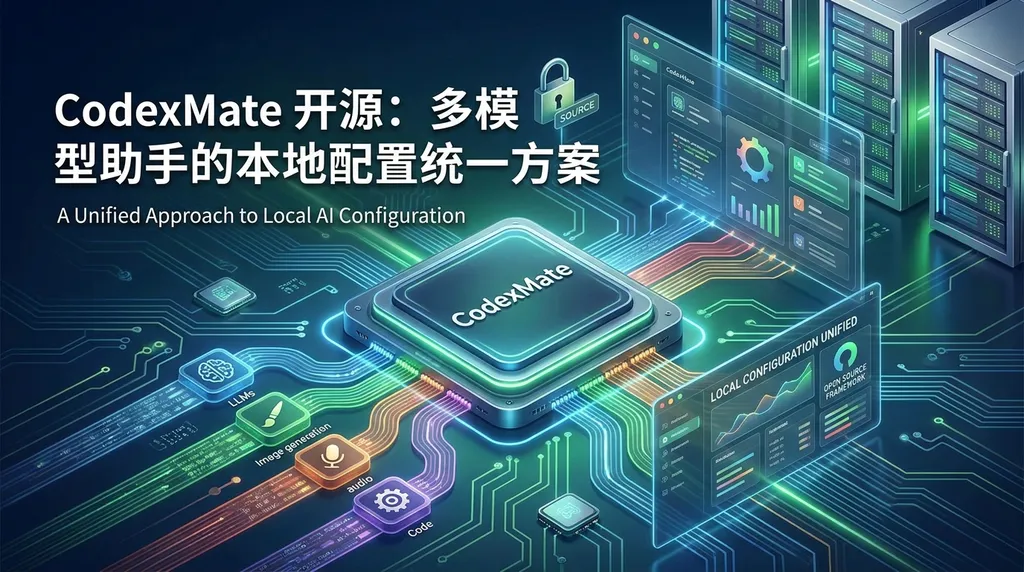
The developer has launched CodexMate, an open-source tool that unifies management of local configurations and sessions for multiple model assistants such as Codex, Claude Code, and OpenClaw, addressing the issue of configuration fragmentation when switching between tools.
CodexMate Open Source: A Unified Local Configuration Solution for Multi-Model Assistants
A new open-source tool called CodexMate has recently appeared in the developer community, designed specifically to solve the local configuration management issue of AI programming assistants. If you use tools like Codex, Claude Code, or OpenClaw simultaneously, you’ll know how messy it can get — each has its own configuration files, API key management, and session history logic. Switching between them can be a pain. CodexMate aims to unify all of that.
The Core Problem: Fragmented Configurations
The AI programming assistant market is already mature — GPT-4, Claude 3.5, Gemini, and DeepSeek all have their strengths. In real work, developers often need to choose different models depending on the task: use Claude for long-context documentation, GPT-4 for code debugging, and DeepSeek for cost-sensitive cases.
The problem is that each tool manages its configurations differently. Codex might store its API key in ~/.codex/config.json, Claude Code uses ~/.claude/credentials, and OpenClaw has yet another system. Switching models means finding the right config, changing the endpoint, API key, and model name, and remembering each format.
Session management is even trickier. Conversation histories are not interoperable — if you’ve been debugging context in Codex, you’ll have to start over again in Claude Code. This fragmentation is especially painful when you need multiple models to collaborate.
CodexMate’s Solution
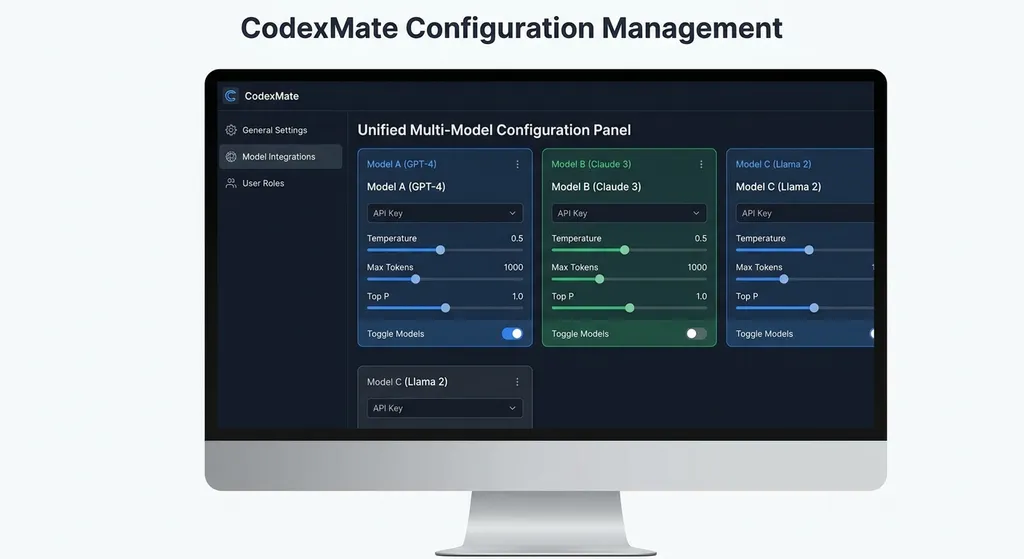
CodexMate’s core concept is to build a unified configuration layer. It doesn’t replace existing tools but instead acts as a middleware layer that maps each tool’s configuration needs into a unified data structure.
Specifically, CodexMate does the following:
Unified Configuration Interface
All model configurations are managed through a single YAML or JSON file. You define all endpoints, keys, and parameters in ~/.codexmate/config.yaml, and CodexMate automatically generates each tool’s native configuration file.
models:
  gpt4:
    provider: openai
    endpoint: https://api.openai.com/v1
    api_key: sk-xxx
    model: gpt-4-turbo

  claude:
    provider: anthropic
    endpoint: https://api.anthropic.com
    api_key: sk-ant-xxx
    model: claude-3-5-sonnet-20241022

  deepseek:
    provider: openai-compatible
    endpoint: https://api.deepseek.com/v1
    api_key: sk-xxx
    model: deepseek-chat
This config can be shared by tools like Codex, Claude Code, and OpenClaw. CodexMate provides an adapter mechanism to convert the unified configuration into each tool’s native format.
Session Persistence and Migration
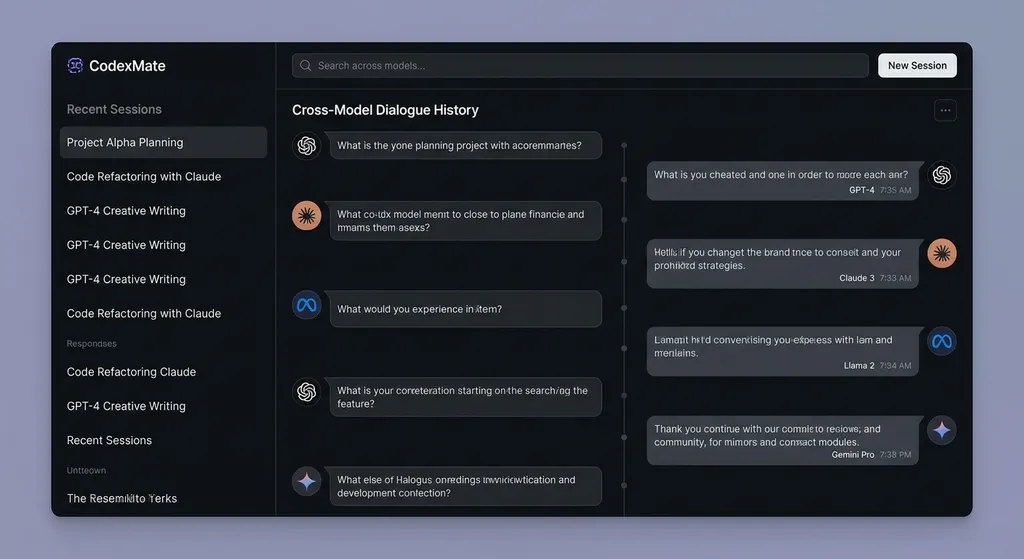
CodexMate introduces a unified session storage format based on SQLite or JSON Lines. All conversation history is stored in the standard OpenAI Chat Completion format:
{
  "session_id": "sess_20260419_001",
  "model": "gpt-4-turbo",
  "messages": [
    {"role": "user", "content": "Help me optimize this code"},
    {"role": "assistant", "content": "You can improve it like this..."}
  ],
  "metadata": {
    "created_at": "2026-04-19T10:30:00Z",
    "tokens_used": 1250
  }
}
This allows for seamless cross-tool switching — you can start a session in Codex and continue it in Claude Code with full context. For multi-model workflows — say, having GPT‑4 generate a code skeleton and using Claude to refine it — this is immensely useful.
Unified Local Tool Management
Beyond model management, CodexMate also unifies commonly used local command-line tools. Similar to OpenCLI, you can invoke tools like gh, docker, or kubectl through a single interface without memorizing their syntax.
For example, to check Docker container status, you can issue a natural-language command in CodexMate’s interface, and it translates it to a CLI command:
# User input: "List all running containers"
# CodexMate converts to:
docker ps --format "table {{.ID}}\t{{.Names}}\t{{.Status}}"
This is particularly useful for IT operations, bridging AI assistants and infrastructure tools.
Technical Implementation Details
Judging by the GitHub codebase, CodexMate’s architecture is clean. The core consists of a configuration manager and a set of adapters.
The configuration manager parses the unified config file and provides CRUD APIs. It supports environment variable overrides (e.g., CODEXMATE_API_KEY) to enable dynamic config updates — ideal for CI/CD pipelines.
The adapter layer is critical. Each adapter targets a specific tool and converts the unified config into that tool’s native format. For example, the Codex adapter outputs ~/.codex/config.json, while the Claude adapter writes ~/.claude/credentials.
Adapters are plugin-based, so developers can easily add support for new tools. The documentation provides a simple guide — typically implementing just two functions: read_config() and write_config().
Session Management uses SQLite with a simple schema:
CREATE TABLE sessions (
  id TEXT PRIMARY KEY,
  model TEXT NOT NULL,
  created_at TIMESTAMP DEFAULT CURRENT_TIMESTAMP,
  updated_at TIMESTAMP DEFAULT CURRENT_TIMESTAMP
);

CREATE TABLE messages (
  id INTEGER PRIMARY KEY AUTOINCREMENT,
  session_id TEXT NOT NULL,
  role TEXT NOT NULL,
  content TEXT NOT NULL,
  tokens INTEGER,
  created_at TIMESTAMP DEFAULT CURRENT_TIMESTAMP,
  FOREIGN KEY (session_id) REFERENCES sessions(id)
);
Query performance is strong — even tens of thousands of messages return almost instantly. Exports support JSON, Markdown, and CSV formats for analytics or backup.
Comparison with Existing Solutions
Some similar tools exist, such as cc-switch, which focuses only on switching between multiple Claude Code accounts — much narrower in scope. CodexMate aims to be a cross-tool, cross-model management layer.
Another comparable project is OpenCLI, which optimizes command-line tools with AI, but it lacks strong configuration management. CodexMate effectively merges both ideas — unified model configuration plus local tool integration.
Practically speaking, CodexMate reduces the mental load of using multiple models. You no longer have to remember where configuration files live, nor worry about losing context when switching tools. Developers who frequently move between models — especially LLM app builders — will find it saves them significant time.
API Integration Example
If you use an API aggregator like OpenAI Hub, CodexMate makes configuration even easier. OpenAI Hub already provides a unified endpoint compatible with the OpenAI API and supports GPT, Claude, Gemini, DeepSeek, and others.
Example configuration:
models:
  unified:
    provider: openai-compatible
    endpoint: https://api.openai-hub.net/v1
    api_key: your-openai-hub-key
    models:
      - gpt-4-turbo
      - claude-3-5-sonnet-20241022
      - gemini-2.0-flash-exp
      - deepseek-chat
Python example:
import openai

client = openai.OpenAI(
    base_url="https://api.openai-hub.net/v1",
    api_key="your-openai-hub-key"
)

# Switch models by changing the 'model' argument
response = client.chat.completions.create(
    model="claude-3-5-sonnet-20241022",
    messages=[
        {"role": "user", "content": "Explain Rust's ownership mechanism"}
    ]
)

print(response.choices[0].message.content)
CodexMate can read this configuration directly and generate tool-specific formats. It integrates smoothly with IDE plugins like Cursor and Continue.
Security Considerations
API key management is a sensitive issue. CodexMate supports multiple storage methods:
- Plaintext storage – simplest but not recommended for production
- Environment variables – via
.envor system environment variables, keeping keys out of config files - Encrypted storage – uses system keychains (macOS Keychain, Windows Credential Manager, Linux Secret Service)
- External secret management – integrates enterprise tools like HashiCorp Vault and AWS Secrets Manager
By default, keys are encrypted in the system keychain, accessible only to the current user. For team environments, tools like Vault are recommended for centralized secret management.
Use Cases
CodexMate suits several types of users:
Heavy multi-model users – Those juggling 3+ AI coding tools will find setup and switching much easier.
AI app developers – Test different models’ performance under a unified session and export results for analysis.
Team collaboration – Share standardized configuration templates and session history across team members for smoother onboarding.
Cost optimization needs – Unified token accounting and cost tracking make spending analysis easier.
Limitations
Of course, there are some downsides:
Tool coverage – Currently supports Codex, Claude Code, and OpenClaw. Cursor and GitHub Copilot are still in development. Less common tools may require custom adapters.
Migration effort – Moving existing setups into CodexMate takes some work. Automation scripts exist but complex cases may need manual fixes.
Performance overhead – A small abstraction penalty, but configuration reads in milliseconds and session lookups are fast. Unless you have hundreds of thousands of records, the difference is negligible.
The Value of Open Source
Open-sourcing CodexMate is a smart move. Configuration management for AI tools is infrastructure — it shouldn’t be a vendor-locked feature.
Open source means:
- Transparency: You can audit the code to ensure API keys aren’t uploaded anywhere
- Extensibility: The community can contribute new adapters for more tools
- Longevity: Even if the creator stops maintaining, the community can fork and continue
The GitHub issues and PRs show good activity, with a dozen plus contributors and solid documentation.
Future Roadmap
According to the roadmap, upcoming plans include:
GUI support – Currently CLI-only, a graphical interface is in progress to lower the entry barrier for non-technical users.
Cloud sync – Optional synchronization of configs and sessions via end-to-end encrypted cloud storage for multi-device use.
Smart recommendations – Suggests the best model for a task based on usage history (e.g., Claude for docs, GPT‑4 for debugging).
Cost analytics – Tracks detailed token consumption and costs to optimize API usage.
Team collaboration – Shared configurations, access control, and audit logs for organizations.
Hands-On Experience
After a week of use, the experience was great. The biggest improvement is no more manually managing separate config files. All parameters and keys live in one place, making updates effortless.
Session management is also highly practical. I can take a debugging conversation from Codex and continue in Claude Code with full context retention — perfect for complex refactors, leveraging each model’s strengths.
Performance has been solid — configs load instantly, and session queries run smoothly. The only minor issue is adapter coverage; for example, Cursor isn’t supported yet, though the roadmap says it’s coming soon.
Summary
CodexMate solves a real pain point. As AI programming assistants proliferate, configuration complexity grows. A unified config layer and session manager drastically reduce friction and improve multi-model workflow efficiency.
For heavy multi-model users, CodexMate is well worth a try. Even if you use only one or two tools now, setting up a unified system early will pay off as your stack expands.
Open source is a major plus — you retain full control over your configs and data, with no vendor lock-in. The community looks active, and new features should keep evolving rapidly.
Ultimately, tools are just tools — what matters is improved productivity. If multi-assistant configuration headaches are your struggle, try CodexMate. It might just surprise you.
References
- CodexMate Project Discussion - Linux.do – Community discussions and user feedback
- AI-Compass Agent Documentation - GitHub – Technical reference for multi-model compatibility and unified interfaces


