
ChatGPT Images 2.0: Internet-connected, text-capable image generation
OpenAI releases ChatGPT Images 2.0, upgrading the underlying model to GPT Image 2. It adds web retrieval and reasoning capabilities, greatly improves text rendering accuracy, and officially highlights enhanced Chinese language support.
OpenAI officially launched ChatGPT Images 2.0 on April 21, upgrading the underlying model from gpt-image-1.5 to GPT Image 2. There are two core selling points in this update: the image generator can now access the internet to retrieve information, and its text rendering ability has made a qualitative leap.
Simply put, when you previously asked ChatGPT to draw a poster with text, it would most likely produce crooked or misspelled words. Now, in version 2.0, the text rendering performance is, as TechCrunch put it, “surprisingly good”—which is high praise from a notoriously picky tech outlet.
Internet Retrieval: A Paradigm Shift in Image Generation
This is the most noteworthy capability of Images 2.0.
All previous mainstream image generation models—Midjourney, Stable Diffusion, DALL·E—were essentially “closed-book exams.” The model could only generate based on what it had seen in training data. Ask it to draw an event from the news in April 2026, and it could only make something up.
Images 2.0 breaks this limitation. When you select a model with “thinking” ability, ChatGPT’s image generator can first search the internet for relevant information and then create an image based on the search results.
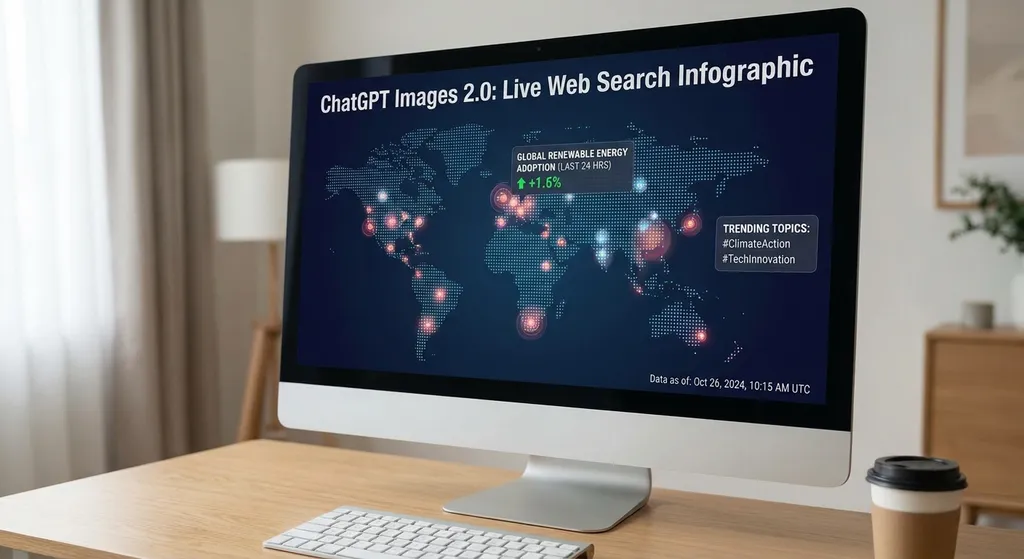
For example: if you ask it to “make an infographic of today’s NBA playoff scores,” it will first retrieve real-time score data, then generate a data-accurate chart. Previously, this was impossible—you had to look up the data yourself and feed it step by step into the model.
This signifies a major step forward—from a “pure creativity tool” to an “information visualization tool.” For developers, this opens up completely new use cases: real-time data visualization, marketing materials based on the latest information, and automated generation of dynamic content.
However, note that internet retrieval is currently limited to ChatGPT Plus, Pro, Business, and Enterprise subscribers, and requires manually selecting a “thinking” model. Free users cannot use this function for now.
Text Rendering: AI’s Longstanding Challenge Finally Solved
Text within AI-generated images has always been a “truth detector”—you could tell instantly whether it was AI-made. Missing or extra strokes in letters or Chinese characters with missing parts—these problems have existed since the DALL·E 2 era and persist even in Midjourney v6.
In this aspect, GPT Image 2 shows visible improvement. According to community feedback, English text rendering is now highly accurate; generating posters, logos, or UI screenshots with full sentences is no longer an issue.
What about Chinese? That’s an even more interesting topic.
OpenAI specifically emphasized Chinese support in its official blog—unusual for previous product updates—and even launched a dedicated Chinese introduction page, describing it as “under active improvement.” Community testing shows that Chinese rendering is much better than before, though not yet perfect.
Some developers have found a clever workaround: use GPT Image 2 to generate the image, then apply post-processing with the nanobanana 2 model to fix Chinese text. According to users on the Linux.do forum, this combo greatly improves Chinese text accuracy and also increases resolution from 1K to 4K. However, side effects include a slightly pinkish tint and less than 100% correction.
What does this show? Chinese text rendering remains a tough problem for all image generation models, but GPT Image 2 has definitely raised the bar.
Instruction Following and Detail Consistency
Beyond networking and text rendering, Images 2.0 also brings visible improvements in core capabilities:
- More accurate instruction following: Complex, multi-condition prompts no longer easily “drop instructions.” For example, “an orange cat sitting on a blue sofa, background with a floor-to-ceiling window, and it’s raining outside”—previously, the model might miss the rain detail; now it captures it much more reliably.
- Detail consistency: Across multiple editing rounds, key features like facial traits and clothing details remain consistent—crucial for use cases like comics or product series.
- Multiple images from a single prompt: You can now generate several stylistically consistent images in one conversation, no need for repeated prompting.
- 4x faster generation speed: The iteration efficiency has greatly improved, making creative workflows that require frequent revisions much smoother.
On the API Side: The gpt-image-2 Model Goes Live
For developers, the most significant update lies in the API. The new model is available in the API as gpt-image-2, inheriting all the capability improvements of ChatGPT Images 2.0.
Here’s an example of calling gpt-image-2 via OpenAI Hub, which is API-compatible with OpenAI formats and directly accessible from China—one key gives access to mainstream models including GPT Image 2:
import base64
from openai import OpenAI

client = OpenAI(
    api_key="your OpenAI Hub API Key",
    base_url="https://api.openai-hub.net/v1"
)

# Basic image generation
result = client.images.generate(
    model="gpt-image-2",
    prompt="A minimalist tech company logo with the letter K in the center, deep blue gradient background, white geometric lines",
    size="1024x1024",
    quality="high"
)

# Retrieve the generated image (base64 encoded)
image_base64 = result.data[0].b64_json
with open("output.png", "wb") as f:
    f.write(base64.b64decode(image_base64))
If you need to edit an existing image, the API supports that as well:
# Image editing
result = client.images.edit(
    model="gpt-image-2",
    image=open("input.png", "rb"),
    prompt="Change the background to a seaside at sunset, keep the person unchanged",
    size="1024x1024"
)

image_base64 = result.data[0].b64_json
with open("edited.png", "wb") as f:
    f.write(base64.b64decode(image_base64))
Note that the API currently supports a maximum image resolution of 1024×1024. For higher-resolution needs, you’ll need to apply super-resolution post-processing yourself.
How Does Images 2.0 Compare to Competitors?
To be frank, the image generation space is fiercely competitive. Let’s make a quick comparison of the main players.
In text rendering, GPT Image 2 now belongs to the first tier. Midjourney v6.1 also performs well in this regard but doesn’t support internet retrieval. Google’s Imagen 3 delivers decent text accuracy but falls short in creative expression. As for open-source models like Flux and Stable Diffusion 3.5, text rendering remains their obvious weakness.
Internet retrieval, meanwhile, is the unique differentiator of Images 2.0. It’s not just an add-on feature—it fundamentally changes the image generation workflow. In the past, you needed to “research → organize information → write a prompt → generate image.” Now you can simply “describe demand → generate image,” with the research handled by the model.
However, Images 2.0 also has clear shortcomings:
- The 1K resolution cap looks modest when Midjourney can output 2K by default.
- Chinese text rendering, though improved, is not yet “reliable.” If your use case heavily depends on accurate Chinese text, plan for manual verification.
- Internet retrieval is limited to premium users. Whether and when API access will be supported remains officially unclear.
What This Means for Developers
If you’re building an image generation–related product, several aspects of Images 2.0 are worth noting:
First, improved text rendering makes previously impractical scenarios viable—automatically creating text-containing social media visuals, e-commerce product cover images, and event posters. These used to require manual correction due to poor text accuracy; now, at least English cases can be largely automated.
Second, once internet retrieval becomes available via API, it could inspire entirely new applications: automated generation of visual content based on real-time information. Imagine a daily automated pipeline that fetches industry data, generates an infographic, and posts it to social media—technically, that’s now possible.
Third, the pricing and rate limits of gpt-image-2 in the API deserve attention. Image generation APIs have historically been costly; if your app will make frequent calls, you’ll need to model your costs carefully in advance.
An Interesting Detail
In OpenAI’s official blog, there’s an easily overlooked detail: they included a “catch meme” as an example. That’s unusual for OpenAI’s typically serious product launches. Community members on Linux.do noticed this and discussed it—OpenAI seems to be intentionally building rapport with its Chinese user community.
Along with the special mention of Chinese support and the launch of a Chinese intro page, this indicates that OpenAI is paying growing attention to the Chinese market. For domestic developers, that’s a positive signal—it suggests continued improvements to Chinese-related capabilities.
Summary
ChatGPT Images 2.0 is far more than a minor upgrade. Internet retrieval turns image generation from a “closed-book” to an “open-book” process, while text rendering improvements make more real-world use cases feasible. Chinese support isn’t perfect yet, but it’s headed in the right direction.
For developers already using the GPT image API, it’s worth testing gpt-image-2 soon—especially to explore the advances in text rendering and instruction following, which could directly improve your product experience. For those still on the fence, keep a close eye on internet retrieval—it could be the next key battleground in image generation.
References:
- Unveiling OpenAI’s New Image Generation Architecture: GPT Image 2 Core Capabilities and API Integration — Technical analysis of GPT Image 2’s architecture and API from the Juejin community
- OpenAI Image Generation API Officially Released, Integrating the Latest gpt-image-1 Model — Zhihu article tracing OpenAI’s image API evolution
- Discovered the True Power of gpt-image-2 with nanobanana2 — Linux.do forum user test of GPT Image 2’s Chinese text correction method
- OpenAI Knows the “Catch You” Meme Too — Linux.do community discussion on OpenAI’s official Images 2.0 blog post


