
Connecting GPT-5.5 via Codex API Mode
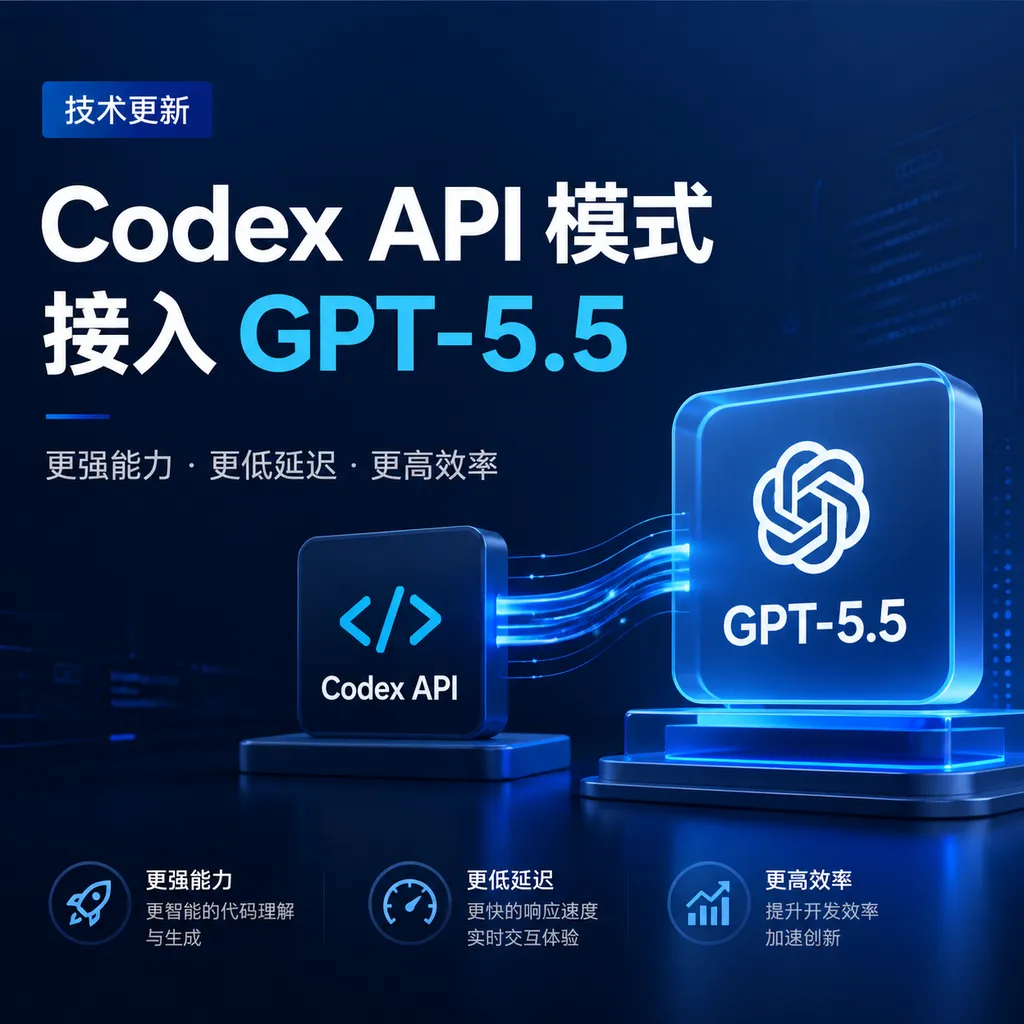
After the update to OpenAI’s Codex, the API mode now officially supports GPT-5.5 integration, while introducing five capability upgrades—including browser control—marking its evolution from a code tool to an intelligent agent.
Codex API Mode Integrates GPT-5.5
OpenAI's Codex rolled out an update yesterday — the API mode can now directly use GPT-5.5. While this might look like just another model option in the list, it actually signals a shift in Codex’s positioning—from a “code-writing tool” toward a “task-executing intelligence.”
More Than Just a Model Option
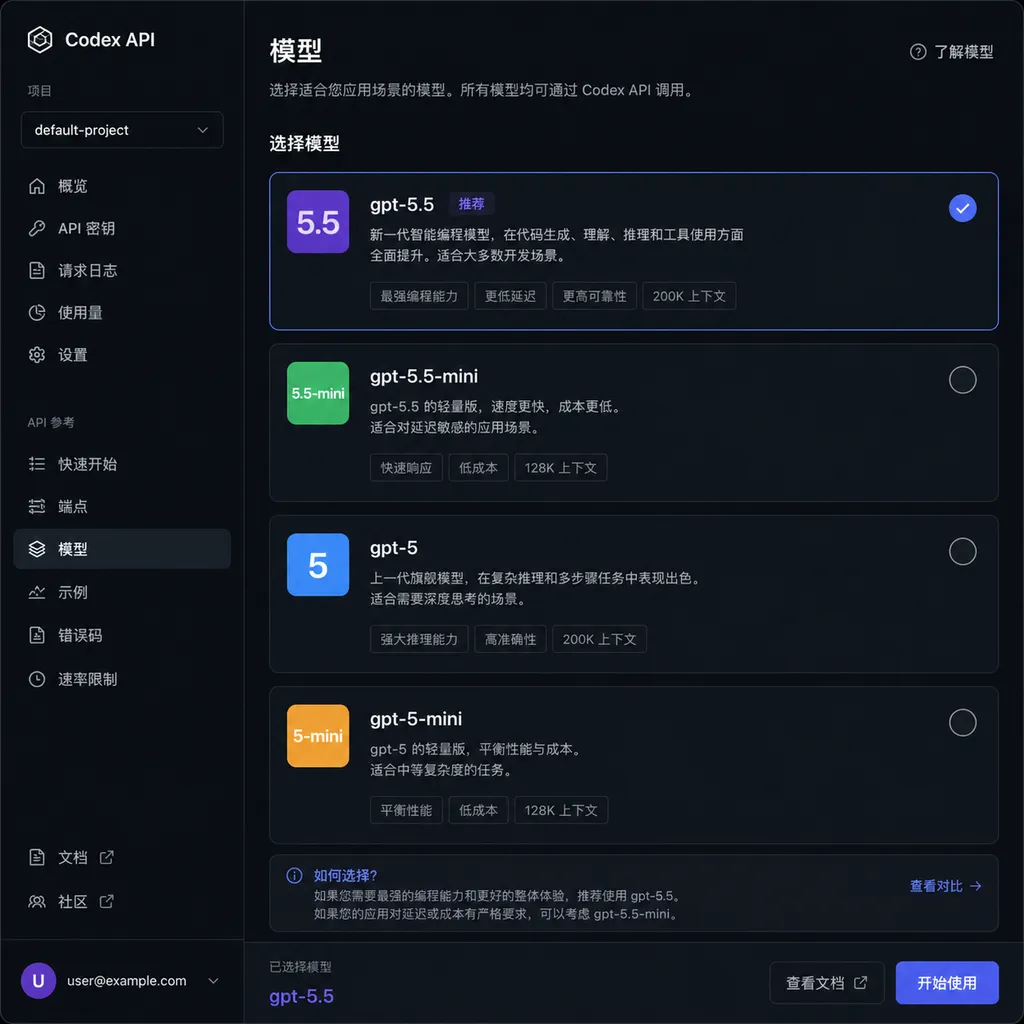
Previously, Codex’s API mode was locked on GPT-5.4, and the only way to use 5.5 was through the ChatGPT interface. This update lifts that limitation—developers can now directly select GPT-5.5 in their API configuration, with no detour required.
More importantly, this release comes with five major capability upgrades. OpenAI’s intention is clear: Codex is evolving beyond a simple code generator into an intelligent agent that can truly manage workflows. The biggest change is browser control—Codex can now directly interact with browsers and perform complex tasks across multiple applications. That means it’s no longer confined to the editor and terminal, but can handle real-world workflows that span multiple tools.
What GPT-5.5 Can Do Inside Codex
GPT-5.5’s improvements mainly focus on several areas:
Longer context window. While OpenAI hasn’t disclosed the exact length, given GPT-5.4’s 1M-token window, 5.5 certainly hasn’t regressed. For coding, this means handling larger codebases or maintaining context over longer tasks.
Stronger reasoning. GPT-5.5 shows clear improvement over 5.4 in multi-step reasoning tasks—like “understand requirements → design solution → implement details.” That chain is now more consistent, with fewer breaks in logic.
Better tool invocation. A practical gain for API users: GPT-5.5 decides when and which tools to call more precisely, while using fewer tokens. According to OpenAI, in the Toolathlon benchmark, 5.5 achieved higher accuracy in fewer turns.
The Shift from Tool to Agent
Codex’s five capability upgrades all push toward agent-like behavior:
- Browser control: Open web pages, click buttons, fill forms, and complete multi-app web tasks.
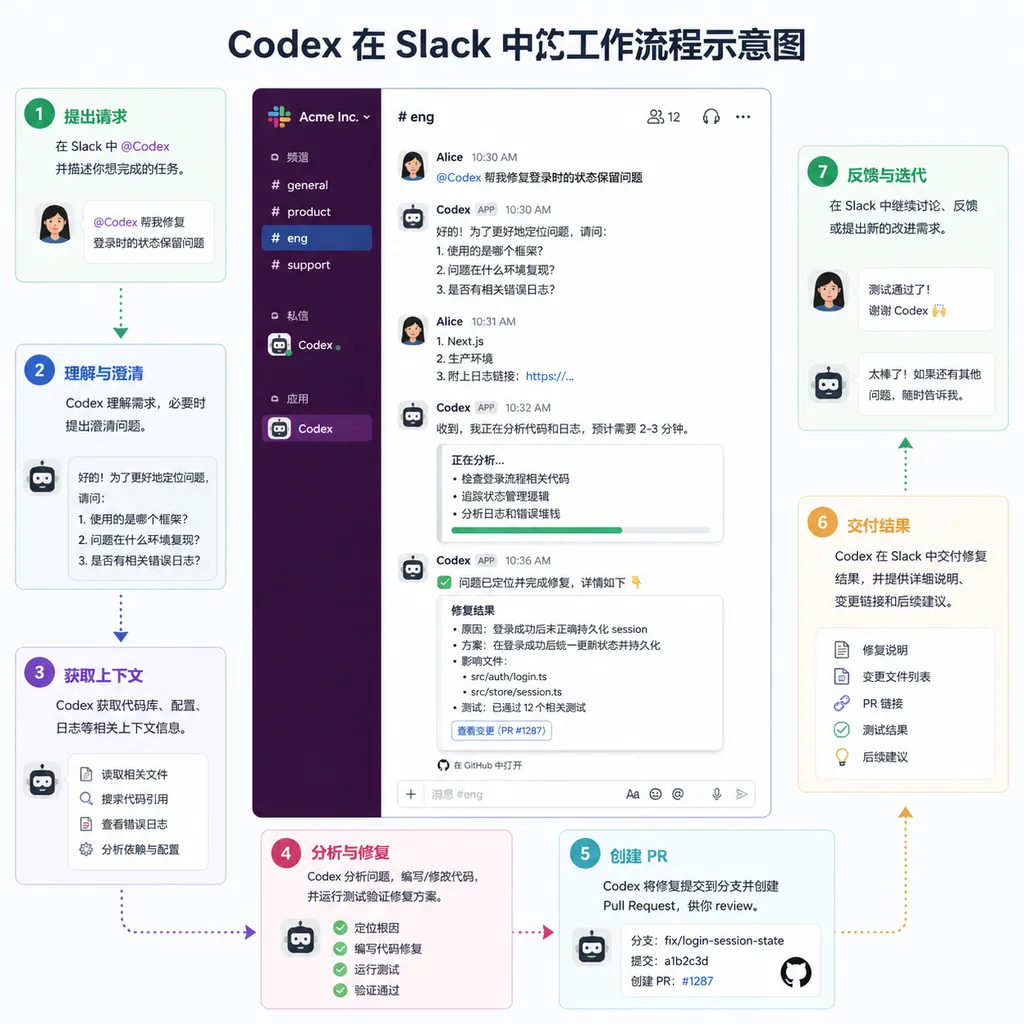
- Slack integration: @Codex directly in your team channel—it automatically gathers context, chooses environments, and replies with results.
- Codex SDK: Embed agent capabilities into your workflow using only a few lines of code.
- GitHub Action: Use Codex directly within CI/CD pipelines.
- Admin controls: Enterprise users can edit or delete cloud environments, enforce security configurations, and monitor tasks.
Their common theme: it’s no longer just “you ask, I answer,” but “you state a need, I execute.” For example, saying “merge yesterday’s PR and run the tests” in Slack would make Codex handle GitHub actions, trigger CI, and return results.
Real-World Use Cases
OpenAI provided two customer examples:
Cisco uses Codex for code reviews, cutting audit time by 50%. It sounds extreme, but large company PRs often run thousands of lines, and human review is time-intensive. Codex’s advantage is reviewing both human and AI-written code consistently.
Instacart integrated the Codex SDK into its internal platform, Olive. Engineers can launch remote environments with one click for end-to-end workflows. More impressively, it automates tech debt cleanup—deprecated code and outdated experiments can be batch-processed automatically.
Both examples share a trait: Codex wasn’t used to build new features, but to handle repetitive, rule-based tasks. That’s the most reliable application for coding AIs—for automating the “I know how to do it but don’t want to” kind of tasks.
Compared to Competitors
Codex’s main competitors are GitHub Copilot, Cursor, and Windsurf. Functionally:
GitHub Copilot focuses on code completion and generation. It has chat functions but lacks Codex’s full agent capabilities. Its strength is tight GitHub integration, making PR review and issue handling seamless.
Cursor provides a richer editor experience—especially multi-file editing and refactoring. But it remains mainly an enhanced IDE, weaker than Codex in cross-application automation.
Windsurf is promoting its own agent features lately, but its ecosystem isn’t mature yet. Codex has the advantage of OpenAI model support and a complete suite of integrations—SDK, Slack, etc.
Overall, Codex now positions itself as a “coding agent platform” rather than a code helper. If your workflow spans multiple tools or needs automation, Codex shines. For pure coding, Copilot or Cursor may still feel smoother.
API Call Example
For developers integrating GPT-5.5 into their own applications, OpenAI Hub provides an interface compatible with OpenAI’s API format. Here’s a basic example:
import openai

# Configure OpenAI Hub
openai.api_base = "https://api.openai-hub.net/v1"
openai.api_key = "your-openai-hub-key"

# Call GPT-5.5
response = openai.ChatCompletion.create(
    model="gpt-5.5",
    messages=[
        {"role": "system", "content": "You are a code review assistant."},
        {"role": "user", "content": "Check this code for security issues."}
    ],
    temperature=0.7
)

print(response.choices[0].message.content)
// Node.js example
const OpenAI = require('openai');

const openai = new OpenAI({
  baseURL: 'https://api.openai-hub.net/v1',
  apiKey: 'your-openai-hub-key'
});

async function main() {
  const completion = await openai.chat.completions.create({
    model: 'gpt-5.5',
    messages: [
      { role: 'system', content: 'You are a code review assistant.' },
      { role: 'user', content: 'Check this code for security issues.' }
    ],
    temperature: 0.7
  });

  console.log(completion.choices[0].message.content);
}

main();
For using Codex SDK’s agent capabilities:
import { CodexAgent } from '@openai/codex';

const agent = new CodexAgent({
  apiKey: 'your-openai-hub-key',
  baseURL: 'https://api.openai-hub.net/v1',
  model: 'gpt-5.5-codex'
});

// Execute a code review task
const result = await agent.execute({
  task: 'review-pr',
  context: {
    repo: 'owner/repo',
    prNumber: 123
  }
});

console.log(result.summary);
OpenAI Hub’s advantages: direct domestic access with no connectivity issues, and one key works across all major models—no need to manage multiple API keys.
Pricing and Availability
With GPT-5.5 now accessible in Codex API mode, OpenAI has adjusted its pricing. GPT-5.5 costs more per token than 5.4, but thanks to better token efficiency, the actual cost may not rise. OpenAI offers three price tiers:
- Standard API: normal rate
- Batch/Flex: half of the standard rate, suitable for non-real-time tasks
- Priority: twice the standard rate, with faster response guaranteed
Slack integration and the Codex SDK are available to ChatGPT Plus, Pro, Business, Edu, and Enterprise users. Admin features are limited to Business, Edu, and Enterprise.
For individual developers, a Plus plan ($20/month) offers access to GPT-5.5 in API mode. For teams, Business plans start at $25/user/month with full agent functionality.
Details Worth Noting
A few subtle updates in this release:
Fast mode: Enabling /fast in Codex increases GPT-5.4’s token generation speed by 1.5×—the model is unchanged, just faster inference. Useful for rapid iteration, such as frequent code debugging.
Tool search: Introduced in GPT-5.4, and likely in 5.5 too. When many tools are available, the model first searches for relevant ones before invocation, saving tokens and improving accuracy by skipping irrelevant tool definitions.
Real-time instruction updates: In GPT-5.4’s “Thinking” mode on ChatGPT, you can insert instructions mid-generation. If this becomes available via API, it’ll help with long-running tasks—allowing mid-process corrections.
Excel and Sheets integration: Not exclusive to Codex, but combined with agent abilities, you can say something in Slack, have Codex operate Excel, and return results—making it far more practical for non-technical teams.
Potential Risks
As agent power grows, so do risks:
Permission control: Codex can browse, access GitHub, and modify code—poorly managed access can spell disaster. OpenAI’s admin tools help, but enterprises should ensure proper isolation.
Cost control: Agent workflows may trigger multiple API calls and tool executions. Without monitoring, spending can spiral—especially in Priority mode, at twice the base cost.
Reliability: Multi-app workflows are only as strong as their weakest link—any failure can derail the whole task chain. Codex’s error recovery and retry mechanisms still need real-world validation.
Data security: Codex executes in the cloud, meaning your code and data are uploaded to OpenAI servers. Even though OpenAI promises not to use user data for training, this remains a concern for security-sensitive enterprises.
Industry Impact
This update reflects a clear shift: AI coding tools are evolving from “assistants” to “autonomous performers.”
For developers: They won’t be replaced soon, but their job content will shift. Routine tasks go to the AI; developers focus more on architecture, requirements, and technical decisions. This actually raises the bar—you’ll need skills to break tasks into AI-executable steps, verify output, and intervene when it fails.
For enterprises: Agent mode lowers automation barriers. What once required custom scripts or CI/CD pipelines might now take a sentence. But that introduces new management concerns—how to audit AI actions, control costs, handle mistakes.
For the industry: OpenAI’s aggressive move means GitHub, Cursor, and others will likely follow. We’ll see more “AI agent platforms,” shifting competition from “who autocompletes better” to “whose agent is more reliable.”
Summary
The addition of GPT-5.5 support in Codex API mode seems like a model upgrade but actually represents OpenAI’s broader move toward agent-driven coding tools. With browser automation, Slack integration, and SDK support, Codex is evolving from “writing code” to “executing coding-related workflows.”
For developers, this direction makes sense—we need tools that do the work, not just generate snippets. Yet agent mode brings new challenges: permissions, costs, and reliability must all be managed through experience.
GPT-5.5’s raw upgrades (longer context, stronger reasoning, smarter tool use) lay the foundation. But its true value lies in workflow integration. Codex’s update points the way forward—but the journey’s just begun.
References
- Codex Updated: API Mode Finally Supports GPT-5.5 - Linux.do – first-hand user experiences
- Codex Now Supports GPT-5.5 - Reddit Discussion – community debates and feedback


