
AstrBot Responsive Image Generation Plugin: The Correct Way to Enable SSE Streamed Image Output
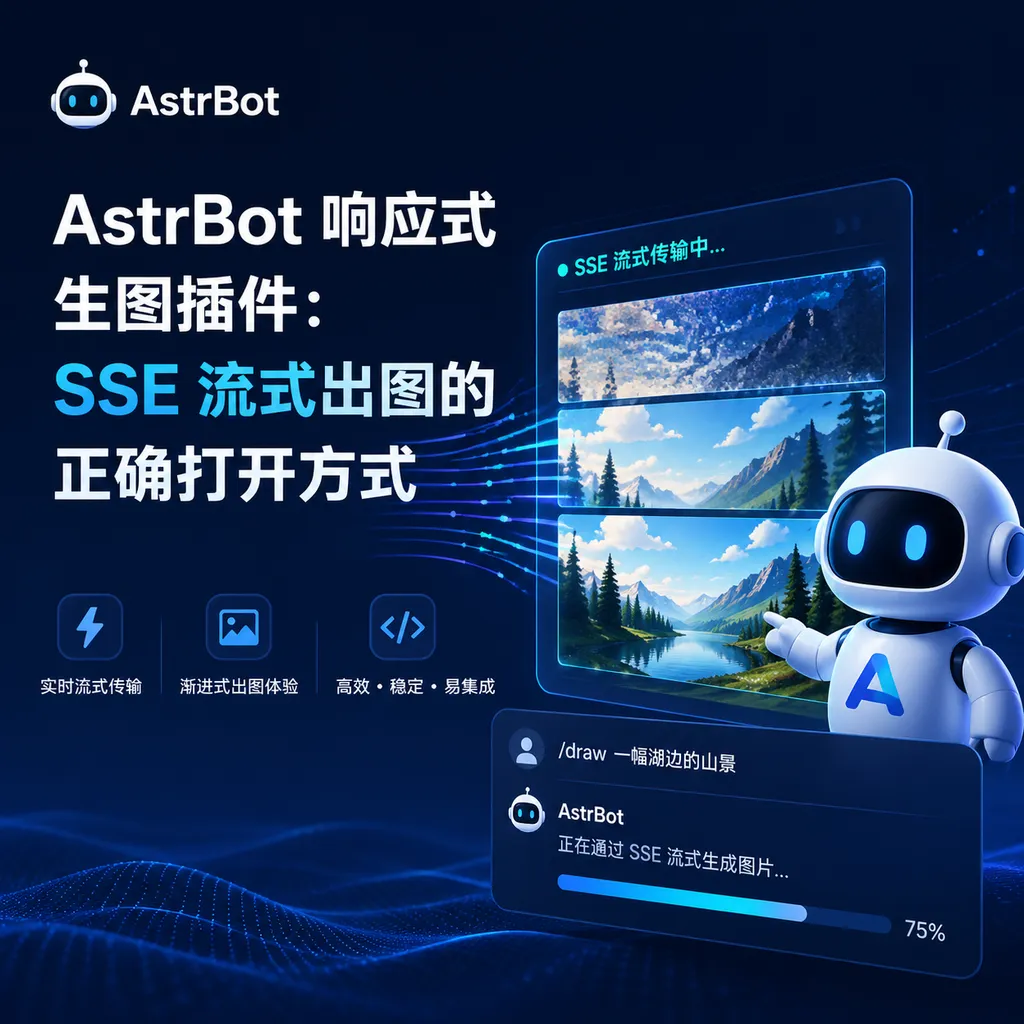
A developer from the AstrBot community has open-sourced an image-generation plugin based on the OpenAI Responses API SSE protocol. It supports text-to-image, image-to-image, multi-image input, and request queue control, providing a more engineered solution for AI image generation in chatbot scenarios.
A rather interesting plugin has recently popped up in the AstrBot community — astrbot_plugin_chatgpt_responses_image.
Its functionality is simple: it enables the AstrBot chatbot to generate images through the GPT Image model.
But its implementation is worth talking about, because it doesn’t follow the usual REST request–response route. Instead, it’s built on OpenAI’s newer Responses API, using the SSE (Server-Sent Events) streaming protocol to handle the whole image-generation process.
This isn’t just a matter of changing an endpoint. For developers building AI image generation in instant messaging scenarios, this solution solves several real engineering pain points.
First, Some Background: What is AstrBot?
If you’ve never encountered AstrBot before, here’s a quick summary — it’s an open-source, all-in-one agentic chatbot platform. The project has already built a fairly active community on GitHub.
Its core selling point is “Deploy once, connect everywhere.” It supports dozens of mainstream instant messaging platforms including QQ, Telegram, WeCom, Feishu, DingTalk, Slack, and more, with a lightweight admin interface similar to Open WebUI.
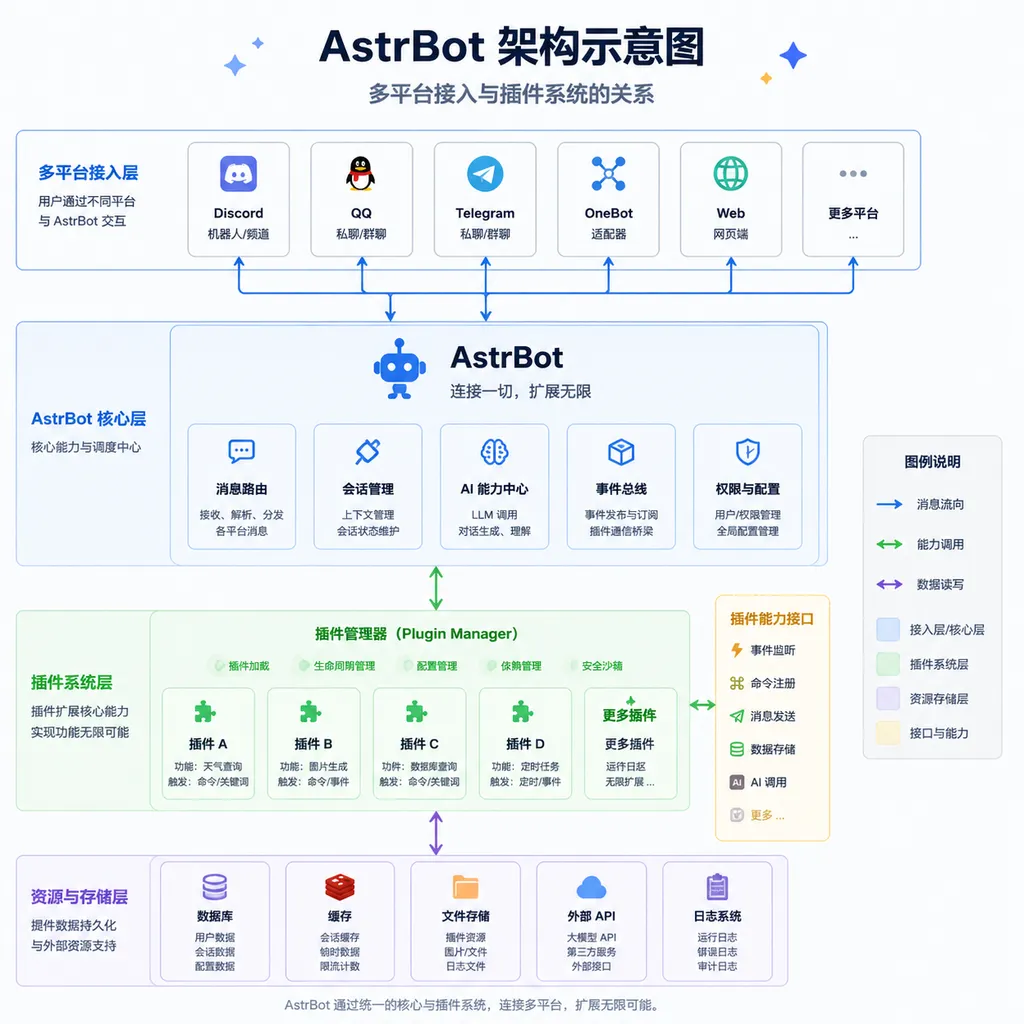
More importantly, it has a thriving plugin ecosystem. AstrBot uses a modular, plugin-based architecture, allowing community developers to extend its features through plugins without touching the core code. This image-generation plugin grew out of that ecosystem.
Developer GALIAIS released the plugin as an open-source project in the LINUX DO community. The full source code is on GitHub, with no closed-source parts. This kind of community-driven development model is a microcosm of how AstrBot’s ecosystem maintains its vitality.
Why Use SSE Instead of Ordinary HTTP Requests?
This is the plugin’s most interesting technical aspect.
Most developers are familiar with the traditional AI image generation workflow: send a POST request, wait for the model to finish, then receive the complete response containing the image (as base64 data or a URL). The process is synchronous and blocking. For a simple API call script, that’s fine — waiting isn’t a big deal.
But in a chatbot environment, it’s a different story.
Imagine a group chat where 20 people all send “Create a cyberpunk-style cat.”
If each request is synchronous and blocking, you either open 20 concurrent connections — stressing your API quota and server resources — or you queue users up, which results in a poor experience. Worse still, image generation takes time — GPT Image models can take several to over ten seconds per image. During that time, users see nothing; they don’t know whether the bot is still working or has crashed.
SSE solves this problem elegantly.
SSE is a one-way event-pushing protocol from server to client that runs over an HTTP long connection. You can think of it as this: after the client sends a request, the server doesn’t return everything at once but continuously streams updates “live.”
OpenAI’s Responses API supports SSE mode, pushing multiple events during image generation — request received, processing, completed, image ready — so the client can track each stage in real time.
For chatbots, this means:
- When a “processing” event arrives, you can immediately send a message like “Generating image, please wait...”.
- When generation completes, the image can be sent instantly—no polling required.
- If an error occurs, the user is notified right away instead of waiting until a timeout.
This isn’t just a nice-to-have — it’s a qualitative leap in user experience.
Multi-Image Input: More Than Just Text-to-Image
Another highlight of the plugin is its support for multi-image input — image-to-image generation.
Multi-image input allows users to send multiple reference images so the model can understand and recreate based on them.
For example: send one image of a building and another showing an art style, then instruct the model, “Redraw the building in the style of the second image.”
This works through multimodal input in the OpenAI Responses API: the request body can contain multiple image-type content blocks. The plugin wraps this for AstrBot, allowing users to send multiple images and a text prompt in chat; the plugin automatically converts them into a properly formatted API request.
It sounds simple, but handling multi-image input in IM contexts involves details like:
- Different IM platforms use different image message formats — some URLs, some base64, some require a second download via file ID.
- Users may send images and text separately, so maintaining context across messages is essential.
- Images often need preprocessing (e.g., resizing) before submission to avoid token or cost issues.
The plugin handles all that messy work for you.
Queue Management: A Must-Have for Group Chats
Earlier, we mentioned 20 people sending image-generation requests simultaneously.
SSE solves real-time feedback, but concurrency control still needs additional logic.
This plugin implements a request queue system. The core idea:
- All generation requests enter a FIFO queue.
- There’s a configurable limit on concurrent processing.
- Requests beyond the concurrency limit wait in queue; users are notified of their place and estimated wait time.
- Each user’s number of concurrent requests is limited to prevent spam.
Such a mechanism is essential in group chats.
Without queue control, an image generation bot becomes a disaster in busy groups — API throttling, server overloads, or terrible user experiences are inevitable.
From an engineering perspective, queueing and SSE complement each other perfectly.
Because an SSE connection is a long connection, the queue manager knows the exact real-time status of each request — queued, generating, completed — and can schedule accordingly.
In contrast, synchronous requests only yield “sent” and “response received” — everything in between is a black box.
Technical Implementation: Connecting to the Responses API via SSE
For developers interested in implementation details, here’s a quick overview of how OpenAI’s Responses API works in SSE mode.
Unlike the older Chat Completions API, the Responses API is a newer interface paradigm by OpenAI.
Its design philosophy is task-oriented rather than conversation-oriented — you submit a task (e.g., “generate image”), and the API returns a stream of events representing execution progress.
A typical SSE event stream looks like this:
event: response.created
data: {"id": "resp_xxx", "status": "in_progress"}

event: response.in_progress
data: {"id": "resp_xxx", "status": "in_progress"}

event: response.output_item.added
data: {"type": "image", "image": {"url": "https://..."}}

event: response.completed
data: {"id": "resp_xxx", "status": "completed"}
By listening for these events, the client can track precisely how the task is progressing.
The plugin maintains the lifecycle of an SSE connection — establishing it, parsing events, handling different event types, managing disconnections and reconnections.
This is definitely more complex than doing a simple requests.post() followed by response.json(), but it offers much better real-time responsiveness and control granularity.
How Does It Compare to Existing Solutions?
To be fair, this isn’t the only image-generation plugin in the AstrBot ecosystem.
There have been others based on the DALL·E API or Stable Diffusion WebUI API.
What sets this one apart are three things:
-
It uses the Responses API, not Chat Completions or Images API.
The Responses API is now OpenAI’s preferred interface paradigm and will likely become the main one in the future. Adopting it early makes sense in the long run. -
SSE streaming provides vastly better user experience for chatbots.
This isn’t theoretical — users can feel the improvement immediately: instead of “send and wait in silence,” they now get interactive feedback. -
Queue management makes it production-ready.
Many open-source plugins work for demos but fall apart in real group environments.
Queueing means the plugin is built for practical use, not as a toy.
Of course, it has limits.
Currently, it’s tied to OpenAI’s GPT Image model — not compatible with Stable Diffusion, Midjourney, or others.
Also, the Responses API is still evolving, so breaking changes may occur, requiring plugin updates.
Takeaways for Developers
Beyond the plugin itself, its design offers useful reference points for anyone doing similar work:
-
In IM scenarios, long-connection protocols like SSE or WebSocket are almost mandatory.
Sync requests are fine for demos but fail in high-concurrency situations where real-time feedback and state tracking are crucial. -
Queue management is not optional, it’s essential.
Any feature calling external APIs must handle rate limits, queuing, timeouts, and retries.
For high-latency, high-cost tasks like image generation, skipping queue control is asking for trouble. -
The plugin architecture pays off here.
AstrBot’s core doesn’t need to know about image-generation details — the plugin handles everything from API calls to image processing and queue management.
This decoupling lets community developers focus on what they’re good at without understanding the entire system.
If you’re using AstrBot or thinking about adding AI image generation to your chatbot, this plugin is worth checking out.
Even if you don’t use it directly, its SSE handling and queue-management implementation make good reference material.
The code is fully open-source on GitHub — reading it is the quickest way to learn.
By the way, if you run into network issues connecting to the OpenAI API, you might consider OpenAI-compatible aggregators like OpenAI Hub (openai-hub.com). They can handle connectivity more reliably without proxy setups — particularly valuable for long-lived SSE connections, which require much more stable network conditions than short HTTP requests.
References:
- AstrBot GPT Image Generation Plugin Announcement - LINUX DO — Original post by the plugin author with feature overview and usage guide
- AstrBot-Plugins/image-generation - GitHub — Full plugin source repository
- AstrBot Main Project - GitHub — Core AstrBot project with architecture docs and plugin development guide


