
Claude connects directly to Photoshop and Blender — is AI about to steal creative professionals’ jobs?
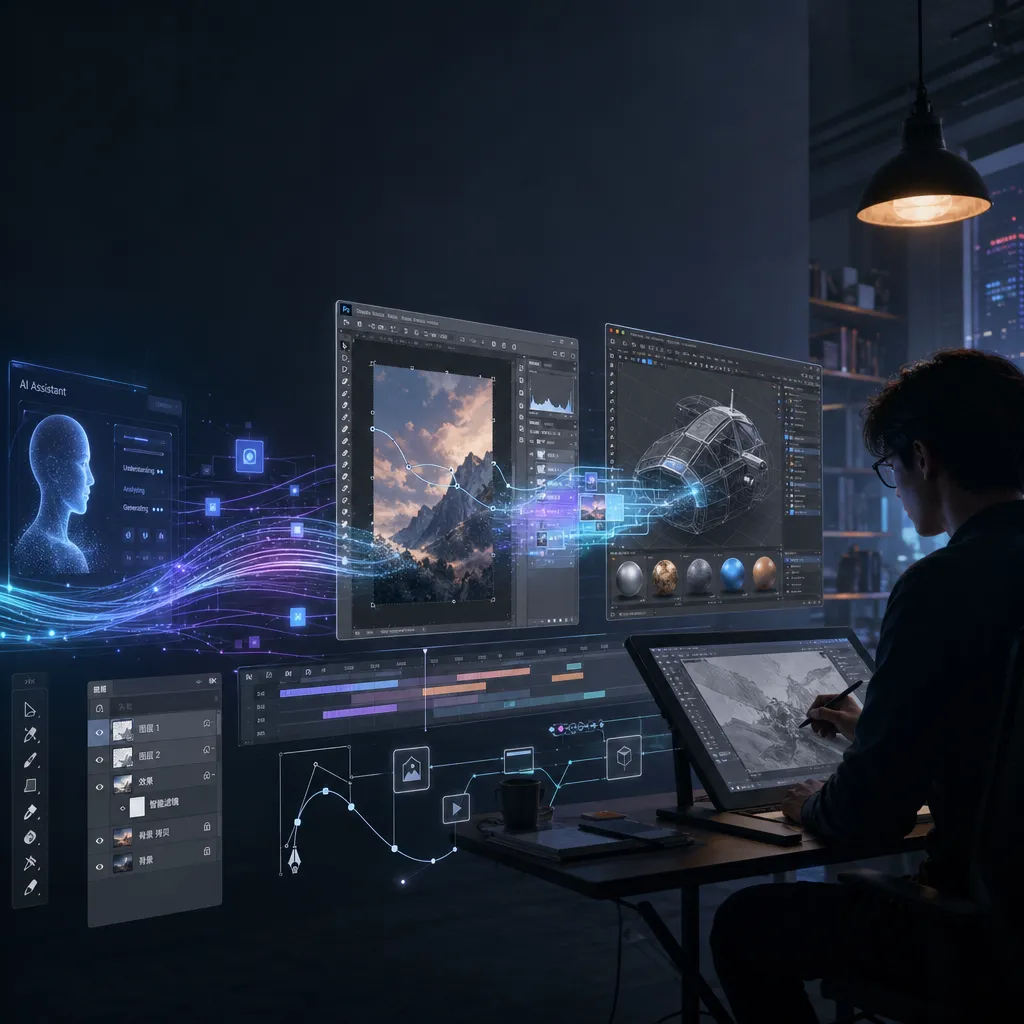
Anthropic releases the Claude Creative Connector, enabling AI to directly manipulate mainstream creative software such as Adobe, Blender, and Ableton—marking a key leap from “chat assistant” to “creative collaborator.”
Anthropic went big this time.
At the end of April, the company known for “AI safety” officially launched the Claude Creative Connectors, instantly bridging a number of mainstream creative tools such as Adobe Creative Cloud, Blender, Ableton, Autodesk, Affinity, and Splice.
In simple terms: you can now directly manipulate layers in Photoshop, debug 3D scenes in Blender, or even manage tracks in Ableton — all within Claude’s chat interface.
It’s not writing a tutorial for you to follow — Claude does the operations itself.
This deserves a serious discussion.
What exactly can it do?
Let’s first clarify what a “connector” means. It’s not a plugin or an API wrapper, but rather a standardized software control protocol — Claude gains access to target applications through connectors, enabling it to read data, perform actions, and return results. You can think of it as giving Claude a pair of hands that can reach into professional software.
For each application, the capability boundaries vary slightly:
Adobe Creative Cloud Connector
This is the broadest one. Claude can leverage Adobe’s creative capabilities, including but not limited to:
- Retrieve and use design templates from the Adobe Express library
- Perform image editing operations (crop, color adjust, filter, etc.)
- Generate design assets and apply them directly to projects
- Read PSD file structures and understand layer relationships
A real-world example: You tell Claude, “Replace the background of this product image with a blue gradient, add our brand logo watermark, and export three sizes for social media,” and it can complete all that within the Adobe ecosystem — not just provide a list of Photoshop steps.
Blender Connector
This one may appeal most to developers and technical artists. The Blender connector supports:
- Debugging 3D scene issues (missing materials, flipped normals — those classic headaches)
- Batch editing object properties (imagine adjusting material parameters for 200 objects at once)
- Building custom tools and scripts
- Executing Blender Python commands directly from the chat interface
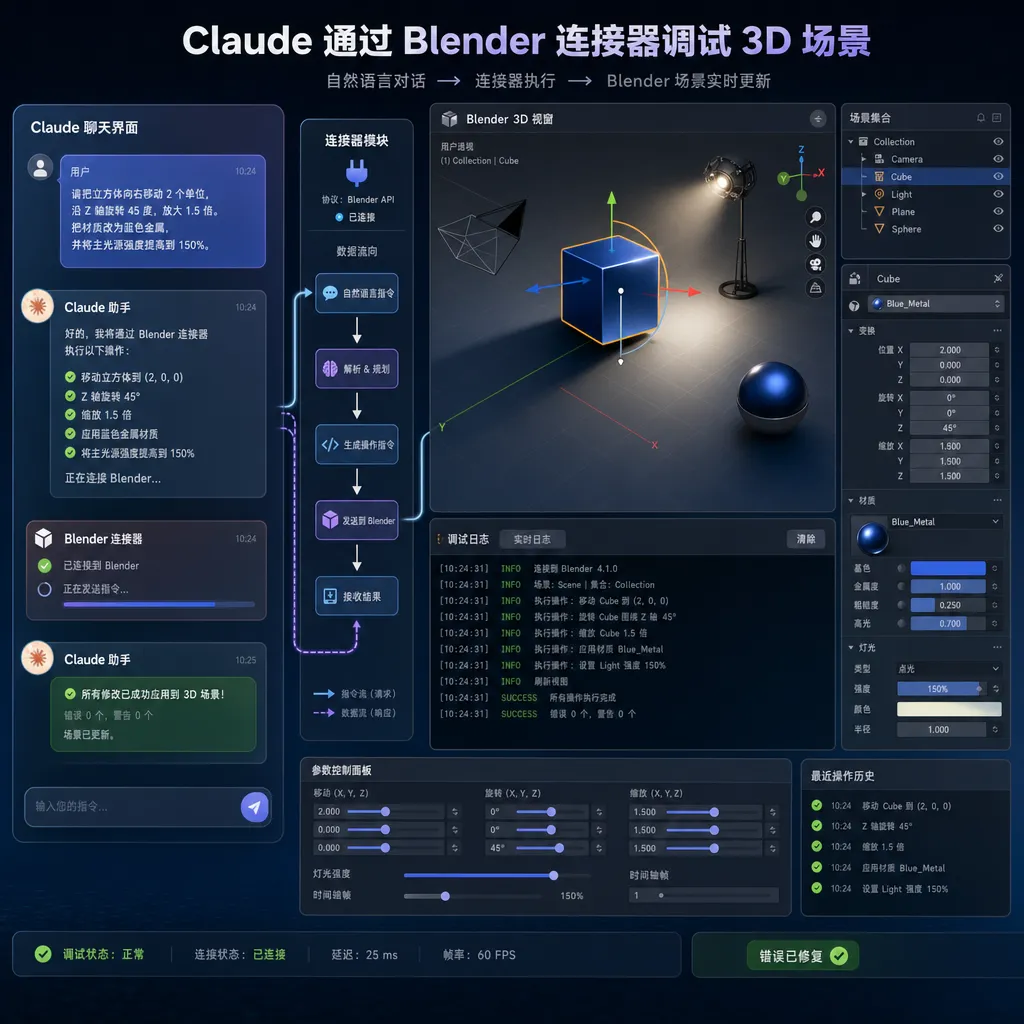
Anyone who’s done 3D work knows Blender’s learning curve is steep as a cliff. Just remembering all those shortcuts and menu layers is an ordeal. Now Claude can understand your natural-language description and perform corresponding operations inside Blender — that’s a real productivity boost for indie developers and small teams.
Ableton Connector
In the music production domain, Claude can:
- Integrate music project files and workflows
- Analyze track structure and arrangement logic
- Assist in mixing parameter adjustments
- Manage samples and sound libraries
Autodesk Connector
For industrial design and architecture, Claude can connect with Autodesk’s product lineup to handle CAD files and engineering data.
Splice Connector
By integrating Splice’s vast sample library, music producers can search, filter, and manage audio materials through Claude.
Affinity Connector
As Adobe’s main competitor, the Affinity suite also joins the first batch of integration, covering graphic design, photo editing, and layout scenarios.
Why does this matter?
At first glance, this looks like another “AI + X” integration. But in depth, Anthropic’s approach is somewhat different.
In the past two years, AI’s presence in creative fields has been primarily through generation — generating images, videos, or music. Midjourney, Suno, and Runway all follow this pattern. Their commonality: the output is AI’s creation; human creators merely provide prompts.
Claude Creative Connectors take another route: not replacing your creation, but assisting you within your creative tools.
That distinction is crucial. A professional designer won’t deliver a Midjourney-generated image to a client, but might welcome AI help to batch color-correct 50 product photos in Photoshop. A 3D artist won’t use AI to generate a model from scratch but will appreciate an assistant that finds which object’s UV maps are broken.
In other words, Anthropic targets not the pseudo-concept of “AI creators” but the real need for “AI assistants embedded in professional workflows.”
How is it technically implemented?
According to public info, the Claude Creative Connectors are built on Anthropic’s previously released Connector Framework. Its core principles:
- Define standardized interface protocols so Claude can “understand” the boundaries of target software capabilities
- Authenticate via OAuth or API keys
- Convert user natural-language intentions into specific API calls for target software
- Return execution results to Claude’s chat interface, forming a closed loop
It’s somewhat similar to Claude’s earlier Model Context Protocol (MCP), but Creative Connectors seem to be deeper adaptations for creative software.
Each connector doesn’t simply forward API calls but embeds domain-specific understanding.
For instance, the Blender connector doesn't just call bpy.ops.mesh.primitive_cube_add() — it understands Blender’s scene tree, material node system, and modifier stack logic. When you say, “Make this character’s metal look rougher,” Claude knows to adjust the Roughness parameter of the Principled BSDF node — not naively prompt you for exact values.
All this requires vast domain-specific training data and fine-tuning of tool‑use. It’s far beyond “just connect an API.”
How does it compare with competitors?
In the “AI + Creative Software” race, major players are clearly diverging:
Adobe’s Firefly + AI Assistant: Adobe embeds AI throughout its products — generative fill, text-to-image, etc. It works smoothly but stays confined within Adobe’s ecosystem, leaning more toward feature enhancement than workflow automation. Firefly can generate an image but not automate an entire design pipeline.
GitHub Copilot’s approach: Copilot proved the feasibility of embedding AI in professional tools for coding, but hasn’t ventured into creative software yet.
OpenAI’s GPT + plugin ecosystem: GPT‑4’s plugin and function‑calling frameworks can connect to external tools, but so far there’s no structured integration for creative applications like Claude’s.
Google Gemini: Gemini is multimodal, but Google seems focused on its own products (e.g., Workspace) rather than third‑party creative tools.
Frankly, Anthropic leads in both breadth and depth here — integrating six major creative ecosystems at once. No other player matches that coverage right now.
But it’s too early to celebrate. Actual experience — latency, reliability of complex operations — still needs verification. Creative work demands precision; designers won’t accept “close enough” results.
What does this mean for developers?
If you build creative tools or manage pipelines for creative assets, this matters.
Possible applications include:
- Automated design asset pipelines — For e‑commerce, product image batching, multi‑size adaptation, multi‑language generation; Claude + Adobe connector enables semi‑automation.
- 3D asset management and QA — In gaming/film projects, Claude + Blender connector can audit model specs, auto‑fix common issues.
- Audio workflows — For podcasts or audiobooks, Claude + Ableton connector can assist with post‑production.
- Cross‑software orchestration — Imagine Claude calling multiple connectors: “Render a product image in Blender, touch up in Photoshop, then export in three social‑media sizes.”
Developers using Claude’s API now have access to tool‑use and connector integration. If you rely on OpenAI‑compatible aggregate services (like OpenAI‑Hub style APIs), you can directly call Claude’s latest features via unified interfaces without integrating Anthropic’s API separately.
How far can this go?
Zooming out, Anthropic’s strategy is clear: transform Claude from a chatbot into a work platform.
Earlier this month Anthropic launched Claude Design, focused on design‑assistance. Creative Connectors now complete the “last mile” — from understanding creative intent to executing operations inside professional tools.
The ceiling here is high. Imagine if Claude connects to more tools — DaVinci Resolve for video, After Effects for motion graphics, Figma for prototyping — it could become the “universal operating layer” of the creative industry. You wouldn’t need to master every tool; you just tell Claude what you want, and it executes it through the right app.
Of course, challenges remain:
Precision — Creative work has minimal tolerance for error; a single pixel or color mismatch can break acceptance. AI still struggles to translate vague creative intent into exact operations.
Latency — Each operation goes through “input → Claude understanding → API call → execution → return.” This could disrupt the creative flow. Lag kills flow.
Trust — Letting AI directly manipulate project files demands high trust. What if Claude messes up your PSD? Versioning and undo systems must be robust.
Business model — Are these connectors free or paid? For all Claude users or enterprise only? Anthropic hasn’t announced pricing yet.
Final thoughts
A recurring question in AI: is it meant to replace humans or enhance them?
In creative fields, this is especially sensitive. Over the past two years, AI‑generated content has sparked copyright debates, employment anxiety, and ethics concerns nonstop.
Claude Creative Connectors offer a gentler answer: not to replace creators, but to become their tools.
It won’t create a painting from scratch, but can help you finish your envisioned composition faster in Photoshop.
Is that a smart positioning? Absolutely. It avoids the “who owns AI artwork?” minefield while addressing a very real efficiency pain point.
But its success depends on real‑world experience. Creative professionals are among the most demanding users; they won’t buy something just because it sounds cool. Only if Claude truly saves them time without adding new hassles will the story check out.
We’ll be keeping an eye on user feedback and future updates.
References
- Claude Creative Work – Discussion on Linux.do Community — Community post discussing Anthropic’s official blog content and detailed connector features.


