
Kuaishou KroWork: Enabling people who can’t write code to build desktop applications
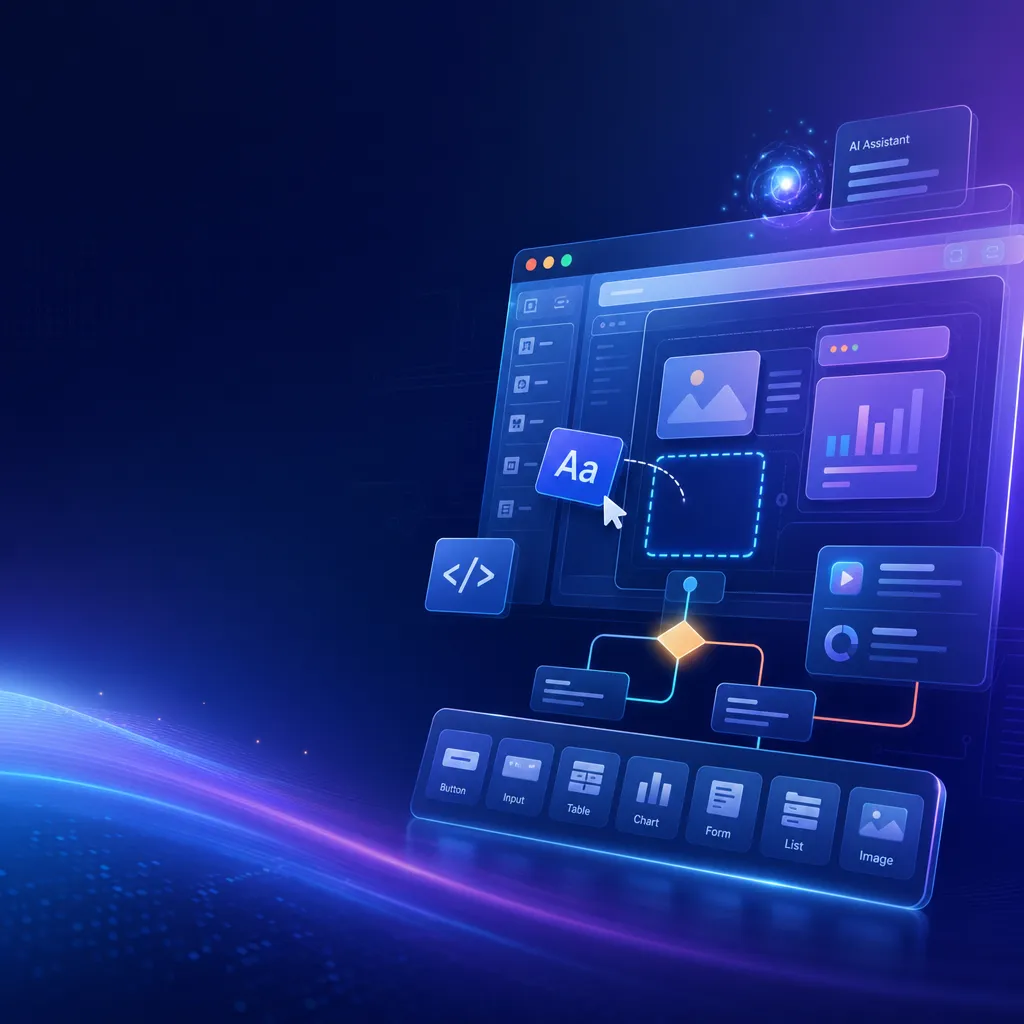
Kuaishou today released the desktop AI agent **KroWork**, which focuses on generating locally deployable desktop applications through natural language. Data stays local rather than going to the cloud, repetitive tasks are created once and reused permanently, aiming to address efficiency pain points for non-technical users.
Kuaishou Launches KroWork: Can You Really Build a Desktop App with a Single Sentence?
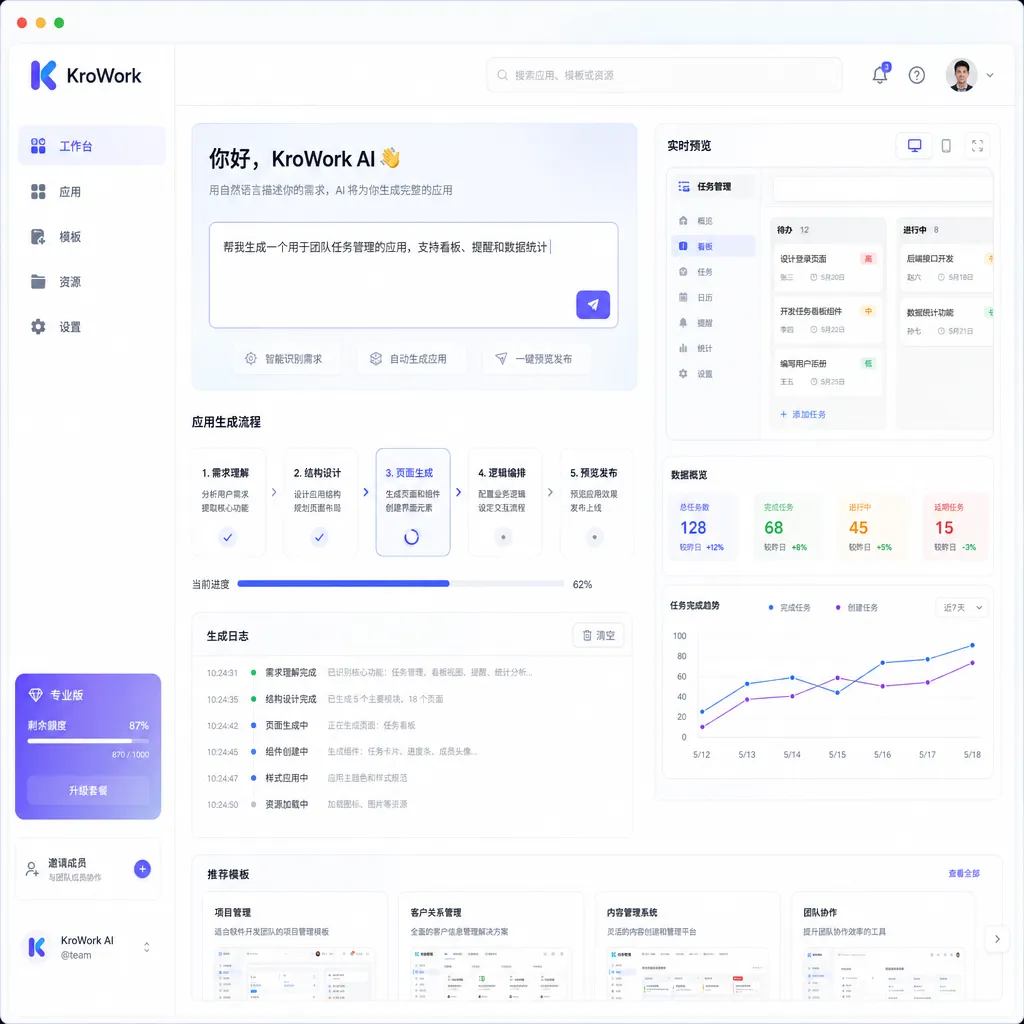
Kuaishou officially launched a desktop AI agent product called KroWork today. To sum it up in one sentence: you describe your needs in natural language, and it generates a local desktop app that you can run with a double-click. No coding, no environment setup — the app runs on your own computer, and your data stays local.
Sounds like yet another “AI that writes code for you” story? Not exactly. What makes KroWork truly interesting isn’t the fact that AI can write code — that’s old news by 2026 — but that it tries to solve a problem most AI programming products overlook: What happens after the code is generated?
Not Another Copilot — It’s “Application Solidification”
Over the past two years, AI coding assistants have become a fierce battleground. From GitHub Copilot to Cursor, from Tongyi Lingma to Doubao MarsCode, developers already have plenty of tools to help them write code. But these tools all share one implicit assumption: the user must be a developer, or at least understand some technology.
You can ask ChatGPT to write a Python script to batch-rename files — it will. But then what? You need to have a Python environment, know how to run commands in a terminal, and install dependencies. For someone in finance, HR, or marketing, those steps are as hard as writing the code itself.
That “last mile” is what KroWork wants to fix. Its core concept is called “application solidification” — AI doesn’t just help you complete one task, it packages the entire workflow into an independent local app. The next time you encounter the same need, there’s no need to chat with AI again or consume tokens — you just double-click the desktop icon.
It’s a practical idea. For example:
- You work in finance and need to consolidate departmental reimbursements every month. Tell KroWork, “Make me a reimbursement summary tool,” and it generates a desktop app — import your Excel sheet, and it automatically categorizes by department, validates amounts, marks anomalies, and outputs a summary report.
- You’re in content operations and need to scrape competitor updates from a dozen platforms daily. Describe your need, and KroWork creates a little scheduled scraper tool that runs automatically after startup.
- You’re a researcher who often needs to extract tables from PDF papers for comparison analysis. One sentence, one custom tool.
The key difference is that once these apps are generated, they’re yours. The code runs locally, doesn’t rely on cloud inference, and has no per-use fees. That’s a fundamentally different user experience from having to open ChatGPT and re-describe your need every time.
How Does It Work Technically?
According to official information, KroWork’s technical architecture has several notable aspects:
1. Secure Sandbox Execution
KroWork runs AI-generated code inside a secure local sandbox, rather than directly on your system. This is an essential safety design — you wouldn’t want AI-generated scripts messing with your files without isolation.
The sandbox also allows KroWork to capture errors and roll back if needed, preventing crashes or system issues when generated code contains bugs.
2. End-to-End Application Packaging
This is KroWork’s most technically impressive component. Traditional “AI coding” products output code text, leaving users to set up their own runtime environments. KroWork automates the entire chain from code generation and UI creation to dependency installation and packaging.
Developers know how painful it can be to bundle a Python script into a distributable app — PyInstaller quirks, Electron bloat, cross-platform incompatibilities… KroWork abstracts all that away. To the end user, all that appears is a new desktop icon that just works.
3. Browser Automation
Beyond standalone apps, KroWork also supports browser automation tasks, allowing it to handle repetitive web interactions — filling forms, scraping data, performing bulk operations. This is similar to RPA (Robotic Process Automation), but instead of drag-and-drop flowcharts, you describe your process in natural language.
4. Data Localization
KroWork emphasizes that data never leaves your device — a big selling point for enterprise users. Many companies forbid uploading internal data to third-party AI services. KroWork’s local architecture avoids that, at least at the data storage level.
However, note that it’s unclear whether the natural language processing and code generation inference also occur entirely locally. If cloud models are used, “data stays local” is only partially true — your prompts and context may still be sent to a remote server. That’s something to watch.
How Does KroWork Compare to Competitors?
Placed in the current AI product landscape, KroWork sits at an interesting intersection:
| Dimension | ChatGPT / Claude (Conversational AI) | Cursor / Copilot (Coding Assistant) | Traditional RPA Tools | KroWork | |------------|--------------------------------------|-------------------------------------|------------------------|----------| | Target Users | General | Developers | Enterprise IT | Non-technical knowledge workers | | Output Form | Text / code snippets | Code autocompletion / generation | Automated workflows | Runnable local apps | | Technical Background Needed | Low | High | Medium | Low | | Reuse Cost | Each session re-infers | Code reusable | Workflow reusable | App reusable, zero token cost | | Data Location | Cloud | Local + cloud | Depends on deployment | Local |
The closest comparison might be Anthropic’s Claude Computer Use and other “AI Agent” products. But Claude’s approach is about “AI operating your computer” — a real-time agent model — while KroWork’s “application solidification” is about “AI creating tools for you to use later.” It’s more akin to a productivity platform.
Each path has pros and cons:
- Real-time agents are flexible and can do anything, but consume compute power each time, and reliability remains an issue.
- Application solidification is stable, reusable, and cost-efficient, but only if your needs are well-defined. If they change frequently, you’ll have to regenerate apps often, weakening the advantage.
Another comparison is low-code/no-code platforms like Microsoft Power Apps or Feishu’s automation features. Those also target non-technical users, but their apps run in the cloud within those ecosystems. KroWork’s locally packaged apps are platform-independent — that’s a key differentiator.
Why Is Kuaishou Doing This?
At first glance, Kuaishou doing a desktop AI agent seems unexpected. Its main business — short video and e-commerce live streaming — feels unrelated to productivity tools.
But if you look at Kuaishou’s broader AI strategy, this move is deliberate. The company has long invested in large models, and its Kling video generation brand has become well known. KroWork can be seen as Kuaishou extending its AI capabilities into B2B and productivity scenarios.
From a business perspective, KroWork targets the massive market of “desktop efficiency for non-technical users.” There are hundreds of millions of knowledge workers worldwide doing repetitive computer tasks every day — most can’t code and don’t want to learn complex RPA tools. If KroWork truly makes it possible to “describe it once and get a usable app,” that’s a real demand.
Of course, whether it can actually deliver is another question.
Potential Challenges
After the highlights, let’s discuss KroWork’s possible challenges:
First, the ceiling on generation quality. Natural language requests are inherently ambiguous. The phrase “make a reimbursement tool” hides countless edge cases — different invoice formats, validation rules, definitions of anomalies. How well can AI infer these? That determines how usable the generated app will be. If users find it only handles trivial cases while failing on complex ones, “application solidification” backfires — they’ll have to debug or regenerate repeatedly, a worse experience than live AI interaction.
Second, app maintainability. What happens when a generated app has a bug? Non-technical users can’t read or fix the code. Does KroWork offer iterative updates or modifications? For example, if you say, “Add a new column for department heads,” can it incrementally update the existing app, or must it regenerate from scratch? That’s crucial for long-term usability.
Third, ecosystem and distribution. If I create a helpful tool, can I share it with colleagues? Distribute it internally? If KroWork is purely a single-user product, its potential is limited. A built-in app store or sharing system might be key to transforming it from a “cool gadget” into a productivity platform.
Fourth, cross-platform support. It’s unclear which operating systems KroWork supports. If it only runs on Windows, it misses many Mac users; if it goes cross-platform, packaging and compatibility become major engineering challenges.
An Interesting Direction
Challenges aside, KroWork represents an exciting shift: AI outputs evolving from “content” to “tools.”
For the past two years, large model products have primarily produced text — answering questions, writing copy, coding. But text is disposable. KroWork wants AI’s output to be persistent and reusable tools — a shift from consuming AI to producing with AI.
This direction already has precursors. OpenAI’s GPTs let users create custom AI assistants, but they’re still cloud-based and conversational. Anthropic is exploring letting AI directly use the computer. AI Agent frameworks try to let AI complete tasks autonomously. KroWork’s “application solidification” is a concrete, pragmatic implementation of that trend.
It doesn’t chase AGI-level general intelligence or aim to replace programmers. Instead, it focuses on a specific niche: helping non-technical users turn repetitive work into automation tools. That’s a clear value proposition — and a huge market.
Final Thoughts
Kuaishou’s KroWork has just launched, and its real-world experience remains to be seen. The idea of “generating local apps from natural language” is compelling, but there’s a wide gap between a demo and a polished, dependable product.
Still, KroWork poses a meaningful question: Can AI not just help you do tasks, but help you create tools that do them?
If the answer is yes, that could transform not just personal productivity but the way software is built and distributed.
This is something worth watching closely.
References
- Kuaishou launches AI desktop agent KroWork, supporting natural language generation of local apps – IT Home: First report with detailed official feature description.


