
400 lines of Shell outperform ten thousand lines of frameworks — Pu.sh redefines the AI coding agent
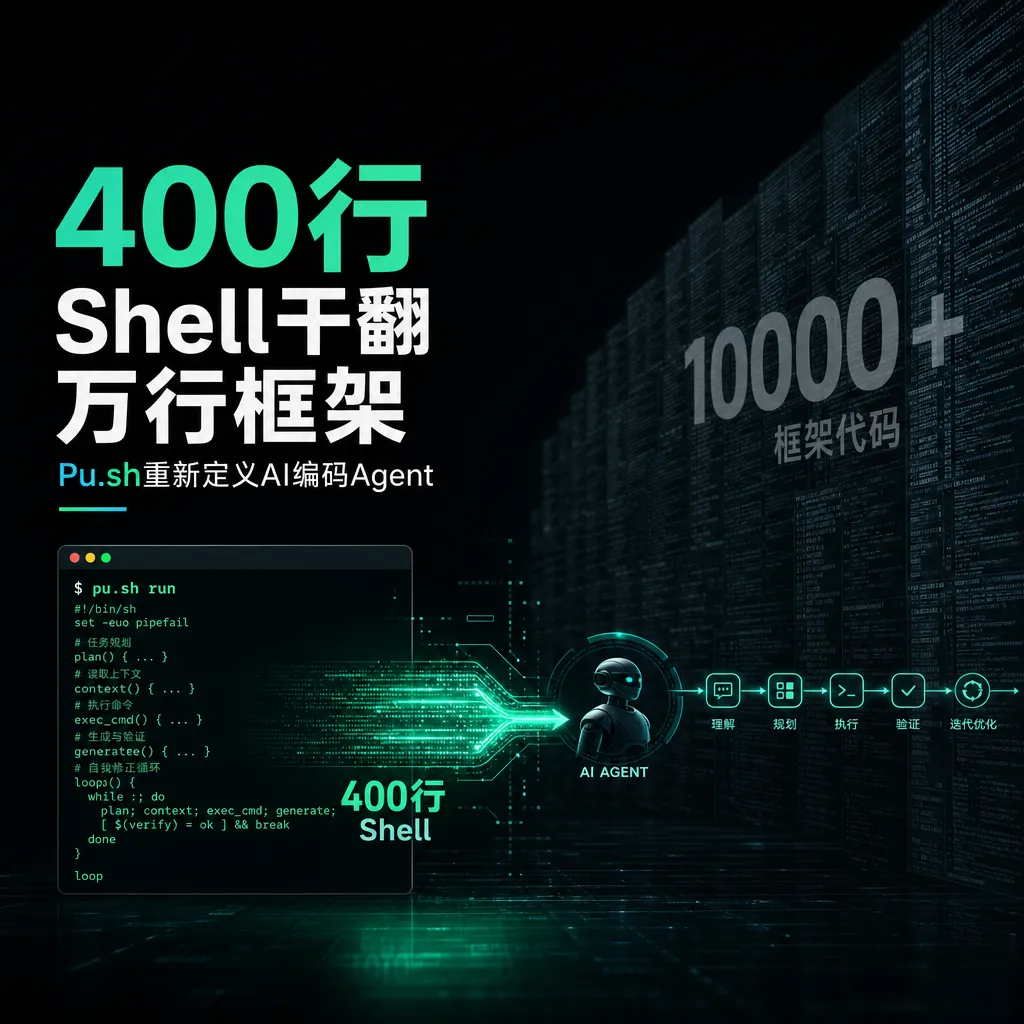
An open-source project called **Pu.sh** implements a complete AI coding agent framework in fewer than 400 lines of pure Shell script. At a time when AI agent toolchains are becoming increasingly bloated, it serves as a minimalist wake-up call to the industry.
When AI Agent Frameworks Reach Hundreds of Thousands of Lines—Someone Did It in Just 400 Lines of Shell
Recently, a project called Pu.sh surfaced on Hacker News. What it does is both simple and mind-blowing—it builds a fully functional AI coding agent framework using fewer than 400 lines of pure Bash.
No Python. No Node.js. No external dependency frameworks. Just Shell.
Looking at this in the year 2026, it feels almost like performance art. After all, industrial-grade AI coding agents next door often inflate to hundreds of thousands of lines and thousands of files—just their configuration systems could be a research paper. Yet the creator of Pu.sh took the exact opposite path: compress everything into a script you can literally read in full with a single cat command.
But on closer inspection, this is no toy. It’s a serious, usable engineering choice.
What Exactly Does Pu.sh Do?
Pu.sh (project site: pu.dev) describes itself as a “full coding-agent harness.” Its core capabilities include:
- Conversation loop management: Maintains multi-turn dialogue context with the model
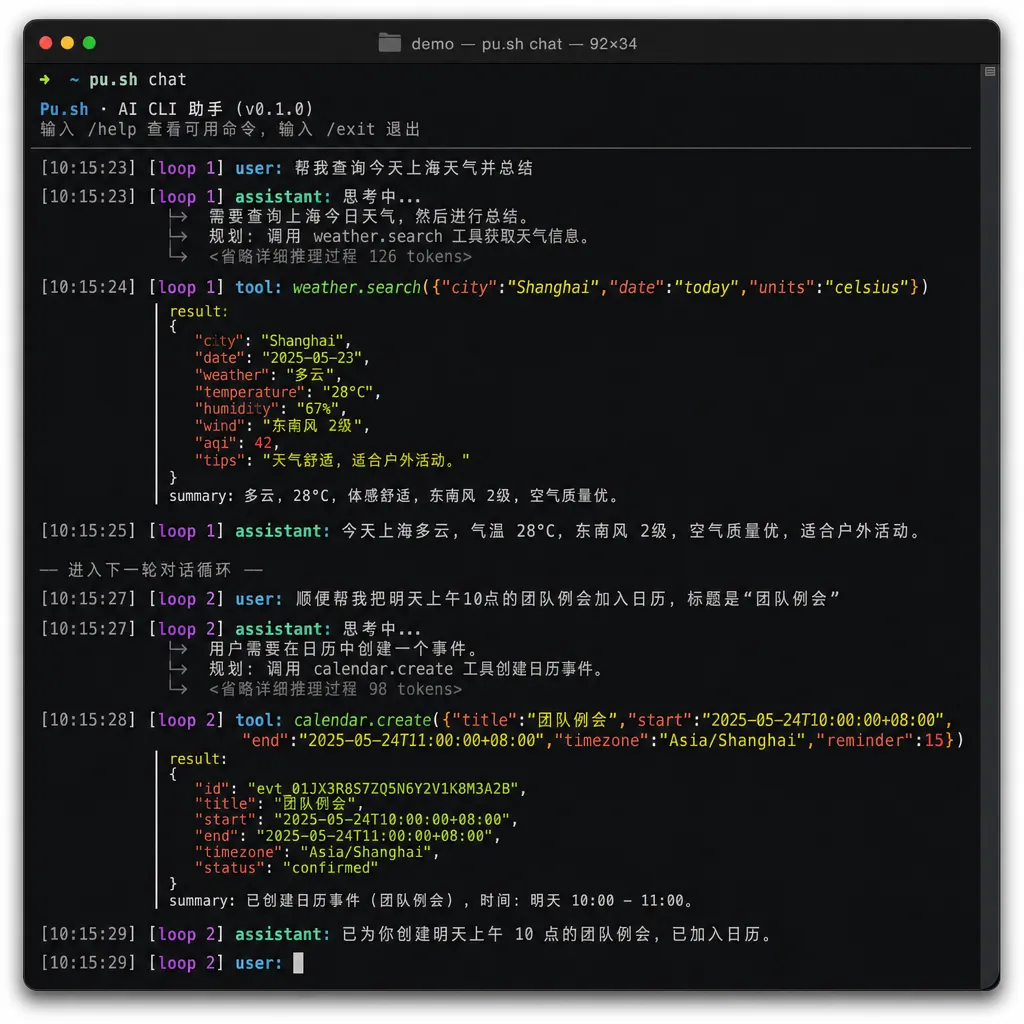
- Tool use: Allows the model to call local CLI tools—for reading/writing files, executing commands, searching code, etc.
- Sandboxed execution: Provides basic isolation for model-initiated commands
- Streaming output: Displays the model’s thoughts and actions in real time
- Multi-model support: Compatible with any OpenAI API–style models
These features are exactly the core of tools like Claude Code, Cursor Agent, and Aider. The difference? Where others use tens or hundreds of thousands of lines, Pu.sh does it in under 400.
How Can 400 Lines Be Enough? The Key Is “No Wheel Reinventing”
The first reaction is probably: “What can 400 lines even do? You can’t even write a proper JSON parser with that!”
Exactly—which is why Pu.sh’s design philosophy is: don’t parse it yourself, let the Unix toolchain do the work.
Shell scripts are naturally a glue layer. Pu.sh leverages that by:
- Using
curlfor HTTP requests and SSE streaming responses - Using
jqfor JSON parsing and construction - Using pipes to connect the data streams
- Using shell functions to organize the dialogue state machine
Put together, you realize Shell is actually ideal for API glue logic. HTTP, JSON, process control, file I/O—these are all native system abilities. There’s no need for extra runtimes.
Think about it: what’s the core workflow of an AI agent framework?
- Combine the user input and context into a prompt, send it to the model
- Parse the model’s response—determine whether it’s plain text or a tool call
- If it’s a tool call, execute it and feed the result back
- Repeat until the task is done
That loop isn’t complicated. What is complicated are all the layers built around it—UI, plugins, permissions, localization, IDE integration, etc. Pu.sh’s choice: implement only the loop itself and leave the rest to the OS.
The Engineering Judgment Behind Minimalism
This isn’t laziness—it’s engineering judgment.
To compare: public data shows a typical industrial-grade AI coding agent implementation might include ~1,900 files and over 510,000 lines of code. Of that, only a small fraction handles the actual “model conversation loop.” The rest goes into:
- Cross-platform compatibility
- IDE plugin integrations
- Complex permission and security systems
- Configuration and rules engines
- UI rendering and interaction
- Telemetry and analytics
Are these important? Of course—especially for commercial products. But if you just need an agent that helps you write code in a terminal, most of that is noise.
Pu.sh’s value lies in taking the signal-to-noise ratio to the extreme.
In the Context of a Fragmented AI Agent Ecosystem
Between 2025 and 2026, fragmentation among AI coding tools has gotten worse. Every tool has its own configuration scheme:
| Tool | Configuration Path | Format |
|------|--------------------|---------|
| Cursor | .cursor/rules/ | Markdown |
| Claude Code | claude.md | Markdown |
| Gemini CLI | GEMINI.md + settings.json | Markdown + JSON |
| Amp | settings.json | JSON |
| Kilo Code | .roo/rules/ | Markdown |
OpenAI initiated the AGENTS.md spec to unify configuration across tools, and Google’s Jules, Cursor, and others followed suit. But in reality, every tool still maintains its own system.
Pu.sh sidesteps the issue entirely: it’s just a Shell script—you can configure it however you want. No proprietary formats, no spec wars. Your system prompt is a text file; your “tools” are executable shell commands. The Unix philosophy of “everything is a file” is realized quite literally here.
Security: Simplicity as Transparency
Security in AI agents is a big topic. Not long ago, Amp Code was found vulnerable to prompt injection attacks—where attackers modified the agent’s configuration to whitelist malicious commands, enabling arbitrary code execution.
The root cause: a lack of boundary between the agent’s operational scope and configuration management. As systems grow more complex, the attack surface increases exponentially.
Pu.sh’s security model, by contrast, is refreshingly simple:
- The script itself is read-only—models can’t modify core code
- Tool calls run as standard shell commands under OS-controlled permissions
- The entire codebase is small enough for line-by-line auditing
What does 400 lines mean? It means an experienced engineer can fully read and understand the whole framework in half an hour. Any hidden backdoors or risks have nowhere to hide.
Of course, that doesn’t mean Pu.sh is inherently “secure”—prompt injection risks still exist, and shell command execution requires caution. But at least at the framework level, simplicity is the best security policy.
Who Is It For—and Who Isn’t It For?
Let’s be clear: Pu.sh isn’t here to replace Cursor or Claude Code.
Best suited for:
- Working on remote servers without GUIs—just the terminal
- Prototyping custom agent workflows without being locked in by frameworks
- Research or teaching on agent design, needing a minimal reference impl
- Understanding AI agent fundamentals without wading through massive codebases
- Hardcore Unix/Shell users who love the pipeline-based workflow
Not suited for:
- Those needing IDE integration or GUI interfaces
- Teams needing enterprise-grade permission and audit systems
- Complex multi-agent collaboration setups
- People uncomfortable with Shell (
#!/bin/bashgives them headaches)
The Deeper Question: Are AI Agent Frameworks Over-Engineered?
This is the real conversation Pu.sh starts.
Over the past two years, AI agent frameworks have ballooned in complexity. LangChain, LangGraph, CrewAI, AutoGen—each added more abstractions, more concepts, more configurations. Many developers now spend more time learning frameworks than solving problems.
At its core, an AI agent loop is simply:
while true; do
  response=$(call_model "$context")
  if is_tool_call "$response"; then
    result=$(execute_tool "$response")
    context+="$result"
  else
    echo "$response"
    break
  fi
done
That’s basically Pu.sh’s core logic. The real implementation handles more edge cases, but that’s the backbone.
So what are those tens of thousands of extra lines doing? Mostly trying to cover every possible general-purpose use case. But generality has a cost—it makes simple things complicated.
It recalls Rob Pike’s quote: “A little copying is better than a little dependency.”
Pu.sh proves that if you know exactly what you want, 400 lines may be all you need.
Takeaways for Developers
Regardless of whether you’ll use Pu.sh, it’s worth studying. Three reasons:
1. It’s the best educational material for AI agents.
Want to understand how tool use works? Reading major frameworks might take days—Pu.sh takes half an hour. Conversation management, tool definition, execution loop, context handling—it’s all crystal clear.
2. It reminds us to re-examine dependencies.
Before pulling in a new framework, ask yourself: do I need all of its features, or just 5%? If it’s the latter, writing your own might actually be faster and more controllable.
3. It demonstrates Shell’s vitality in the AI era.
Many consider Shell outdated, but for AI API orchestration, its pipeline model, process control, and text handling are a natural fit. curl | jq | while read often handles stream APIs more elegantly than many “modern” languages.
In Closing
As AI toolchains grow ever heavier and more complex, Pu.sh feels refreshing. It won’t change the industry or replace mainstream tools. But with just 400 lines of code, it proves one thing: the core of an AI agent isn’t complex—what’s complex is everything we pile on top.
Sometimes, less really is more.
For developers who just want to quickly hook up various LLMs to test agent workflows, pairing something like an OpenAI-compatible API hub with a lightweight tool like Pu.sh means you can spin up an agent with a few lines of curl, no SDK required.
That might be the best modern tribute to Unix philosophy in the age of AI.
References
- Technical Textbook: What the Harness Project Code Built by a Top Engineering Team Looks Like – Zhihu: Analyzes the code scale and architecture complexity of industrial AI coding agents
- From Cursor to Claude Code: Goodbye to AI Tool Configuration Hell – Juejin: Reviews mainstream AI coding tool configuration mechanisms and the AGENTS.md spec


