
Adobe has turned PDF into an AI workspace.
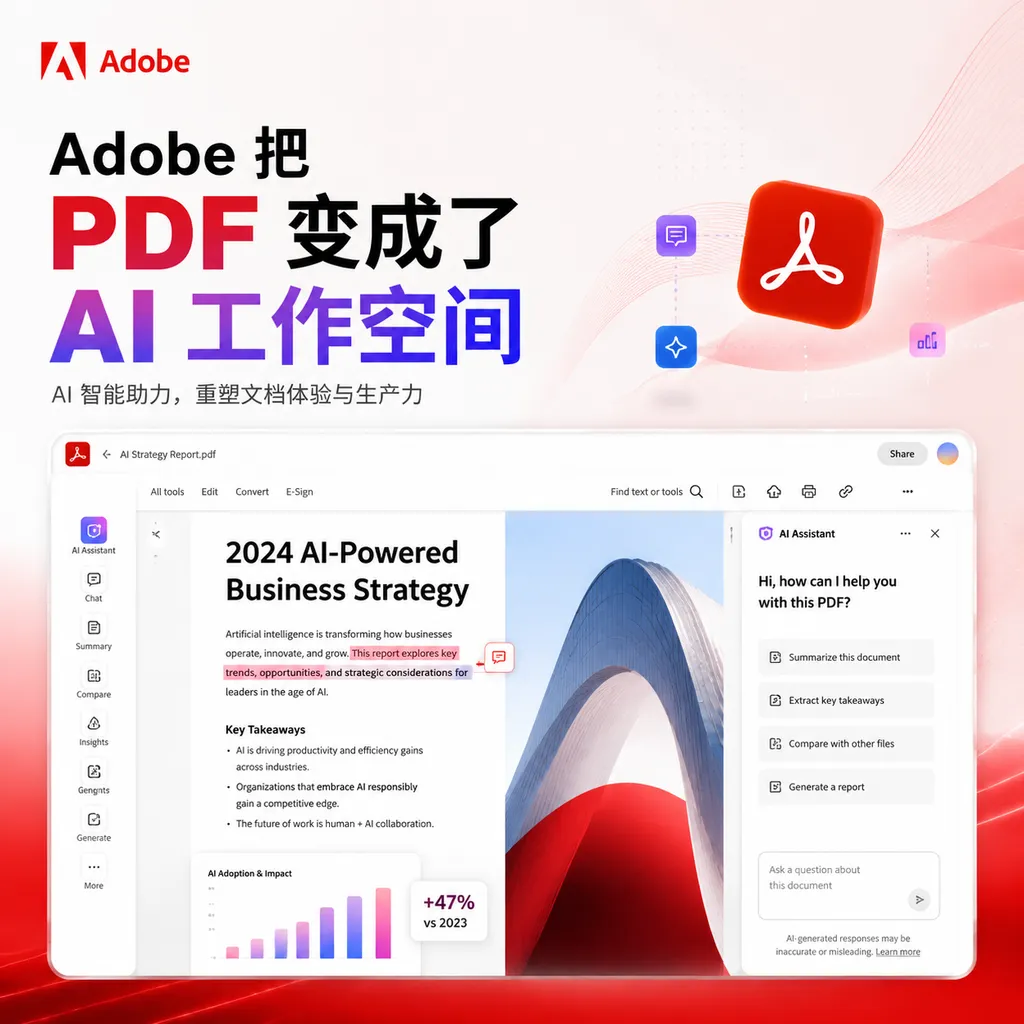
On May 6, Adobe launched **PDF Spaces** in Acrobat, enabling one-click integration of PDFs, documents, and links into interactive, conversational spaces, complete with AI summaries, audio overviews, and custom chatbots. This marks a key step in Acrobat’s transformation from a reader to an AI-driven productivity platform.
PDF Is No Longer Just for Reading
On May 6, Adobe rolled out a new Acrobat feature called PDF Spaces. Its core idea is simple: turn a static PDF into an interactive space where you can chat, ask follow-up questions, and listen to summaries. The official term is “experience sharing,” but in essence, Adobe is bringing the NotebookLM concept into the world’s most widely used document format.
This move wasn’t entirely unexpected. Last month, Adobe released a free version for students called Student Spaces, and earlier there was a feature that could generate AI-driven two-person podcasts from documents. Taken as a whole, Adobe’s product strategy is becoming clear—Acrobat no longer wants to be just a PDF reader.
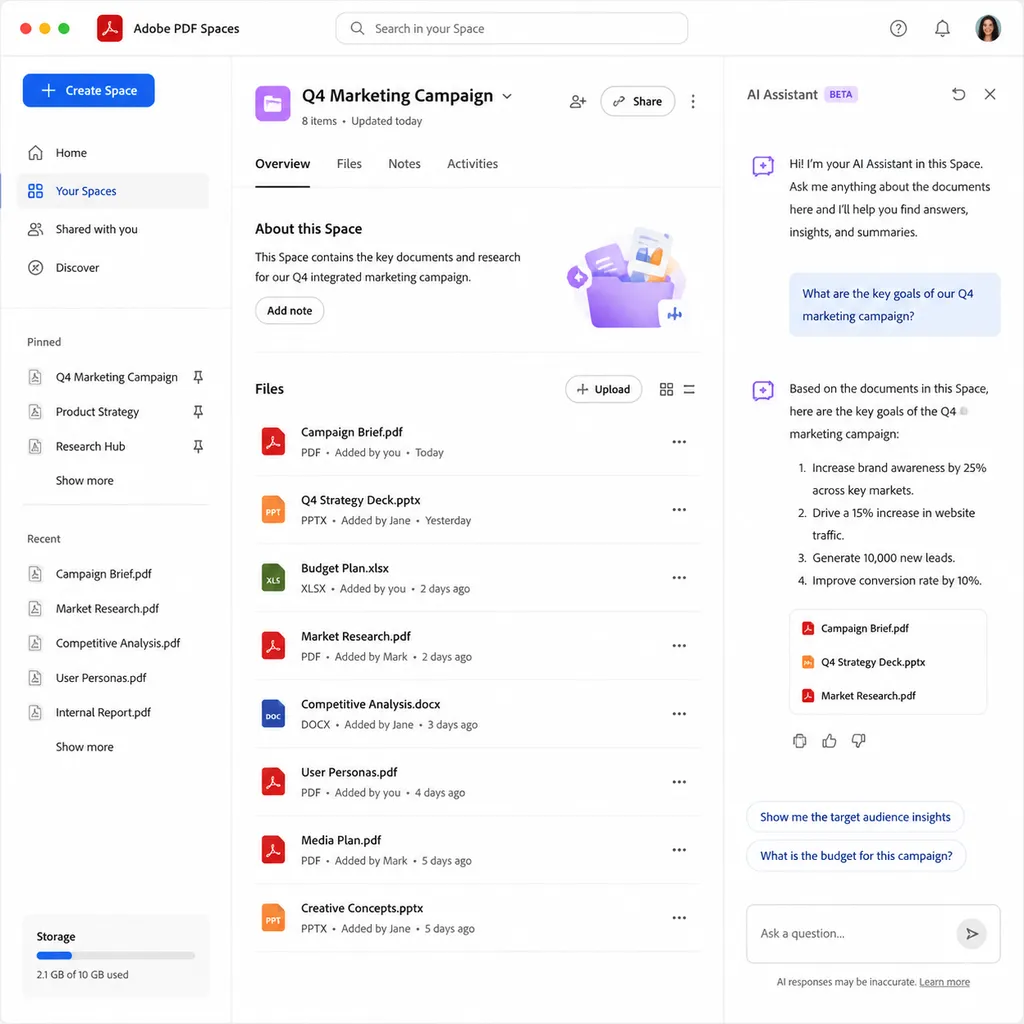
How It Works
The workflow of PDF Spaces is fairly straightforward:
- Upload materials: PDF, Word, links, notes, or even multimedia files—all can be dropped in together
- AI generates structure: an intelligent agent analyzes the material’s framework and creates summaries, branded presentations, or audio overviews
- Sender edits: you can tweak key points, add or remove content, adjust layouts, and control what’s visible or hidden
- Receiver engages: when opening the shared link, they can talk with an AI Assistant trained on that specific material or listen to an audio summary for a quick grasp of the highlights
It sounds a lot like NotebookLM, but Adobe has added several interesting twists.
The first is role differentiation. In NotebookLM, everyone has the same level of access—either full or none. PDF Spaces distinguishes between “owner” and “receiver,” letting owners finely control what receivers can ask and which original files they can view. In Student Spaces, you can even “share only quiz questions and lock the original notes.” That level of granularity is especially valuable in enterprise use cases.
The second is branded output. Adobe has integrated its Express design system, so the AI-generated presentations aren’t generic templates—they can incorporate a company’s visual identity. Instead of sending a cold product white paper, a salesperson can now share a branded, interactive document where clients can ask, “How is the profit margin calculated?”
The third is audio overview. Adobe added this feature to Acrobat back in March, and it’s now officially part of the Spaces workflow. The use case is simple—when commuting and unable to read, listening to a two-person conversational audio summary beats slogging through a 50-page PDF.
How It Compares to NotebookLM
Honestly, from an AI capability standpoint, Adobe doesn’t have Google’s advantage in foundational models. But PDF Spaces wins in two areas Google won’t easily catch up in.
First, format sovereignty. Adobe defines the de facto standard for PDF files worldwide, with Acrobat’s installed base reaching hundreds of millions. In NotebookLM, users must “upload documents.” In PDF Spaces, the files “already live inside Acrobat.” This difference is amplified in business settings—enterprises may allow staff to use Acrobat but forbid uploading internal documents to Google services.
Second, a complete sharing workflow. NotebookLM is essentially a personal productivity tool with limited sharing features. PDF Spaces, in contrast, is built entirely around a “sender–receiver” structure, complete with access control, data tracking, and branding—features business users rely on. Abhigyan Modi, Adobe Document Cloud’s SVP, described this as “not just feature stacking, but introducing a new format.” That’s an accurate description—PDF Spaces aims to become the next-generation shareable PDF.
Of course, there are shortcomings. From public demos, the AI Assistant’s dialogue depth still lags behind NotebookLM’s cross-referencing and deep retrieval—NotebookLM remains stronger at multi-document reasoning. Moreover, PDF Spaces is currently limited to Acrobat Express and Acrobat Studio, leaving out existing Acrobat Pro subscribers for now—a curious rollout strategy.
Acrobat’s Identity Shift
Placing PDF Spaces in the context of Adobe’s 2026 fiscal roadmap, this move is more than just a feature update.
In its latest quarterly report, Adobe revealed that ARR for AI-first products more than doubled year over year, with Firefly-related ARR surpassing $250 million. The company’s Q1 revenue reached $6.4 billion, up 12% year over year. In an era when AI is said to threaten creative software, Adobe hasn’t been eaten—it’s thriving.
The underlying logic is that Adobe has redefined every one of its tools. Photoshop is no longer just for editing—it’s a generative image workspace. Premiere isn’t just for video editing—it’s an AI-powered video workspace with frame interpolation and smart search. Now it’s Acrobat’s turn—to transform from “that red icon you open PDFs with” into an AI-powered productivity platform built around documents.
This shift profoundly changes user perception. For years, Acrobat meant “sign a form,” “fill out a field,” or “save Word as PDF”—functional but forgettable. Adobe now wants it embedded in everyday workflows across sales, marketing, HR, and education.
Adobe highlighted several practical cases:
- Sales: feed in product materials, and AI creates an interactive experience with profit margin analysis—clients can simply ask questions instead of reading long docs
- Marketing: merge briefs, assets, and research reports into a chat-enabled brief pack for agencies
- HR: convert onboarding materials, benefit guides, and policy docs into interactive spaces with self-service Q&A for new hires
- Personal: organize travel itineraries or event info, complete with a generated voice guide
In education, Student Spaces has already been tested. Rather than risky “one-click essay generation,” Adobe focused on learning enhancement—turning notes into podcasts, AI tutoring, and study-group collaboration. Working with over 500 students from Harvard, Berkeley, and other schools, they iterated through dozens of feedback cycles, refining the experience carefully. That same methodology is now being applied to the enterprise version of PDF Spaces.
A Bigger Question
The truly interesting part of PDF Spaces is that it redefines what a “document” is.
For the past three decades, documents have been static—Word, PDF, Keynote—each a “snapshot” with fixed content and one-way consumption. The Notion and Lark generation made documents “alive,” with collaboration, embedded data, and boards, but those changes mainly benefited creators.
PDF Spaces transforms the consumer side. Send the same file to ten clients, and each may ask ten different sets of questions—every person follows their own path of curiosity. That’s more radical than Notion’s embedded databases, because this time, the creator doesn’t need to predefine any pathways—the AI builds them dynamically for each recipient.
If this works, industries built around heavy documentation—bids, contracts, research reports, policy papers—might all be reimagined. That’s the bet Adobe is making.
Whether PDF Spaces truly becomes a new sharing format depends on two things: first, whether the AI Assistant can maintain high answer quality—one hallucination could shatter enterprise trust; second, whether Adobe can migrate existing Acrobat Pro users, not just attract Express and Studio newcomers.
In the short term, PDF Spaces is a fun experiment. In the long term, it’s Adobe’s first real answer to the question, “What is the role of PDFs in the AI era?” — The answer: they can be more than just PDFs.
References
- ITHome: Adobe Acrobat Releases PDF Spaces—Static Documents Instantly Become AI-Interactive Workspaces — Chinese launch-day report with official demo video


