
Ganglia: Solving the “blind editing” challenge in AI programming agents with call graphs
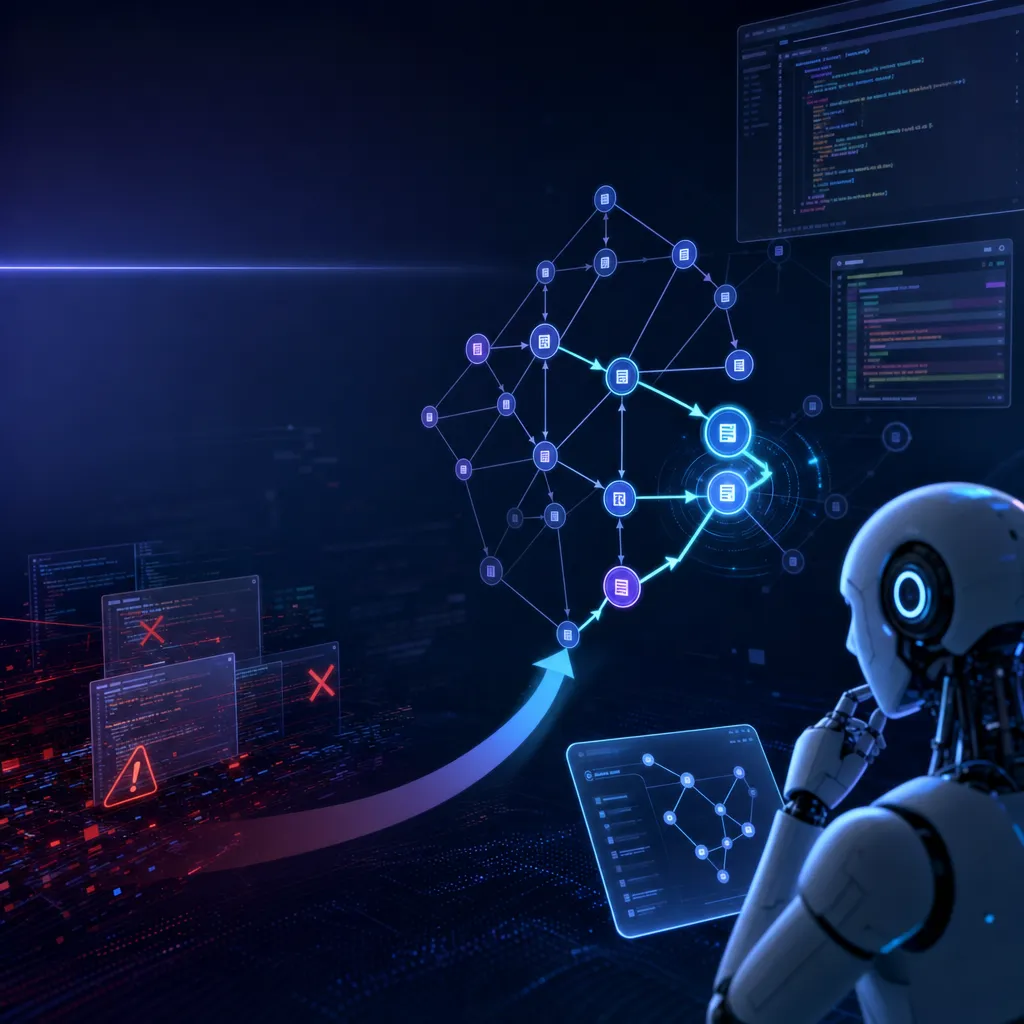
AI programming agents frequently trigger cascading failures because they cannot clearly see code dependency relationships. Ganglia builds a complete call graph, enabling agents to assess the scope of impact before modifying code. It currently supports mainstream tools such as Claude Code and Cursor.
Ganglia: Using Call Graphs to Solve the “Blind Code Editing” Problem in AI Coding Agents
AI coding agents are becoming everyday tools for developers, but one old problem remains unresolved: they can’t clearly see code dependencies. You ask them to modify a function, and three callers crash at once—because the agent simply didn’t know those callers existed.
Ganglia is a code intelligence framework designed specifically for AI coding agents, whose core capability is to provide agents with a complete call graph. Simply put, it helps the agent figure out “who calls this function” and “what will be affected if it changes” before it starts editing code.
Why Agents “Blindly Edit” Code
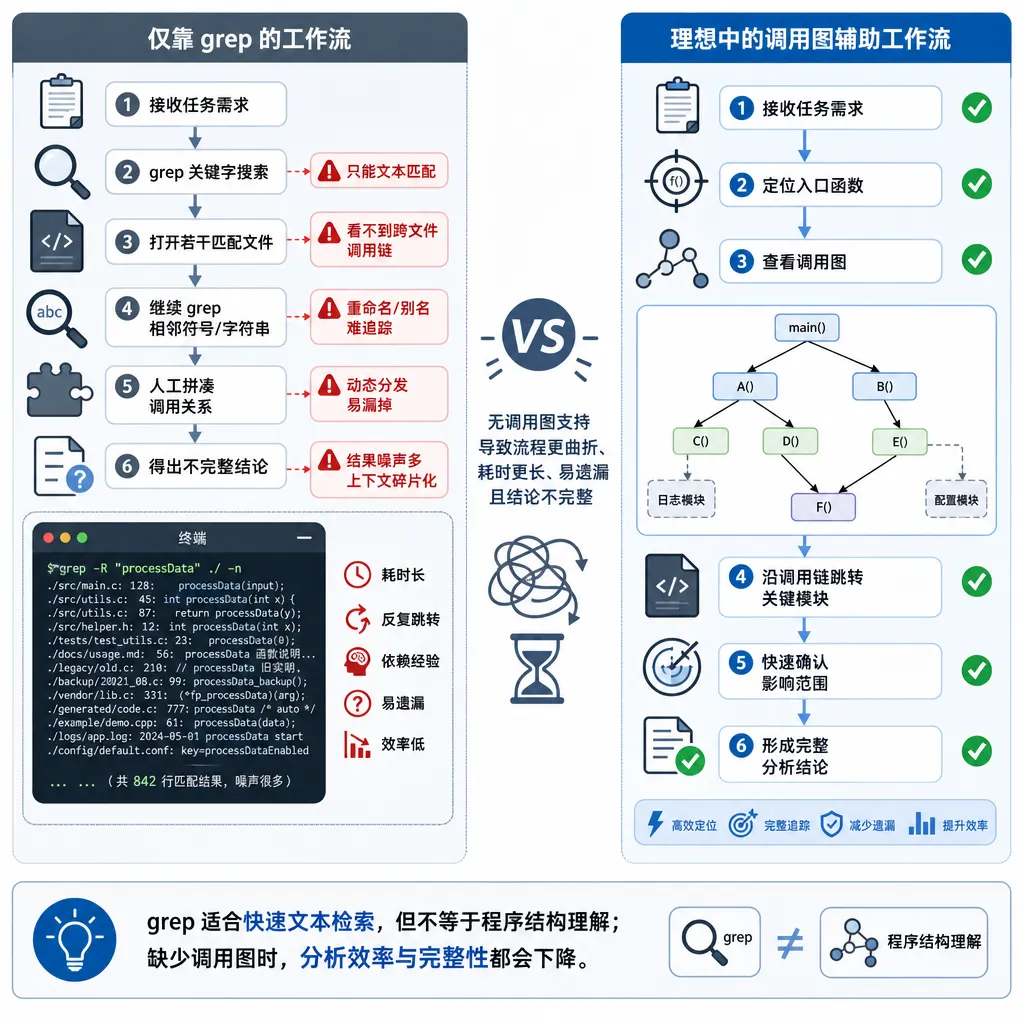
Today’s AI coding agents—whether Claude Code, Cursor, or Windsurf—work in similar ways: the user describes a need, the agent uses grep, regex, or semantic search to find related code, and then starts modifying it. The problem lies in that “find related code” step.
Grep can only catch direct text matches. If function A calls function B through an interface, callback, or dynamic dispatch, grep can’t find that linkage. The agent sees an isolated function B, edits it, and then discovers that function A broke.
Semantic search is a bit better, but it solves the problem of “finding similar code,” not “finding dependency relationships.” If you ask it “where is this function used,” it may return a bunch of seemingly related fragments that actually have no call relationship.
Indirect calls make things even worse. Function A calls B, B calls C, C calls D. You modify D, and the agent only sees that C uses it—completely unaware that A and B will also be affected. Such multi-layer dependencies are extremely common in real projects, especially when framework code and business logic mix.
What Ganglia Does
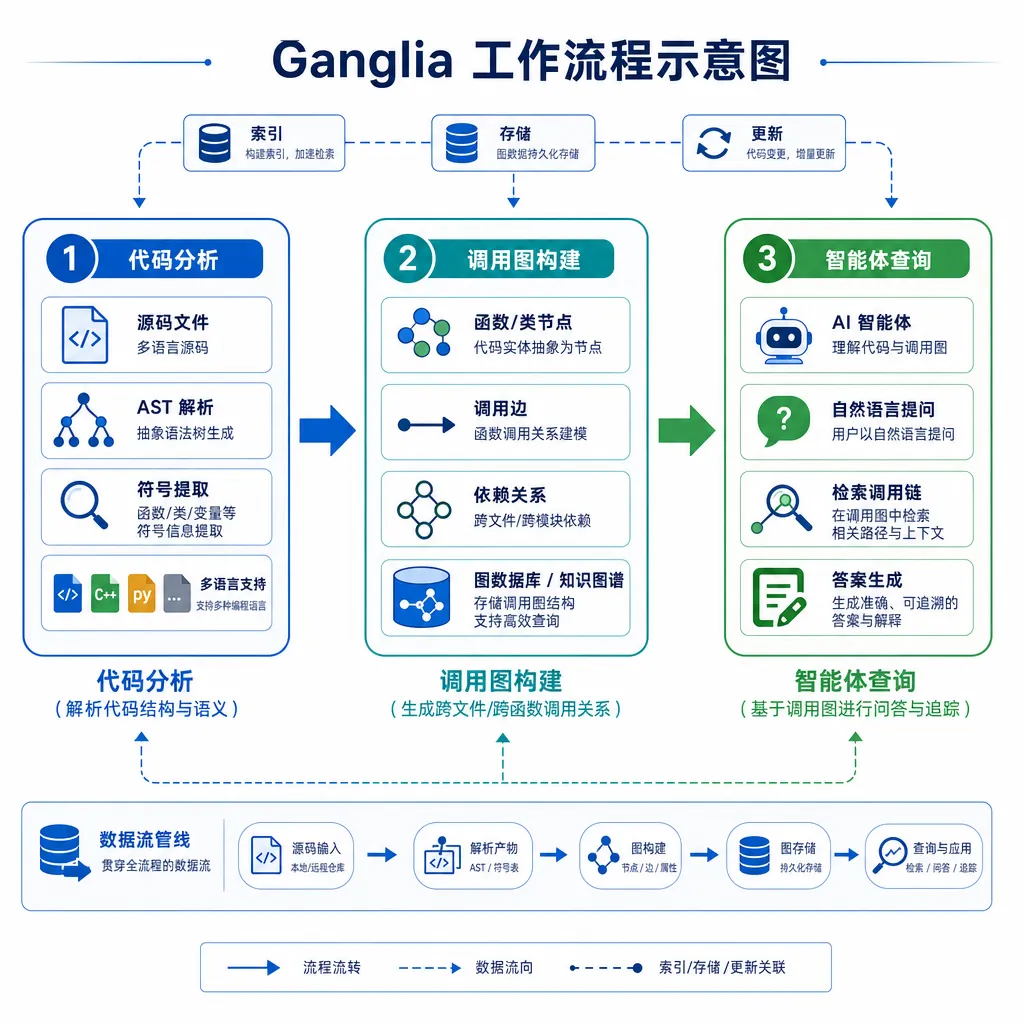
Ganglia’s core is a static analysis engine that scans your codebase and constructs a complete call graph. This call graph isn’t just “who calls whom”—it also includes rich context information:
- Full call chains: not only direct callers but also indirect ones. If you modify a low-level function, it can trace all upper-level code that might be affected.
- Blast radius scoring: before modification, Ganglia gives a “blast radius” score indicating how large the impact of the change will be. A high score means the change touches many areas, helping the agent handle it more cautiously.
- Cross-session memory: the call graph is stored persistently, so it doesn’t need to reanalyze the codebase every session. This is vital for large projects, where rebuilding the graph could take minutes or longer.
Technically, Ganglia likely builds the call graph based on Abstract Syntax Tree (AST) or bytecode analysis. This is far heavier than plain text matching, but also more accurate. It identifies call relationships via interfaces, inheritance, closures, callbacks, etc.—things grep simply can’t detect.
Integration with Existing Tools
Ganglia isn’t a standalone coding agent, but rather a framework that can integrate with existing tools. It already supports Claude Code, Cursor, and Windsurf—the three mainstream AI coding tools.
Integration is probably via a plugin or API. When an agent needs to understand code dependencies, it queries Ganglia, Ganglia returns call graph data, and the agent makes decisions based on that. The advantage is that it requires no changes to the agent’s architecture—just adds an external source of structured knowledge.
From the user’s perspective, the experience is seamless. You still chat with the agent as usual, but behind the scenes it consults Ganglia—“Is this change safe?” “What will it affect?”—before acting. If the impact is large, the agent may proactively warn you or suggest a more conservative approach.
Where This Solution Adds Value
For developers, the most direct value is fewer bugs introduced by AI agents. The biggest issue with AI agents isn’t that they can’t write code—it’s that the code they write often breaks existing functionality. With a call graph, the agent at least knows what it’s changing and what will be affected, significantly reducing error probability.
Another value is increased agent autonomy. Today, you have to watch your AI coding tools carefully, afraid they’ll break something. With Ganglia, agents can safely perform large-scale refactors because they can assess risks upfront. That means you can entrust them with more complex tasks, not just small utility functions.
From a technical evolution perspective, Ganglia represents a direction: giving AI agents structured code knowledge instead of letting them learn everything from raw text. Call graphs are a precise form of knowledge representation—much more reliable than natural language descriptions or comments. In the future, we may see tools providing type information, data flow analysis, test coverage, and more.
Pricing and Business Model
Ganglia uses a freemium model:
Free version available forever, Pro version $19/month, Team version $49/month. It’s currently in beta—all features are free, and beta users will get permanent discounts when paid tiers launch.
This pricing is mid to low among AI developer tools. For comparison: Cursor Pro is $20/month; GitHub Copilot is $10/month (personal) or $19/month (business). Considering Ganglia targets a specific pain point and can complement existing tools, the price seems reasonable.
Free-tier limitations haven’t been disclosed, but by usual practice, they likely involve codebase size, query count, or advanced features. For small projects or individual developers, the free version may already suffice.
Technical Challenges and Limitations
Building a call graph sounds straightforward but involves significant technical challenges.
-
Support for dynamic languages: Python and JavaScript determine call relationships at runtime, making static analysis less precise. Ganglia probably uses heuristics or type inference, but misses and false positives are inevitable.
-
Incremental updates: As code changes, the call graph must stay updated. Rebuilding the entire graph after every change would be too slow. Ganglia needs an efficient incremental update mechanism that reanalyzes only impacted sections.
-
Cross-language projects: Modern systems often mix languages: TypeScript for front-end, Go for back-end, Python for scripting. To support such setups, Ganglia must implement analyzers for each language—a significant effort.
-
Handling third-party libraries: Your code may call dozens of external libraries—whose source you may not have or don’t want to analyze (too big). Ganglia needs a way to handle this, perhaps providing prebuilt call graphs or analyzing only interface layers.
Comparison with Traditional IDE Features
IDEs have long offered features like “Find References” and “Call Hierarchy.” So what’s different here?
The biggest difference is use case. IDE features are for humans—you click a button, view the call tree, and decide what to do. Ganglia is for AI agents. It must deliver the call graph in machine-understandable format and include extra metadata (like blast radius scores) for decision support.
Another difference is performance. IDE lookups can take seconds—humans can wait. But agents may query call graphs repeatedly in their workflow—response time must be fast, ideally milliseconds. That demands highly efficient indexing and algorithms.
Also, scope differs. IDEs usually analyze the open project only, while Ganglia may support large codebases or even cross-repo dependency analysis—requiring far greater storage and compute resources.
Impact on the AI Coding Tool Ecosystem
Ganglia’s emergence signals a trend: AI coding agents are evolving from “writing code” to “understanding code.”
Early AI coding tools—like GitHub Copilot—focused on code completion. You write half, it finishes it. At that stage, agents didn’t need to understand the whole project—just generate code consistent with local context.
Modern tools—like Cursor and Claude Code—can already modify and refactor across files. They need to understand inter-file relationships, though mainly rely on search and semantic matching.
Ganglia represents the next stage: agents must understand structured knowledge about code. The call graph is just the beginning—future equivalents may include data-flow graphs, control-flow graphs, dependency graphs, etc. These structured forms enable deeper reasoning, such as “will this change cause a deadlock?” or “will this optimization harm thread safety?”
In this sense, Ganglia is not just a tool but infrastructure—providing AI coding agents with a “code knowledge layer” that lets them operate at a higher level of abstraction. This could spawn a new class of tools and services dedicated to supplying structured code knowledge to AI agents.
Should Developers Use It?
If you use Claude Code, Cursor, or Windsurf—and often encounter broken code after AI edits—Ganglia is worth trying. Especially for large or legacy projects, the value of call graphs becomes more apparent.
But expectations should stay realistic. Ganglia doesn’t guarantee perfect accuracy; it merely reduces error risk. For dynamic or highly abstract code, call graph precision will vary.
Also, since Ganglia is still in beta, there may be gaps in features or stability. If your project demands critical reliability, you may want to wait for a stable release.
In the long run, structured code knowledge—like call graphs—will become standard for AI coding tools. As an early pioneer, even if Ganglia doesn’t become the dominant solution, its ideas will likely be adopted and extended by future tools.
References
- Ganglia: code intelligence for AI coding agents - Reddit – Post by the project author on r/MachineLearning introducing Ganglia’s core features and pricing strategy


