
Notion Opens Agent Platform: Workspaces Become AI Development Environments
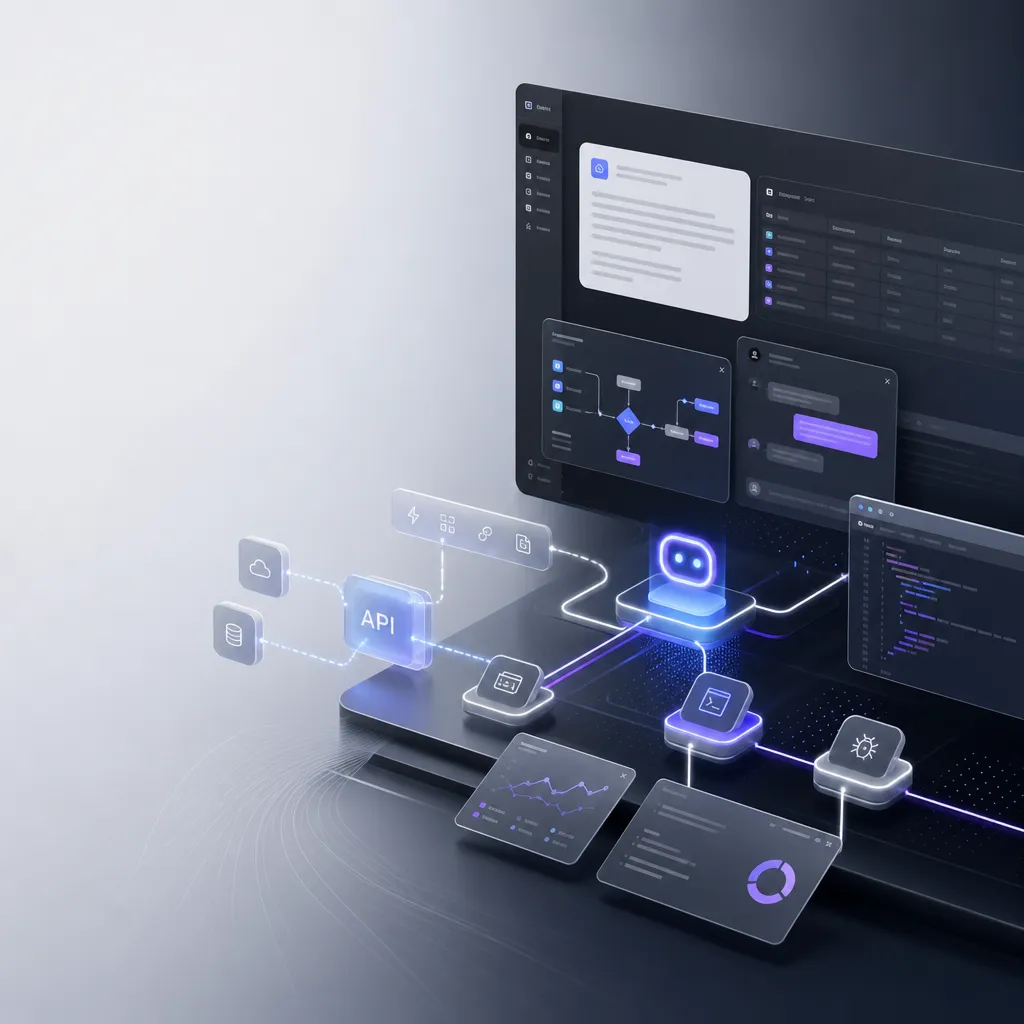
Notion launched its developer platform today, allowing teams to directly integrate AI Agents, external data sources, and custom code within their workspace. This isn’t just a simple AI assistant integration—it transforms the entire workspace into a runtime environment for Agents.
Notion Opens Agent Platform: Workspaces Turn into AI Development Environments
Today, Notion announced the launch of a developer platform that allows teams to directly integrate AI Agents, external data sources, and custom code within their workspaces. This marks Notion’s shift from a collaboration tool with AI features to the infrastructure for AI Agents.
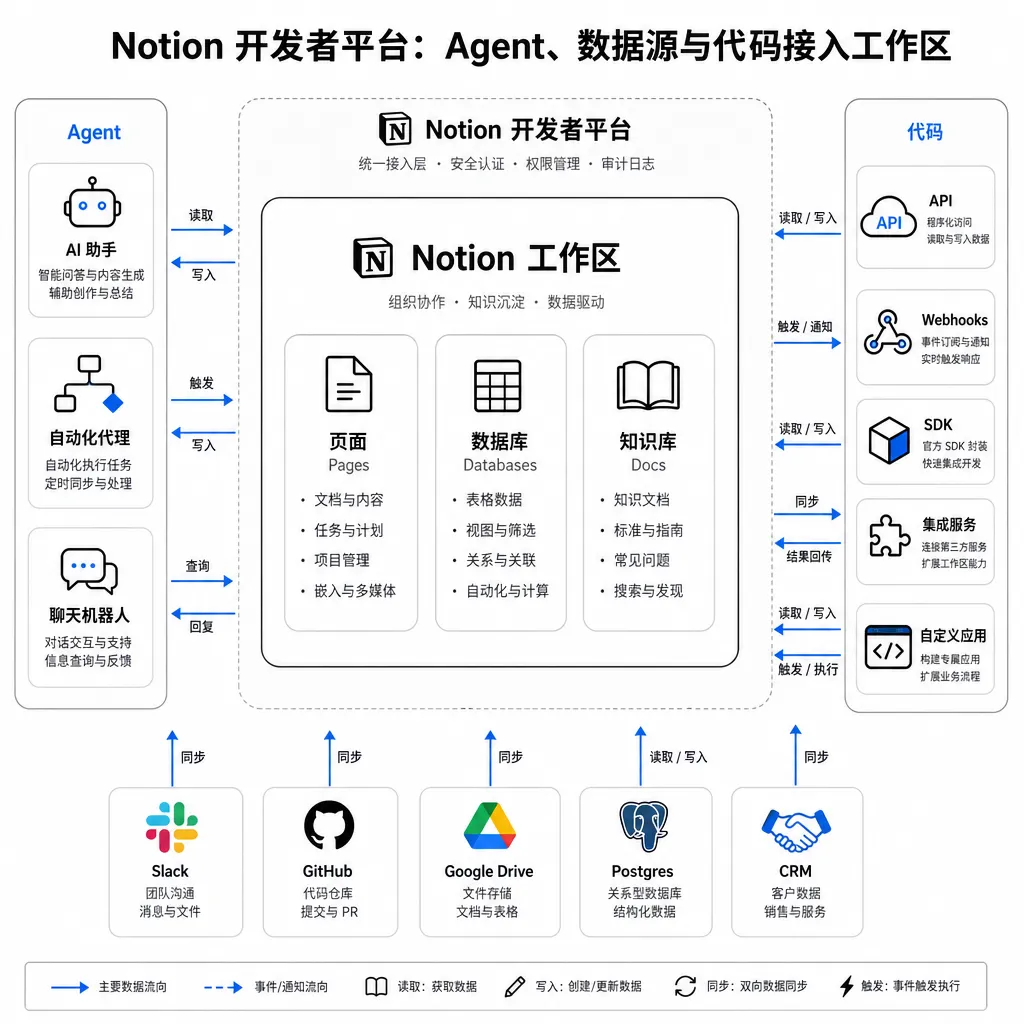
The core of this update isn’t about adding more AI buttons — it’s that Notion has turned the workspace itself into the execution environment for Agents. Developers can embed their own Agents, third-party services, or even custom code logic directly into Notion’s databases, documents, and workflows. Users no longer need to switch between multiple tools — the Agent runs where they already do their daily work.
From AI Assistant to Agent Platform
Notion’s AI capabilities aren’t new. It began experimenting with Agent-related features in 2022, but the early versions were mostly text-processing tools — polishing, translating, summarizing — all standard LLM applications. The real turning point came with version 3.0 in September 2025, when Notion AI evolved from a text assistant into an Agent that could operate databases and execute workflows.
The launch of the developer platform builds upon version 3.0, opening it further. Notion no longer only offers its own Agents — developers can now connect any Agent. The logic is straightforward: Notion has data (users’ documents, databases, project information), and developers have capability (custom Agent logic, specialized domain models, internal enterprise toolchains). Combining the two lets Agents truly deliver value.
Specifically, the platform offers three core capabilities:
-
Agent Integration: Supports external AI Agents, including those built on mainstream models like Claude or GPT. Anthropic has deeply integrated Claude Agents into Notion, allowing users to assign tasks directly to Claude inside their workspace. Atlassian has also integrated Claude into Jira, enabling Agents to handle task assignments and status updates.
-
Data Source Connectivity: Allows Agents to access external data sources. This means Agents can read and write Notion data and also call internal APIs, query external databases, and retrieve real-time information. That’s crucial for enterprise use cases — most valuable data exists outside Notion.
-
Custom Code Execution: Developers can run custom code directly within Notion workspaces. This isn’t mere script execution — it embeds code logic into Notion’s data flows. For example, when a database field updates, it can automatically trigger code to process data, call external services, or update other tables.
The Permission Model — Both Crucial and Challenging
Notion’s product lead mentioned they rebuilt the Agent system four times. The hardest part wasn’t model capability, but connecting the model, product, and permission system into one coherent framework.
Agent permissions are far more complex than traditional software. When users give commands, the Agent must know: What data can this user access? What actions can they perform? Which external services are authorized? And these permissions are dynamic — the same Agent may have completely different access scopes depending on the user.
Notion’s solution is to embed permission checks in every Agent operation. When an Agent reads a database, the system verifies whether the current user has read access; when calling an external API, it checks authorization. This ensures Agents don’t overstep permissions and lets enterprises safely store sensitive data in Notion.
Another benefit is that developers don’t have to implement permission logic themselves. Agents that connect to Notion automatically inherit Notion’s permissions model, eliminating the need to build a separate authentication and access control system.
Competing Not with Notion AI, but with Zapier and Make
In terms of positioning, Notion isn’t competing with other note-taking tools’ AI features — it’s going after automation platforms like Zapier and Make. The difference is that Zapier links multiple tools together, while Notion pulls all logic into the workspace itself.
That difference is key. Zapier’s model is Tool A triggers → Tool B processes → Tool C outputs — users must configure triggers, map fields, and handle errors across tools. Notion’s model is all actions happen within the workspace — users just see database updates, document generation, or task assignments, without needing to know whether an Agent or a person executed them.
This experiential gap affects adoption rates. Zapier’s automation requires manual setup and has a high learning curve. Notion’s Agents can be embedded directly in existing workflows — users might not even realize an Agent is running behind the scenes.
Implementing Custom Agents
Notion allows users to define Agent behavior in a simple way: create a special Page using natural language to describe the Agent’s task. That Page acts as the Agent’s instruction document, guiding its actions.
For example, you could create a “Customer Support Agent” instruction Page that defines:
- When replying to customer questions, check the knowledge base first; escalate to humans if no answer is found
- Maintain a friendly and professional tone; avoid technical jargon
- If a customer is emotional, calm them first before solving the issue
- After each reply, update the “Last Contact Time” field in the customer database
The Agent adjusts behavior according to these instructions. The benefit of this design is low entry cost — no need to write code or master prompt engineering, just describe the needs in natural language.
But there are limits: Notion currently doesn’t support running multiple Agents simultaneously. You can only switch instruction documents for one Agent. That means you can’t have a “Customer Support Agent” and “Content Creation Agent” active at once — you must switch manually. This limitation is more noticeable in enterprise contexts, where different departments or projects need different Agents.
The Developer Ecosystem Cold Start Problem
The success of Notion’s open platform depends on whether a developer ecosystem can take off. This isn’t a technical issue — it’s commercial.
Developers will only build Agents for Notion if there are enough paying users. While Notion has a large user base, the proportion of paying users and enterprise penetration remains unclear. If developers can’t make money building for Notion, the ecosystem won’t grow.
Notion’s strategy is to start with big players: integrations with Anthropic and Atlassian give others confidence — if these major companies are using Notion’s platform, the direction seems right. But long-term, Notion must prove that small and mid-sized developers can also profit.
Another concern: Notion’s data lives in the cloud. For enterprise customers, that’s a risk — if Notion raises prices, changes policies, or shuts down, migrating data would be costly. This issue is especially pronounced in China, where data sovereignty and compliance requirements are strict, making it unlikely enterprises will store core data on overseas SaaS platforms.
Challenges for Domestic Follow-Up
It’s foreseeable that domestic tools will follow the “Notes + Agent” model. But compared with Notion, they face a critical gap: data accumulation.
Notion’s strength isn’t its AI technology, but the volume of user data already within it — this data powers the Agents. Without sufficient data, Agents lack context and become ineffective. Domestic note tools have far less data accumulation, meaning even if they copy the same features, the Agents’ effectiveness will be limited.
Another gap lies in permission models. Notion spent years refining its system to ensure Agents can’t overstep access rights. If domestic tools simply connect LLMs to note-taking apps without robust permission control, enterprises won’t trust them.
A further challenge: model capability. Notion can integrate world-class models like Claude and GPT, while domestic tools can only use local models. Although some are approaching GPT-4 levels, complex reasoning and multi-step task execution still show gaps — directly affecting Agent usability.
That said, domestic tools do have strengths: local deployment, data compliance, and integration within Chinese enterprise ecosystems (DingTalk, WeCom, Feishu, etc.). Differentiating in these aspects could make success possible.
Collaboration Bottlenecks in the Agent Era
This Notion update reveals a deeper issue: as Agents become team members, collaboration itself becomes a bottleneck.
Traditional collaboration tools were designed for humans — fixed working hours, clear boundaries, and predictable behaviors. Agents are different — they work 24/7, handle multiple tasks, and dynamically adapt based on data. This creates new collaboration challenges:
- Responsibility: When an Agent makes a mistake, is it the model’s fault, the code’s, or the data’s? Who’s accountable?
- Predictability: Human behavior is relatively predictable; Agent behavior depends on models, data, and context — increasing uncertainty.
- Trust Building: Human trust grows through long-term collaboration — how do teams build trust with Agents?
Notion hasn’t provided answers yet. These are not technical challenges — they require new management methods and collaboration norms.
Impact on Developers
For developers, Notion’s open platform is both an opportunity and a challenge.
The opportunity: Notion offers an existing user base, a robust data model, and a mature permission system. Developers don’t need to build infrastructure from scratch and can focus purely on Agent logic. Plus, Notion’s users are knowledge workers — typically with higher willingness to pay — offering strong commercial potential.
The challenge: Notion defines the platform rules, API limits, and data models. Developers must adapt to Notion’s ecosystem, rather than design freely. It’s similar to developing apps for iOS or Android — the platform owner holds ultimate control.
There’s another challenge: Notion builds its own Agents too. Developers must find niches that Notion doesn’t cover or isn’t good at to avoid competing directly with the platform.
The True Significance of This Update
The true significance of Notion’s update lies not in adding AI features, but in redefining the concept of a workspace.
Traditionally, workspaces are human environments — documents, tables, task lists — all designed for people. Now, Notion makes the workspace a shared environment for both humans and Agents. Agents aren’t external tools anymore; they’re part of the workspace, capable of reading/writing data, executing tasks, and triggering workflows — just like humans.
This shift might reshape the entire collaboration software industry. If Notion’s model proves viable, other products like Confluence, Airtable, and Coda may follow. At that point, a workspace would no longer belong solely to humans — it would become a hybrid environment for both humans and Agents.
For developers, that means a new paradigm. In the past, collaboration software was designed around human use. Now, we must consider: how do humans use it, how do Agents use it, and how do the two collaborate? This isn’t mere feature stacking — it requires rethinking architectures, UX design, and permission models.
In Closing
Essentially, this update is Notion betting on one idea: the future of work will be human-Agent collaboration, not humans using AI tools.
Whether that bet pays off remains uncertain. But at least Notion has outlined a viable path — turning the workspace into an Agent runtime where humans and Agents work side by side.
For developers, it’s a signal worth watching. Regardless of Notion’s outcome, the direction — human-Agent collaboration — is most likely correct. Studying and experimenting early will never be a mistake.
If you’re using Claude, GPT, or other mainstream models to build Agents, OpenAI Hub provides a unified API interface — a single key to access all models, direct connection within China, and full compatibility with OpenAI formats. It’s useful for scenarios that require rapid Agent validation or model switching.
References
Since many of the TechCrunch and other international sources used for this article are restricted domestically, here are accessible related discussions:
- Relevant technical discussions can be found on developer communities like GitHub and Stack Overflow
- Official documentation and developer platform information can be obtained directly from Notion’s website


