
GitHub tests an accessibility agent, Copilot begins taking over assistive systems
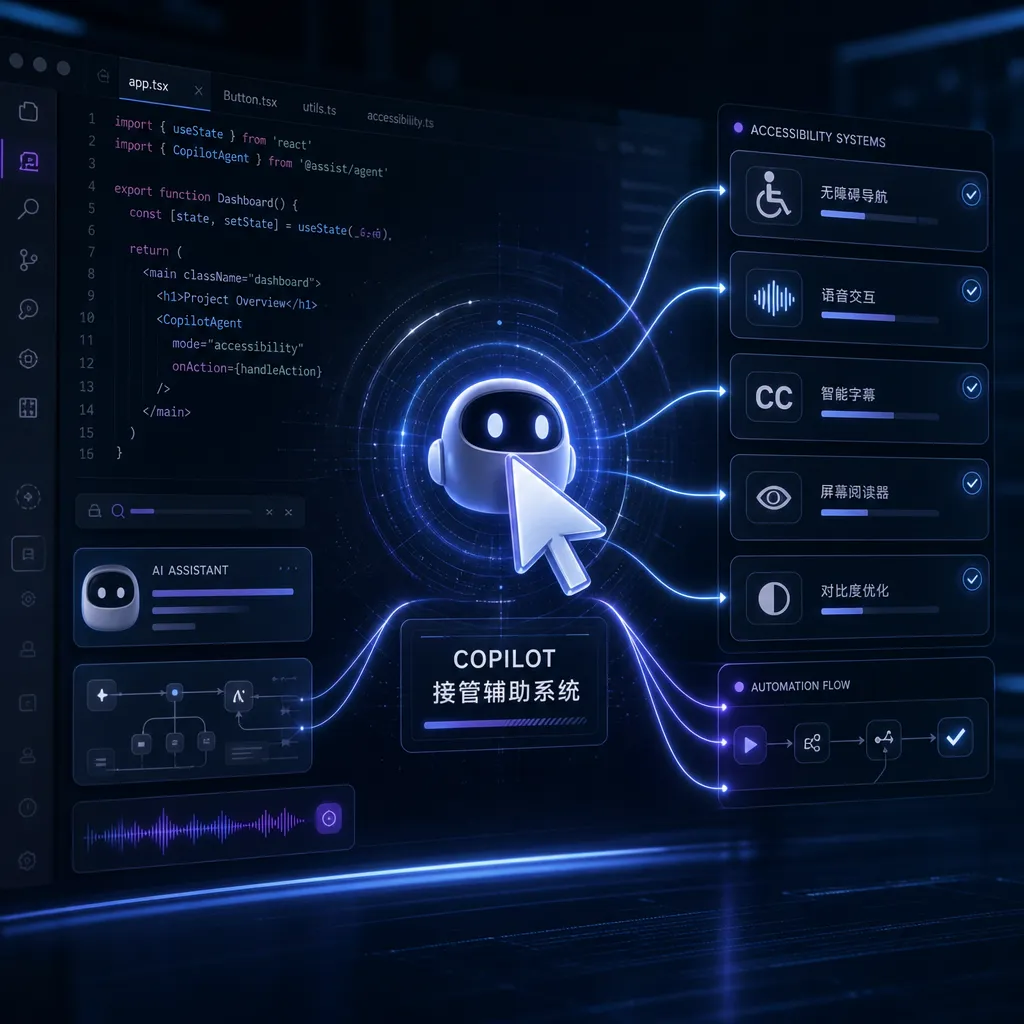
GitHub is experimenting with a general accessibility agent that enables Copilot to directly operate assistive tools such as screen readers and magnifiers. This marks the first time an AI coding assistant has attempted to move beyond the IDE and into the domain of operating system–level accessibility features.
GitHub Tests Accessibility Agent, Copilot Begins Taking Over Assistive Systems
GitHub just announced an experimental project: allowing the Copilot agent to directly operate Windows assistive features such as the screen reader, magnifier, and high-contrast mode. This is the first time Copilot has stepped outside the code editor, attempting to help users solve problems at the operating system level.
The project is called the “general-purpose accessibility agent”, and it is still in internal testing. GitHub’s idea is quite straightforward: since Copilot can already understand code, generate documentation, and debug programs, why can’t it also help visually impaired users configure a screen reader, or assist low-vision users in adjusting system display settings?
Why This Project
Configuring accessibility features has always been notoriously difficult. Windows’ built-in settings are scattered across multiple pages, and configuration files for screen readers like NVDA and JAWS are complex enough to require special training. For new users, even finding the right option can be frustrating.
The GitHub team found that most issues developers face with accessibility tools come down to one problem: “I know what effect I want, but I don’t know which setting to change.” For example:
- Want the screen reader to skip comments while reading code but don’t know which NVDA option controls that
- Want to temporarily disable the magnifier in a specific app, but Windows doesn’t have an “app whitelist”
- Want high-contrast mode to affect only text, not UI colors, but system settings apply globally
Such needs are easy to describe in natural language, but finding the exact option in a settings UI—or editing a config file manually—can be daunting. GitHub’s approach: let the agent understand the user’s intent, then make the necessary system changes itself via settings, configuration files, or Windows APIs.
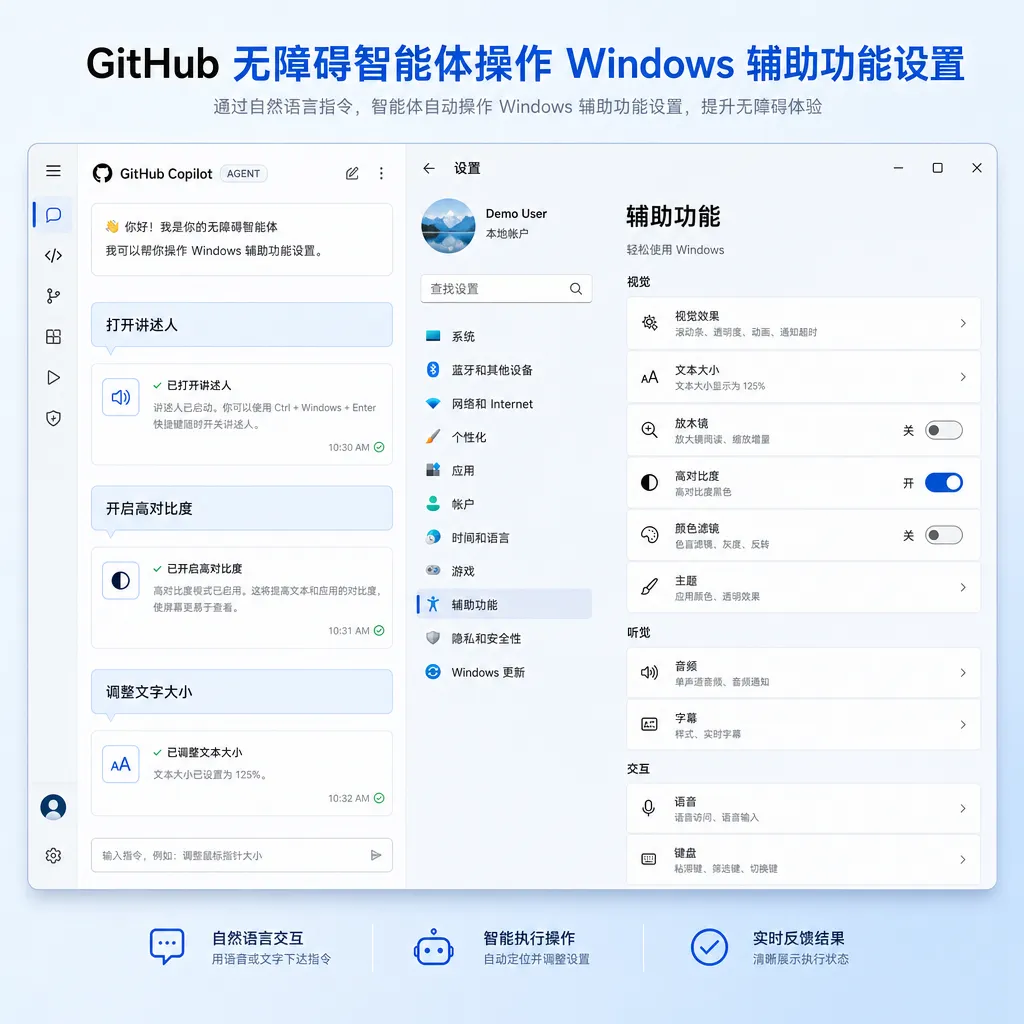
Technical Implementation: From Understanding Intent to Executing Actions
The agent’s architecture has three layers:
Intent Understanding Layer: Receives natural language input and identifies specific needs. For example, when a user says, “Make code read slower in VS Code,” the agent should understand this as adjusting the screen reader’s reading speed for that application only.
Planning Layer: Breaks down the need into executable steps. The above example becomes:
- Detect which screen reader is in use (NVDA / JAWS / Narrator)
- Locate the configuration file path
- Find the “application-specific settings” section
- Modify VS Code’s speech rate parameter
- Restart the reader or reload configuration
Execution Layer: Calls Windows APIs, edits the registry, or modifies config files. GitHub equips the agent with a toolkit that includes:
- A wrapper for the Windows Accessibility API
- Parsers for common screen reader config files
- Shortcuts for system settings operations
GitHub noted in its blog that the biggest challenge is not what the agent can do but what it shouldn’t do. Accessibility settings are interdependent—changing one parameter can render the system unusable. For example, setting the screen reader’s volume to zero removes all auditory feedback.
To prevent this, GitHub added several safety layers:
- Change Preview: Describes all upcoming modifications in plain language for user confirmation before applying
- Auto Backup: Automatically backs up config files before changes for one-click rollback
- Dangerous Action Interception: Blocks operations that could make the system unusable (e.g., disabling all input devices) and issues warnings
In Practice: How Well It Works
GitHub’s blog shared several test cases.
Case 1: Configure NVDA to Skip Code Comments
User input: “When coding in VS Code, make the screen reader skip comment lines.”
Agent actions:
- Detect NVDA as active
- Open
nvda.iniconfig file - Under
[documentFormatting], addreportComments = False - Add an app-specific section for VS Code under
[applications] - Restart NVDA
The user only needed to confirm once—no need to read NVDA documentation or manually edit files.
Case 2: Dynamically Adjust Magnifier Zoom
User input: “Zoom 200% when coding, 150% when reading documentation.”
Agent actions:
- Call Windows Magnification API
- Monitor active window changes
- Identify code editor vs. document reader based on window title or process name
- Automatically switch zoom levels
Windows’ built-in magnifier can’t do this—usually requires scripting or third-party tools. The agent translated the user’s intent into a background process that auto-adjusts zoom.
Case 3: Temporarily Disable High-Contrast Mode
User input: “Turn off high contrast when Figma is open, restore after closing.”
Agent actions:
- Read the current high-contrast theme
- Monitor Figma’s process start and exit events
- Call
SystemParametersInfoAPI to switch to standard theme when Figma opens - Restore original theme on exit
This helps because design tools like Figma display poorly in high-contrast mode, but users may need it elsewhere. The agent implemented per-app theme switching rather than a global toggle.
Pitfalls: AI Isn’t Magic
GitHub candidly discussed some failures:
Issue 1: Over-Optimization
A test user said “make the screen reader faster.” The agent set speed to 100% (max). The user complained it was unintelligible. The agent interpreted “faster” as “fastest possible.”
GitHub’s fix: add incremental adjustment logic—increase by 10–20% first, then ask if the user wants more.
Issue 2: Configuration Conflicts
A user ran both NVDA and Windows Narrator. The agent edited NVDA settings without detecting Narrator, so both spoke simultaneously. Total confusion.
Solution: add an environment detection module that scans all running assistive tools before acting and warns about conflicts.
Issue 3: Insufficient Privileges
When trying to change system-level accessibility settings, the agent hit UAC restrictions—Windows blocks regular users from editing certain registry keys.
GitHub’s workaround: generate a PowerShell script that the user runs as administrator. Not elegant, but effective.
Why It Matters: A New Direction for AI Agents
GitHub’s experiment isn’t just about accessibility—it’s a proof of concept that AI agents can operate beyond apps, directly interacting with the OS.
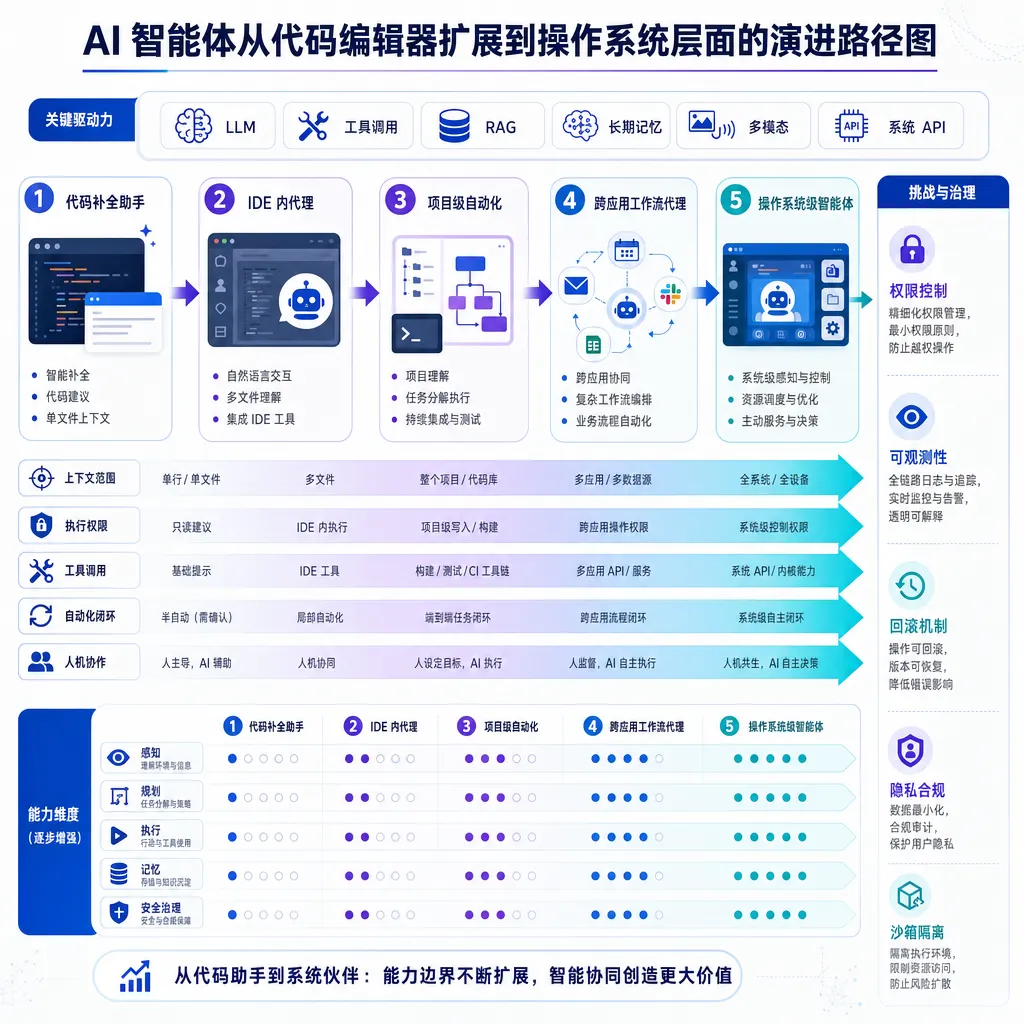
AI coding assistants have evolved clearly over the past few years:
- 2021–2022: Code completion (Copilot v1)
- 2023: Conversational coding (Copilot Chat)
- 2024: Multi-file refactoring, test generation (Copilot Workspace)
- 2025–2026: Agent Mode—autonomous multi-step task execution
Yet all these live inside IDEs or repos. GitHub’s accessibility agent is the first attempt to let Copilot control things outside IDEs—system settings, config files, background services.
If this direction succeeds, possibilities widen:
- Environment Setup Agent: “Set up Python 3.11 + Poetry + Black environment”—it installs dependencies, updates PATH, configures IDE
- System Optimization Agent: “My PC is lagging”—analyzes processes, clears cache, tunes virtual memory
- Troubleshooting Agent: “VS Code won’t open”—checks logs, resets configs, reinstalls extensions
Common theme: users know what they want, not how to do it. Traditionally, we write docs or tutorials—but an AI agent can just do it.
For Developers: New Applications of the Copilot SDK
In February, GitHub opened the Copilot SDK, enabling developers to build their own agents. The accessibility agent is an internal project built with this SDK.
Key SDK capabilities include:
1. Tool Calling
Agents can invoke developer-defined functions. For example, you can expose a modify_registry(key, value) function so the agent can safely edit the registry.
2. Context Management
Agents can read current system states, file contents, and running processes for decision-making.
3. Multistep Planning
Agents can break down complex tasks and adjust plans dynamically based on intermediate results.
4. Secure Sandbox
All actions are first simulated in a sandbox before being applied to the real system.
GitHub’s documentation provides an example: build a “technical documentation update tracker agent” that monitors GitHub release pages, extracts changelogs, generates Chinese summaries, and pushes them to an internal knowledge base.
The workflow is similar to the accessibility agent:
- Understand user intent (“Track React releases”)
- Plan steps (Monitor GitHub API → Parse release notes → Translate → Push)
- Use tools (GitHub API, translation API, knowledge base API)
When We’ll Get It
GitHub hasn’t announced a timeline. The blog says it’s still in the “early experimental phase”, limited to internal testing.
From a technical perspective, the biggest hurdles are security and reliability:
- How to prevent misconfigurations that render systems unusable?
- How to handle compatibility across Windows versions and different screen readers?
- How to operate within restricted enterprise environments?
GitHub said they are collaborating with Microsoft’s Accessibility team to explore native integration into Windows Settings. If achieved, the user experience could be seamless—no extra installs, just natural-language configuration under Settings → Accessibility.
Another possibility is open-sourcing. GitHub is considering open-sourcing the agent’s core logic (intent parsing, planning, and tool invocation) so the community can create custom accessibility agents.
Industry Implications: The Next Station for AI Agents
This project signals a new direction for AI agents: from in-app assistants to cross-application coordinators.
Currently, most AI assistants are in-app:
- ChatGPT answers questions in a chat box
- Copilot writes code inside IDEs
- Midjourney generates images in Discord
But real workflows span multiple apps: developers switch between IDEs, terminals, and browsers; designers jump among Figma, Photoshop, and Notion; data analysts move between Excel, Python, and databases.
GitHub’s accessibility agent proves AI can coordinate across tools and contexts. If generalized, AI assistants could evolve from app features into OS-level services.
Imagine:
- “Import this Excel sheet into the database”—agent opens Excel, reads data, connects to DB, executes SQL
- “Apply this design’s color scheme to the codebase”—agent extracts colors from Figma, updates CSS vars, refreshes preview
- “Prepare tomorrow’s presentation”—agent pulls outline from Notion, generates slides, exports PDF, emails participants
These aren’t hard tasks—they’re just fragmented across tools. AI agents can automate this glue work.
GitHub’s accessibility agent is just the beginning. It chose a niche but high-impact domain—accessibility—to prove the concept. Once validated, similar agents will appear across many domains.
Final Thoughts
Two takeaways from this project:
First, AI agents are shifting from “content generation” to “action execution.”
Over the past two years, AI excelled at generating text, code, and images. But integration still required human effort. GitHub’s accessibility agent bypasses that—it doesn’t generate a tutorial on how to configure NVDA; it does the configuration.
Second, accessibility may be one of the most meaningful use cases for AI agents.
For users with visual, hearing, or mobility impairments, traditional GUIs are barriers. Natural language interfaces are a natural fit. GitHub’s focus on accessibility isn’t just altruistic; it’s exploring the future of AI interaction.
The project is still early, but the direction is promising. If you're experimenting with Copilot SDK, stay tuned—GitHub plans to open-source part of the core code and design documentation.
References
- Building a general-purpose accessibility agent—and what we learned in the process – Official GitHub blog detailing the technical implementation and test cases
- Building AI Agents with GitHub Copilot SDK: A Hands-on Guide for Automating Tech Updates – Zhihu article demonstrating practical use of the Copilot SDK
- Concept of GitHub Copilot Agents - GitHub Docs – Official documentation explaining the basics and boundaries of Copilot agents


