
BiliSum Open Source: Low-Cost Multimodal Video Notes
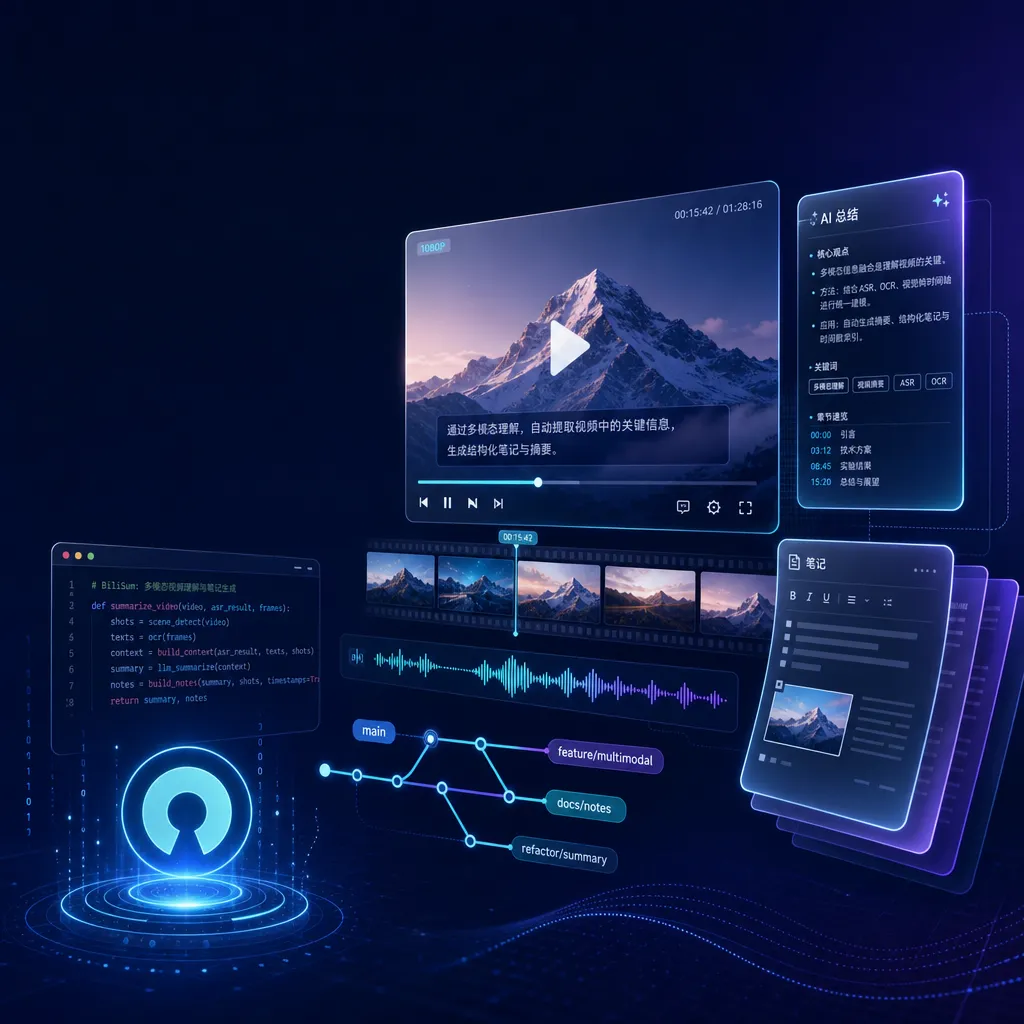
Developer **lycohana** has launched an open-source desktop application **BiliSum**, which uses a two-stage architecture combining LLM-based frame selection and VLM-based understanding to reduce the cost of multimodal video note-taking. It supports **Bilibili**, **YouTube**, and local videos, and is compatible with the **OpenAI API** protocol.
BiliSum Open Source: Making Sense of the True Cost of Video Notes
In mid-May, developer lycohana released BiliSum on GitHub — a desktop AI video summarization tool for Bilibili, YouTube, and local videos. The name already reveals its target audience: those who learn tech on Bilibili, watch open courses, follow open-source project walkthroughs, but don’t want to go back and review afterward.
The video summarization field isn’t new. Tools like BibiGPT, NotebookLM, NoteGPT, plus open-source desktop options like BiliNote, and various browser plugins — there’s no shortage of “video to notes” utilities. So why is BiliSum worth developers’ attention? The answer lies in its latest release notes: a new image-augmented note feature, with costs deliberately kept low.
The Cost Trap of Multimodal Video Understanding
To grasp the value of this version of BiliSum, you first need to understand the cost structure of multimodal video comprehension.
The simplest approach is to extract video frames (for example, one frame per second or every 5 seconds), feed them all to a Vision-Language Model (VLM) for frame-by-frame understanding, and then have a Large Language Model (LLM) summarize the results. It works—but at an astonishing cost. A 30-minute tutorial, sampled every 5 seconds, yields 360 images. Running those through GPT-4o Vision or Claude Sonnet 4 would result in a bill big enough to make you cancel your subscription.
A more “lazy” path is to use only Automatic Speech Recognition (ASR)—essentially treating the video like a podcast. This was how BibiGPT worked early on, and it’s the default method for most lightweight tools. The problem is, pure text misses all visual information. In demo videos, PPT presentations, coding walkthroughs, and UI tutorials, visuals often carry far denser information than the spoken words. Listening to a React tutorial’s narration won’t tell you what code was actually on the screen.
BiliSum’s approach strikes a balance: the LLM first reads the full ASR transcript and identifies “key visual moments.” It then captures screenshots for those moments, hands them to the VLM for interpretation, and finally backfills those insights into the notes.

This process mirrors how humans take notes from videos: you don’t study every frame; you listen until the instructor says “look at this code snippet” or “notice this chart,” then glance at the screen. BiliSum automates that, slashing VLM calls from hundreds down to a dozen or so — cutting costs by one or two orders of magnitude.
In the author’s own words: “Using multimodal understanding adds some cost, but text-only notes are already powerful enough!” Put simply: image-augmented notes are optional — you choose when to enable them. This kind of honesty about cost is rare in AI tools, many of which try to run all modalities every time.
From “Tool-Like” to “App-Like” Product Design
BiliSum is a desktop application, not a web service — its biggest difference from SaaS products like BibiGPT.
The interface borrows directly from Bilibili’s home feed layout: videos on the left (thumbnails, titles, durations clearly visible), detailed notes on the right. If you’re a frequent Bilibili user, it feels familiar at first glance. The benefit is a seamless workflow between “watching” and “note-taking.” Videos aren’t just transient note materials; they become entries in your personal knowledge base alongside the notes.
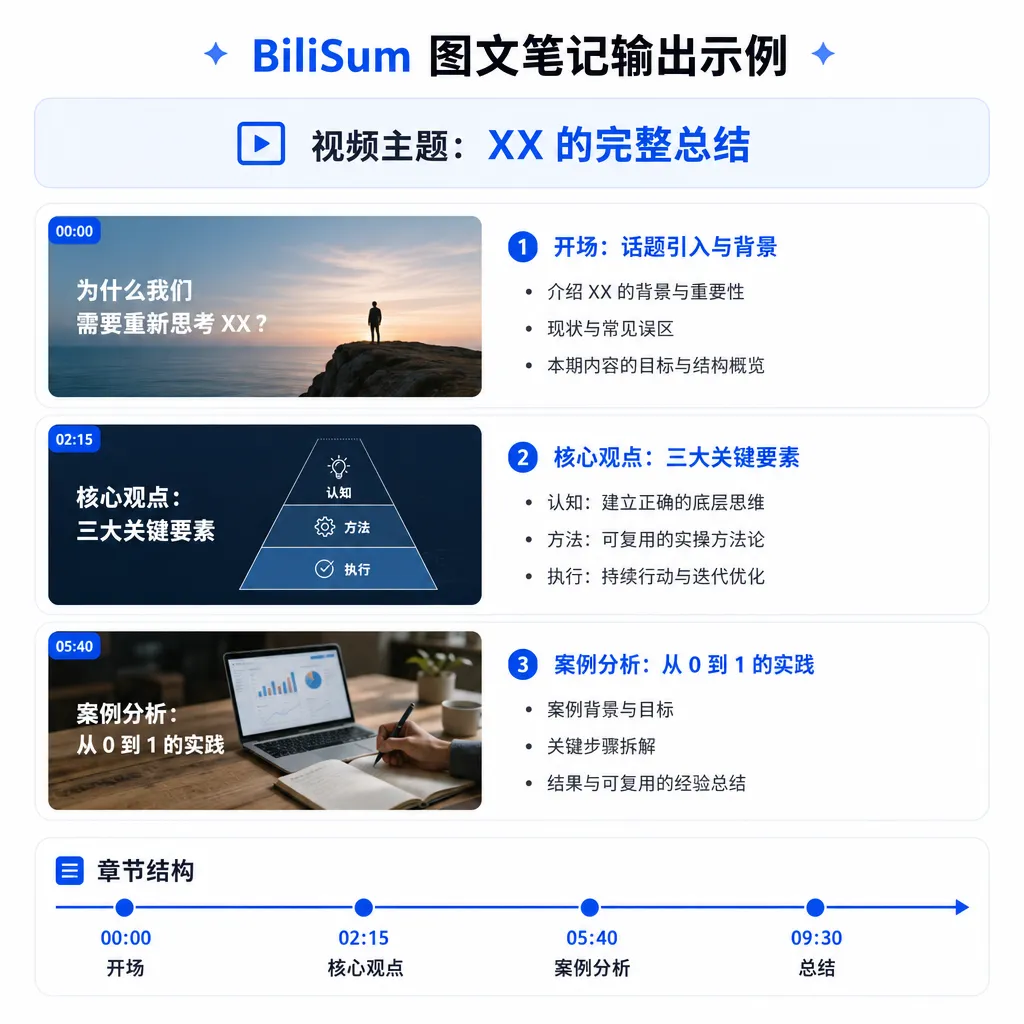
Output comes in three forms:
- Text Notes: structured summaries organized by sections
- Image-Enhanced Notes: text notes embedded with screenshots interpreted by VLM
- Mind Maps: visual tree structures of video content
There’s also a “One-Image Summary” feature — compresses an entire video into a shareable long image. It’s very much a Bilibili-style design, perfect for sharing to chat groups or social posts.
Highly Customizable: Let Users Choose Their Own Models
Because it’s a desktop application, BiliSum must support local deployment — otherwise, it loses the key advantage over SaaS tools. It handles this well.
ASR options (speech-to-text):
- Online ASR service (defaults to Silicon Flow, with enough free quota for new users)
- Local ASR deployment (one-click CUDA environment installation, friendly to users unfamiliar with Python setups)
- Any service compatible with the OpenAI API protocol
LLM and VLM support: since it’s OpenAI API compatible, you can hook up any mainstream model. That means closed-source flagships like GPT-4.1, Claude Sonnet 4, Gemini 2.5 Pro, or local open-source multimodal models like Qwen2.5-VL, GLM-4V, InternVL. For users concerned with privacy or strict cost control, this flexibility is crucial.
If you want to test how different models interpret videos, aggregator platforms like OpenAI Hub let you switch between GPT, Claude, Gemini, and DeepSeek with a single key — much easier than juggling multiple credentials. Just set the BaseURL to the aggregator’s address.
BiliSum vs. BiliNote and BibiGPT
This space is crowded, so let’s compare across tools:
BibiGPT — an early (2023) web-based summarizer. Strengths: instant use, good Chinese optimization. Weaknesses: closed source, pay-per-use, poor privacy, costs rise quickly for heavy users.
BiliNote (by JefferyHcool) — an open-source project similar to BiliSum, but earlier. Supports Bilibili, YouTube, Douyin. Recently added multimodal toggles and a 4-step desktop setup. Overall, its approach closely aligns with BiliSum.
NotebookLM — Google’s product, focused on podcast-style audio generation and document Q&A. Weak support for Chinese video platforms (Bilibili, Douyin); mainly targets YouTube and PDFs.
BiliSum’s differentiator: among open-source peers, it uniquely highlights “low-cost multimodal” as its core feature, and fine-tunes the desktop experience (Bilibili-like UI, one-click CUDA setup, mind-map output). It’s a kind of focused response to BiliNote — which emphasizes cross-platform breadth, while BiliSum focuses on depth of use.
It’s worth noting the naming similarity between BiliSum and BiliNote may confuse users, but they are distinct in positioning. Best to test both yourself and see which suits you.
Design Details Worth Attention
Checking the code and docs reveals several thoughtful choices:
-
VLM calls are optional. As mentioned, the author stresses that “text-only notes are powerful enough for everyday use.” This restraint matters — not forcing users to turn on every function, letting them decide by context.
-
Default ASR integration with Silicon Flow. Smart choice: Silicon Flow’s free tier suffices for individuals, with stable domestic connectivity. Great for users without overseas payment methods or proxies.
-
Mind-map output. Text is good for reading, mind maps for review. Offering both covers more learning scenarios.
-
Desktop + Local Data. Video notes are, ultimately, part of a personal knowledge base. Long-term value exceeds one-time usage. Desktop apps keep data under user control, avoiding SaaS shutdown migration issues.
What Still Needs Work
From a developer’s lens, BiliSum still has rough edges:
Limited video source support. Only Bilibili, YouTube, and local files so far. No Douyin, Xiaohongshu, Kuaishou, X, TikTok — inconvenient for users with diverse sources. The roadmap mentions platform expansion, but priority is unclear.
No cross-device sync. The upside of a desktop app is local data; the downside is manual setup on new machines. Optional sync via WebDAV or S3 would add major value.
Long-video handling. Podcasts over 1–2 hours challenge both ASR and LLM summarization (context window, runtime). Needs more real-world testing.
Prompt templates. The roadmap lists “custom prompt templates,” which is really essential. Tech tutorials, humanities lectures, news commentary, product demos — each requires different note structures. A good template system could greatly raise this tool’s marginal utility.
Final Thoughts
BiliSum isn’t a revolutionary product, but it’s well positioned in the video note space: open-source, desktop-based, cost-conscious, and China-user-friendly.
In 2026, multimodal models are powerful enough — the bottleneck isn’t whether they can “understand” videos, but whether it’s worth the money to do so. BiliSum’s two-stage architecture (LLM for keyframe selection + VLM for interpretation) offers an engineering-practical answer — not perfect, but pragmatic.
For developers wanting to use AI to turn their video learning into lasting notes, without SaaS lock-in, this project deserves a place on your watch list. If you’ve used BiliNote, try BiliSum and see which workflow fits better — both are open-source, switching costs are low.
References
- GitHub - lycohana/BiliSum — main repo with complete source code, installation docs, and roadmap
- GitHub - JefferyHcool/BiliNote — similar open-source project supporting Bilibili, YouTube, Douyin, etc.
- linux.do open-source announcement post — the author’s introduction post on the LINUX DO community, with UI screenshots and feature descriptions


