
Google replaces Gemini CLI with Antigravity 2.0
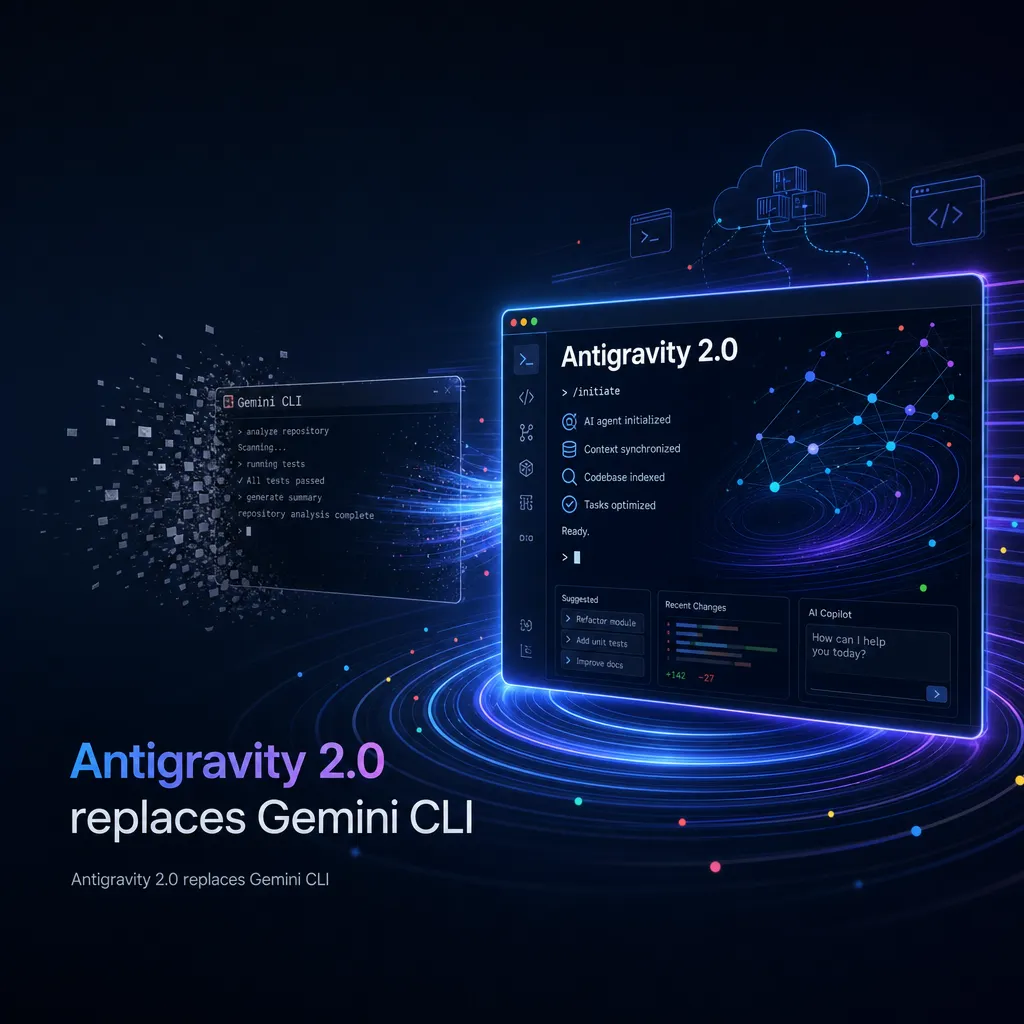
At the 2026 I/O conference, Google released Antigravity 2.0, shifting from a single IDE to a multi-agent work platform. It adds scheduled tasks and background scheduling capabilities, and introduces the Antigravity CLI to replace the Gemini CLI. Services for individual users will be discontinued starting June 18.
Google Replaces Gemini CLI with Antigravity 2.0
At today’s 2026 I/O Developer Conference, Google unveiled Antigravity 2.0, a major update that shifts the product’s positioning — from a “developer-oriented agent-style IDE” to a “general agent-first work platform.” Google also announced that Antigravity CLI will replace Gemini CLI starting June 18, after which Gemini CLI will cease service for individual users.
This update is not a simple version iteration; it represents Google’s new perspective on multi-agent programming. From product architecture to interaction design, Antigravity 2.0 aims to solve one key issue: when developers must manage multiple agents and complex asynchronous tasks simultaneously, the traditional single-agent IDE model no longer suffices.
From IDE to Multi-Agent Hub
The most significant change in Antigravity 2.0 is removing the strong binding between agents and code repositories. Previous versions organized sessions by “workspace,” with each workspace tied to one repository, limiting the agent’s scope to that repository. That worked fine for single projects, but caused friction when developers needed to collaborate across repositories or assign different agents to different modules.
The new version introduces “project”-based management. A project can include multiple folders, each with its own agent settings and permission boundaries. Developers can deploy multiple sub-agents within one project — for frontend, backend, testing, etc. — and also schedule automated routines that continuously run in the background.
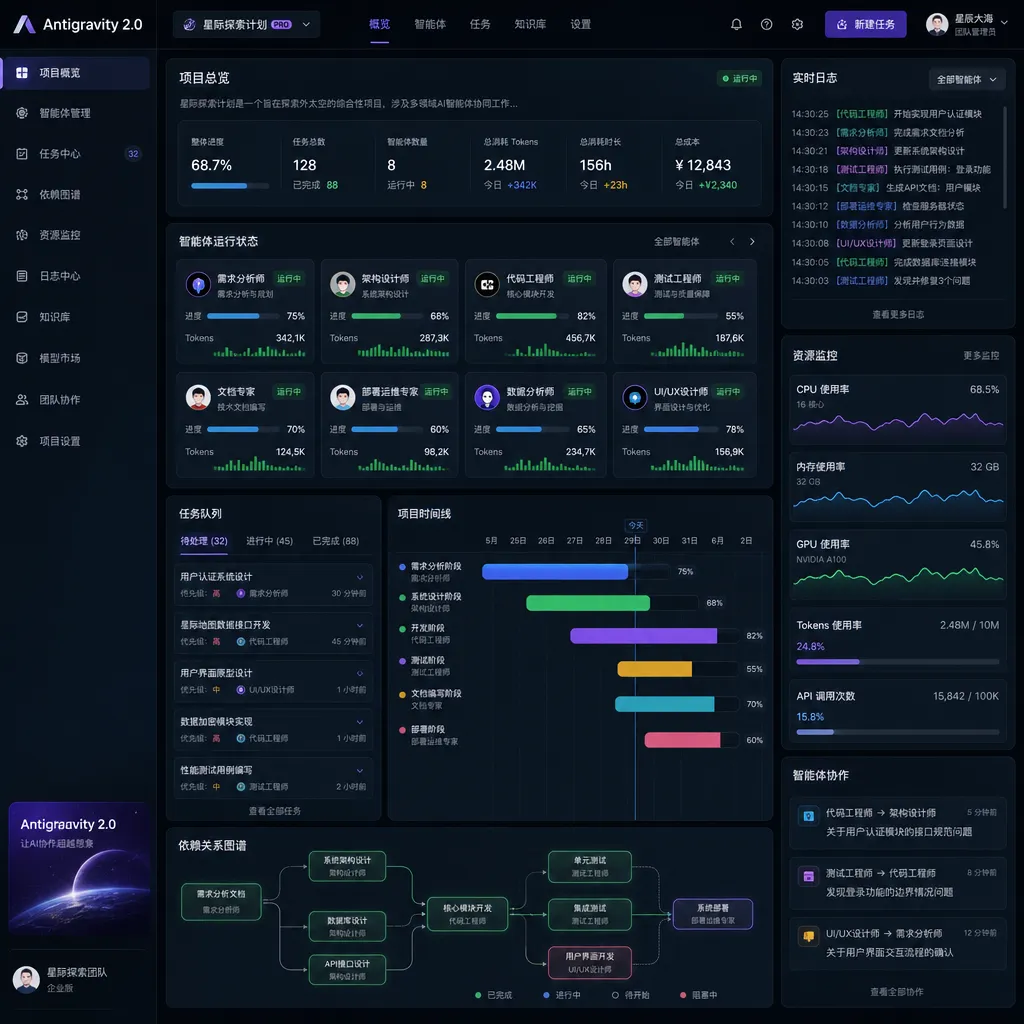
The benefits are obvious. In a full-stack project, for example, one agent can handle React frontend development, another can work on the Node.js backend, and a third can run tests and CI/CD pipelines. These agents operate in parallel, independently, yet share context and dependencies through the project-level configuration.
Scheduled Tasks and Background Execution
Antigravity 2.0 introduces a new scheduled task feature. Developers can use the /schedule command to set up one-time or recurring tasks, allowing agents to execute them automatically at preset times.
It seems simple, but this solves a persistent pain point: developers often need agents to perform lengthy tasks that don’t require real-time feedback — such as running full test suites, generating documentation, or refactoring code in bulk. In earlier versions, developers had to either watch the terminal for results or manually background these jobs, which was tedious.
Now, developers can schedule such tasks directly via commands like:
/schedule "Run full test suite every day at 2 AM"
/schedule "Generate weekly code change report every Monday at 9 AM"
The agent will run these tasks in the background, then send notifications or logs upon completion. If a task fails, the agent will attempt automatic repair or provide diagnostic info.
Google also introduced several slash commands to enhance interaction:
/goal: execute multiple steps continuously until the goal is achieved/grill-me: clarify requirements before executing to reduce misunderstandings/browser: explicitly invoke browser capabilities for real-time API or documentation lookups
The idea behind these commands is to give developers more control. For instance, with /grill-me, when a developer provides a vague request, the agent first asks clarifying questions — about tech stack, boundaries, performance requirements, etc. — before starting work. Though it adds one extra round of interaction, it significantly reduces rework.
Antigravity CLI Replacing Gemini CLI
The release of Antigravity CLI marks another major highlight of this update. According to Google’s official blog, Gemini CLI will cease personal-user service from June 18, and users are advised to migrate to Antigravity CLI.
Community feedback suggests Antigravity CLI offers a much improved experience. One developer on Linux.do shared a detailed review, highlighting several standout features:
1. Clearer Task Management
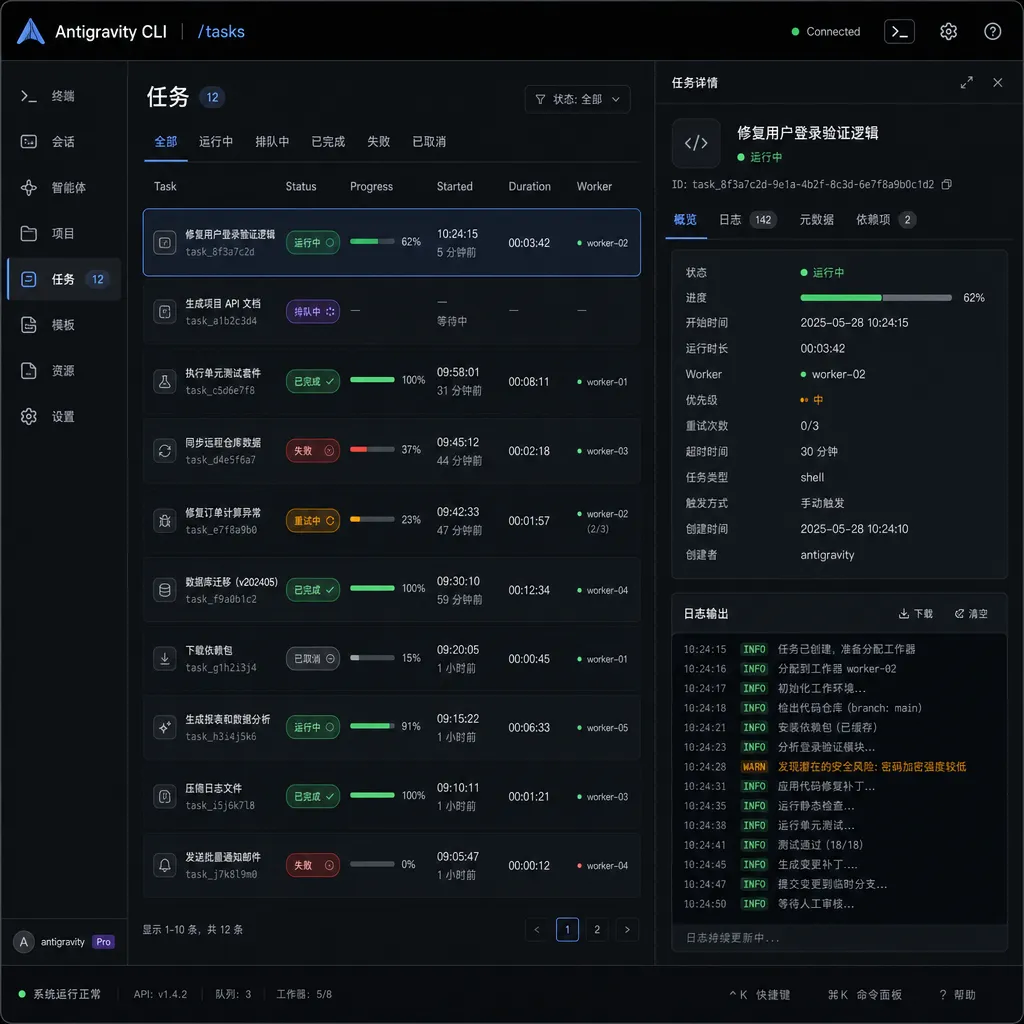
Antigravity CLI adds a /tasks command to view all background tasks. This is far more intuitive than Gemini CLI’s /ps command. Developers can navigate tasks with arrow keys, press Enter to view output — the entire process feels smooth.
2. Collapsed Tool Invocations
By default, all tool calls and file operations are displayed in collapsed form, showing only key information. This is very friendly for CLI users, as most of the time developers only care about the results, not detailed logs. They can expand manually if needed.
3. Spec-Driven Workflows
Antigravity CLI introduces /artifact, which allows viewing intermediate documents generated by agents. This spec-driven workflow is somewhat similar to TDD: the agent first produces a spec document, then builds code according to it.
The advantage is that developers can intervene before code generation — editing or refining the spec to ensure the implementation meets expectations. For complex projects, this is far more reliable than direct code generation.
4. More Flexible Permission Control
Antigravity CLI offers three permission modes:
request-review: manual confirmation before each commandalways-proceed: auto-approve, suitable for trusted contextsstrict: restricts agent operations for maximum safety
Most developers will choose always-proceed to maintain workflow fluidity, while production environments or sensitive operations benefit from strict mode for extra security.
Managed Agents: A New Attempt at Cloud Automation
Beyond the desktop app and CLI, Google also introduced Managed Agents through the Gemini API — a cloud-based agent service. With a single API call, developers can launch a software agent in an isolated Linux environment.
The key feature is persistent state. Even after a session ends, compiled files, memory logs, and project states remain intact. This allows long-running tasks like continuous integration, automated testing, or scheduled reporting to be assigned to Managed Agents.
The potential use cases are broad. For example, developers could create an automated code review pipeline: whenever a new Pull Request arrives, a Managed Agent retrieves code, runs tests, checks linting rules, generates a review report, and pushes results to GitHub or GitLab — all fully automated, no human intervention.
Mobile and Native Compilation Capabilities
Google also announced that Google AI Studio mobile app is open for preregistration this week. Developers can capture app ideas on mobile, then refine runnable prototypes on desktop. This cross-device workflow is especially handy for developers who record ideas on the go.
More intriguingly, Antigravity 2.0 adds native compilation for mobile OS. Developers can now generate complete Android apps from prompts, connect to Workspace data channels, and export directly to the Google Play Console test track. This dramatically shortens the path from concept to testing — no manual configuration of build environments, dependency handling, or package uploads. The agent takes care of all of it.
Comparison with Competitors
In terms of functionality, Antigravity 2.0 differs clearly from competitors like Cursor and Windsurf. The latter are essentially enhanced VS Code variants — still code editors with agent assistance — while Antigravity 2.0 is designed as an “agent-first work platform”, where the code editor is merely one of the tools.
This difference shapes every design aspect. For instance, Cursor’s logic is “developer writes code, the agent assists,” while Antigravity 2.0 works as “developer defines the goal, the agent autonomously executes tasks.” The former suits precise control; the latter suits rapid iteration.
In model capabilities, Antigravity 2.0 offers a clear edge with free access to premium models like Gemini 3 Pro, Claude Sonnet 4.5, and GPT-OSS. Cursor also supports multi-model switching, but most advanced models require paid subscriptions. For individuals or small teams, the cost benefit of Antigravity 2.0 is significant.
However, Antigravity 2.0 also has limitations. Community feedback notes that while Gemini 3 Pro’s coding capability has improved, it still trails slightly behind Claude Sonnet 4.5 in agentic coding (76.2% vs 77.2%). Furthermore, Antigravity’s ecosystem remains immature — plugins, third-party integrations, and community support still need time to grow.
The End of Gemini CLI
Google’s decision to discontinue Gemini CLI for personal users on June 18 sparked extensive community discussion. Some developers believe Google is consolidating its product line to focus on Antigravity; others see it as a strategic shift toward multi-agent programming, where single-agent tools like Gemini CLI no longer fit the future.
From an evolutionary standpoint, Gemini CLI’s sunset seems inevitable. Antigravity CLI surpasses it in functionality, performance, and experience, making parallel maintenance redundant. Its more flexible architecture is better suited for multi-agent scenarios.
That said, migration costs remain a concern for existing Gemini CLI users. Although Google provides migration guides, project configurations, workflows, and scripts must be adapted. Fortunately, the overall design philosophies are similar, allowing most commands and setups to transition smoothly.
Final Thoughts
The launch of Antigravity 2.0 signals a major transformation in Google’s AI programming tool strategy — from single-agent IDE to multi-agent workspace, from synchronous interaction to asynchronous orchestration, from code editing to task management. All of these point to one trend: AI programming tools are evolving from “assistive tools” into “primary work environments.”
However, this shift brings new challenges too — coordinating multiple agents, ensuring control over asynchronous processes, and managing permissions securely. Developers must also adjust their mindset — from “writing code” to “orchestrating agents.” It’s not just a skill upgrade, but a paradigm shift.
For indie developers and small teams, Antigravity 2.0’s free access to high-end models is highly appealing. For large teams and enterprises, though, maturity, ecosystem stability, and long-term support matter more. Google will need sustained investment in these areas to compete with mature rivals like Cursor and Windsurf.
Whether Antigravity 2.0 becomes the next mainstream AI development platform remains to be seen — but judging from its product design and technical direction, Google clearly means business.
References
-
Google releases Antigravity 2.0: Optimized multi-agent programming and new scheduled tasks - IT Home
Official announcement from Google at the 2026 I/O Conference, detailing Antigravity 2.0’s core features and positioning. -
Farewell Gemini-CLI: Antigravity CLI Deep Dive! - Linux.do
Developer’s detailed review of Antigravity CLI, including login, permissions, and task management. -
Gemini CLI to be replaced by Antigravity CLI - Linux.do
Gemini CLI service termination notice and community discussions. -
Antigravity now has its own CLI — is Gemini CLI officially abandoned? - Linux.do
Developer discussions and analysis of Google’s product line strategy adjustments.


