
CapCut Integrates Gemini: Conversational Video Editing Has Arrived

ByteDance’s CapCut announced a partnership with Google Gemini. Users will be able to use CapCut’s editing features directly within the Gemini app to process images and videos, marking the start of the conversational era for video editing.
CapCut Integrates with Gemini: Conversational Video Editing Has Arrived
CapCut, the international version of ByteDance’s JianYing, announced today (May 21) on the X platform that it is partnering with Google Gemini. Soon, users will be able to use CapCut’s creative and editing tools directly in the Gemini app to edit images and videos.
This isn’t just a simple tool integration—it’s a shift in the paradigm of video editing interaction. When Gemini’s multimodal understanding meets CapCut’s professional editing engine, the barriers to video creation are being completely redefined.
Conversational Editing: The iPhone Moment of Video Creation
Traditional video editing has always had a steep learning curve. Timelines, keyframes, masks, color grading—these concepts intimidate most casual users. Even with CapCut’s user-friendly design, newcomers still spend time familiarizing themselves with interface logic.
Gemini Omni changes the game. At Google I/O 2026, Google showcased Gemini Omni’s video-editing capability—users just describe what they want with natural language, and the model understands and executes complex editing tasks.
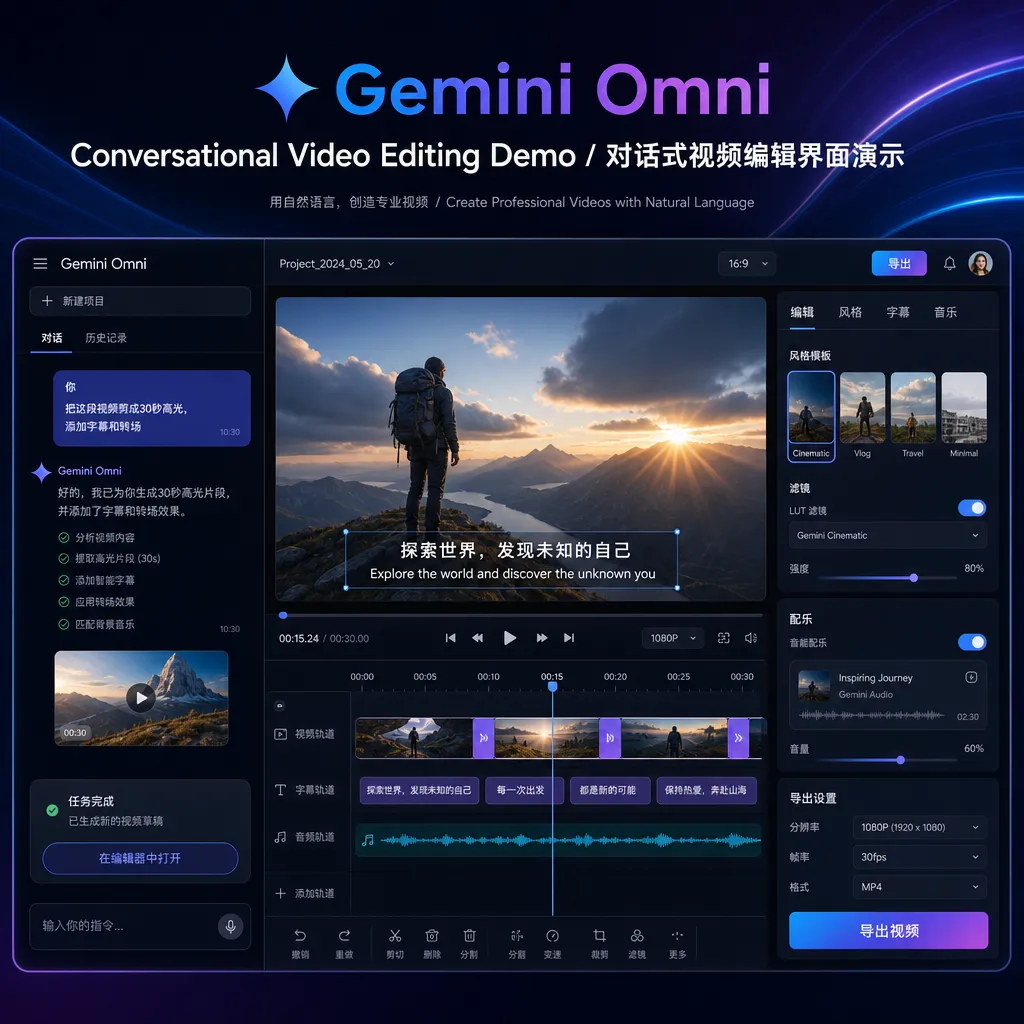
The core advantage of this interaction model lies in iteration efficiency. The old workflow worked like this:
- Generate video → dissatisfied → rewrite entire prompt → wait 90 seconds → still not good → repeat
Now it becomes:
- Generate video → “Change the lighting to golden hour” → done → “Slow down the camera zoom-in speed” → done
This isn’t incremental improvement—it’s a paradigm shift. Just as the iPhone turned phones from “keypad devices” into “touch devices,” Gemini Omni is turning video editing from “timeline operations” into “dialogue interactions.”
Why CapCut Chose Gemini
This collaboration is strategic for CapCut. As one of ByteDance’s key global products, CapCut has a massive global user base but faces two challenges:
1. Growth Has Hit a Ceiling
The mobile video editing market is already saturated. CapCut needs new growth drivers, and AI-native editing experiences point the way. By integrating with Gemini, CapCut can reach users who’ve never opened video editing software—they just need to say one sentence within Gemini.
2. Strengthening Its Technological Moat
Video editing tools have become highly homogenized. Cutting, filters, transitions—all apps have them. True differentiation lies in AI capabilities, and multimodal understanding is Gemini’s strength. By embedding its editing engine in Google’s AI ecosystem, CapCut effectively secures a “ticket to the AI era.”
From Google’s perspective, this collaboration is pragmatic. Gemini needs to prove it’s more than just a “chatbot” and can be a productivity tool for real tasks. Video editing is a high-frequency, high-demand scenario, and CapCut’s professional expertise makes Gemini’s multimodal outputs more reliable.
It’s not their first collaboration. Last year, Google tested a feature that allowed users to export and edit Google Photos memories directly in CapCut. This time, they’re deepening the integration—from one-way export to two-way interaction.
Gemini Omni’s Technical Logic
Gemini Omni’s core capability is multimodal understanding + precise editing. Simple as that sounds, it involves breakthroughs across multiple technical layers.
Depth of Video Understanding
Gemini Omni doesn’t just “see” video content—it grasps video structure, sequence, and semantics. When a user says, “Blur the background of the third shot,” the model must:
- Identify shot transitions
- Locate the time range of the “third shot”
- Separate foreground from background
- Apply depth-of-field effect
This requires temporal understanding (knowing shot boundaries), spatial understanding (distinguishing foreground and background), and semantic understanding (knowing that “blur” is a technical operation).
Precision in Editing Operations
A common problem with generative AI is “lack of control.” Text-to-video models can create beautiful visuals but struggle with precise local edits. Gemini Omni solves this through CapCut integration—it doesn’t regenerate the whole video but invokes CapCut’s editing engine to execute specific commands.
This architecture is clever:
- Gemini handles understanding: converts natural language into structured editing instructions
- CapCut handles execution: uses mature editing algorithms to ensure output quality
This design keeps conversational flexibility while avoiding generative instability.
Optimizing Iteration Speed
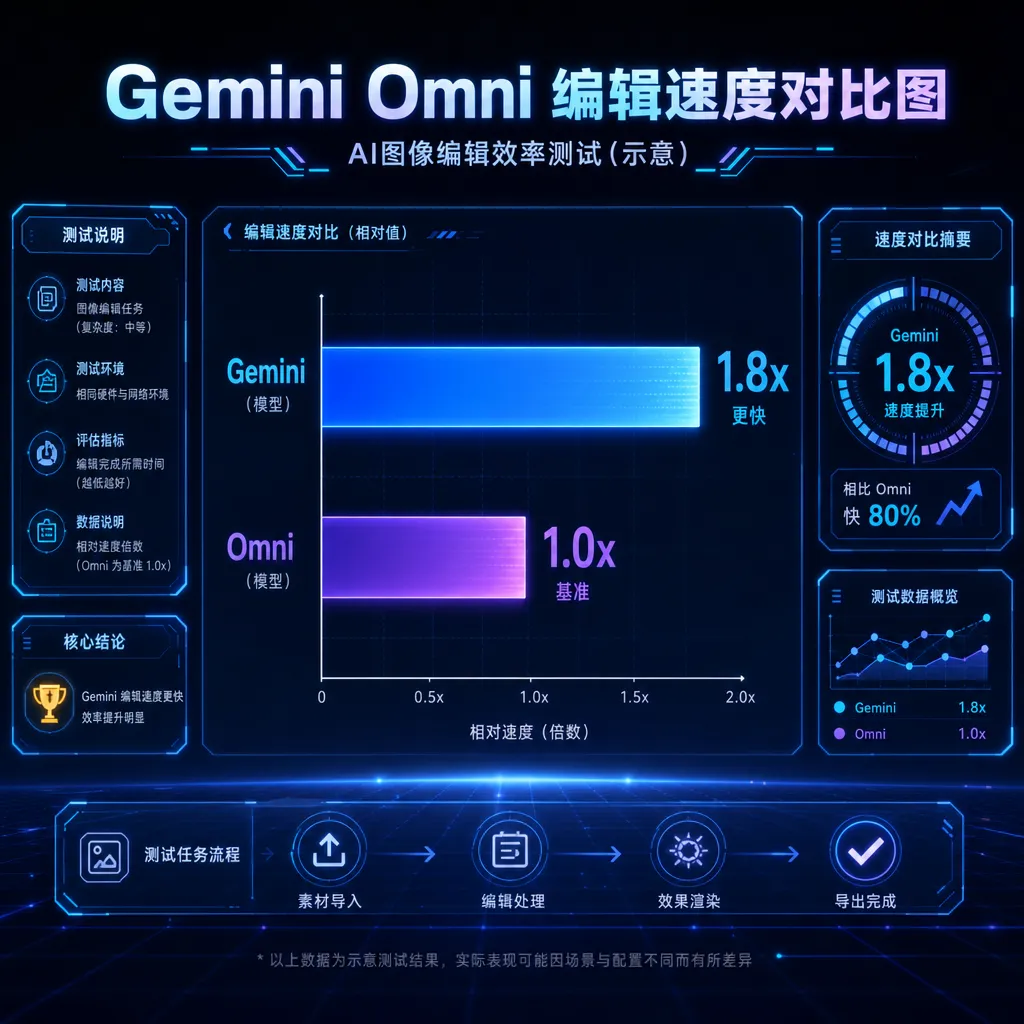
Conversational editing hinges on fast feedback. Waiting 90 seconds for each tweak ruins user experience. Gemini Omni Flash (the first released model) is optimized for speed—most edit operations complete within seconds.
Users on the developer community V2EX tested it on launch day and commented: “Modifying objects in a video through dialogue—this interaction is clearly the future. The speed and consistency exceeded my expectations.”
Real-World Use Cases: Who Will Use This
Conversational video editing isn’t just a tech demo—it meets real needs. Typical applications include:
1. Social Media Creators
Creators on TikTok, Instagram Reels, and YouTube Shorts need rapid content turnaround. Traditionally: shoot → import into CapCut → edit → add effects → export → publish. Now it can be: shoot → say in Gemini, “Trim to 15 seconds, add dynamic transitions and captions” → publish.
For creators posting daily or multiple times per day, this efficiency is transformative.
2. Marketing Teams
Small businesses often lack dedicated production teams but need promo videos. Conversational editing lets non-professionals make videos quickly. For example, an e-commerce operator could say: “Edit this product demo into three versions focusing on price, features, and customer reviews.”
3. Education and Training
Teachers recording lectures often need simple post-processing—remove mistakes, add captions, insert charts. Conversational editing lets them focus on teaching instead of learning complex software.
4. Personal Records and Sharing
Casual users often leave family or travel footage unedited because “they don’t know how.” Now they can simply say, “Make a 3-minute highlights reel from last week’s trip with upbeat background music.”
Limitations of This Collaboration
Though promising, the partnership is still early-stage, with several limitations:
1. Incomplete Feature Coverage
Official announcements only mention “image and video editing” without detailing supported operations. CapCut’s full toolkit includes trimming, effects, filters, transitions, captions, audio processing—the Gemini-integrated version’s range is uncertain.
Based on the Google I/O 2026 demo, Gemini Omni currently supports visual effects adjustments (lighting, color, camera motion) and object edits (replace, remove, reshape). More complex tasks like multi-track audio mixing or keyframe animation may come later.
2. Missing Voice and Audio Editing
Google confirmed that voice and audio editing aren’t available yet. That’s a major limitation—sound processing (noise reduction, volume balancing, background music) is as vital as visuals.
3. Pro-Level Features Unavailable
Gemini Omni has only released its Flash version, optimized for speed. A Pro version supporting higher resolutions and advanced editing isn’t scheduled yet. Professional creators will have to wait.
4. Platform Limitations
The integration works inside the Gemini app, meaning users must stay within Google’s ecosystem. Those used to the standalone CapCut app may need to adjust workflows. Plus, Gemini’s regional availability may limit reach.
Industry Impact: The Shake-Up in Video Editing Tools
The message is clear: video editing tools are transforming from “software” to “service.”
Traditionally, competition focused on features, performance, and interface usability. Now, AI capability is the new core differentiator. Tools that fail to integrate AI quickly risk being sidelined.
Pressure on Adobe
Adobe Premiere Pro and After Effects remain the professional standard, but their learning curve is steep. If Gemini + CapCut can meet 80% of common editing needs via natural dialogue, many semi-pro users could switch.
Adobe is pursuing AI too—its Firefly video model and AI helpers in Premiere Pro—but its products remain “heavy”: costly subscriptions, large software, high hardware demands. CapCut + Gemini is lighter and more accessible, appealing to most non-professionals.
JianYing (Domestic Version) May Follow
JianYing (the Chinese version of CapCut) shares the same development team and technical capacity. Whether it adopts similar AI functions depends on ByteDance’s model progress.
ByteDance has the Doubao large model and is exploring video generation (such as PixelDance). If JianYing connects Doubao’s multimodal power with its editing engine, Chinese users could enjoy the same conversational experience.
Opportunities for Open-Source Tools
Conversational editing hinges on “natural language → edit instructions” mapping. That capability isn’t Gemini-exclusive—open multimodal models like LLaVA and Qwen-VL are advancing fast.
Communities could build similar pipelines: use an open multimodal model to parse user intent, then call video-processing libraries like FFmpeg or OpenCV to execute edits. Advantages include full control, no corporate APIs, and local operation.
What Creators Should Notice
If you’re a video creator, this shift matters:
1. Lower Technical Barriers, Higher Creative Standards
Editing gets simpler, but technical skills lose their edge. Future competitiveness will hinge on creative quality—storytelling, pacing, emotional resonance.
2. Workflow Restructuring
Old process: “shoot first, edit later.” New model: “shoot while previewing with AI.” On set, you could use Gemini to quickly generate several cut versions, see which works best, and adjust shooting accordingly.
3. Faster Content Production
When editing efficiency grows tenfold, creators can produce more in the same time. Platforms like YouTube Shorts and TikTok benefit—but competition intensifies too.
4. Personal Style Still Matters
AI can do standard edits, but not replace unique style. Those with distinct visual language and narrative rhythm will stand out.
The Next Step in Technical Evolution
Conversational video editing is just the beginning. Upcoming developments may include:
1. Multimodal Input
Currently it’s “text → edit.” Future: “voice + gesture + sketch → edit.” Imagine saying “speed up the rhythm here” while drawing an arrow—AI understands the intent.
2. Style Transfer
“Edit this video in Wes Anderson’s style”—AI comprehends cinematic aesthetics and applies them. That requires not only technical but artistic and narrative understanding.
3. Collaborative Editing
Multiple creators co-edit via conversation. The director says “slow down act two,” the cinematographer says “warm up this shot,” the editor says “add a transition here”—AI merges all commands into the final version.
4. Real-Time Editing
Live or recording sessions where AI applies effects instantly: adjusting lighting, blurring backgrounds, adding captions during video calls—no post-production needed.
Final Thoughts
The collaboration between CapCut and Gemini marks video editing’s entry into the conversational era. This isn’t tech showmanship—it’s a practical answer to user needs. Most people don’t want to learn complex software; they just want to express ideas quickly.
For developers, this partnership highlights a clear direction: AI’s role isn’t to replace humans but to lower the barrier to professional tools. When technical operation becomes simple, people can focus on what truly matters—telling good stories, conveying emotion, creating value.
Video editing’s “iPhone moment” has arrived. The question now is—who will perfect the experience.
References
- CapCut announces collaboration with Gemini - Linux.do — Community discussion with early user reactions
- CapCut integrates editing features into Gemini app in partnership with Google - IT Home — Chinese coverage of the official announcement


