
Picpi Chat 2.1 Released: Aligned with All Capabilities of ChatGPT Images 2.0
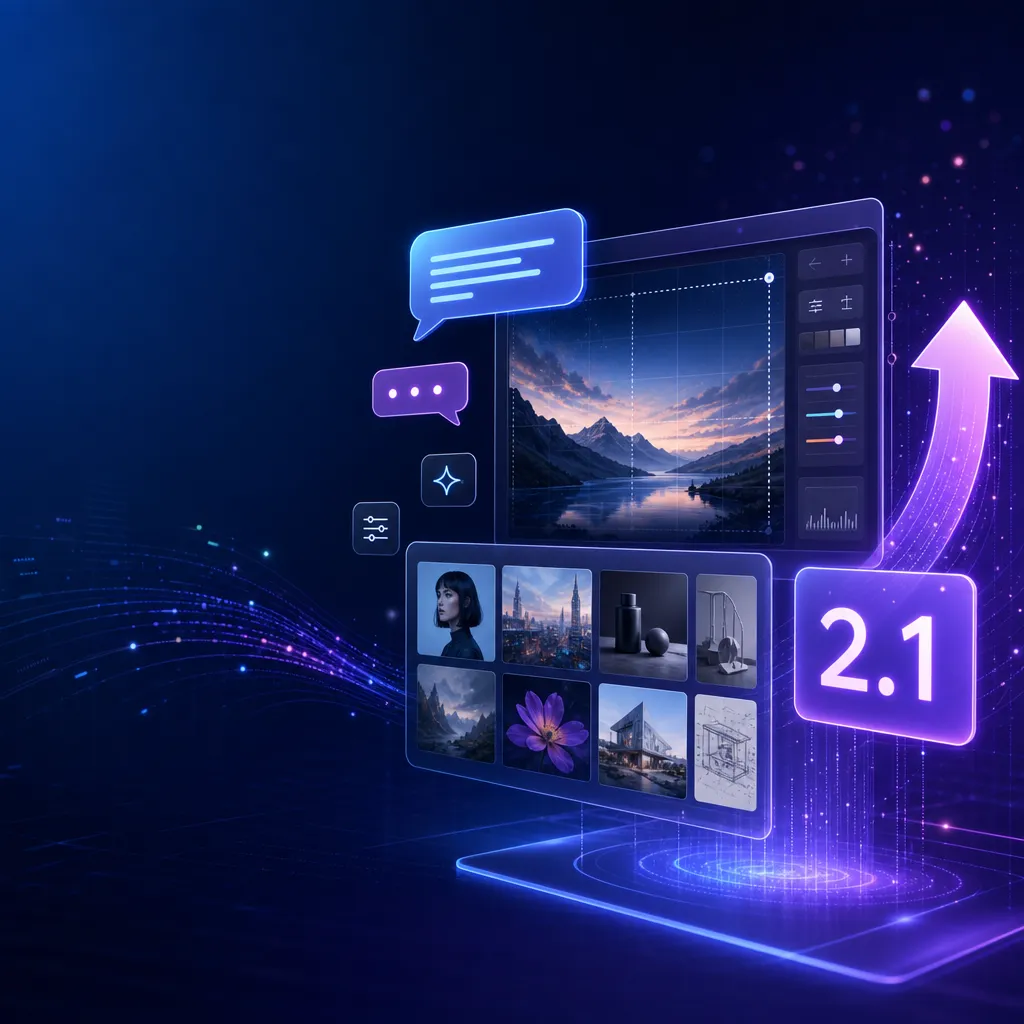
Picpi Chat 2.1 adds document generation and multi-image creation features. After performance optimization, the maximum number of threads has been increased to 6, fully aligning with the functionality of OpenAI’s official web version, and significantly improving congestion issues during peak periods.
Picpi Chat 2.1 Release: Matches All Capabilities of ChatGPT Images 2.0
Picpi Chat Studio rolled out version 2.1 today. The core changes fill in two key features from OpenAI's official ChatGPT Images 2.0: document generation and multi-image generation. This update brings third-party tools up to par with the official web version in terms of functionality, while performance tuning helps alleviate concurrency issues during peak hours.
Feature Alignment: Document Generation and Multi-Image Generation Go Live
The two major updates in version 2.1 directly correspond to what OpenAI introduced earlier this year with ChatGPT Images 2.0.
Document generation enables Picpi Chat to directly output document-like images with complex layouts — posters, infographics, academic visualizations, product showcase pages, etc. This isn’t simply “generate one picture,” but a comprehensive capability to understand document structure, hierarchy, and visual language. When OpenAI released Images 2.0, they demonstrated generating multi-page magazine layouts, academic posters, and product grids using natural language. Picpi Chat can now do the same.
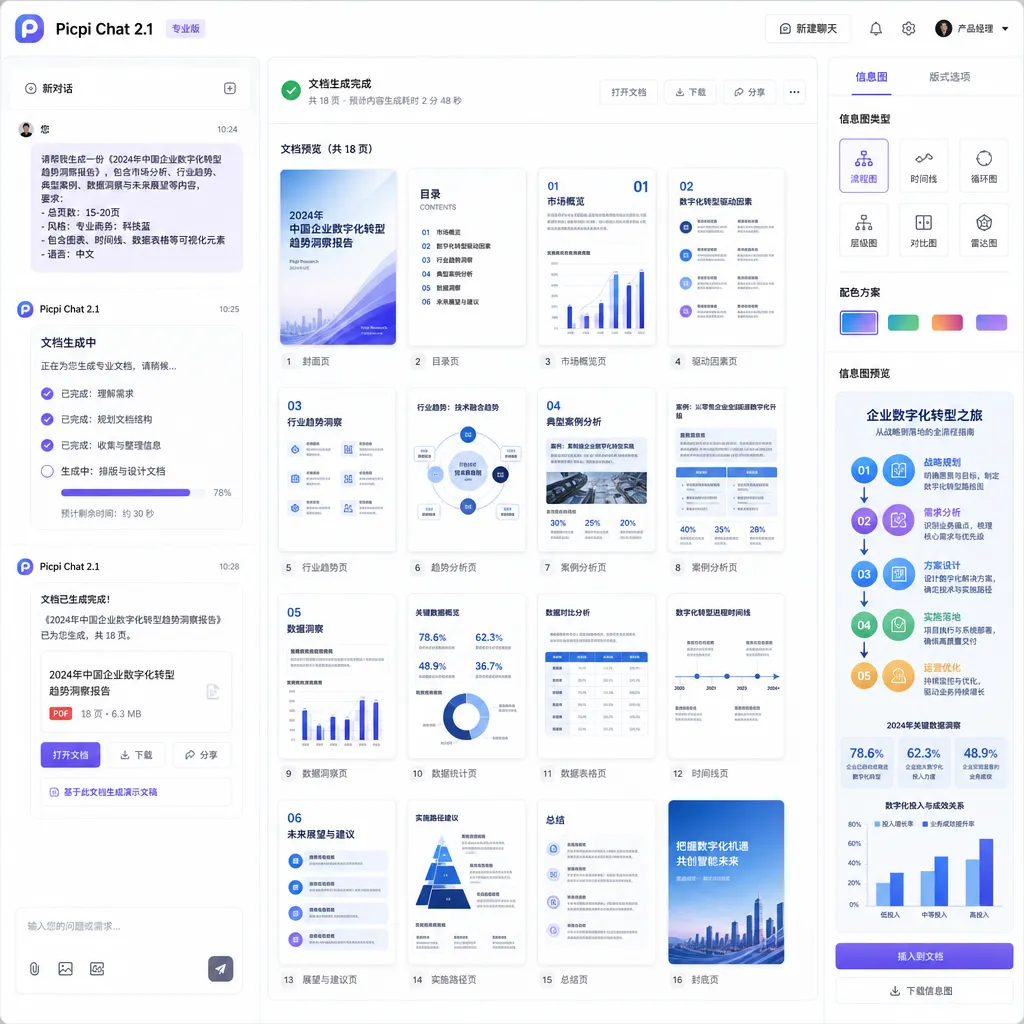
Multi-image generation is another highly practical addition. Previously, Picpi Chat 2.0 supported single-image generation and image-to-image. Version 2.1 adds the long-awaited “generate multiple images at once” feature — essential for quickly iterating on design ideas, comparing styles, or producing batches of assets. OpenAI’s Images 2.0 can output multiple candidates in one conversation, and now Picpi Chat keeps pace.
From a feature checklist perspective, Picpi Chat 2.1 now stands shoulder to shoulder with OpenAI’s official web version: document generation, multi-image generation, image-to-image, and conversational interaction — all accounted for.
Performance Optimization: Maximum Threads Increased from 4 to 6
This update isn’t just about new features — it also tweaks the underlying performance configuration. The maximum number of threads has been raised from 4 to 6, which the team says “noticeably alleviates congestion during peak hours.”
For context, as a third-party tool, Picpi Chat experiences spikes in concurrent usage at certain times of day. In version 2.0, users often encountered queues and slow responses during peak hours — four threads just couldn’t keep up. Raising the limit to six theoretically boosts concurrency by 50%, and users should notice an improvement in generation speed and stability.
A technical note worth mentioning: increasing thread count isn’t unlimited. More threads mean higher memory usage, more complex scheduling, and greater load on upstream APIs. The choice of six likely represents a balanced tradeoff between performance and resource consumption. If user volume continues to grow, more radical architectural changes — such as queuing systems, distributed deployment, or dynamic scaling — may become necessary.
What Makes ChatGPT Images 2.0 So Powerful
To appreciate the significance of the Picpi Chat 2.1 update, we first need to understand the scope of ChatGPT Images 2.0’s capabilities.
OpenAI emphasized several major advancements when releasing Images 2.0:
-
More precise control: It can understand complex visual descriptions — composition, color, style, detail levels. Instead of rough prompts like “generate a cat,” it interprets “generate an orange cat sitting on a vintage desk in a warm-toned study, with sunlight streaming from the left window in a painterly style.”
-
Multilingual text rendering: One of Images 2.0’s killer features. Earlier AIs struggled with text — gibberish or broken layouts were common. Images 2.0 accurately renders text in multiple languages, including Chinese, Japanese, Arabic, and Hindi. That makes poster design, brand visuals, and multilingual content creation viable.
-
Stylistic maturity: It supports photography, illustration, comics, pixel art, 3D rendering, and maintains consistent style. It doesn’t just “look like that style” — it delivers truly professional-grade visuals.
-
Document-level generation: A key feature Picpi Chat 2.1 aligns with. Images 2.0 can generate multi-page documents, infographics, academic posters, and product showcases — all requiring structural and visual understanding. OpenAI showed examples like generating full magazine spreads or turning academic papers into visual posters with one prompt.
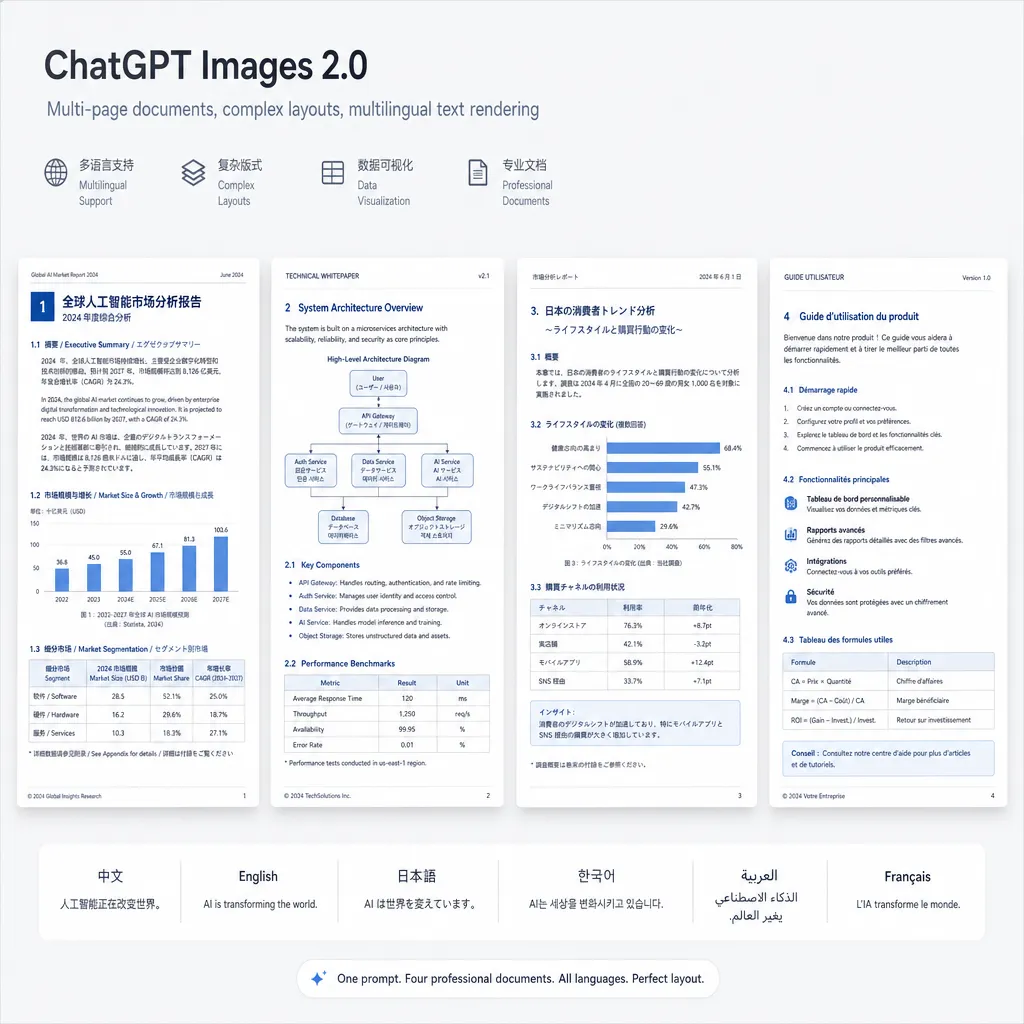
Picpi Chat 2.1 essentially ports over Images 2.0’s document and multi-image generation capabilities. Technically, both rely on deep integration and wrapping around OpenAI APIs. Picpi Chat’s advantage as a third-party tool lies in providing a more flexible interface, lower usage barrier, and scenario-specific optimizations.
The Survival Space for Third-Party Tools
Tools like Picpi Chat occupy a delicate position. OpenAI already offers a web app, API, and ChatGPT Plus subscription — in theory, users could just go official. Yet third-party tools still have a role to play, for several reasons:
1. Lower barrier to entry
OpenAI’s API requires a developer account, API key, and billing setup — enough to scare off non-technical users. Picpi Chat provides a ready-to-use interface: no API calls, no environment setup — just open and use.
2. More flexible feature combinations
Picpi Chat 2.0 already supported image-to-image, and 2.1 adds document and multi-image generation. These features are scattered across official tools; third-party platforms can integrate them into a unified workflow, reducing context-switching overhead.
3. Performance and stability optimization
The official API has rate limits, concurrency caps, and regional constraints. Third-party tools can use their own infrastructure for caching, load balancing, and failover handling. Increasing the thread count from 4 to 6 is one such optimization.
4. Different cost structure
OpenAI charges per token or per image based on resolution and count. Third-party tools can offer subscriptions — monthly, yearly, or “unlimited use” plans — which may be cheaper for heavy users. Picpi Chat emphasizes “unlimited usage,” an attractive deal for designers and content creators relying on mass image generation.
However, third-party tools carry risks: dependency on upstream stability, exposure to policy changes, and lag behind official updates. For instance, Picpi Chat 2.1 arrives months after OpenAI’s Images 2.0 launch — an unavoidable delay in the adaptation cycle.
The Next Phase of Image Generation: From Tool to Workflow
Picpi Chat 2.1 mainly catches up with OpenAI’s feature set, but the real story is broader: image generation tools are evolving from stand-alone utilities toward workflow integration.
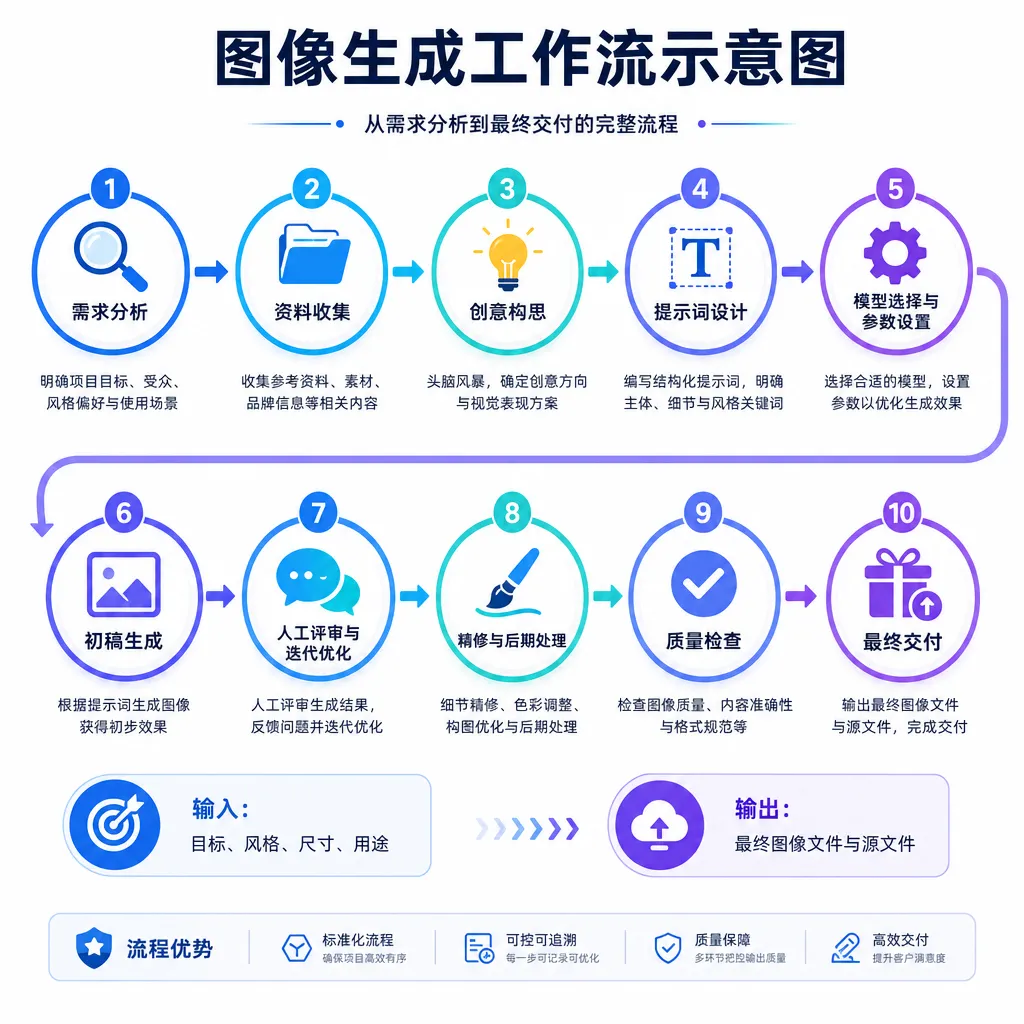
Today’s generators — Midjourney, Stable Diffusion, ChatGPT Images — are still linear: prompt → generate → download. In contrast, real design workflows are much more complex:
- Needs analysis → concept sketching → style exploration → detail iteration → comparison → final delivery
- Multiple toolchains: Figma for prototyping, Photoshop for polish, Illustrator for vectors
- Team collaboration: designers, PMs, developers, and feedback loops
Picpi Chat 2.1’s document and multi-image features lean toward workflow integration: document generation bridges idea to deliverable, and multi-image generation improves iteration and comparison. But more is needed.
True workflow integration requires:
- Context memory — remembering past outputs, user preferences, and project style to enable iterative generation.
- Version control — managing version history, diffs, and merges like Git for images.
- Collaboration — multi-user commenting, annotating, and co-creating in a shared project.
- Toolchain connectivity — seamless interop with Figma, Sketch, Adobe Suite, etc.
- Intelligent suggestions — proactively recommending style, color, or layout based on project context, brand guidelines, and data.
OpenAI showed some “reasoning mode” examples in the Images 2.0 documentation — models that analyze requirements, decompose tasks, plan visuals, and then execute. This “think-before-generate” paradigm marks the next step toward workflow integration.
Performance Bottlenecks and Scalability Challenges
While bumping thread count from 4 to 6 improves concurrency, it highlights the scalability challenge third-party tools face.
Image generation is compute-intensive. ChatGPT Images 2.0 runs on massive GPU clusters, distributed inference systems, and advanced schedulers. When a third-party app calls OpenAI’s API, it competes for shared compute resources with all other API users.
More threads ease symptoms but not root causes. The real limitations are:
- API rate limits — OpenAI throttles requests per account and key; scale up too fast and you hit the ceiling.
- Cost management — API calls for images are expensive. “Unlimited use” plans either burn cash or squeeze margins.
- Latency sensitivity — users notice delays. Waiting 10 seconds vs. 30 seconds makes a real difference. Threads reduce queueing time, not render time.
- Fault isolation — if the upstream API fails, the tool fails too. No fallback.
To address these, third-party tools need architectural advances:
- Multi-API switching — integrate OpenAI, Anthropic, Google, or domestic models and switch dynamically by cost and uptime.
- Caching and pre-generation — cache frequent requests or predictively generate likely assets.
- Tiered service — queue free users, prioritize paid and heavy users.
- Edge computation — offload some workloads closer to users to reduce central API dependency.
Picpi Chat is still in the “parameter-tuning” stage — far from full architectural overhaul — but scaling pressures will force deeper revisions eventually.
Competitive Pressure from Open-Source Alternatives
Besides OpenAI and third-party tools, open-source models are rising fast: Stable Diffusion, Flux, Midjourney (though not open-source), and domestic models like Kolors and Keling AI.
Open-source advantages:
- Cost control — deploy locally, scale as needed, no API billing.
- Data privacy — sensitive projects stay on local hardware.
- Customization — fine-tune models for specific domains or styles.
ChatGPT Images 2.0’s moat is convenience and holistic capability. But if open models keep catching up on usability and power, OpenAI’s moat weakens — and tools relying on its API will feel the ripple.
For Picpi Chat, long-term competitiveness may hinge not on “feature parity,” but ecosystem integration — unifying OpenAI, open models, local deployments, and cloud services under one interface, letting users choose flexibly.
User Perspective: Is This Update Worth It?
From a user standpoint — is Picpi Chat 2.1 worth upgrading to?
If you’re a designer, content creator, or frequent image generator, both new features are genuinely useful:
- Document generation — ideal for posters, infographics, presentations, social media assets. Skip manual layout in Canva or Figma; describe your needs in plain text and get usable outputs.
- Multi-image generation — perfect for rapid iteration and comparison: generate 4–6 options at once and refine the best one, saving time.
The performance boost is tangible too. If you had queueing, timeouts, or generation failures before, v2.1 should ease those pains.
If you’re an occasional user or not picky about quality, version 2.0 already suffices. 2.1 is about feature completeness and high-frequency reliability — not a revolutionary leap.
Conclusion
Picpi Chat 2.1’s release primarily closes the gap with ChatGPT Images 2.0 by adding document and multi-image generation, alongside performance improvements for smoother peak-time experience. On paper, it now matches the official web app feature-for-feature.
But the deeper shift lies beyond parity: image generation is evolving from single-purpose tools toward integrated workflows. Third-party tools like Picpi Chat find their niche in lower barriers, smarter combinations, and optimized performance — while contending with open-source competition, cost pressure, and scalability limits.
Picpi Chat 2.1 is a solid alignment release — but not the finish line. The real race in image generation is only just beginning.
References
- Picpi Chat Studio 2.1 Update Announcement — Official release note with feature list and performance details
- ChatGPT Images 2.0 Official Introduction — OpenAI’s official documentation detailing core capabilities and technical features


