
OpenAI turned Codex into a CLI.
OpenAI launches the Codex CLI command line tool, allowing you to invoke AI directly in the terminal to write, review, and debug code. It can also integrate with editors like Claude Code through plugins, and even free users can use it.
OpenAI Turned Codex Into a CLI
OpenAI has just launched Codex CLI, a tool that lets you invoke AI to write code directly from the command line. No need to switch editors—the AI can help you write code, review it, and fix bugs with just a few commands in your terminal. Even more impressively, it comes with a plugin system that can be integrated directly into competitors like Claude Code.
This is getting interesting. Anthropic’s Claude Code and Google’s Gemini CLI are both racing toward building “AI-native development environments.” Instead of following that path, OpenAI turned Codex into a standalone command-line tool—use whatever editor you like; Codex just provides the AI capability layer.
Works Right After Installation, Even for Free ChatGPT Accounts
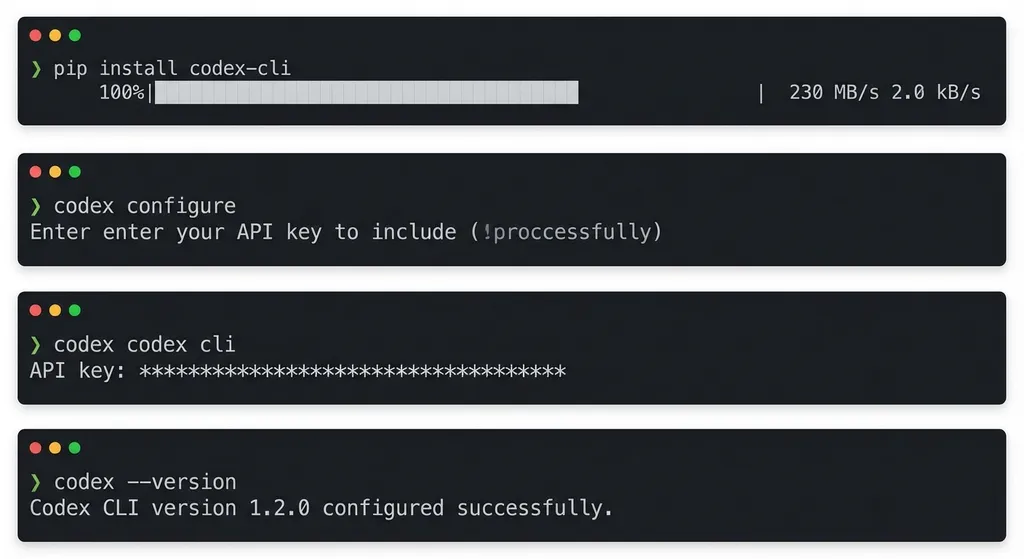
Installing is incredibly simple—just one npm command:
npm install -g @openai/codex
Then log in using either a ChatGPT account or an OpenAI API key. The key point: ChatGPT free users can use it, and usage counts against the Codex quota. If you already use ChatGPT, there’s almost no extra setup required.
codex login
After login, a configuration file is created at ~/.openai/config.json. If you need to switch between different API keys for multiple projects, edit the file manually:
{
  "api_key": "sk-xxxxxxxxxxxx",
  "model": "gpt-4",
  "temperature": 0.7,
  "max_tokens": 2048
}
Remember to run chmod 600 to secure the file and protect your API key from leaking.
For developers in Mainland China, direct access to OpenAI’s API may cause network issues. In that case, you can use an aggregator platform like OpenAI Hub—one key to call all models, direct domestic connection, fully OpenAI-compatible. The configuration is the same; just replace the api_key with the OpenAI Hub key, and set base_url to https://api.openai-hub.net/v1.
Core Features: Writing, Reviewing, Debugging
Codex CLI’s main capabilities focus on three areas:
1. Code Generation and Refactoring
Describe your needs directly in the terminal, and Codex will generate code that matches your project’s style. It doesn’t just spit out isolated snippets—it understands your project structure, dependencies, and naming conventions.
For example, in an Express project, if you want to add a user authentication middleware:
codex generate "add JWT authentication middleware for Express"
Codex analyzes your project, checks which database you use, whether you already have a user model, and then generates a complete middleware file—including token validation, error handling, and type definitions.
For large-scale refactoring, Codex can handle multi-file changes. If you want to convert a REST API to GraphQL, it automatically finds relevant controllers, services, and models, and generates the corresponding resolvers and schema.
2. Code Review
codex review is a handy command. By default, it reviews your current unstaged changes but can also target branches or commits:
# Review current changes
codex review

# Review a full branch
codex review --base main

# Multi-file changes, run in background
codex review --base main --background
The review includes potential bugs, missing edge cases, performance bottlenecks, and security risks. Cisco reportedly increased its code review speed by 50% using Codex.
For tougher scrutiny, there’s adversarial-review, which aggressively challenges your code design, race conditions, and rollback plans:
codex adversarial-review --background "look for race conditions"
It’s great for doing self-reviews before submitting PRs—stricter than human reviews.
3. Automated Debugging
codex rescue reads your error stack, locates the faulty code, and generates a fix. It doesn’t just Google your error—it considers project context and outputs an executable patch.
codex rescue --error "TypeError: Cannot read property 'id' of undefined"
Codex traces the call chain, finds every possible cause of undefined, and generates code with defensive checks.
Plugin System: Integrate Directly with Claude Code
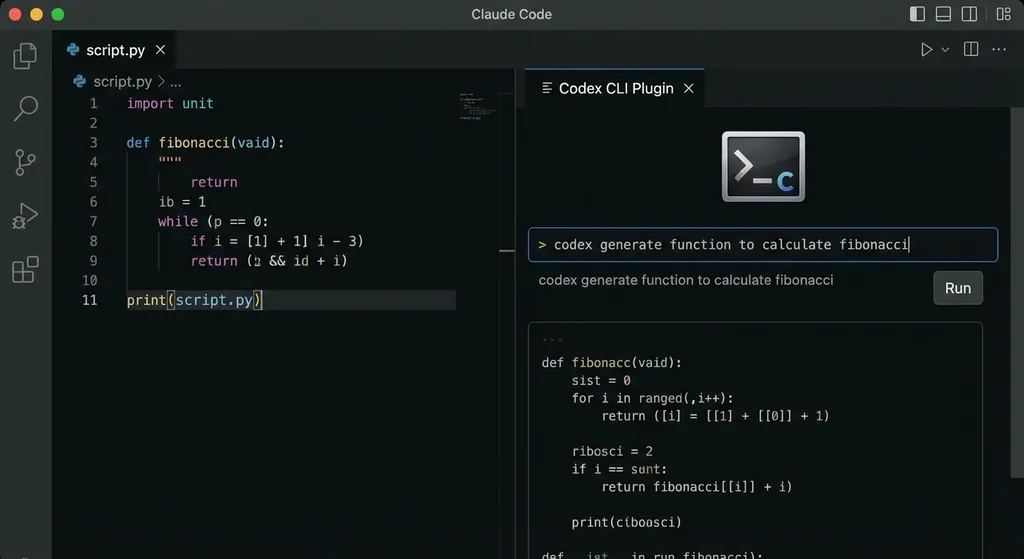
OpenAI made a smart move—not building another editor but instead building a plugin system. Codex CLI can now plug into major editors like Claude Code, Cursor, and VS Code.
For Claude Code, setup is just three commands:
/plugin marketplace add openai/codex-plugin-cc
/plugin install codex@openai-codex
/reload-plugins
Then run /codex:setup. It detects whether Codex CLI is installed locally; if not, you’ll get an installation prompt, or you can install it manually:
npm install -g @openai/codex
The key here is that this plugin doesn’t install a separate Codex instance—it directly calls the existing Codex CLI on your machine, sharing your configuration and login. If you’re not logged in, just type !codex login inside Claude Code.
After installation, Claude Code gains new commands:
/codex:review– Have Codex review your code (read-only)/codex:adversarial-review– Aggressively hunt for flaws/codex:rescue– Hand off the coding or debugging to Codex/codex:status– Check progress of background tasks/codex:result– View execution results
This is a clever design. Anthropic wants Claude Code to keep developers inside its ecosystem, but OpenAI took the opposite approach—making Codex a capability layer. You can use any editor you want. Developers no longer have to choose between “Claude or Codex”; they can use both—Claude Code for editing, Codex for AI power.
Real-World Use Cases
Codex CLI shines in several scenarios:
Legacy System Maintenance
For older projects with no docs, no comments, and vanished authors, Codex can read your entire code repository, analyze architecture, business logic, and dependencies, and produce detailed explanations of how the code works—essential for developers inheriting unknown projects.
Large-Scale Refactoring
Companies like Duolingo and Vanta use Codex for cross-file refactoring—splitting monorepos into microservices or migrating JavaScript projects to TypeScript. Codex automatically handles types, import paths, and config files—tedious details prone to errors.
Automated Testing
Writing test cases is time-consuming, especially for edge cases and error handling. Codex can auto-generate high-coverage tests based on function signatures and logic.
CI/CD Configuration
Setting up GitHub Actions, GitLab CI, or Jenkins requires YAML know-how and plugin familiarity. Codex can generate complete CI/CD configs tailored for your tech stack (Node.js, Python, Go, etc.), including lint, test, build, and deploy steps.
How It Compares to Competitors
Current AI coding tools fall into three main categories:
- Editor Plugins: GitHub Copilot, Cursor, Codeium—integrated directly into editors, real-time code completion.
- AI-Native Editors: Claude Code, Windsurf—AI-first development environments built from scratch.
- Command-Line Tools: Codex CLI, Gemini CLI—standalone AI capability layers independent of editors.
Codex CLI’s strength lies in flexibility. No need to switch editors or workflows—install the CLI and go. Plus, as a command-line tool, it easily integrates into CI/CD pipelines for automated code review and test generation.
Its downside is interaction—it’s less visual than a native editor. Claude Code can show diffs, highlight edits, and apply changes with one click. Codex CLI outputs text or patch files that must be applied manually.
But OpenAI’s plugin system bridges that gap. Codex CLI can now connect with Claude Code or Cursor, mixing the flexibility of the terminal with graphical convenience.
Technical Details
Codex CLI runs on Node.js 22+, powered by the OpenAI API. Supported models include GPT-4, GPT-4 Turbo, and the o1 series.
For code generation, Codex analyzes your project structure—dependencies, config, code style—then builds a context-rich prompt for the model. The output runs through syntax checking and formatting to ensure executable code.
For code review, Codex converts your code into an AST (Abstract Syntax Tree), analyzes control flow, data flow, and dependencies, then uses the model to identify potential issues—far more accurate than raw text analysis.
For debugging, Codex parses the stack trace, locates the exact line of code, and generates a fix using local context. If it’s a runtime error, it also analyzes variable states and call chains.
If you want to integrate Codex into your own project, you can directly call the OpenAI API. Here’s an example compatible with OpenAI Hub:
import openai

# Configure OpenAI Hub
openai.api_key = "your-openai-hub-key"
openai.api_base = "https://api.openai-hub.net/v1"

# Code generation
response = openai.ChatCompletion.create(
    model="gpt-4",
    messages=[
        {"role": "system", "content": "You are an expert programmer."},
        {"role": "user", "content": "Write a Python function to validate email addresses using regex"}
    ],
    temperature=0.7,
    max_tokens=2048
)

code = response.choices[0].message.content
print(code)
OpenAI Hub supports GPT-4, Claude, Gemini, DeepSeek, and others—direct domestic access with OpenAI compatibility. For projects that call multiple models for comparison or fallback, an aggregator platform is especially convenient.
Key Points to Watch
1. Free Users Supported
ChatGPT free accounts can use Codex CLI, and usage counts toward Codex quotas. Great news for students and individual developers. While quotas are limited, they’re enough for small projects or code reviews.
2. Plugin Ecosystem
OpenAI clearly intends to build a rich plugin ecosystem—not just for editors, but for collaboration tools like Jira, Linear, and Notion. Imagine creating an issue in Linear, having Codex generate matching code and tests, and auto-submitting a PR—the workflow isn’t far off.
3. Enterprise Edition
Companies like Cisco and Rakuten already use Codex for enterprise software development. OpenAI is expected to offer an enterprise version with private deployment, access management, and audit logs—essential for compliance-heavy environments.
4. Relationship With GitHub Copilot
Codex is the underlying technology behind GitHub Copilot, but OpenAI is now making it an independent product. This could mean Copilot eventually migrates to the Codex CLI architecture or the two become more deeply integrated.
Conclusion
Codex CLI is a practical product. Instead of trying to reinvent the editor, it turns AI capability into a standalone command-line tool, allowing developers to integrate seamlessly into existing workflows.
For developers already using Claude Code or Cursor, Codex CLI provides an additional choice—you can keep your favorite editor and still enjoy OpenAI model power.
For command-line enthusiasts, Codex CLI fits easily into scripts or CI/CD pipelines for automation—code reviews, test generation, refactoring, and more.
For developers in China, aggregator platforms like OpenAI Hub solve connectivity problems while enabling access to multiple models—GPT, Claude, DeepSeek, etc.—for maximum flexibility.
The race among AI coding tools has evolved from “whose autocompletion is smarter” to “whose ecosystem is more open.”
By choosing to build an open capability layer instead of a closed ecosystem, OpenAI made a smart strategic move. What happens next depends on how far its plugin ecosystem can grow.
References
- OpenAI Launches Codex CLI - CSDN – Detailed installation and configuration guide
- If You Can’t Beat Them, Join Them! OpenAI Integrates Codex Into Claude Code - Baijiahao – Practical tutorial for Codex CLI integration with Claude Code
- OpenAI Uses Plugins to Break Codex Beyond Coding Boundaries - NetEase – Strategic analysis of the plugin system
- (Latest 2026) Complete Guide to Using Codex CLI in China - Zhihu – Full guide for Chinese developers
- 【AI Coding Tools】OpenAI Codex - CSDN – Core capabilities and application scenarios of Codex


