
OpenAI Official Skills Repository Launched: First Batch of Practical Skills Breakdown
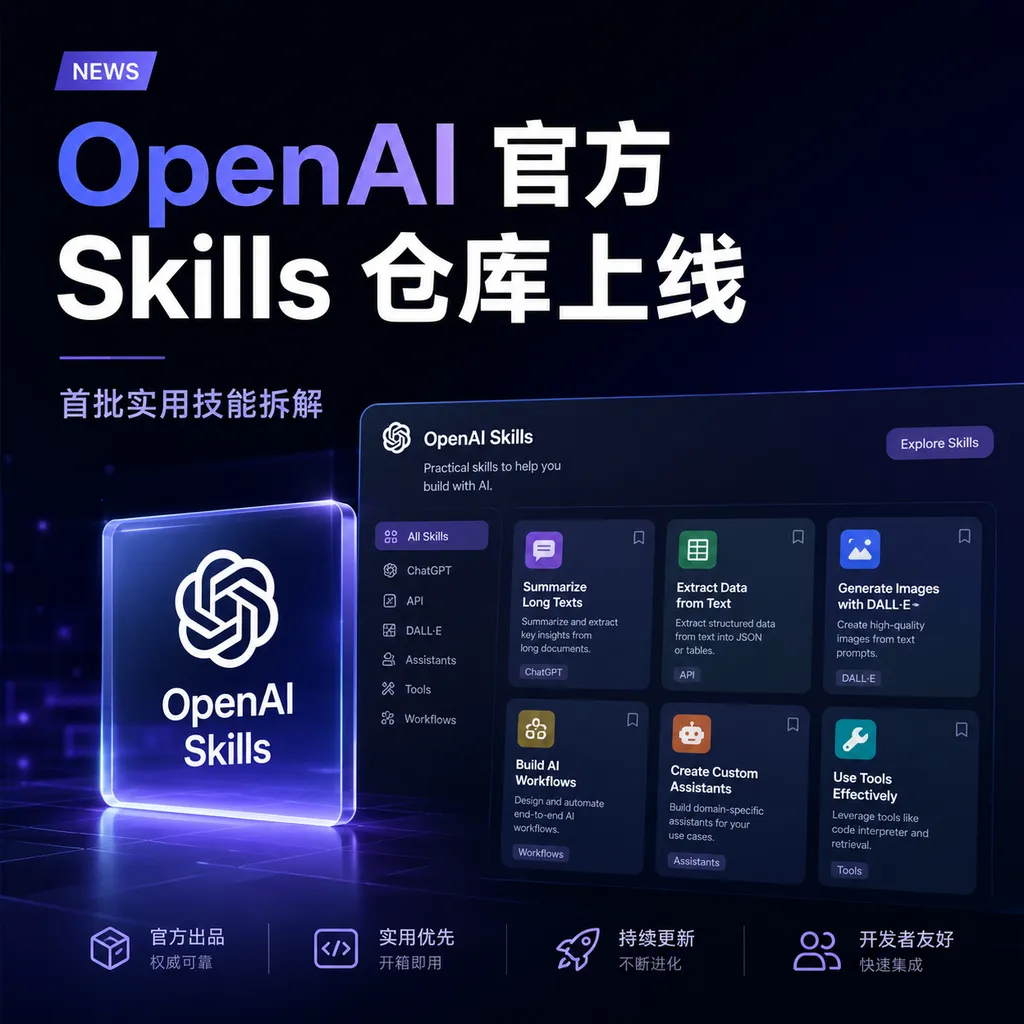
OpenAI has turned Codex’s Agent Skills into an official repository, divided into two layers: `.system` and `.curated`, accompanied by a one-click skill installer. This article breaks down several of the first skills worth checking out, as well as the boundaries among Skill, `AGENTS.md`, and prompt.
OpenAI Official Skills Repository Goes Live: Breakdown of the First Practical Skills
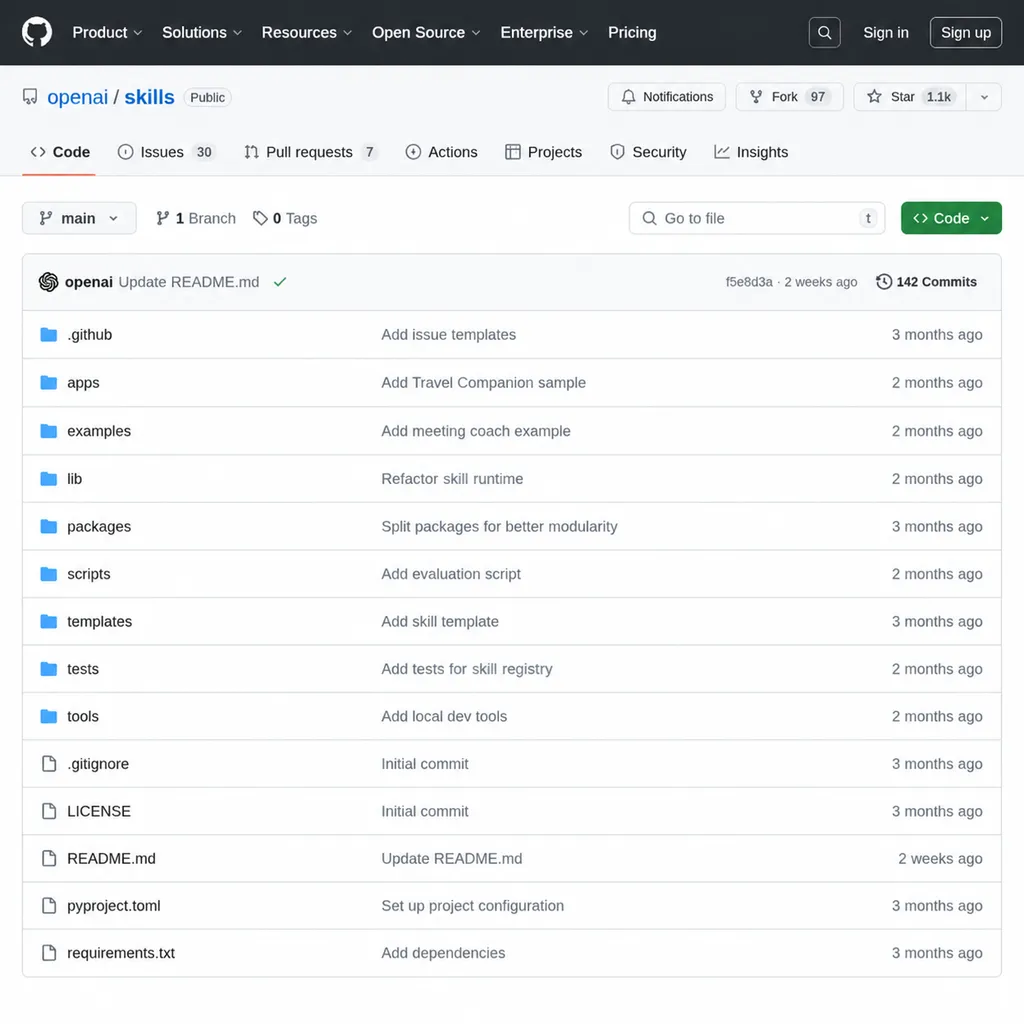
OpenAI has turned Codex’s Agent Skills into an official repository, located at github.com/openai/skills. This is more interesting than just reading the README—it’s not another awesome-list, but rather OpenAI’s own demonstration of what a Skill should look like. If you've been experimenting with Codex or more broadly developing agents, this repo is worth an hour of your time. It’s much faster than starting from scratch.
The repository has two layers: .system contains Codex’s built-in system-level skills, and .curated holds the officially reviewed optional skills. The latter is what regular developers should focus on. Each skill is a complete folder containing SKILL.md, scripts/, and references/, all following a consistent structure.
Why Skills Have Become Important Now
GitHub Trending has changed significantly over the past six months: single-model projects are becoming rare, while “organizational layer” projects centered around agents, skills, memory, and workflow are increasing. The community’s attention is shifting from what models can do to how systems can operate long-term and collaborate effectively.
A Skill is one piece of this puzzle. It solves a very specific problem—you don’t want to rewrite the same prompt every time for similar tasks, nor jam all your rules into AGENTS.md and overwhelm the context. A Skill sits between “one-off prompt” and “project-wide rules”—it’s reusable, version-controlled, and shareable.
Anthropic already implemented Skills for Claude earlier, but OpenAI’s approach is more engineering-oriented—providing an official directory, an installer, and directory conventions. In a sense, this is OpenAI laying out the prototype of an “app store” for the Codex ecosystem.
A Few Skills Worth Exploring First
I went through the .curated skills and picked several that are useful for most developers, ranked by priority:
1. playwright / playwright-interactive
Browser automation skills. Extremely useful for frontend scenarios—it doesn’t just read your code; it actually opens the page.
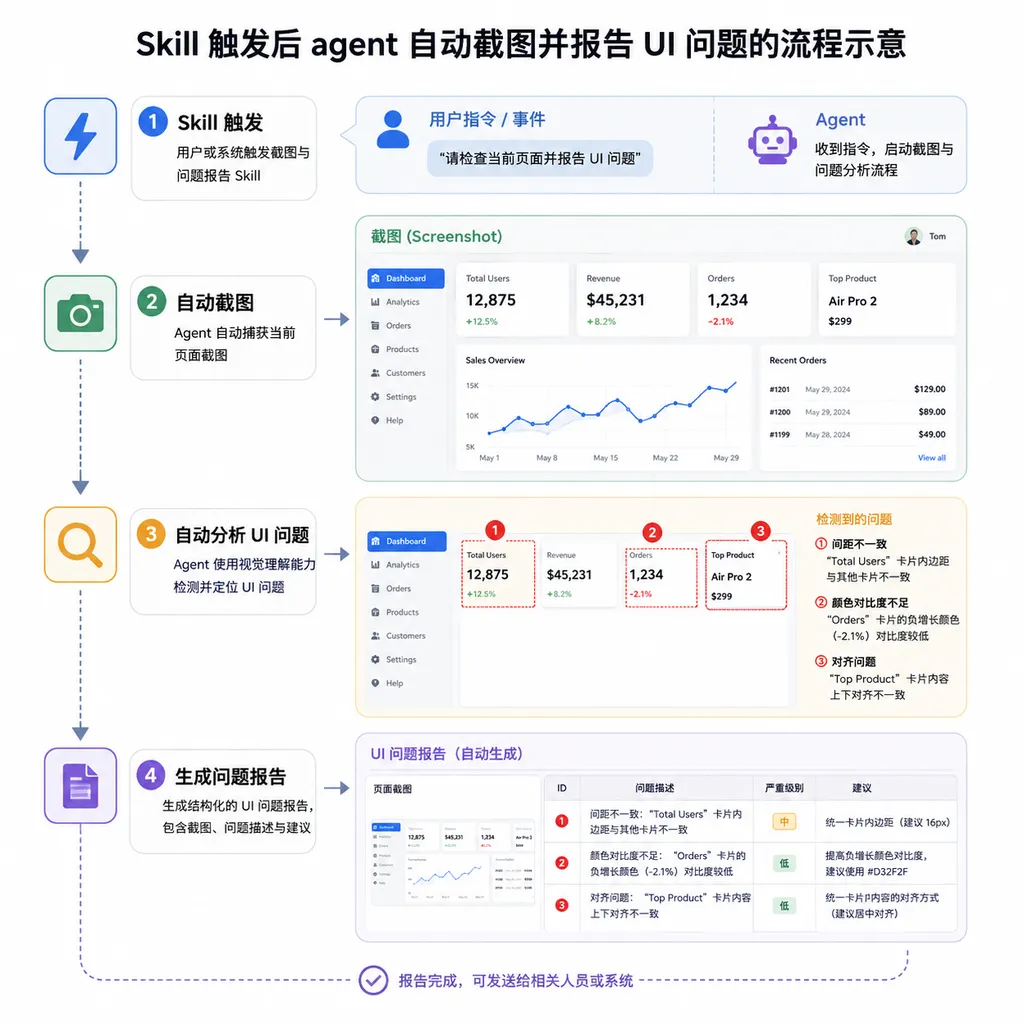
This skill solves a major pain point: after making UI changes, models often confidently claim “done,” when in reality buttons overflow, dark mode contrast breaks, or half the mobile view is blocked. Having the agent take screenshots and check for console errors is more effective than reviewing the code five times yourself.
playwright-interactive is the advanced version that verifies interaction flows like clicks, scrolling, and form filling.
2. pdf
Handles reading, rendering, and layout checks of PDFs. The point isn’t “making the model read a PDF”—multimodal models can do that too—but extracting structured content and validating it systematically.
It’s far more reliable than letting the model “guess PDF content,” especially for tables, multi-column layouts, and scanned documents.
3. openai-docs
This skill itself isn’t particularly useful, but its design philosophy is worth copying. It ensures that when a task involves the OpenAI API, the agent always consults official documentation instead of relying on outdated model memory.
APIs evolve too fast—training data versions are likely outdated. Hardcoding “check docs” into a Skill is more reliable than endlessly reminding the model to do it. You can apply the same idea to write a docs-check skill for any fast-evolving SDK.
4. gh-fix-ci / gh-address-comments
GitHub workflow related.
gh-fix-ci defines a clear process: “read failure logs → locate issue → fix → rerun → verify.”
gh-address-comments handles PR review comments by converting each suggestion into actionable edits.
These skills are valuable because they structure chaotic diagnostic processes. When a CI fails, humans rely on intuition reading logs; agents don’t have intuition—they need explicit steps.
5. security-best-practices
Checklist-type security tasks are perfect as Skills because:
- The checklist is stable (OWASP Top 10 doesn’t change weekly)
- It can’t rely on model improvisation; each item must be verified
- Output formats can be strictly fixed
After reading this skill, you’ll be much clearer on how to design your own compliance or code-audit Skills.
Installation
The repository README introduces an interesting component—skill-installer. It’s itself a Skill that lets agents install curated skills autonomously, like an App Store installer.
You can invoke it directly in Codex:
$skill-installer playwright
$skill-installer openai-docs
$skill-installer gh-fix-ci
Restart Codex after installation so new skills are recognized. This design is clever—it even turns “skill management” into a Skill, allowing agents to install capabilities dynamically during task execution.
Boundaries Between Skill, AGENTS.md, and Regular Prompts
This confuses many Codex users. All three can hold rules—so where does each rule go? This is my approach:
AGENTS.md: Long-term project facts
- Use pnpm, not npm.
- UI components live in src/components.
- Run pnpm lint before finishing.
- Do not edit generated files.
These rules are: stable, relevant only to this project, and not applicable elsewhere.
Skill: Reusable task workflows
Examples: code-review, frontend-visual-check, release-notes, pdf-extract.
They’re not specific to one project but describe standard procedures for certain task types. They should be separated for reuse.
Regular prompt: Specific task request
Change the login page error message to a toast while keeping the existing API.
One-off goals—shouldn’t be written into a Skill or AGENTS.md.
Ask yourself these three questions before writing:
- Will this rule still apply next week? If yes → AGENTS.md
- Can this process be reused across projects? If yes → Skill
- Is it unique to this task? If yes → prompt
Keeping these layers distinct keeps your context clean, and Codex’s output quality will improve significantly.
Writing Your Own Skill: Frontend Visual Check
Theory means nothing without practice—let’s use a common example: making a Playwright visual check Skill for frontend projects.
The goal: make the agent automatically run through this flow after UI changes—start dev server → open page → capture desktop and mobile screenshots → check for blank pages, errors, overlap, and overflow → report issues.
Here’s what SKILL.md roughly looks like:
---
name: frontend-visual-check
description: Verify frontend UI changes with Playwright screenshots across desktop and mobile viewports. Use after implementing or modifying visible UI.
---

# Frontend Visual Check

When active:

1. Start the project dev server using the repo's documented command.
2. Open the changed route in a real browser.
3. Capture desktop and mobile screenshots.
4. Check for blank page, console errors, overlapping text, and broken layout.
5. Report screenshot paths and concrete issues.

Default viewports:
- Desktop: 1440x900
- Mobile: 390x844

Do not mark UI work complete if the page is blank or visibly broken.
Key details to note:
- The
descriptionmust clearly state “when to use.” This determines whether the agent activates the Skill; vague descriptions cause false triggers or missed activation. - Steps should be clearly numbered—models follow ordered lists much better than prose.
- The hard rule at the end (don’t report success if the page is blank) acts as a safeguard—agents tend to be optimistic and must be explicitly told when not to claim success.
Skill Design Principles Learned from Experience
After comparing the official repository with my own Skills, several recurring principles stand out:
- Describe “when to use” clearly. This is the only job of the description field—don’t turn it into a feature summary.
- Put large files in
references/, not inSKILL.md. SKILL.md is the model’s entry point; too long dilutes the key instructions. Supplementary materials, templates, and long lists belong elsewhere. - Repeatable actions go into
scripts/. Use scripts instead of expecting the model to assemble commands—it’s deterministic; model-generated commands are probabilistic. - Fix the output format. A fixed Markdown template or JSON schema drastically reduces variation between runs.
- Copy structure first, invent conventions later. Start with the official repo’s layout, and only after writing 5–6 Skills should you define your own conventions.
Final Thoughts
The significance of OpenAI releasing the Skills repository isn’t the handful of new tools—it’s that it provides a clear answer to how Codex should be extended. Anthropic’s Claude Skills follow a different but converging path—both split an agent’s capabilities from “one big prompt” into “composable small modules.”
For developers, now is a great time to start writing Skills: the standard is fresh, examples are abundant, and the toolchain works. As the ecosystem grows, whether your Skill becomes widely adopted will be another story.
By the way, if you want to test Skill design across different models—GPT, Claude, Gemini—the granularity of task decomposition varies noticeably. Using an aggregator platform like OpenAI Hub lets you switch between providers with a single key, saving you the hassle of separate applications.
References
- openai/skills · GitHub — Official OpenAI Codex Skills repository with
.systemand.curatedstructures - Skill Sharing: Must-See Official Skills in OpenAI’s Repository - linux.do — Detailed reviews and installation guide for curated skills
- Skill Sharing: How to Build a Playwright Visual Check Skill for Frontend Projects - linux.do — Complete
SKILL.mdexample for custom visual check Skill - Codex Tips: When to Use a Skill, AGENTS.md, or a Regular Prompt - linux.do — Discussion of boundaries between the three context containers


