
Microsoft Scout officially released: Always-on AI office assistant
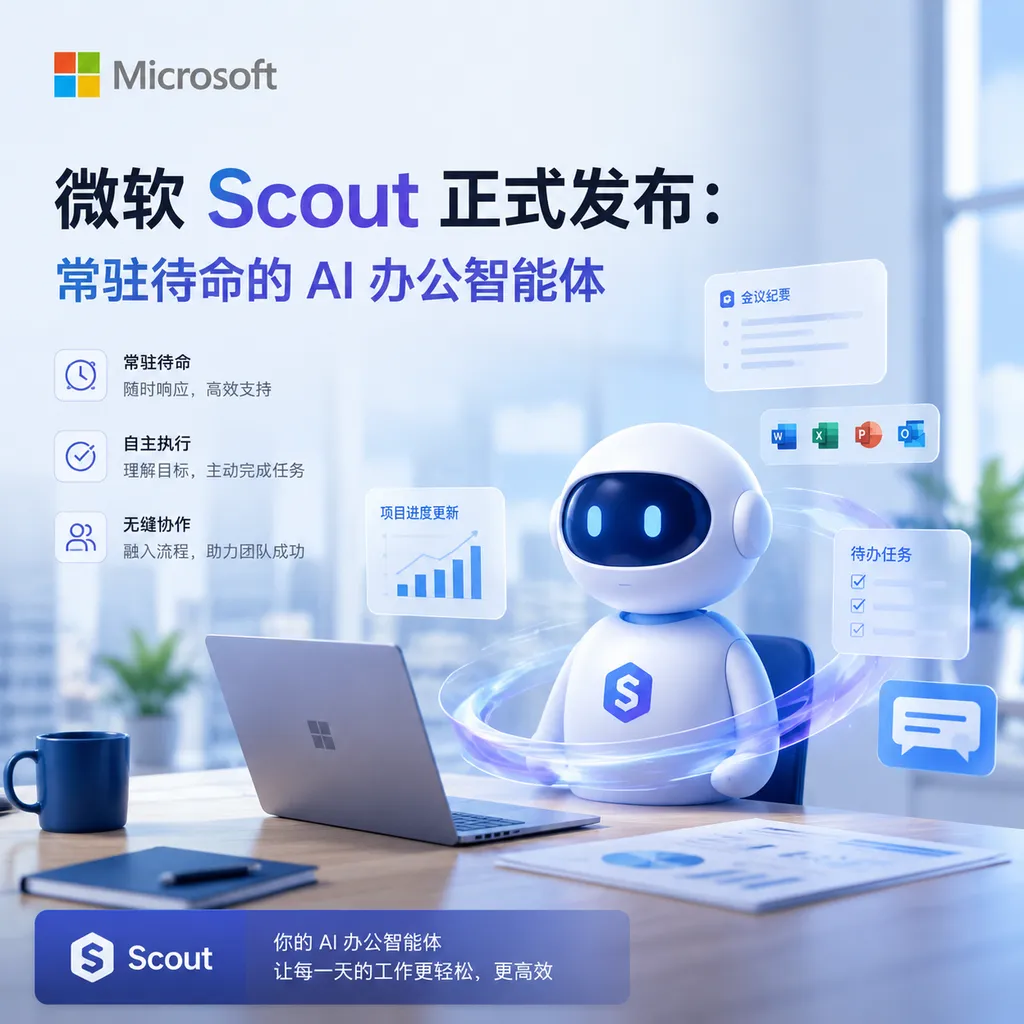
At Build 2026, Microsoft launched Scout, the first fully autonomous AI agent deeply integrated into Microsoft 365. It can continuously process emails, meetings, and workflows in the background, without requiring users to actively initiate commands.
Microsoft Scout Officially Released: Always-On AI Office Agent
At the Build 2026 Developer Conference, Microsoft released Scout, a truly always online AI office agent. Unlike the existing Copilot, which requires the user to ask questions, Scout runs continuously in the background, proactively handling email replies, resolving scheduling conflicts, preparing meeting agendas, and even processing expense reports—without the user needing to issue instructions each time.
This is Microsoft’s first Autopilot agent, with its core capability being always-on readiness within the Microsoft 365 ecosystem. Scout is currently available to early users in the Frontier project organization, supporting Windows 10, Windows 11, and macOS platforms.
From Passive Response to Active Execution
The emergence of Scout marks an important shift in Microsoft’s AI assistant strategy. The old Copilot was essentially an enhanced search box: it answered what you asked and stayed idle without instructions. Scout’s logic is completely different—it learns your work patterns, proactively identifies tasks that need handling, and gets them done on its own.
Example: When you receive an email that needs a reply, traditional Copilot requires you to open the email, click “Help me draft a reply,” and wait for it to generate. Scout, however, automatically reads the email content in the background, understands the context, drafts a professional response, and places it in the drafts folder for your review—without you even opening that email.
This autonomous capability is built on Microsoft’s newly introduced Work IQ intelligence layer. Work IQ captures user workflows and habits within Microsoft 365, providing Scout with context-awareness. Combined with other Microsoft IQ platform components (Fabric IQ for structured data, Foundry IQ for unstructured documents, Web IQ for accelerated web search), Scout gains a holistic understanding of enterprise data and workflows.
Technical Architecture: Enterprise-Grade Modification of OpenClaw
Scout’s underlying architecture is based on OpenClaw—an open-source, self-hosted AI agent framework whose hallmark is user sovereignty, allowing users full control over agent logic and data access permissions. However, in enterprise environments, this openness brings dual supply-chain risks: concerns over the security of the AI model and whether user-configured agents comply with corporate security policy.
Microsoft’s solution is to encapsulate OpenClaw’s core capabilities within its governance framework. Scout integrates Entra identity management, Agent 365 monitoring systems, and a brand-new Execution Container. This container enforces boundaries via the Windows OS, preventing agents from unauthorized file access or executing dangerous code when running multi-step workflows.
IT administrators can use Agent 365 to see all AI agents operating within the organization and decide what actions require manual approval versus automatic execution. This approach contrasts sharply with Google’s Gemini Spark: Gemini Spark prioritizes consumer convenience first, then adds enterprise controls; Microsoft puts enterprise control first, ensuring complete visibility and control over agent behavior for IT departments.
For most enterprises, this governance-first design is essential. Autonomous AI agents, if they make mistakes, pose serious accountability issues. Microsoft’s architecture allows IT departments to empower employees with AI capabilities while managing risk.
Feature Depth: Beyond Just a Schedule Assistant
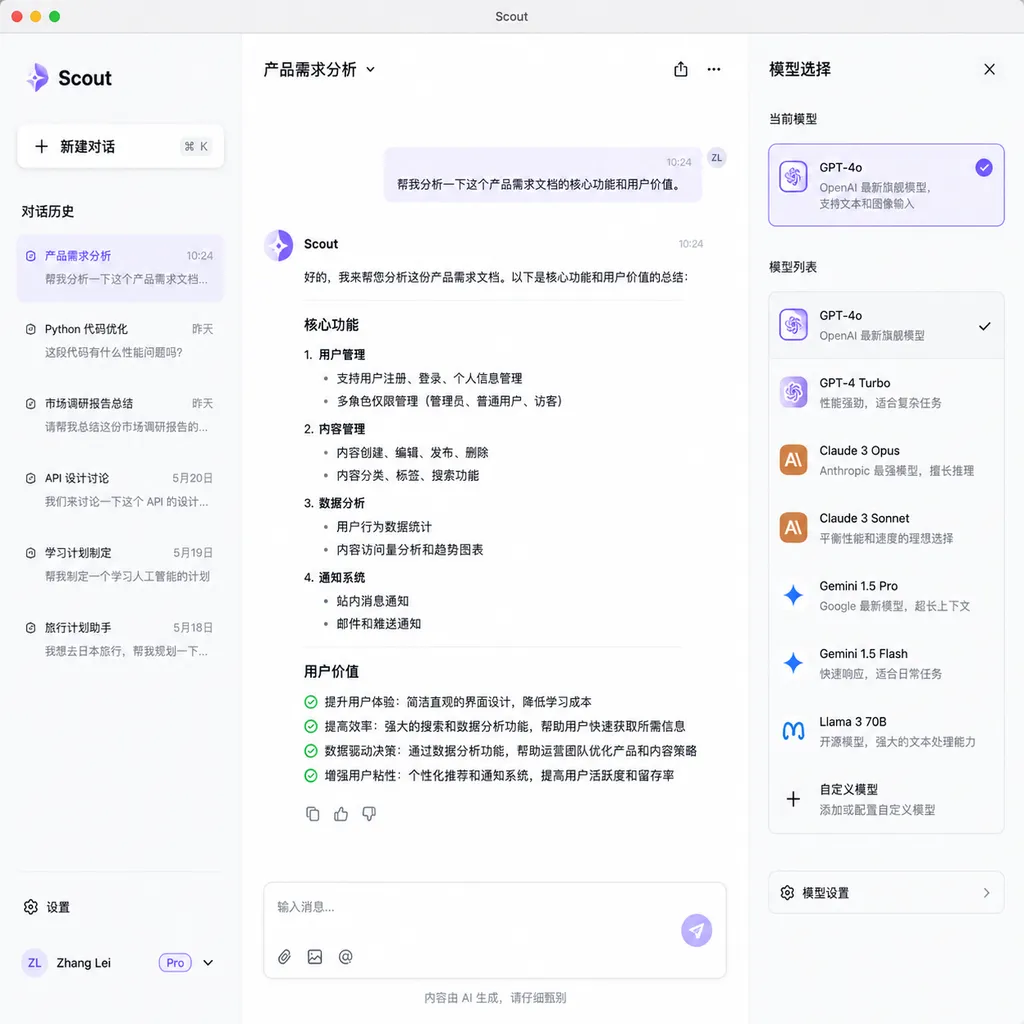
Scout’s capabilities far exceed traditional scheduling tools. It supports multi-model selection, currently covering various OpenAI and Anthropic models. Users can also set personality for the agent—meaning you can make Scout more formal or casual in drafted emails, more conservative or aggressive when handling tasks.
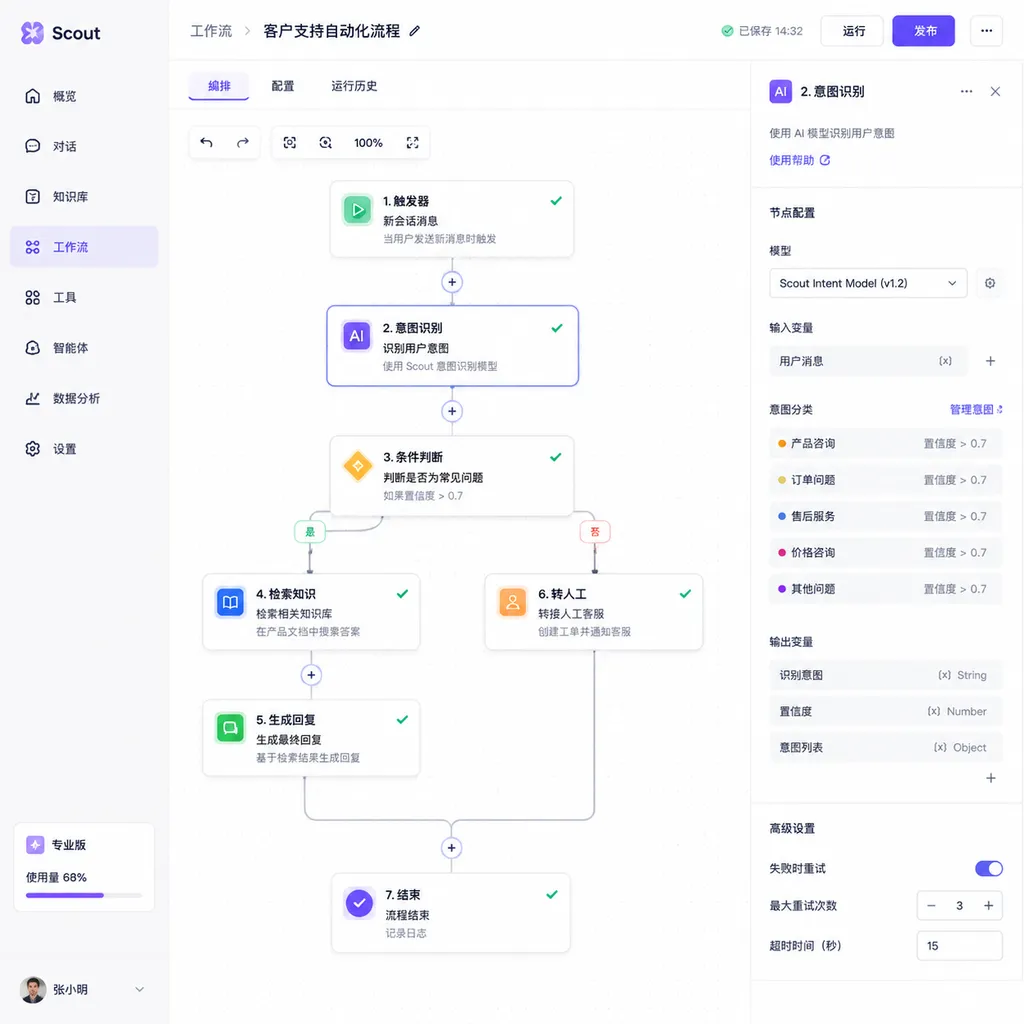
On the automation side, Scout has built-in Zapier-like workflow orchestration, directly integrated into the desktop app. Users can create multi-step automation, such as: “Every Friday afternoon, automatically compile weekly meeting minutes, generate a work summary, and send it to the team.” Scout also supports a Headless Browser mode for faster background execution of web-related tasks, like bulk form filling or data scraping.
For functional extensions, Scout offers integration capabilities and a Skill Layer. It can access local files, generate PowerPoint presentations, and assist with coding. This flexibility makes Scout not just an office assistant, but a fully customizable work platform.
New Model Family: Strategic Intent of the MAI Series
Launched alongside Scout are seven new models developed by Microsoft’s Superintelligence Team, the most notable being the first reasoning model, MAI-Thinking-1. It has 35 billion active parameters and a 128K token context window, focused on efficiency and low cost.
Microsoft AI chief Mustafa Suleyman emphasized that MAI-Thinking-1 was trained on clean, commercially licensed data, not distilled from third-party models—an assertion addressing widespread industry controversy over model distillation, where smaller models improve performance by distilling closed-source large models, raising legal concerns.
Other models include:
- MAI-Image-2.5: Image generation model
- MAI-Transcribe-1.5: Speech transcription model supporting 43 languages
- MAI-Code-1: Code generation model designed for GitHub Copilot and Visual Studio Code
This model family reflects Microsoft’s strategic intent: to free its AI infrastructure from dependency on external vendors. Although Scout currently supports OpenAI and Anthropic models, Microsoft clearly aims to eventually power Scout and other products with its own models, gaining greater control over cost, performance, and data security.
Pricing & Commercialization: $99 Per User Per Month
Scout is included in Microsoft 365 E7, priced at $99 per user per month. This isn’t cheap, but given that the E7 version also includes advanced security and compliance features, the cost-effectiveness is reasonable for medium to large enterprises.
More important is the pricing model’s implicit message: Microsoft positions Scout as an enterprise productivity tool, not a consumer product. This contrasts with OpenClaw’s open-source community approach—OpenClaw emphasizes user sovereignty and self-hosting, suiting tech-savvy individuals or small teams; Scout is tailored for enterprise environments, prioritizing governance, compliance, and IT management.
This differentiation reflects Microsoft’s view of the AI agent market: individual users care more about flexibility and cost, while enterprise clients prioritize security and control. Microsoft chose the latter, in line with its long-standing advantage in the enterprise market.
Industry Impact: From “Intelligence” to “Owning Intelligence”
Microsoft CEO Satya Nadella stated at Build that, in the future, the differentiating factor for companies won’t be whether they can access AI intelligence, but whether they can own intelligence. The implication: simply using external AI services (like OpenAI API) isn’t enough; enterprises must deeply integrate AI into their workflows and data systems to create a proprietary intelligence layer.
Scout embodies this philosophy. It’s not a standalone AI application but an intelligence layer deeply embedded into the Microsoft 365 ecosystem. It understands your email habits, meeting patterns, and document structures—context external AI services cannot obtain. This proprietary intelligence will grow in value over time with continued use.
For competitors, Scout’s launch sends a clear signal: the battlefield for AI assistants has shifted from model capability to ecosystem integration. Products like Google Workspace, Notion, and Slack will need to accelerate their own always-on agents and compete with Microsoft on usability, security, and depth of ecosystem integration.
Developer Perspective: GitHub Copilot Desktop App
Apart from Scout, Microsoft also announced the GitHub Copilot desktop app at Build, positioning it as a Native Agentic Workbench. This app isn’t just code completion—it’s a platform for agents capable of executing multi-step development tasks.
Developers can describe needs in natural language, and Copilot will automatically generate code, run tests, fix bugs, and even deploy applications. This end-to-end development experience mirrors Scout’s role in office scenarios: transforming from a passive tool to an active partner.
The simultaneous release of these two products showcases Microsoft’s overarching AI agent strategy: whether in office or development contexts, the core is turning AI from reactive to proactive, from tool to colleague.
Potential Risks & Challenges
Despite Scout’s powerful functions, there are notable risks:
- Over-Automation: When AI agents autonomously manage emails, meetings, and workflows, users may lose control of details. Misunderstandings or hallucinations by Scout could cause more serious consequences than traditional tools.
- Privacy & Compliance: Scout requires continuous access to sensitive data like emails, calendars, and documents. While Microsoft emphasizes security, this always-on monitoring may raise privacy concerns, especially in regions with strict data protection laws (e.g., Europe).
- Vendor Lock-In: Deep integration with Microsoft 365 means enterprises face high switching costs once dependent, limiting future options despite benefits for Microsoft.
- AI Hallucinations & Error Handling: Even with Microsoft IQ’s context-aware platform, no AI is entirely error-free. For autonomous actions, timely detection and correction of errors remain a challenge.
Conclusion
Scout’s launch signifies the next phase for AI office assistants—it’s no longer about answering questions, but taking action. This shift from passive to proactive represents a paradigm upgrade for productivity tools, but it also introduces new risks and challenges.
Microsoft’s governance-first design prioritizes IT department control. This conservative strategy may limit flexibility in some scenarios but is a more responsible choice for most enterprise clients.
Long-term success for Scout hinges on two factors: whether Work IQ and other intelligence layers can truly understand user workflows, reducing errors; and whether Microsoft can balance security, privacy, and user experience. If successful, Scout could become the new backbone of enterprise office infrastructure; if not, it may remain a powerful but underused experimental product.
References
- Exploring Microsoft “Lobster” Scout, Always-On AI Office Collaboration – IT Home — IT Home’s detailed report on Scout, including feature introductions and screenshots


