
OpenCV 5 Release: DNN Engine Reconstruction, Run Transformer Directly
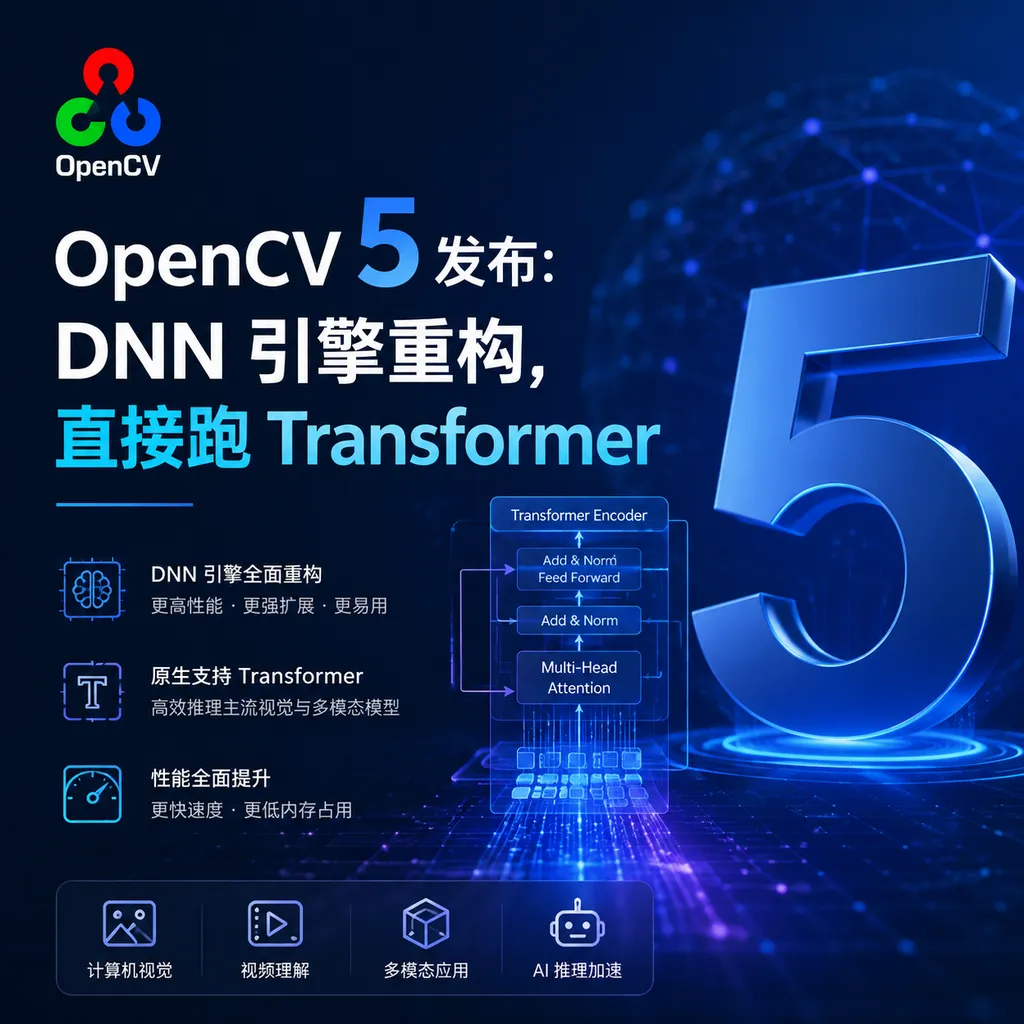
OpenCV 5 was officially released today, with the core upgrade being a new graph-based DNN engine. The ONNX operator coverage jumped from 23% to 80%, with native support for Transformer and vision-language model inference, while also clearing twenty years of technical debt.
OpenCV 5 Released: DNN Engine Reconstruction, Run Transformers Directly
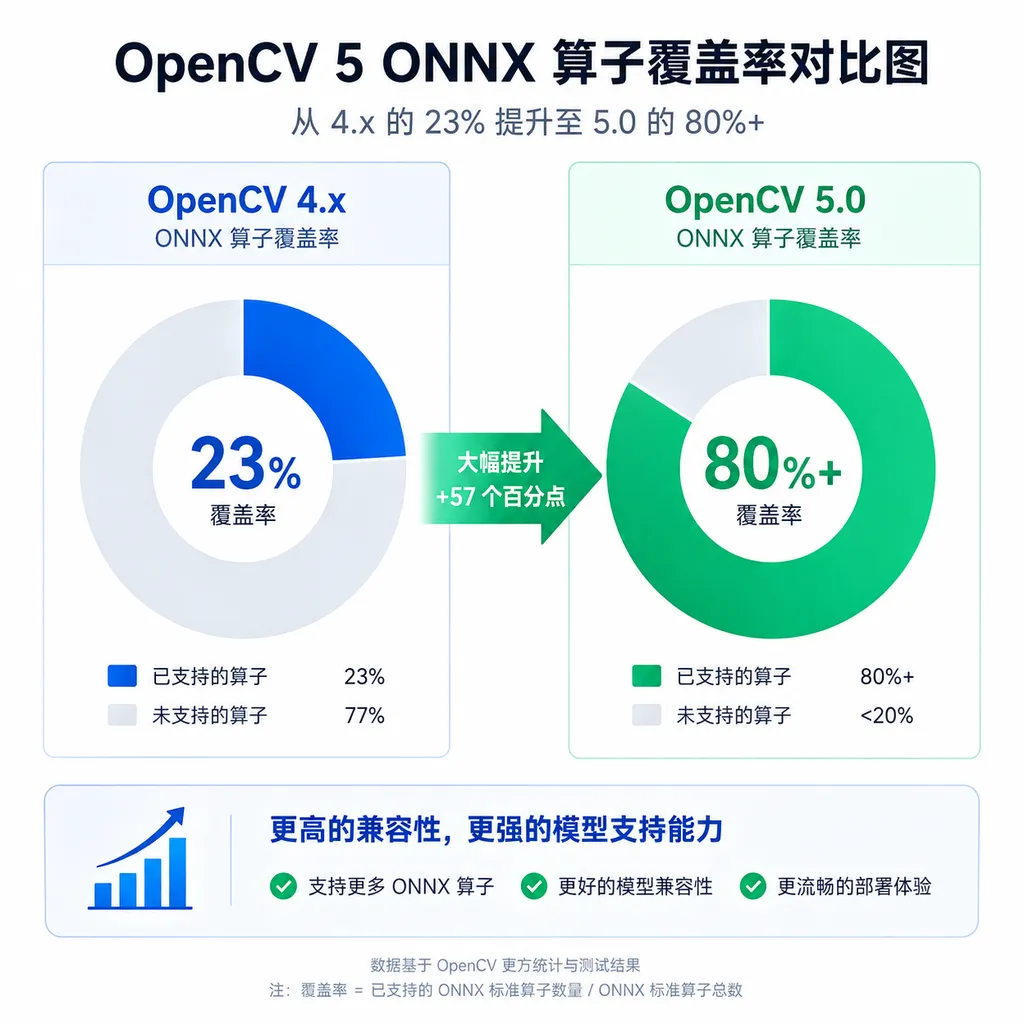
The OpenCV team officially released version 5.0 today, marking the largest architectural overhaul in this computer vision library's 20+ year history. The core change is a complete rewrite of the DNN module, transforming it from a “usable but unpleasant” inference layer into a modern, graph-optimized inference engine. ONNX operator coverage has jumped from 23% in 4.x to over 80%, and it can now directly load Transformer and vision-language models.
What does this upgrade mean for OpenCV users? Previously, when you trained a model in PyTorch or TensorFlow and wanted to deploy it with OpenCV to embedded devices or production environments, you often ran into unsupported operators, slow inference, or failed hardware acceleration. OpenCV 5’s new DNN engine addresses these pain points: fuller ONNX support, operator fusion optimization, a unified hardware acceleration interface, and native support for modern data types like FP16/BF16.
New DNN Engine: From “Does Run” to “Easy to Use”
The DNN module in OpenCV 4.x was essentially an inference runtime, but its architecture dated back to around 2016. It could load models from early frameworks like Caffe, TensorFlow, and Darknet, but had weak support for complex graph structures and dynamic shapes. It struggled with Transformer operators such as multi-head attention and layer normalization.
OpenCV 5’s new engine starts from scratch and adopts a computation-graph-based architecture. This means that after loading a model, it first builds a complete computation graph, then performs compiler-level optimizations like operator fusion, constant folding, and memory optimization before execution. This process follows the same approach as professional inference engines like TensorRT and ONNX Runtime, but OpenCV’s implementation is lighter and has fewer dependencies.
In terms of operator support, OpenCV 5 has filled in most of the commonly used ONNX opset 13–19 operators. The official data cite coverage of over 80%, meaning your exported ONNX model will most likely run directly, without the need to manually tweak the model structure or write custom layers.
More importantly, it now supports Transformers. OpenCV 5 can directly load Vision Transformers (ViT), CLIP, BLIP, and other vision-language models, as well as run text-only models like BERT and GPT (though running LLMs in OpenCV is not a mainstream scenario, it’s technically feasible). This is thanks to native implementations of core Transformer operators like LayerNorm, GELU, and Multi-Head Attention, rather than relying on user workarounds as in 4.x.
Hardware Acceleration: Unified Interface, No More #ifdefs
Previously, OpenCV’s hardware acceleration was a legacy mess. CUDA, OpenCL, Vulkan, and various proprietary acceleration libraries were all shoved into the code through #ifdef conditional compilation — difficult to maintain and highly fragmented. For NVIDIA GPU acceleration, you’d compile with CUDA; for Intel integrated graphics, you’d need OpenCL; for Huawei Ascend or Rockchip NPUs, the vendor would submit a patch, leaving the codebase full of platform-specific branching.
OpenCV 5 introduces a new hardware abstraction layer (HAL) that standardizes acceleration backend interfaces. Hardware vendors only need to implement this API to integrate seamlessly into OpenCV’s inference pipeline, without stuffing conditional compilation into the main codebase. The design borrows from PyTorch’s dispatcher and ONNX Runtime’s execution provider, but is lighter in implementation.
For developers, this means you don’t have to care whether it’s running on CUDA or Vulkan under the hood — just specify the backend during initialization and OpenCV will use the optimal operator implementation. If your device has multiple acceleration backends (e.g., NVIDIA GPU + Intel iGPU), OpenCV 5 can automatically fall back: it prefers CUDA, but will fall back to OpenCL or CPU for unsupported operators.
This also makes it easier for domestic hardware integration. Vendors like Huawei Ascend, Cambricon, and Hygon only need to implement their HAL backend to run OpenCV on their NPUs or AI acceleration cards, without waiting for OpenCV’s official code merges.
Python Bindings: Finally No Guesswork
OpenCV’s Python interface has long been criticized. Because the core is written in C++ and the Python bindings are auto-generated, many functions had unclear parameter orders, defaults, and type hints. Calling a function often required checking C++ docs, reading source code, or simply guessing from IDE autocompletion.
OpenCV 5 redesigns the Python binding generator, supporting keyword arguments and full type hints. Now you can write:
import cv2 as cv

# Previously: parameter order relied on memory
img = cv.resize(src, (640, 480), 0, 0, cv.INTER_LINEAR)

# Now: keyword arguments, clear and intuitive
img = cv.resize(
    src=src,
    dsize=(640, 480),
    interpolation=cv.INTER_LINEAR
)
Type hints are complete, so IDEs can tell you the expected parameter types and return values. For Python users this is a qualitative improvement, especially for beginners who no longer need to guess “Is this parameter a tuple or list?” or “Is the return value a NumPy array or OpenCV Mat object?”
Another improvement is NumPy integration. OpenCV 5’s tensor type can directly convert to/from NumPy arrays without extra copies. This is useful for data preprocessing: you can process data with NumPy or Pandas, pass it directly to OpenCV for inference, then feed results into Matplotlib for visualization — all zero-copy.
New Data Types: Native FP16/BF16 Support
OpenCV 4.x only supported traditional data types like FP32, INT8, and INT16, with FP16 and BF16 handled via third-party libraries (such as Half) or manual conversions — leading to poor performance and instability.
OpenCV 5 treats FP16 and BF16 as first-class citizens, with efficient built-in conversion and compute kernels. This is crucial for modern AI models: most Transformer models use BF16 or mixed precision in training, and FP16 inference can significantly reduce memory usage and latency. OpenCV 5 can directly load FP16 ONNX models without manual precision conversion.
It also benefits hardware acceleration. NVIDIA Tensor Cores, Apple’s ANE, and ARM’s Neon units support FP16 much better than FP32, so OpenCV 5’s new engine can automatically leverage these hardware features, improving inference speeds by 2–4×.
3D Vision: ChArUco Calibration and Multi-Camera Support
Beyond the DNN module, OpenCV 5 also improves 3D vision significantly. The most practical is native support for ChArUco calibration boards — a hybrid of chessboard and ArUco markers — offering more robust detection than standard chessboards, even when partially occluded or under uneven lighting.
OpenCV 5 also enhances multi-camera calibration, allowing simultaneous calibration of multiple cameras’ intrinsic and extrinsic parameters. This is useful for stereo vision, SLAM, and 3D reconstruction. Previously, you had to manually loop through each camera’s calibration and perform coordinate transformations; now it can be done with a single function call.
For visualization, OpenCV 5 introduces a new 3D visualization module, based on VTK or OpenGL backends, to render point clouds, meshes, and camera poses directly. This facilitates debugging SLAM algorithms or presenting reconstruction results without relying on external tools like MeshLab or CloudCompare.
Code Cleanup: C API Finally Retired
The C API from OpenCV 1.x days (IplImage, CvMat, etc.) is officially deprecated in 5.0. These APIs have been replaced by the C++ interface (cv::Mat) for over a decade but were retained for backward compatibility. Now the team has decided to remove them entirely to reduce maintenance burden.
If your code still uses the C API, upgrading to OpenCV 5 requires migration. The good news is migration costs are low, as most C APIs have C++ or Python counterparts with better performance. The official migration guide lists common function replacements.
Another cleanup is module structure. OpenCV 4.x had over 20 modules; many overlapped or were rarely used. OpenCV 5 moves some fringe modules to the opencv_contrib repository, keeping only the most common modules in the core library. Binary size is reduced by about 30%, which means less storage use and quicker startup for embedded devices.
Documentation Rewrite: Finally Readable
OpenCV’s documentation has long been accused of being “usable but hard to use.” API references were auto-generated with rigid formatting and lacked examples. Tutorials varied in quality, with some written a decade ago still using the C API.
OpenCV 5’s documentation is completely rewritten with a modern framework (possibly MkDocs or Docusaurus), featuring clear layout, dark mode, and improved search. Every API has code examples in C++, Python, and Java. Tutorials have been updated with practical guides on popular topics like deep learning, 3D vision, and embedded deployment.
Industry Impact: A New Choice for Inference Deployment
The most direct impact of OpenCV 5’s upgrade is offering a new option for inference deployment. Until now, deploying AI models in production either meant using heavyweight frameworks like TensorRT or ONNX Runtime, or writing inference code from scratch. TensorRT performs well but only supports NVIDIA GPUs; ONNX Runtime is cross-platform but dependency-heavy and tricky to compile.
OpenCV 5’s positioning is between these: not as fast as TensorRT but lighter than ONNX Runtime, easy to compile, and highly cross-platform. For embedded devices, edge computing, and mobile scenarios, OpenCV 5 is a good fit — especially for projects already using OpenCV for traditional vision tasks like image processing or feature extraction, which can now integrate deep learning models without extra dependencies.
Another impact is domestic hardware support. Vendors like Huawei Ascend, Cambricon, and Hygon are promoting their AI acceleration cards, but ecosystem adoption remains a hurdle. Developers prefer standard APIs over learning proprietary ones. OpenCV 5’s hardware abstraction layer offers a unified entry point, letting vendors integrate with OpenCV’s large user base — a boost for domestic hardware ecosystems.
Who Will Use OpenCV 5?
In the short term, OpenCV 5’s main users will be:
-
Embedded AI Developers: Need to deploy vision models on devices like Raspberry Pi, Jetson, Rockchip — sensitive to dependencies and binary size; OpenCV 5’s lightweight nature fits well.
-
Industrial Vision Engineers: Scenarios like quality control, defect detection, OCR, blending traditional vision algorithms with deep learning — OpenCV 5 can unify the tech stack.
-
Robotics Developers: Tasks like SLAM, navigation, and grasping require 3D vision and deep learning; OpenCV 5’s enhanced 3D features and DNN module meet their needs.
-
Education and Research: OpenCV’s open-source, cross-platform, well-documented nature has long made it a top choice for teaching and prototyping; OpenCV 5’s usability improvements reinforce this.
For cloud inference or large-scale production deployment, OpenCV 5 may not be the optimal choice. TensorRT, ONNX Runtime, and TVM still lead in performance and features. But for medium/small-scale, edge computing, and rapid prototyping, OpenCV 5 offers strong value.
Upgrade Advice
OpenCV 5 is not a pain-free upgrade. C API deprecation, module restructuring, and some function signature changes may cause older code to fail compilation. The official migration guide is available, but actual upgrades still require testing and adjustments.
If your project meets any of the following, you should consider upgrading soon:
- Need to deploy Transformer or vision-language models
- Need FP16/BF16 inference acceleration
- Need better ONNX compatibility
- Need to run on domestic hardware
- Python project that benefits from type hints and keyword arguments
If your project only uses OpenCV for traditional vision tasks (filtering, edge detection, feature matching), or involves large codebases with high migration costs, you can postpone upgrading. OpenCV 4.x will be maintained for a while, with major bug fixes but no new features.
Bonus: GitHub Stars Break 86,000
OpenCV’s GitHub stars have surpassed 86,000, with daily installs exceeding 1 million. In the open-source ecosystem this is a top-tier level: about half of TensorFlow’s (~180k stars), but more than PyTorch (~70k stars) and comparable to scikit-learn (~60k stars).
Considering OpenCV is a low-level library without the same volume of application-layer developers as deep learning frameworks, this number is remarkable. Its user base spans academia, industry, and open source — from PhD research projects to Tesla autopilot, from security cameras to phone cameras, OpenCV is everywhere.
The release of OpenCV 5 is a self-renewal for this 20+ year-old project. It doesn’t pursue disruptive innovation, but focuses on clearing technical debt and embracing modern architectures while maintaining backward compatibility. For developers, this means a more powerful, more user-friendly, and more future-ready computer vision toolbox.
References
- OpenCV 5 Release: Upgraded DNN Engine, Native Support for Large Models – IT之家 — Official release info and main feature overview
- OpenCV GitHub Repository — Source code and technical details


